学习目标
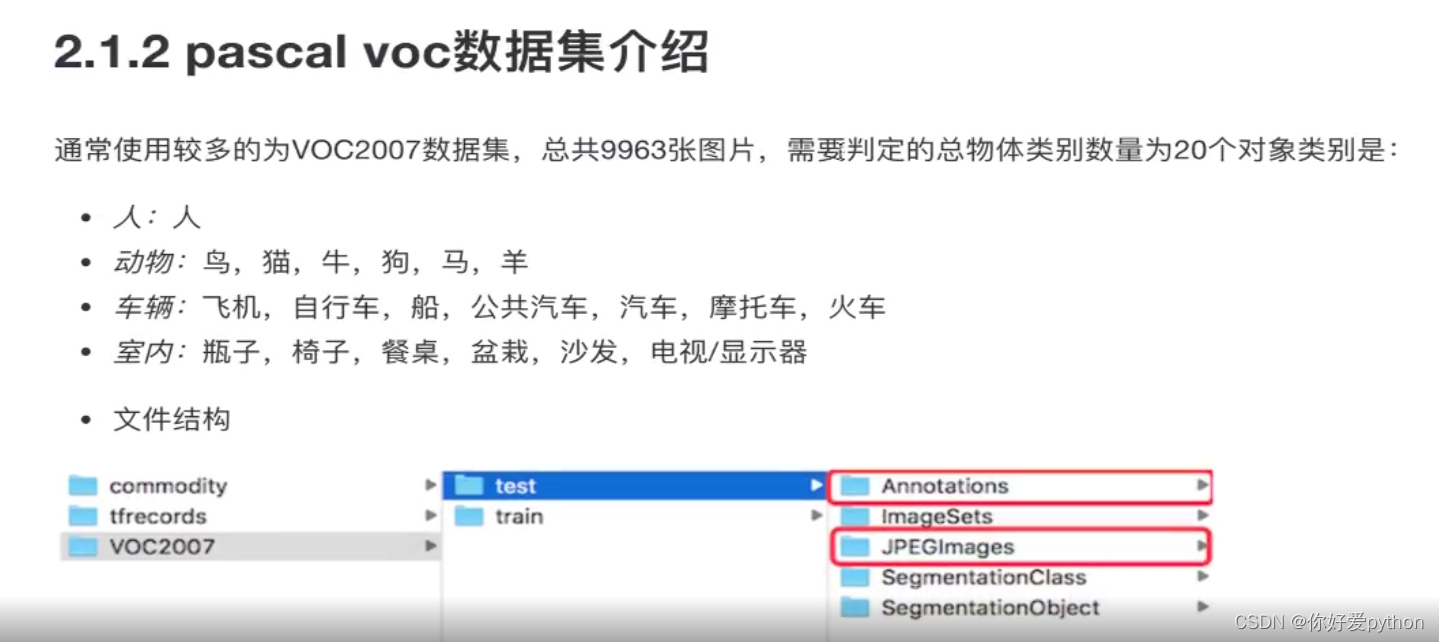
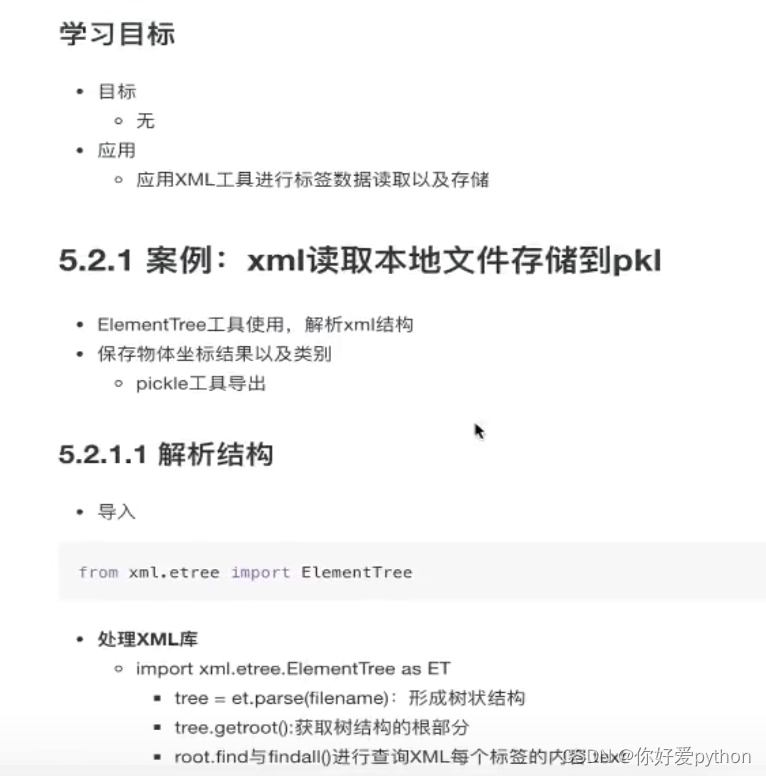
- 了解常用目标检测数据集
- 了解数据集构成

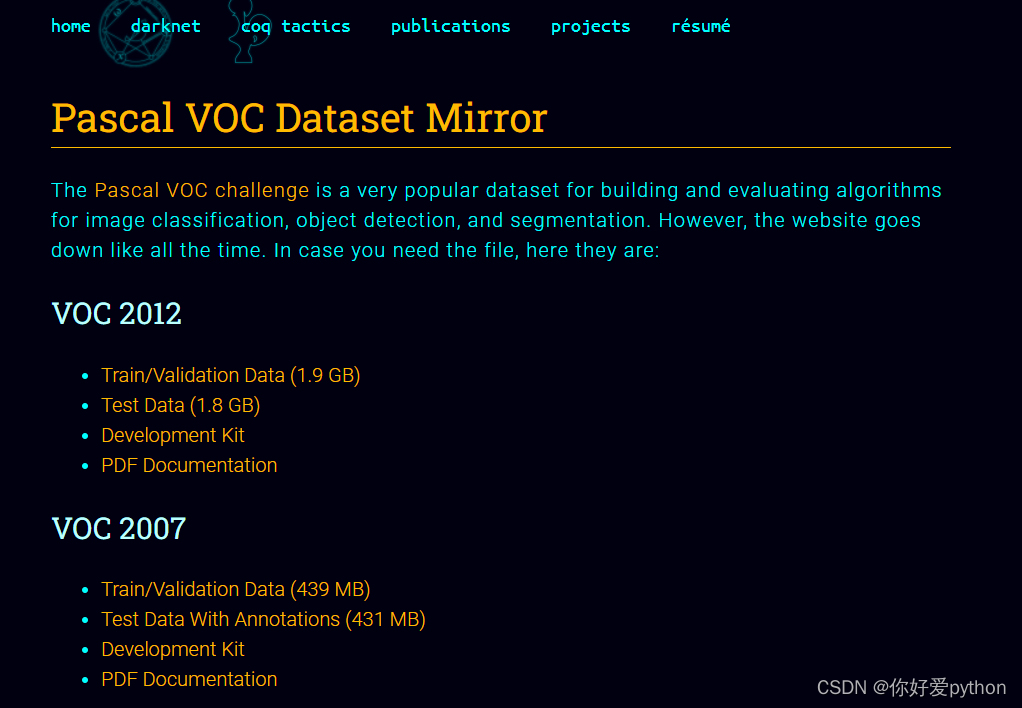
官网地址:TThe PASCAL Visual Object Classes Homepage (ox.ac.uk)
下载地址:Pascal VOC Dataset Mirror
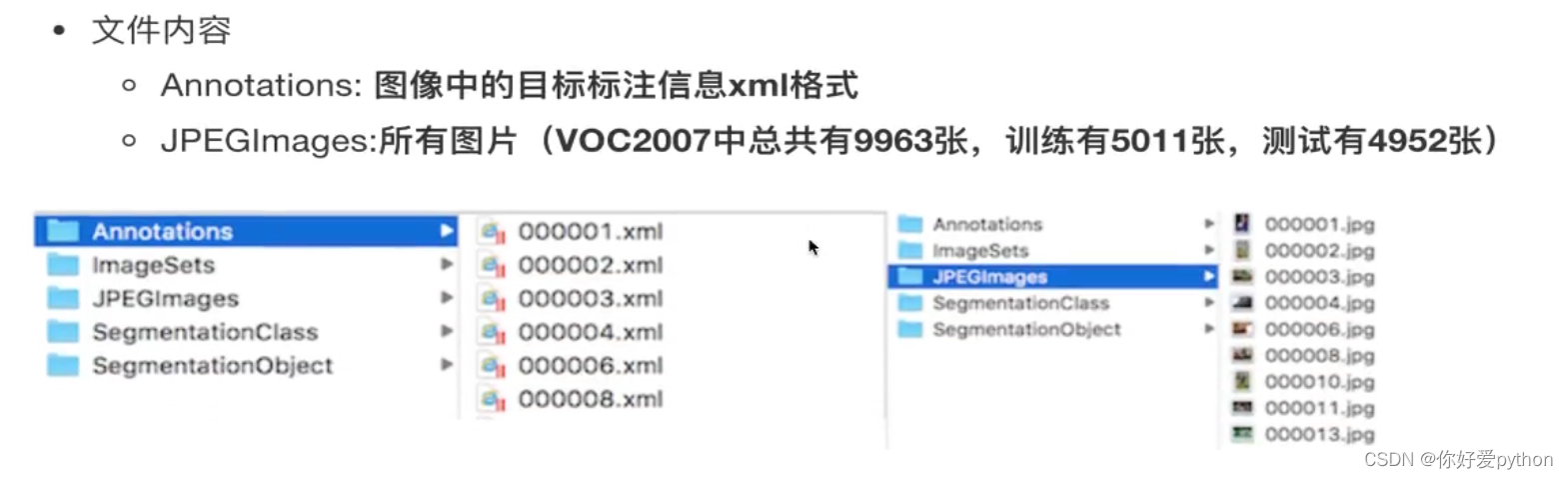
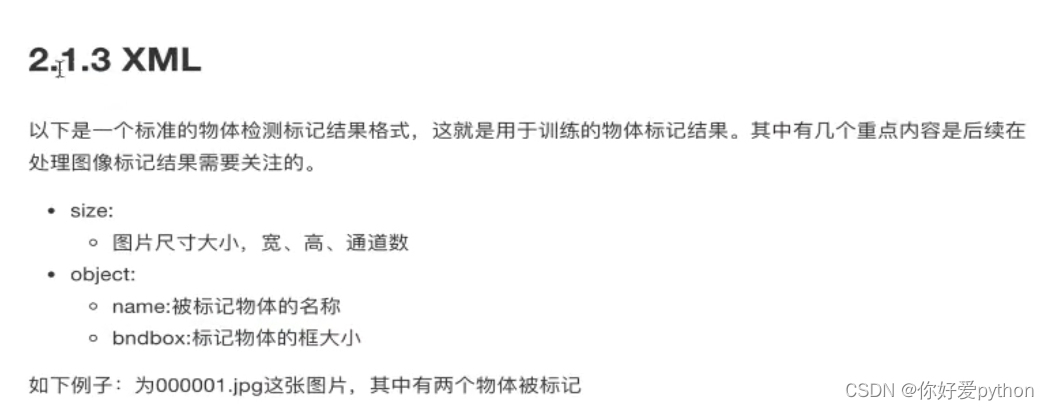
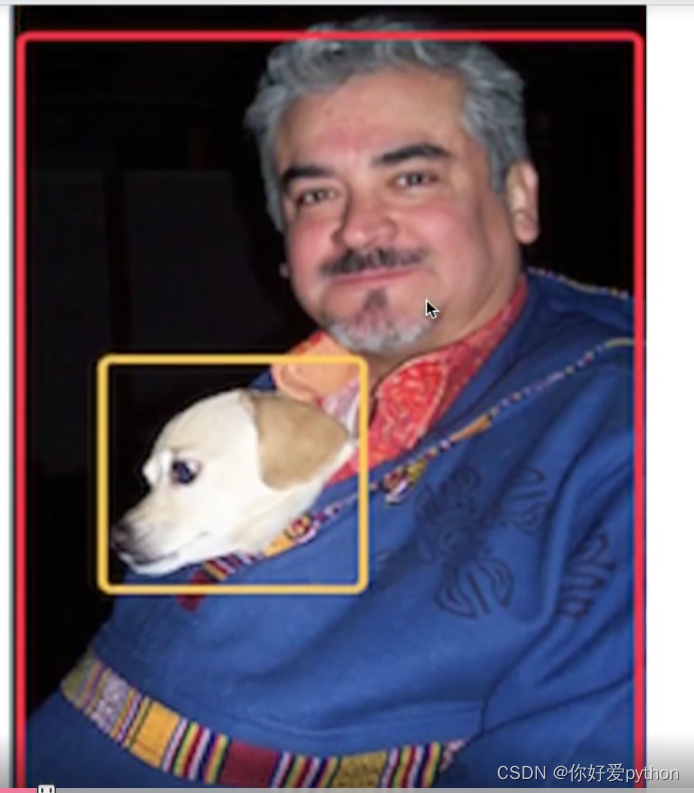
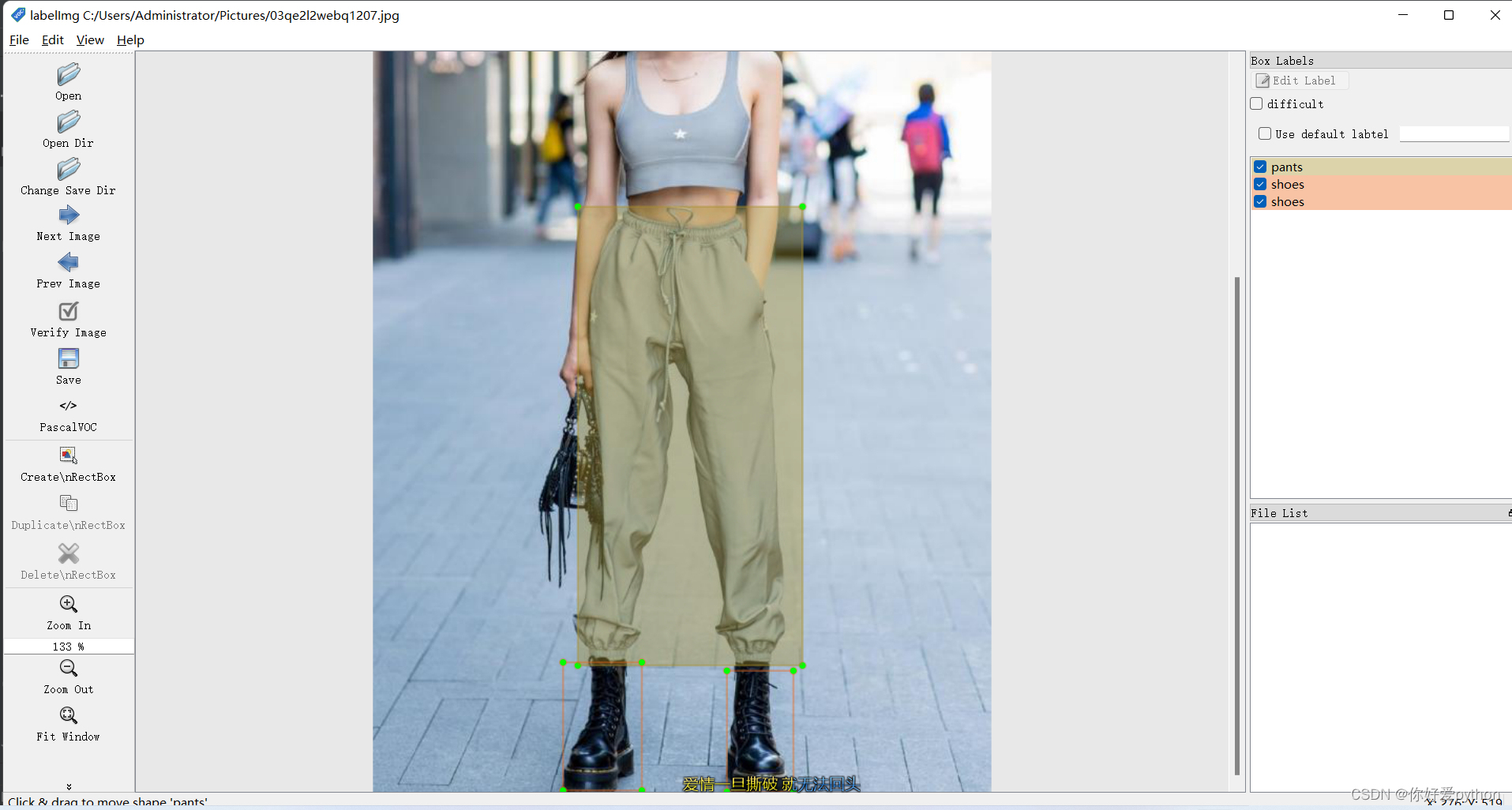

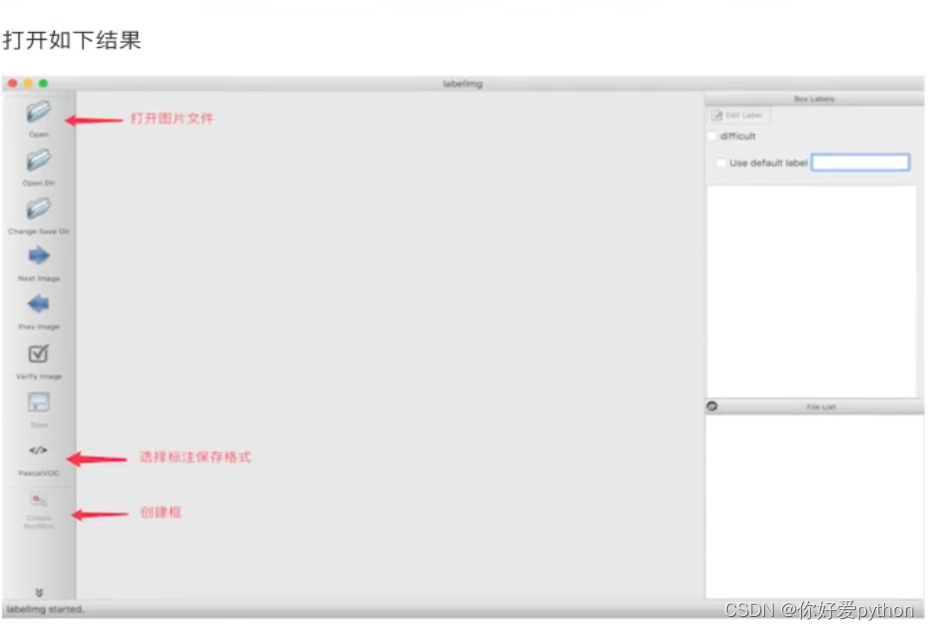
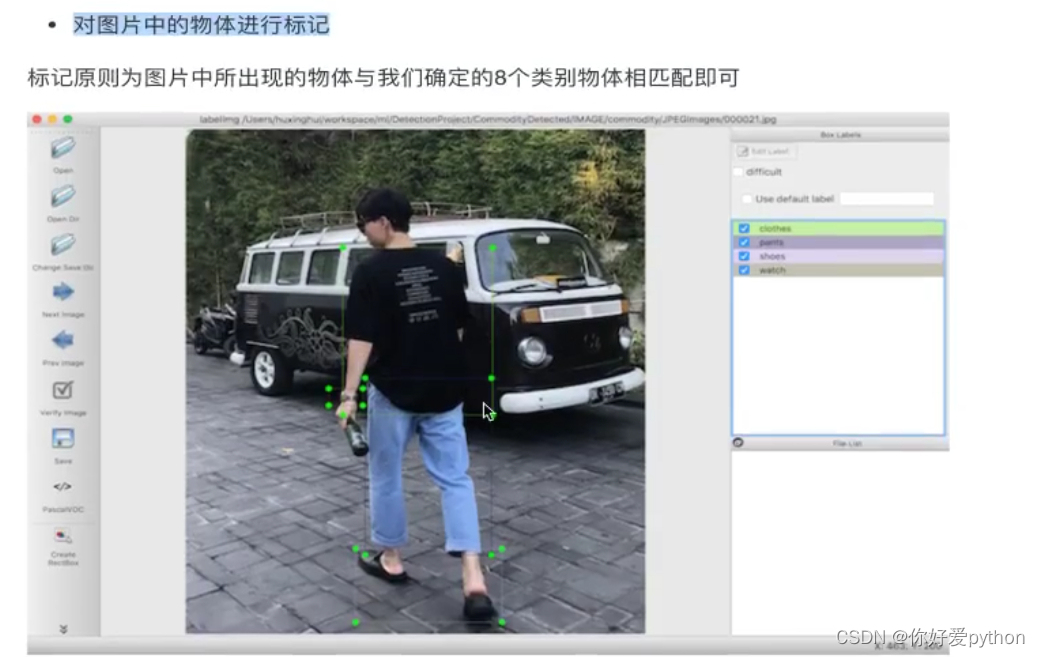
xml文件
<annotation>
   <folder>Pictures</folder>
   <filename>03qe2l2webq1207.jpg</filename>
   <path>C:/Users/Administrator/Pictures/03qe2l2webq1207.jpg</path>
   <source>
      <database>Unknown</database>
   </source>
   <size>
      <width>589</width>
      <height>1000</height>
      <depth>3</depth>
   </size>
   <segmented>0</segmented>
   <object>
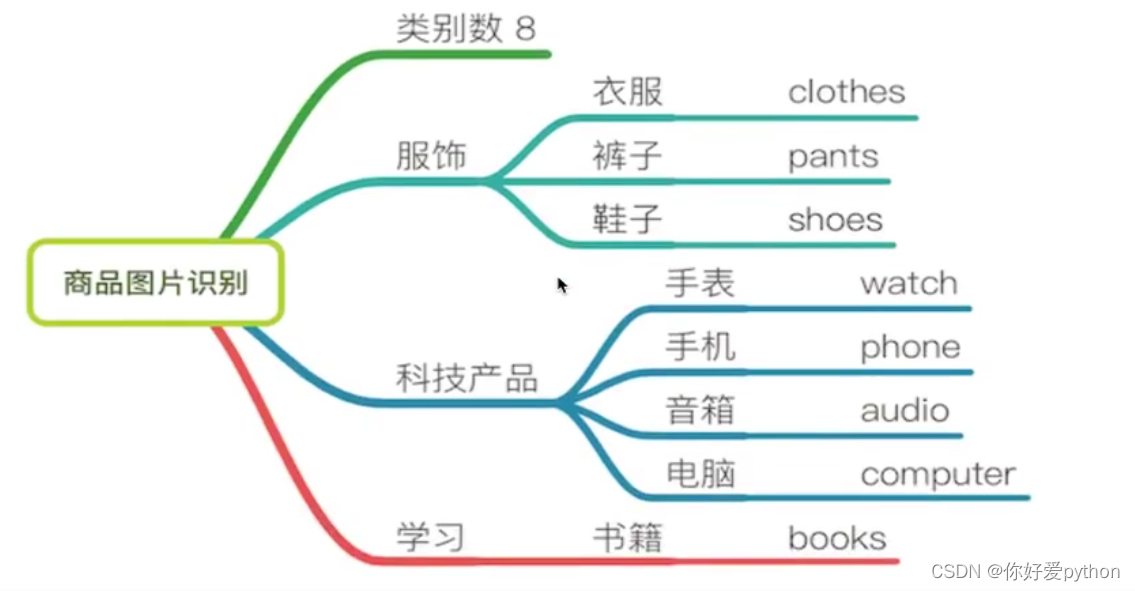
      <name>pants</name>
      <pose>Unspecified</pose>
      <truncated>0</truncated>
      <difficult>0</difficult>
      <bndbox>
         <xmin>195</xmin>
         <ymin>442</ymin>
         <xmax>409</xmax>
         <ymax>879</ymax>
      </bndbox>
   </object>
   <object>
      <name>shoes</name>
      <pose>Unspecified</pose>
      <truncated>0</truncated>
      <difficult>0</difficult>
      <bndbox>
         <xmin>181</xmin>
         <ymin>876</ymin>
         <xmax>256</xmax>
         <ymax>998</ymax>
      </bndbox>
   </object>
   <object>
      <name>shoes</name>
      <pose>Unspecified</pose>
      <truncated>1</truncated>
      <difficult>0</difficult>
      <bndbox>
         <xmin>337</xmin>
         <ymin>884</ymin>
         <xmax>400</xmax>
         <ymax>1000</ymax>
      </bndbox>
   </object>
</annotation>
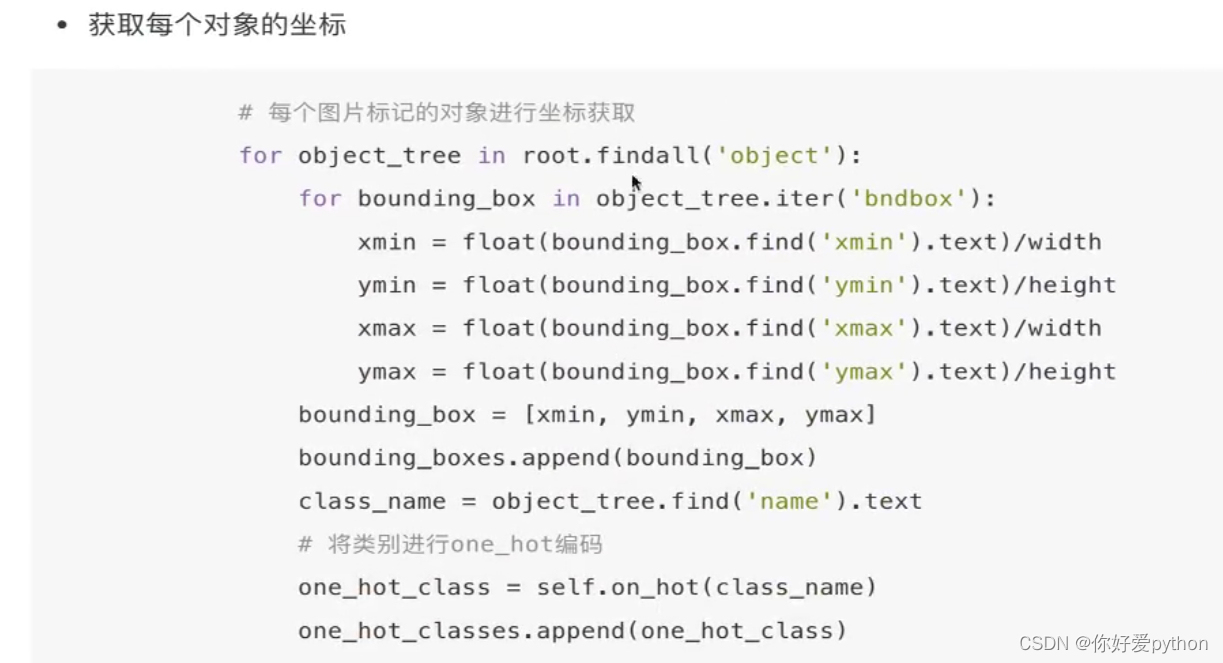
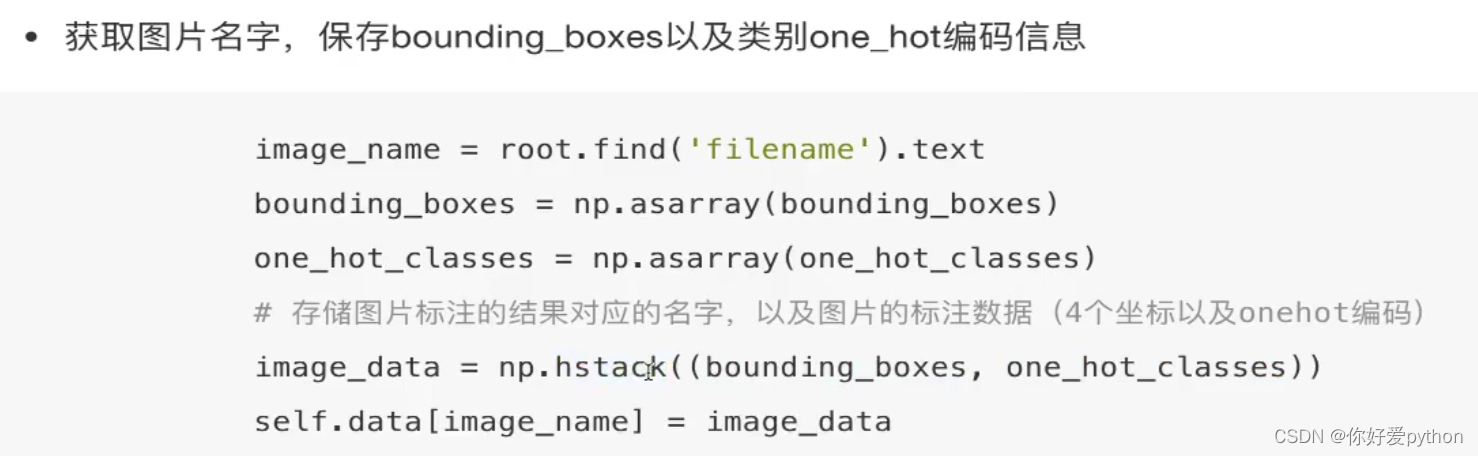
one_hot编码函数
def one_hot(self, name):
    one_hot_vector = [0] * self.num_classes
    if name == 'clothes':
        one_hot_vector[0] = 1
    elif name == 'pants':
        one_hot_vector[1] = 1

    elif name == 'shoes':
        one_hot_vector[2] = 1
    elif name == 'watch':
        one_hot_vector[3] = 1
    elif name == 'phone':
        one_hot_vector[4] = 1
    elif name == 'audio':
        one_hot_vector[5] = 1
    elif name == 'computer':
        one_hot_vector[6] = 1
    elif name == 'books':
        one_hot_vector[7] = 1
    else:
        print('unknow label: %s' % name)
    return one_hot_vector
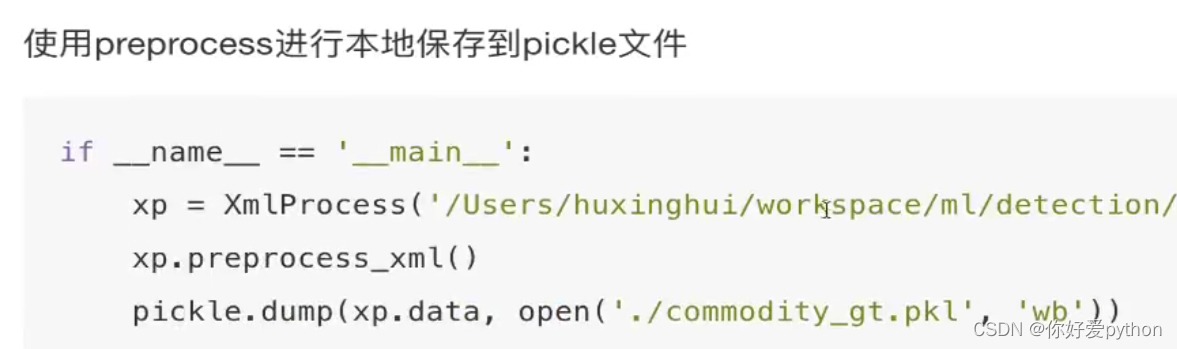
使用preprocess进行本地保存到pickle文件中
if __name__ == '__main__':
    xp = XmlProcess("E:/python Demo/PycharmProjects/pythonProject/数据分析/tf.keras/commodity/Annotations/")
    xp.process_xml()
    print(xp.data)
    pickle.dump(xp.data, open('./commodity_gt.pkl', 'wb'))
完整代码:
import os
import pickle
from xml.etree import ElementTree as ET
import numpy as np
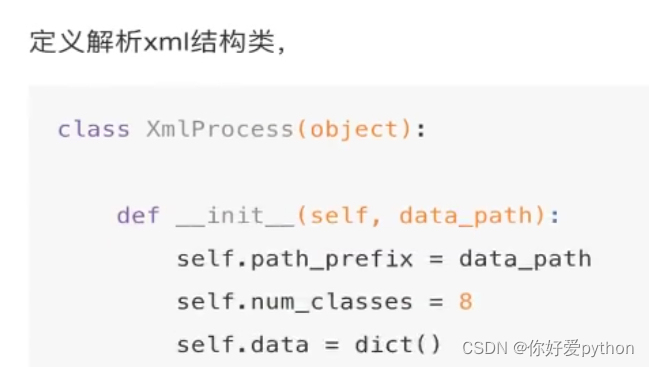
class XmlProcess(object):
    def __init__(self, file_path):
        self.xml_path = file_path
        self.num_classes = 8
        self.data = {}
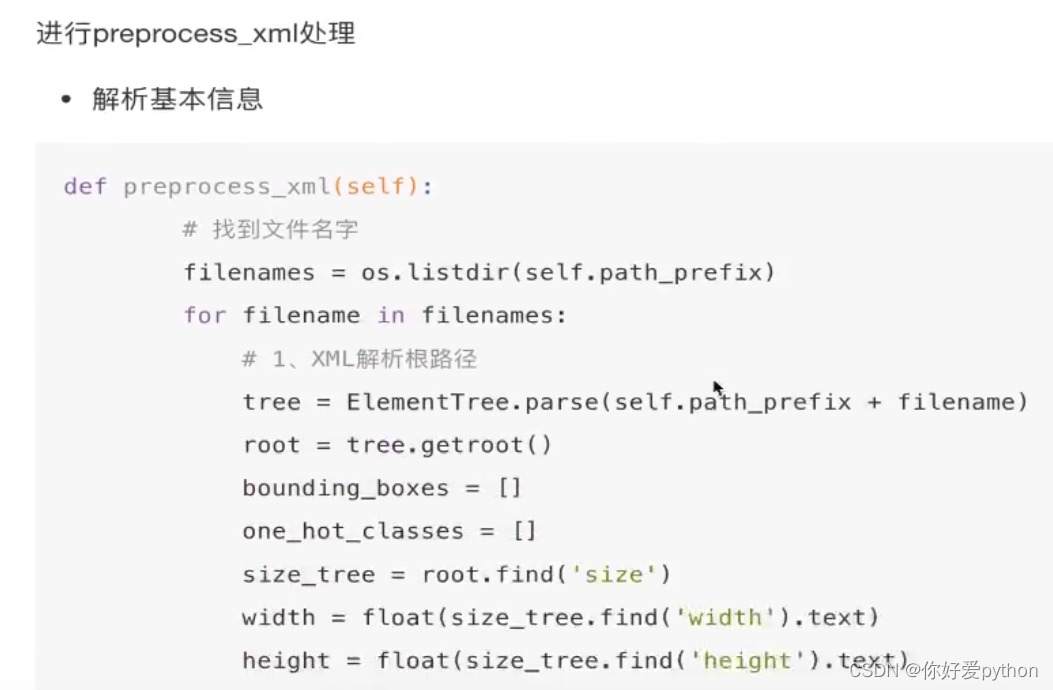
    def process_xml(self):
        """
        处理图片的标注信息,解析图片的大小,图中所有物体位置,类别
        存入序列化pkl文件
        :return:
        """
        # 1. 找到路径对应的图片
        for filename in os.listdir(self.xml_path):
            et = ET.parse(self.xml_path + filename)
            root = et.getroot()
            # print(root)
            # 获取图片属性
            # 获取size
            size = root.find('size')
            # print('size', size)
            width = float(size.find('width').text)
            # print('width', width)
            height = float(size.find('height').text)
            # 对于每张图片,解析其中的多个物体
            bounding_boxes = []
            one_hots = []
            for object_tree in root.findall('object'):
                for res in object_tree.iter('bndbox'):
                    # 转换为浮点型, 进行归一化处理
                    xmin = float(res.find('xmin').text) / width
                    ymin = float(res.find('ymin').text) / height
                    xmax = float(res.find('xmax').text) / width
                    ymax = float(res.find('ymax').text) / height
                    # print(xmin, ymin, xmax, ymax)
                bounding_boxes.append([xmin, ymin, xmax, ymax])
                # 每个object都会有一个名称
                object_name = object_tree.find('name').text
                # ,  目标值保存成one_hot编码
                one_hot_object = self.one_hot(object_name)
                one_hots.append(one_hot_object)
                # print(bounding_boxes, one_hots)
            # 进行物体位置和目标值的one_hot编码的拼接
            bounding_boxes = np.asarray(bounding_boxes)
            one_hots = np.asarray(one_hots)
            image_data = np.hstack((bounding_boxes, one_hots))
            # print(image_data)
            self.data[filename] = image_data
        return None
    def one_hot(self, name):
        one_hot_vector = [0] * self.num_classes
        if name == 'clothes':
            one_hot_vector[0] = 1
        elif name == 'pants':
            one_hot_vector[1] = 1
        elif name == 'shoes':
            one_hot_vector[2] = 1
        elif name == 'watch':
            one_hot_vector[3] = 1
        elif name == 'phone':
            one_hot_vector[4] = 1
        elif name == 'audio':
            one_hot_vector[5] = 1
        elif name == 'computer':
            one_hot_vector[6] = 1
        elif name == 'books':
            one_hot_vector[7] = 1
        else:
            print('unknow label: %s' % name)
        return one_hot_vector
if __name__ == '__main__':
    xp = XmlProcess("E:/python Demo/PycharmProjects/pythonProject/数据分析/tf.keras/commodity/Annotations/")
    xp.process_xml()
    print(xp.data)
    pickle.dump(xp.data, open('./commodity_gt.pkl', 'wb'))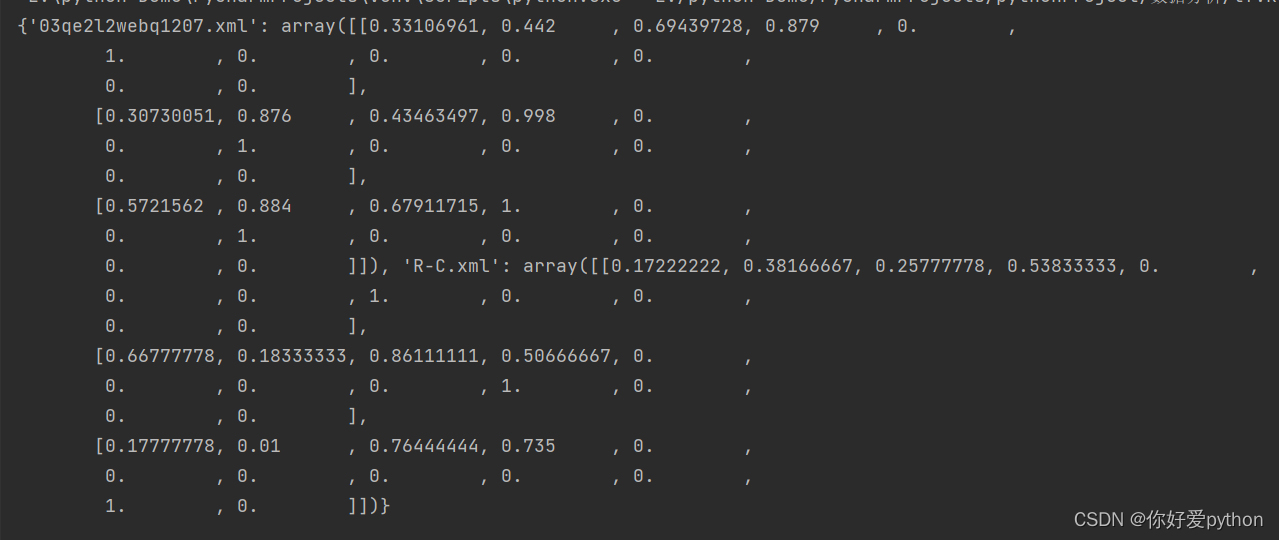
版权声明:本文为zikyou原创文章,遵循CC 4.0 BY-SA版权协议,转载请附上原文出处链接和本声明。