vscode远程ssh时无法打不开终端
问题描述
VSCode远程ssh连接到Ubuntu后使用终端时报错提示: Path to shell executable "bash" is not a file or a symlink。
解决方案
参考: https://stackoverflow.com/questions/68070807/terminal-will-not-open-in-visual-studio-code
https://blog.csdn.net/wuyujin1997/article/details/118750789
Ctrl+Shift+P搜索Settings
选择Open Settings (JSON)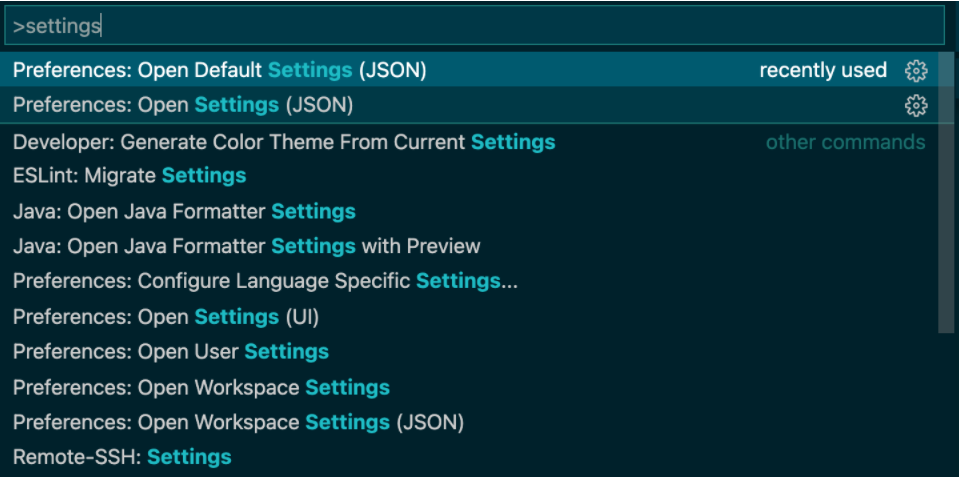
添加配置:
"terminal.integrated.profiles.linux": {"bash": {"path": "/bin/bash"}},
shell编程插件
VSCode插件
shell
从 VS Code 执行 shell 命令
https://marketplace.visualstudio.com/items?itemName=bbenoist.shell
shellman
侧重Shellman编程概念,能提升一些自动补全
https://marketplace.visualstudio.com/items?itemName=Remisa.shellman
shellcheck
shell脚本分析工具,语法错误检查,能对不合理的代码给出建议.
shell-format----可选
代码格式化,我个人还是比较习惯idea的快捷键
https://marketplace.visualstudio.com/items?itemName=foxundermoon.shell-format
idea快捷键
如果是从idea或者pycham转过来的大佬,应该更习惯idea的快捷键.
https://marketplace.visualstudio.com/items?itemName=k–kato.intellij-idea-keybindings
AutoComplate shell
常用 bash 变量和函数的自动完成功能。
https://marketplace.visualstudio.com/items?itemName=truman.autocomplate-shell
Bracket Pair Colorizer 2
括号多色
Code Runner
运行代码
TabNine
超好用的代码自动补全插件
CodeGeeX
参考: https://www.v2ex.com/t/891044#reply7
现在 Copilot 已经不免费了。最近找到个开源的替代,叫 CodeGeeX 。项目地址 https://github.com/THUDM/CodeGeeX
VSCode 插件 https://marketplace.visualstudio.com/items?itemName=aminer.codegeex