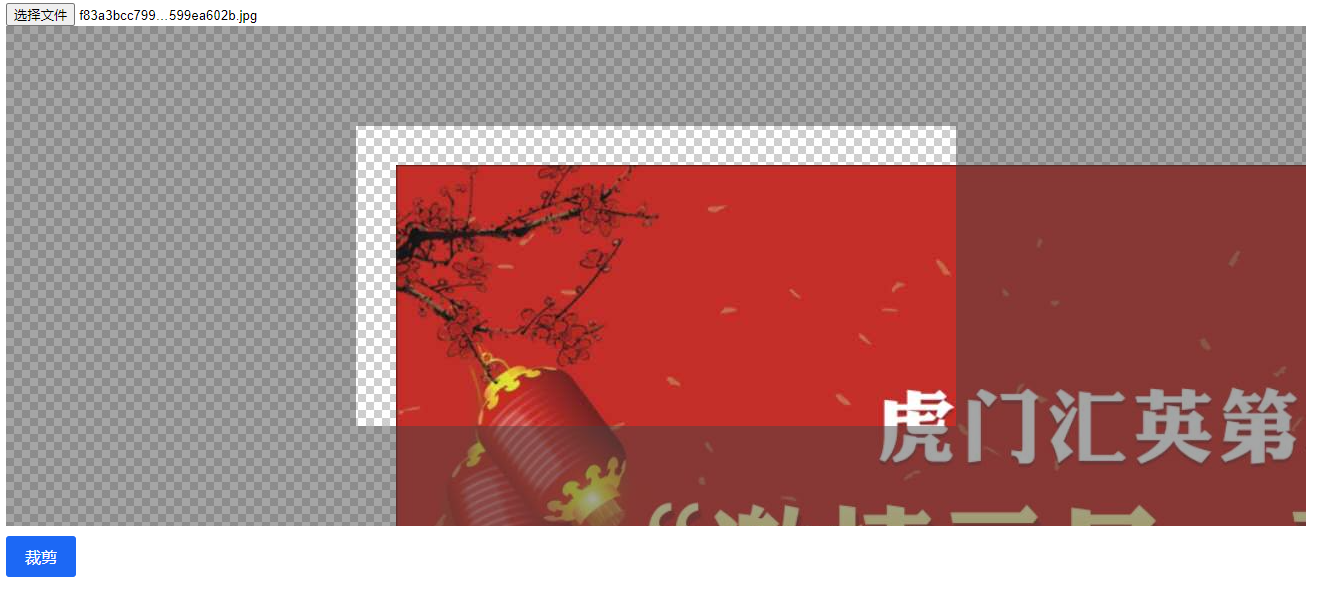
用起来还挺方便的
ImageCrop 图片裁剪: javascript原生图片裁剪
<!DOCTYPE html>
<html lang="en">

<head>
    <meta charset="UTF-8">
    <meta http-equiv="X-UA-Compatible" content="IE=edge">
    <meta name="viewport" content="width=device-width, initial-scale=1.0">
    <script src="./ImageCrop.js"></script>
    <link href="./ImageCrop.css" rel="stylesheet">
    <title>ImageCrop 2.0</title>
</head>

<body>
    <input id="file" type="file">
    <img id="show">

    <div id="imageCrop"></div>
</body>
<script>
    let imageCrop = new ImageCrop({
        el: "#file",
        watch: true,
        cropWidth: 600,
        cropHeight: 300,
        canvasWidth: 1300,
        canvasHeight: 500,
    });

    imageCrop.onChange = (base64, file) => {
        document.querySelector("#show").src = base64;
    }
</script>

</html>
| 属性 | 类型 | 默认值 | 说明 |
|---|---|---|---|
| el | el | null | input[type="file"] |
| watch | boolean | false | 实时回调 onChange方法 |
| cropWidth | number | 600 | 裁剪框 宽度 |
| cropHeight | number | 300 | 裁剪框 高度 |
| canvasWidth | number | 900 | 画布 宽度 |
| canvasHeight | number | 450 | 画布 高度 |
| onChange | fn | null | 裁剪按钮回调 |