扩展Linux根目录磁盘空间(Centos)
参考自:https://my.oschina.net/u/876354/blog/967848
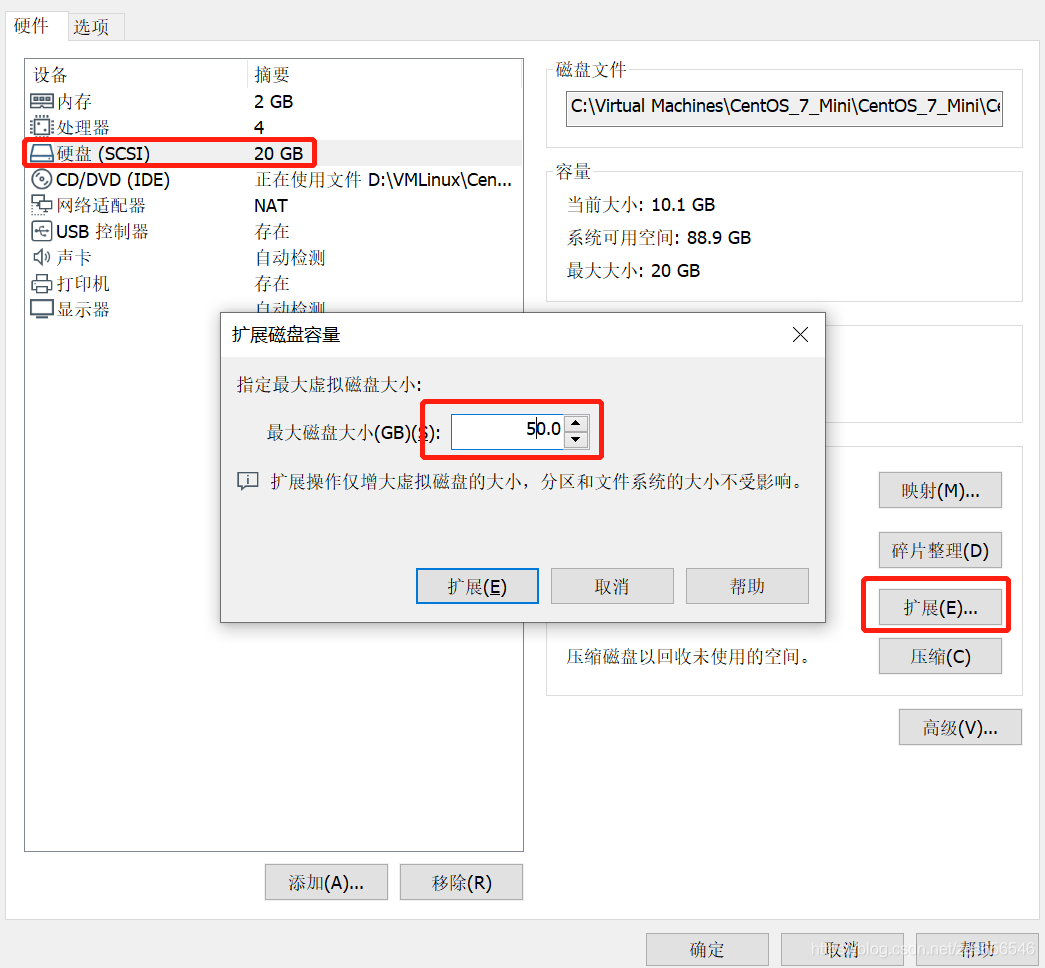
1.fdisk -l //查看分区情况
…
Device Boot Start End Blocks Id System
/dev/sda1 * 2048 1050623 524288 83 Linux
/dev/sda2 1050624 41943039 20446208 8e Linux LVM
…
2.fdisk /dev/sda //创建分区 sda3
Welcome to fdisk (util-linux 2.23.2).
Changes will remain in memory only, until you decide to write them.
Be careful before using the write command.
Command (m for help): n
Partition type:
p primary (2 primary, 0 extended, 2 free)
e extended
Select (default p): p
Partition number (3,4, default 3): 3
First sector (41943040-104857599, default 41943040):
Using default value 41943040
Last sector, +sectors or +size{K,M,G} (41943040-104857599, default 104857599):
Using default value 104857599
Partition 3 of type Linux and of size 30 GiB is set
Command (m for help): w
The partition table has been altered!
Calling ioctl() to re-read partition table.
WARNING: Re-reading the partition table failed with error 16: Device or resource busy.
The kernel still uses the old table. The new table will be used at
the next reboot or after you run partprobe(8) or kpartx(8)
3.fdisk -l //查看分区情况
…
Device Boot Start End Blocks Id System
/dev/sda1 * 2048 1050623 524288 83 Linux
/dev/sda2 1050624 41943039 20446208 8e Linux LVM
/dev/sda3 41943040 104857599 31457280 83 Linux
…
4.reboot //重启操作系统
5.mkfs -t ext3 /dev/sda3 //格式化新分区为ext3
mke2fs 1.42.9 (28-Dec-2013)
Filesystem label=
OS type: Linux
Block size=4096 (log=2)
Fragment size=4096 (log=2)
Stride=0 blocks, Stripe width=0 blocks
1966080 inodes, 7864320 blocks
393216 blocks (5.00%) reserved for the super user
First data block=0
Maximum filesystem blocks=4294967296
240 block groups
32768 blocks per group, 32768 fragments per group
8192 inodes per group
Superblock backups stored on blocks:
32768, 98304, 163840, 229376, 294912, 819200, 884736, 1605632, 2654208,
4096000
Allocating group tables: done
Writing inode tables: done
Creating journal (32768 blocks): done
Writing superblocks and filesystem accounting information: done
6.将物理硬盘分区初始化为物理卷,以便被LVM使用,输入指令
lvs
pvcreate /dev/sda3
7.向卷组中添加物理卷来增加卷组的容量
查看lvm组名,输入指令 df -h:组名为/dev/mapper/centos-root
vgextend centos /dev/sda3 //输入指令,增加卷组的容量
8.vgdisplay //查看可扩展的空间大小
— Volume group —
VG Name centos
System ID
Format lvm2
Metadata Areas 2
Metadata Sequence No 4
VG Access read/write
VG Status resizable
MAX LV 0
Cur LV 2
Open LV 2
Max PV 0
Cur PV 2
Act PV 2
VG Size 49.49 GiB
PE Size 4.00 MiB
Total PE 12670
Alloc PE / Size 4991 / <19.50 GiB
Free PE / Size 7679 / <30.00 GiB
VG UUID LP6KYk-FBzS-pQq8-1xYx-fqWG-yrJe-DzQ1nA
9.扩充磁盘空间
lvextend -L+29.99G /dev/mapper/centos-root /dev/sda3
10.使用e2fsck指令检查文件系统错误
e2fsck -a /dev/mapper/centos-root
11.使用resize2fs指令来增大或者收缩未加载的“ext2/ext3”文件系统的大小
xfs_growfs /dev/mapper/centos-root(CentOS7)
resize2fs /dev/mapper/centos-root(CentOS6)