Python连接数据库需导入pymysql
pymysql是在 Python3.x 版本中用于连接 MySQL 服务器的一个库,Python2中则使用mysqldb。
pymysql遵循 Python 数据库 API v2.0 规范,并包含了 pure-Python MySQL 客户端库。
pymysql 安装
在使用 pymysql之前,我们需要确保 pymysql已安装。
如果还未安装,我们可以使用以下命令安装最新版的 pymysql:
pip install pymysql
创建数据库连接
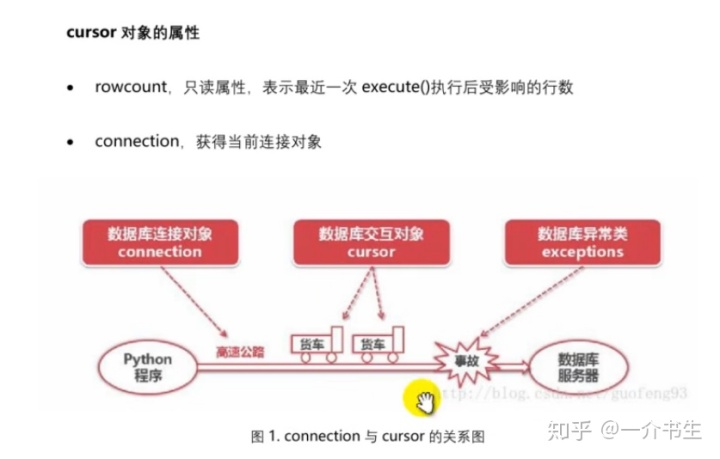
我们需要用到两个对象:
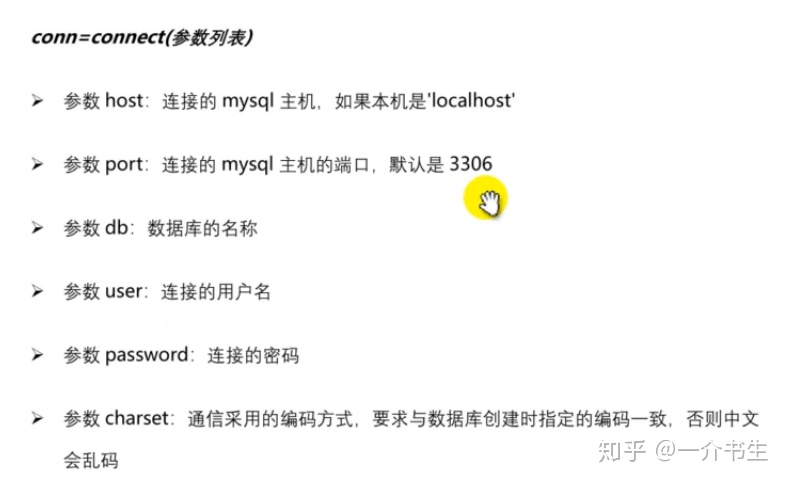
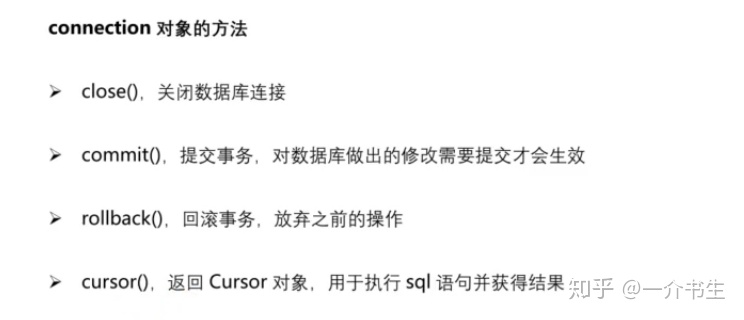
1.Connection对象
- 用于建立与数据库的连接
- 创建对象:调用connect()方法
2.Cursor对象
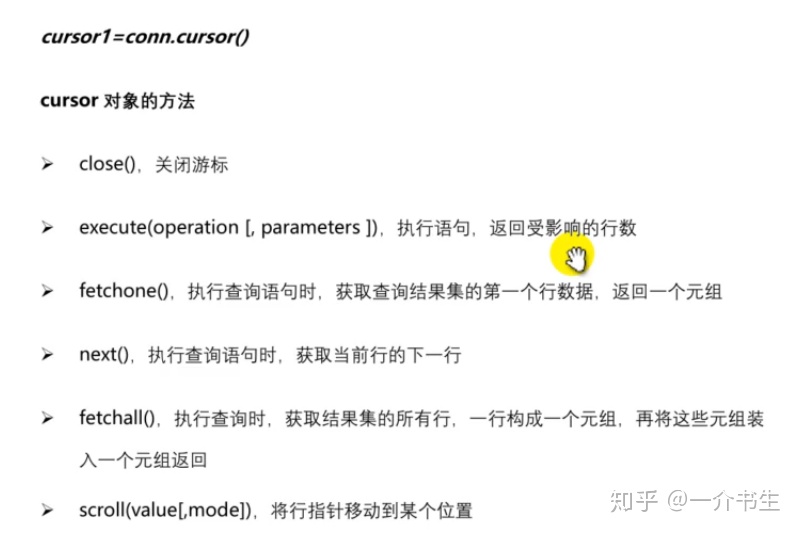
Cursor(游标)对象:
- 执行sql语句
- 创建对象:调用Connection对象的cursor()方法
实例:
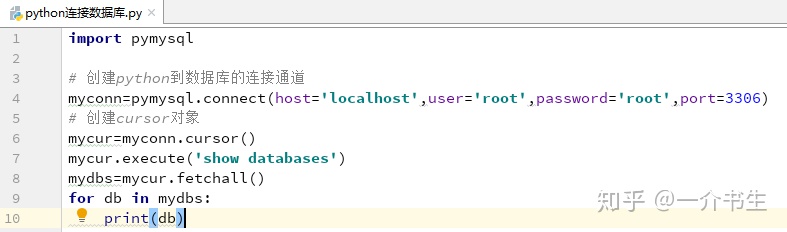
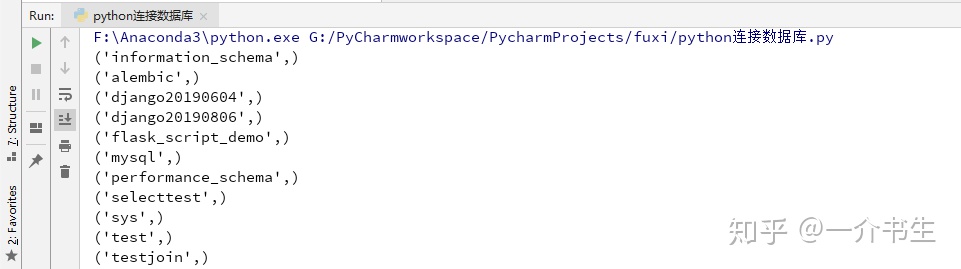
1.未指定具体的数据库,做了个连接数据库,查询当前数据库的操作 show databases;
2.连接数据库前,请先确认以下事项:
- 您已经创建了数据库 pythondemo
- 在pythondemo数据库中您已经创建了表 student
- student表字段为 sno sname age
- 连接数据库pythondemo使用的用户名为 "root" ,密码为 "root",你可以自己设定或者直接使用root用户名及其密码,Mysql数据库用户授权请使用Grant命令
- 在你的机子上已经安装了 pymysql模块
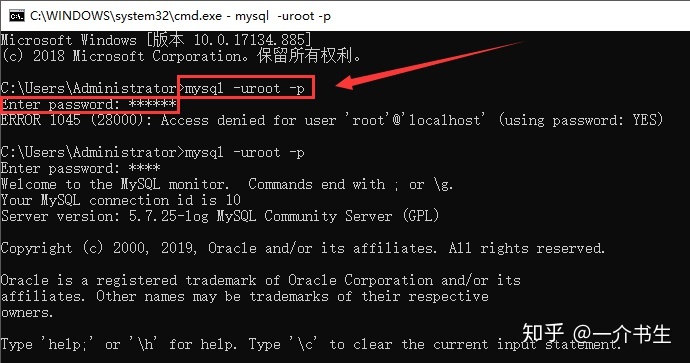
mysql> CREATE DATABASE pythondemo CHARACTER SET utf8 COLLATE utf8_general_ci;
Query OK, 1 row affected (0.00 sec)
--创建学生表
create table student(
	sno INT(8) PRIMARY KEY auto_increment,
	sname VARCHAR(30),
	age INT(2)
);
select * from student;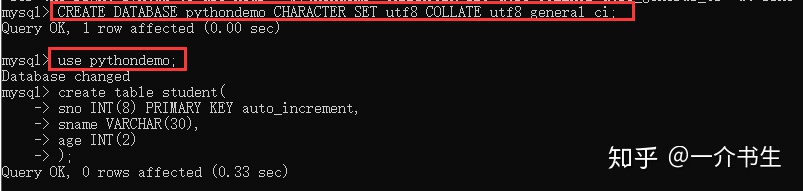
1.插入数据
import pymysql
'''
1.创建连接
2.创建执行sql语句的对象
3.编写sql,并执行sql
4.处理结果集
5.关闭连接
'''
#创建连接             本机名     用户   密码  要连接的库   端口
con=pymysql.connect('localhost','root','root','pythondemo',3306) #创建连接
cursor=con.cursor() #使用 cursor() 方法创建一个游标对象 cursor对象(用来执行sql语句)
try:
    sql="insert into student(sname,age) values('张三',20),('李四',23)" #SQL 插入语句
    # 使用 execute()  方法执行 SQL 查询
    cursor.execute(sql)
    con.commit()#提交事务
except:
    print("插入错误")
    con.rollback()#回滚事务
finally:
    con.close()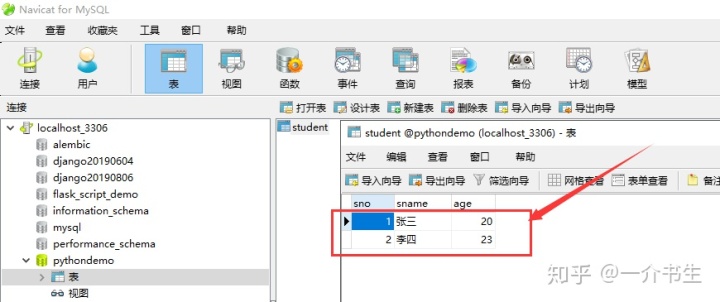
2.修改数据
import pymysql
con=pymysql.connect('localhost','root','root','pythondemo',3306)
cursor=con.cursor()
try:
    sql="update student set age=24 where sno=1"
    cursor.execute(sql)
    con.commit()
except:
    print("修改数据出错")
    con.rollback()
finally:
    con.close()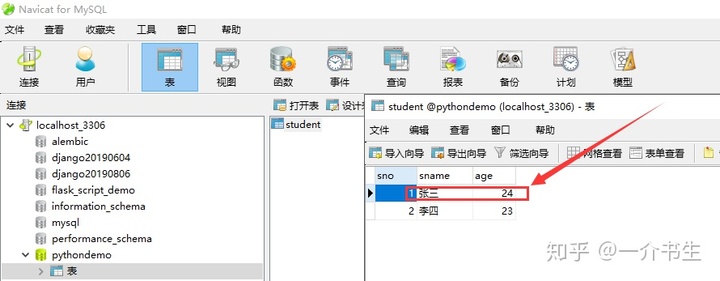
3.删除数据
import pymysql
con=pymysql.connect('localhost','root','root','pythondemo',3306)
cursor=con.cursor()
try:
    sql="delete from student where sno=1"
    cursor.execute(sql)
    con.commit()
except:
    print("删除数据出错")
    con.rollback()
finally:
    con.close()

4.查询数据
import pymysql
con=pymysql.connect('localhost','root','root','pythondemo',3306)
cursor=con.cursor()
try:
    sql="select * from student"
    cursor.execute(sql)
    # 处理结果集
    results = cursor.fetchall()
    for row in results:
        sno=row[0]
        sname=row[1]
        age=row[2]
        print("学号:{},姓名:{},年龄:{}".format(sno,sname,age))
except:
    print("查询数据出错")
finally:
    con.close()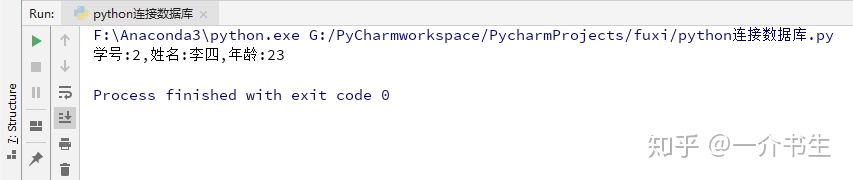
5.删除student表
注意:删除表并不需要commit()
import pymysql
con=pymysql.connect('localhost','root','root','pythondemo',3306)
cursor=con.cursor()
try:
    sql="drop table student"
    cursor.execute(sql)
except:
    print("删除表出错")
finally:
    con.close()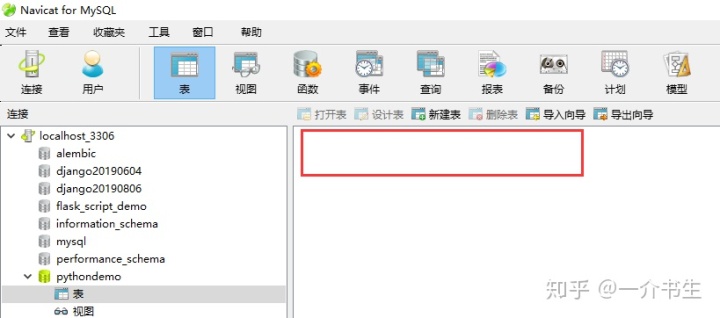
fetchone():返回单个的元组,也就是一条记录(row),如果没有结果 , 则返回 None fetchall():返回多个元组,即返回多条记录(rows),如果没有结果,则返回 () 注意:在MySQL中是null,而在Python中则是None
版权声明:本文为weixin_34725044原创文章,遵循CC 4.0 BY-SA版权协议,转载请附上原文出处链接和本声明。