mapper映射文件----->>
<?xml version="1.0" encoding="UTF-8"?>
<!DOCTYPE mapper PUBLIC "-//mybatis.org/DTD Mapper 3.0" "http://mybatis.org/dtd/mybatis-3-mapper.dtd">
<mapper namespace="com.gavin.mapper">

  <!--  因为有了构造方法了就不用再这定义了
  <resultMap type="UserInfo" id="userData">
        <id property="id" column="f_id"/>
        <result property="name" column="f_name"/>
        <result property="birth" column="f_birth"/>
        <result property="salary" column="f_salary"/>
    </resultMap>-->

    <!-- id要与接口方法名相同 -->
    <!-- SQL语句中的参数名称(#{id}),要与java代码中的参数bean的数据字段相同,这里是UserInfo.id字段 -->
    <!-- type属性可省略 -->

    <sql id="allColumn" >BookId,BookName,BookPublish,BookPrice,BookKind,BookCount</sql>
    <sql id="partColumn" >BookName,BookPublish,BookPrice,BookKind,BookCount</sql>

    <select id="findAllBook" resultType="book">
select <include refid="allColumn"></include>
from bookstore
    </select>
<insert id="addBook" useGeneratedKeys="true" keyProperty="BookId" parameterType="book">
    insert into bookstore (<include refid="partColumn"></include>) values(#{BookName},#{BookPublish},#{BookPrice},#{BookKind},#{BookCount})
</insert>
    <update id="saleBook" parameterType="buyBook">
update bookstore set BookCount =BookCount - #{b_Count} where BookId = #{b_Id}
    </update>
</mapper>
通过配置mapper映射文件可以发现,mapper映射文件的顶级元素很少,但是也跟mybatis配置文件一样应该按照顺序进行定义;
cache 设置缓存的;
cache-ref引用缓存空间的;
resultMap设置结果集对象格式的;
sql定义sql语句中可重用元素的;
insert,select,update,delete CURD的标签;
select标签—>>>>
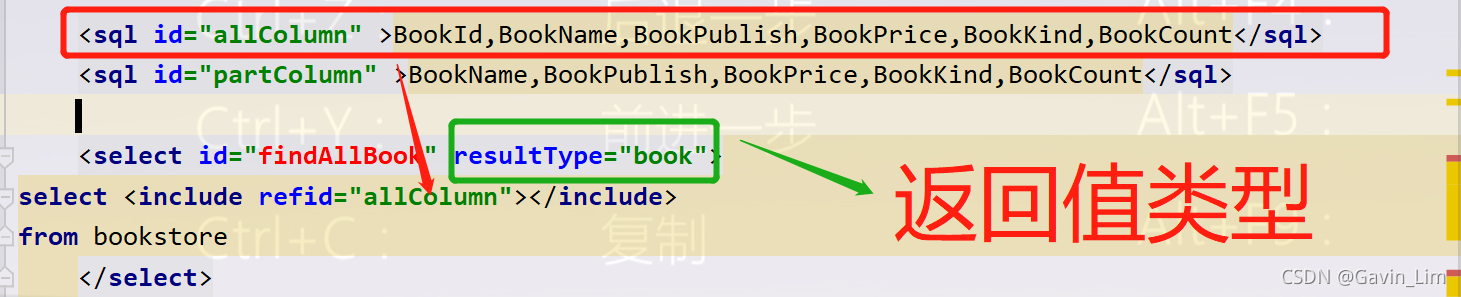
select 元素允许你配置很多属性来配置每条语句的行为细节。
<select
  id="selectPerson"
  parameterType="int" <!--参数类型-->

  resultType="hashmap"<!--结果集的类型-->
  resultMap="personResultMap"
  <!--对外部 resultMap 的命名引用,resultType 和 resultMap 之间只能同时使用一个。-->

  flushCache="false" <!--缓存刷新
-->
  useCache="true"使用缓存
  timeout="10" 超时等待
  fetchSize="256"每次取的数据的数量
  statementType="PREPARED"编译类型,可以是statement可以是prepareStatement或者 CallableStatement
  resultSetType="FORWARD_ONLY">
insert, update 和 delete实现非常接近:
<insert
  id="insertAuthor"
  parameterType="domain.blog.Author"
  flushCache="true"
  statementType="PREPARED"
  keyProperty=""
  keyColumn=""
  useGeneratedKeys=""
  timeout="20">

<update
  id="updateAuthor"
  parameterType="domain.blog.Author"
  flushCache="true"
  statementType="PREPARED"
  timeout="20">

<delete
  id="deleteAuthor"
  parameterType="domain.blog.Author"
  flushCache="true"
  statementType="PREPARED"
  timeout="20">
useGeneratedKeys (仅适用于 insert 和 update)这会令 MyBatis 使用 JDBC 的 getGeneratedKeys 方法来取出由数据库内部生成的主键(比如:像 MySQL 和 SQL Server 这样的关系型数据库管理系统的自动递增字段),默认值:false。
keyProperty (仅适用于 insert 和 update)指定能够唯一识别对象的属性,MyBatis 会使用 getGeneratedKeys 的返回值或 insert 语句的 selectKey 子元素设置它的值,默认值:未设置(unset)。如果生成列不止一个,可以用逗号分隔多个属性名称。
keyColumn (仅适用于 insert 和 update)设置生成键值在表中的列名,在某些数据库(像 PostgreSQL)中,当主键列不是表中的第一列的时候,是必须设置的。如果生成列不止一个,可以用逗号分隔多个属性名称。
sql
这个元素可以用来定义可重用的 SQL 代码片段,以便在其它语句中使用。 参数可以静态地(在加载的时候)确定下来,并且可以在不同的 include 元素中定义不同的参数值。比如:
<sql id="userColumns"> ${alias}.id,${alias}.username,${alias}.password </sql>
这个 SQL 片段可以在其它语句中使用,例如:
<select id="selectUsers" resultType="map">
  select
    <include refid="userColumns"><property name="alias" value="t1"/></include>,
    <include refid="userColumns"><property name="alias" value="t2"/></include>
  from some_table t1
    cross join some_table t2
</select>
也可以在 include 元素的 refid 属性或内部语句中使用属性值,例如:
<sql id="sometable">
  ${prefix}Table
</sql>

<sql id="someinclude">
  from
    <include refid="${include_target}"/>
</sql>

<select id="select" resultType="map">
  select
    field1, field2, field3
  <include refid="someinclude">
    <property name="prefix" value="Some"/>
    <property name="include_target" value="sometable"/>
  </include>
</select>
一句话就是sql 语句片段可在 CURD标签的各个位置使用;
在mybatis中如果遇到字段名和类中属性字段不匹配的情况,通常可以有两种解决方案------>>>
一个是在sql语句中添加as 别名
<select id="selectUsers" resultType="User">
  select
    user_id             as "id",
    user_name           as "userName",
    hashed_password     as "hashedPassword"
  from some_table
  where id = #{id}
</select>
另一个是在外部配置映射---->>>
<resultMap id="userResultMap" type="User">
  <id property="id" column="user_id" />
  <result property="username" column="user_name"/>
  <result property="password" column="hashed_password"/>
</resultMap>
然后在引用它的语句中设置 resultMap 属性就行了:
<select id="selectUsers" resultMap="userResultMap">
  select user_id, user_name, hashed_password
  from some_table
  where id = #{id}
</select>