Idea里面启动项目的时候报了这个错误:
Error running 'InsServiceManagerApplication': Command line is too long. Shorten command line for InsServiceManagerApplication or also for Spring Boot default configuration?

解决:
首先找到项目里面的idea/workspace.xml文件,然后再找到<component name="PropertiesComponent"></component >标签,标签如下所示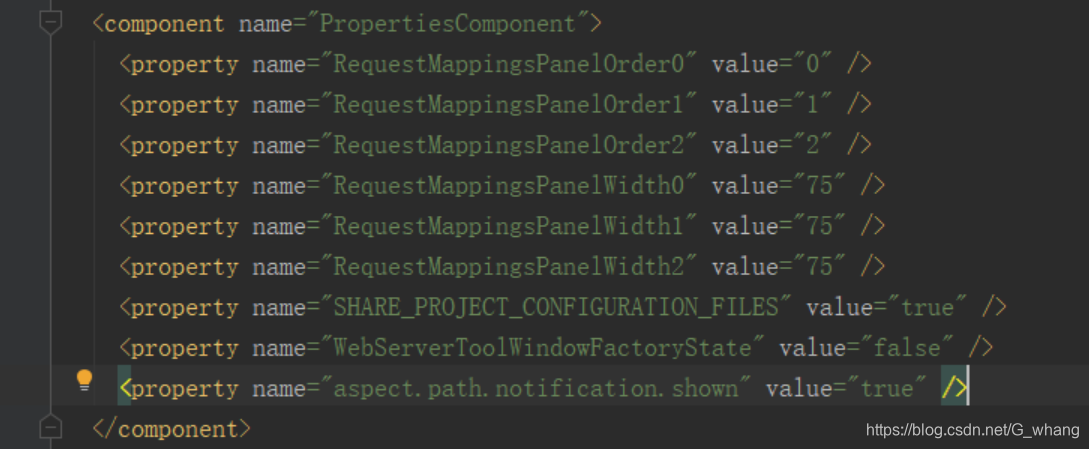
然后再在component 标签里加一行 <property name="dynamic.classpath" value="true" />,就是变成下面这样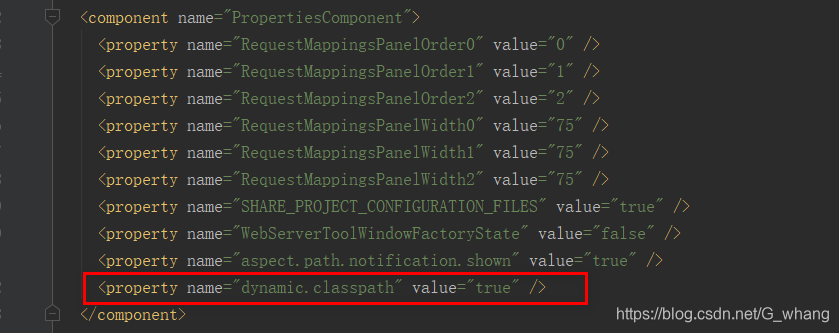
然后再启动就没问题了
版权声明:本文为G_whang原创文章,遵循CC 4.0 BY-SA版权协议,转载请附上原文出处链接和本声明。