效果图:↓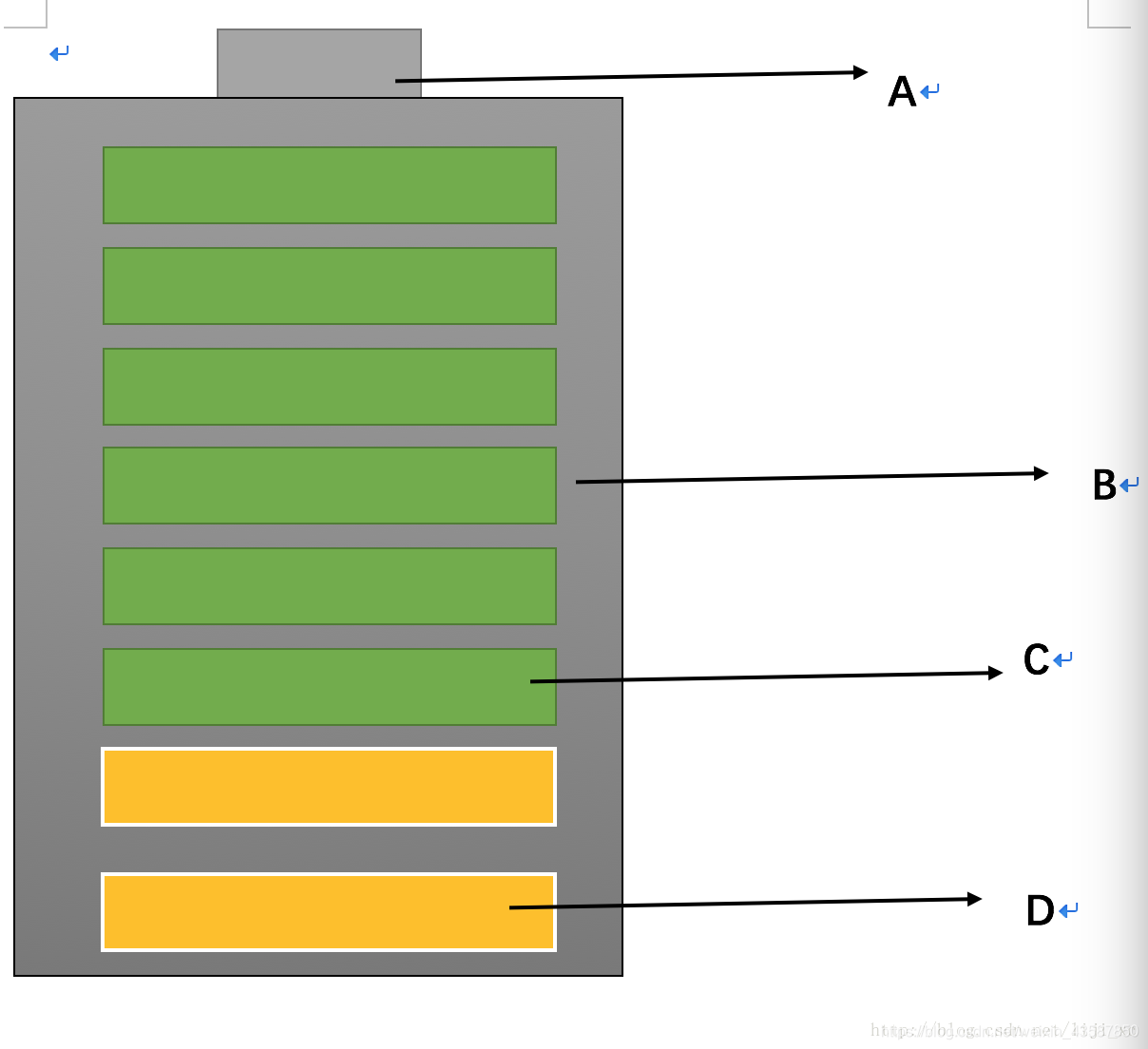
1.自定义view
@SuppressLint("AppCompatCustomView")
public class MyView extends ImageView {
    public MyView(Context context) {
        super(context);
    }

public MyView(Context context, AttributeSet attrs) {
    super(context, attrs);
}

public MyView(Context context, AttributeSet attrs, int defStyleAttr) {
    super(context, attrs, defStyleAttr);
}
}
2.xml布局
<?xml version="1.0" encoding="utf-8"?>
<LinearLayout xmlns:android="http://schemas.android.com/apk/res/android"
    xmlns:app="http://schemas.android.com/apk/res-auto"
    xmlns:tools="http://schemas.android.com/tools"
    android:layout_width="match_parent"
    android:orientation="vertical"
    android:layout_height="match_parent"
    tools:context=".MainActivity">

<com.example.li20181213.MyView
    android:layout_width="100dp"
    android:layout_height="50dp"
    android:layout_marginLeft="100dp"
    android:layout_marginTop="10dp"
    android:background="#ddd"
    />
<LinearLayout
    android:layout_width="wrap_content"
    android:layout_height="wrap_content"
    android:orientation="vertical"
    android:layout_marginLeft="40dp"
    android:background="#ddd"
    >
    <com.example.li20181213.MyView
        android:id="@+id/img1"
        android:layout_width="200dp"
        android:layout_margin="10dp"
        android:layout_height="30dp"
        android:background="#99cc66"
        />
    <com.example.li20181213.MyView
        android:id="@+id/img2"
        android:layout_width="200dp"
        android:layout_margin="10dp"
        android:layout_height="30dp"
        android:background="#99cc66"
        />
    <com.example.li20181213.MyView
        android:id="@+id/img3"
        android:layout_width="200dp"
        android:layout_height="30dp"
        android:layout_margin="10dp"
        android:background="#99cc66"
        />
    <com.example.li20181213.MyView
        android:id="@+id/img4"
        android:layout_width="200dp"
        android:layout_height="30dp"
        android:layout_margin="10dp"
        android:background="#99cc66"
        />
    <com.example.li20181213.MyView
        android:id="@+id/img5"
        android:layout_width="200dp"
        android:layout_height="30dp"
        android:layout_margin="10dp"
        android:background="#99cc66"
        />
    <com.example.li20181213.MyView
        android:id="@+id/img6"
        android:layout_width="200dp"
        android:layout_height="30dp"
        android:layout_margin="10dp"
        android:background="#99cc66"
        />
    <com.example.li20181213.MyView
        android:id="@+id/img7"
        android:layout_width="200dp"
        android:layout_margin="10dp"
        android:layout_height="30dp"
        android:background="#99cc66"
        />
    <com.example.li20181213.MyView
        android:id="@+id/img8"
        android:layout_width="200dp"
        android:layout_margin="10dp"
        android:layout_height="30dp"
        android:background="#99cc66"
        />
</LinearLayout>

</LinearLayout>
3.MainActivity
public class MainActivity extends AppCompatActivity {

private int i = 0;
private List<MyView> list;
private ValueAnimator valueAnimator;
private MyView img1,img2,img3,img4,img5,img6,img7,img8;
@Override
protected void onCreate(Bundle savedInstanceState) {
    super.onCreate(savedInstanceState);
    setContentView(R.layout.activity_main);
    //获取资源ID
    img1 = findViewById(R.id.img1);
    img2 = findViewById(R.id.img2);
    img3 = findViewById(R.id.img3);
    img4 = findViewById(R.id.img4);
    img5 = findViewById(R.id.img5);
    img6 = findViewById(R.id.img6);
    img7 = findViewById(R.id.img7);
    img8 = findViewById(R.id.img8);
    list = new ArrayList<>();
    list.add(img8);
    list.add(img7);
    list.add(img6);
    list.add(img5);
    list.add(img4);
    list.add(img3);
    list.add(img2);
    list.add(img1);

    gatData(i);
}

private void gatData(final int i) {
    valueAnimator = ValueAnimator.ofInt(Color.parseColor("#ffcc66"),Color.parseColor("#ffcc33"));
    valueAnimator.addUpdateListener(new ValueAnimator.AnimatorUpdateListener() {
        @Override
        public void onAnimationUpdate(ValueAnimator animation) {
            int color = (int) animation.getAnimatedValue();
            list.get(i).setBackgroundColor(color);
        }
    });
    valueAnimator.setDuration(500);
    valueAnimator.setEvaluator(new ArgbEvaluator());
    valueAnimator.start();
    //如果等于最后一个则结束
    if (i == 7){
        return;
    }

    valueAnimator.addListener(new Animator.AnimatorListener() {
        @Override
        public void onAnimationStart(Animator animation) {

        }

        @Override
        public void onAnimationEnd(Animator animation) {
            gatData(i+1);
        }


        @Override
        public void onAnimationCancel(Animator animation) {

        }

        @Override
        public void onAnimationRepeat(Animator animation) {

        }
    });
}
}
版权声明:本文为weixin_43587850原创文章,遵循CC 4.0 BY-SA版权协议,转载请附上原文出处链接和本声明。