引入相关服务
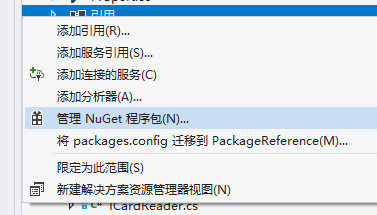
右键 “引用” 选择 管理NuGet 程序包
在搜索框中 输入 Word ,选择 下面的 Microsoft.Office.Interop.Word 进行安装
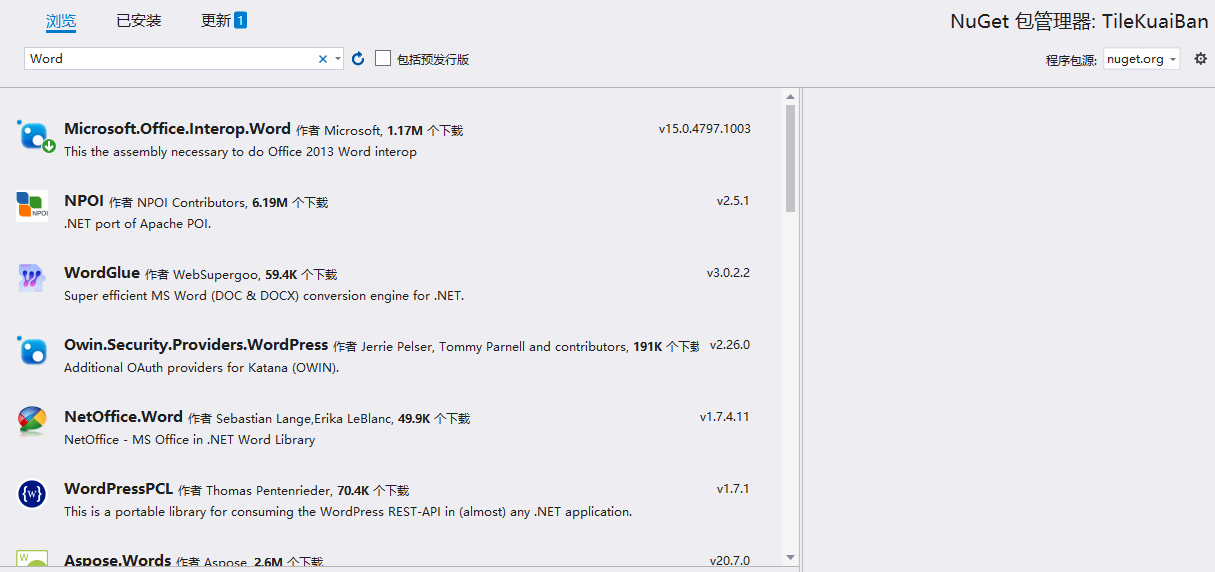
至此依赖包 安装完毕
相关代码
        public static string WordToPDF(string sourcePath)
        {
            if (string.IsNullOrEmpty(sourcePath))
            {
                return "";
            }

            Microsoft.Office.Interop.Word.Application application = new Microsoft.Office.Interop.Word.Application();
            Microsoft.Office.Interop.Word.Document document = null;
            try
            {
                application.Visible = false;
                document = application.Documents.Open(sourcePath);
                string ext = sourcePath.Substring(sourcePath.LastIndexOf('.'));
                string PDFPath = sourcePath.Replace(ext, ".pdf");
                if (File.Exists(@PDFPath))
                {
                    File.Delete(@PDFPath);
                }
                document.ExportAsFixedFormat(PDFPath, WdExportFormat.wdExportFormatPDF);
                return PDFPath;
            }
            catch (Exception)
            {
                return "";
            }
        }
以上方法会在 Word文件同级目录下 生成 同名的PDF文件,亲测有效,希望能够对您有所帮助
版权声明:本文为crystalcs2010原创文章,遵循CC 4.0 BY-SA版权协议,转载请附上原文出处链接和本声明。