1.使用
在app级的build.gradle文件中添加
    dataBinding {
        enabled = true
    }
我使用的是kotlin,还添加kapt了
plugins { id 'kotlin-kapt' }然后布局文件添加layout
<?xml version="1.0" encoding="utf-8"?>
<layout xmlns:android="http://schemas.android.com/apk/res/android">
    <data>
        <variable
            name="user"
            type="com.example.kotlinweather.ui.databin.User" />
        <variable
            name="m1"
            type="java.lang.String" />
        <variable
            name="listener"
            type="android.view.View.OnClickListener" />
    </data>
    <LinearLayout
        android:orientation="vertical"
        android:layout_width="match_parent"
        android:layout_height="match_parent">
        <TextView
            android:id="@+id/userName"
            android:layout_width="wrap_content"
            android:layout_height="wrap_content"
            android:text="@{user.name}"
            android:textSize="20sp"/>

        <TextView
            android:id="@+id/userPassword"
            android:layout_width="wrap_content"
            android:layout_height="wrap_content"
            android:text="@={user.password}"
            android:textSize="20sp"
            android:onClickListener="@{listener}"/>
    </LinearLayout>
</layout>
javaBean类:
class User(userName: String, userPassword: String): BaseObservable() {
    var name = userName
        @Bindable
        get() = field
        set(value) {
            field = value
            notifyPropertyChanged(BR.name)
        }

    var password = userPassword
        @Bindable
        get() = field
        set(value) {
            field = value
            notifyPropertyChanged(BR.password)
        }
}
activity使用:
class DataBindTestActivity: AppCompatActivity() {

    lateinit var binding: ActivityDataBindTestBinding

    override fun onCreate(savedInstanceState: Bundle?) {
        super.onCreate(savedInstanceState)
        binding = DataBindingUtil.setContentView(this, R.layout.activity_data_bind_test)
        binding.lifecycleOwner = this
        val user = User("xh", "123456")
        binding.user = user
        user.password = "123456789"
    }

}
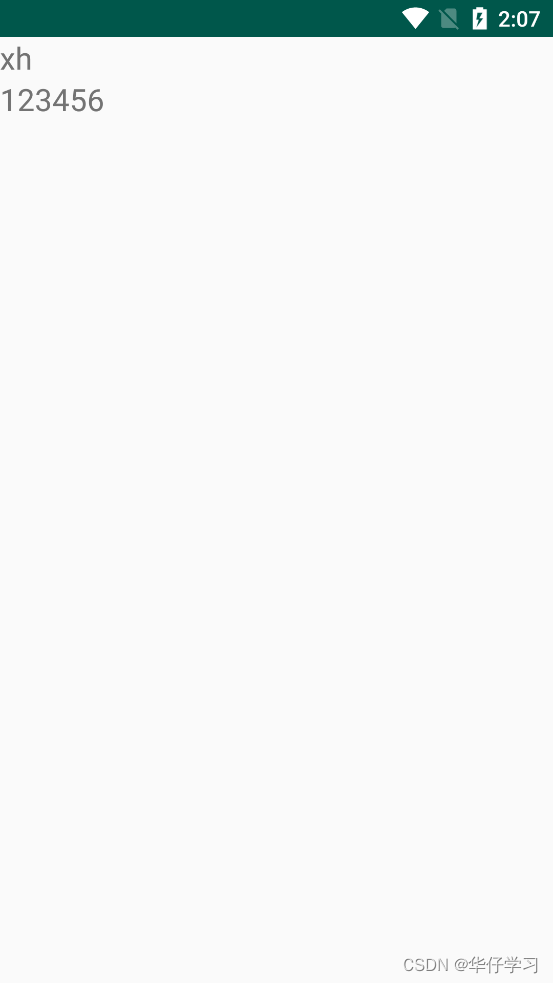
显示结果:
2.生成的文件
1.对应的Binding.java文件
路径:app/build/generated/data_binding_base_class_source_out/debug/out/项目/databinding下生成了对应的Binding.java文件
public abstract class ActivityDataBindTestBinding extends ViewDataBinding {
  @NonNull
  public final TextView userName;
  @NonNull
  public final TextView userPassword;
  @Bindable
  protected User mUser;
  @Bindable
  protected String mM1;
  @Bindable
  protected View.OnClickListener mListener;

  protected ActivityDataBindTestBinding(Object _bindingComponent, View _root, int _localFieldCount,
      TextView userName, TextView userPassword) {
    super(_bindingComponent, _root, _localFieldCount);
    this.userName = userName;
    this.userPassword = userPassword;
  }

  public abstract void setUser(@Nullable User user);

  @Nullable
  public User getUser() {
    return mUser;
  }

  .......

}
咱们在layout中设置的对应的变量在这个文件中都有对应的set/get方法且对应的View也有。
2.BR.java
路径app/build/generated/source/kapt/debug中,这个文件在这个路径下的2个文件夹中都存在
3.DataBinderMapperImpl.java
路径app/build/generated/source/kapt/debug中,这个文件在这个路径下的2个文件夹中都存在,但是继承和实现不一样。
4.ActivityDataBindTestBindingImpl.java文件
路径app/build/generated/source/kapt/debug/项目包/databinding中
5.对应的-layout布局
有2个文件,第一个路径:app/build/intermediates/data_binding_layout_info_type_merge/debug/out下
<?xml version="1.0" encoding="utf-8" standalone="yes"?>
<Layout directory="layout" filePath="app\src\main\res\layout\activity_data_bind_test.xml"
    isBindingData="true" isMerge="false"
    layout="activity_data_bind_test" modulePackage="com.example.kotlinweather" rootNodeType="android.widget.LinearLayout">
    <Variables name="user" declared="true" type="com.example.kotlinweather.ui.databin.User">
        <location endLine="6" endOffset="62" startLine="4" startOffset="8" />
    </Variables>
    <Variables name="m1" declared="true" type="java.lang.String">
        <location endLine="9" endOffset="37" startLine="7" startOffset="8" />
    </Variables>
    <Variables name="listener" declared="true" type="android.view.View.OnClickListener">
        <location endLine="12" endOffset="54" startLine="10" startOffset="8" />
    </Variables>
    <Targets>
        <Target tag="layout/activity_data_bind_test_0" view="LinearLayout">
            <Expressions />
            <location endLine="35" endOffset="18" startLine="15" startOffset="4" />
        </Target>
        <Target id="@+id/userName" tag="binding_1" view="TextView">
            <Expressions>
                <Expression attribute="android:text" text="user.name">
                    <Location endLine="24" endOffset="38" startLine="24" startOffset="12" />
                    <TwoWay>false</TwoWay>
                    <ValueLocation endLine="24" endOffset="36" startLine="24" startOffset="28" />
                </Expression>
            </Expressions>
            <location endLine="25" endOffset="36" startLine="20" startOffset="8" />
        </Target>
        <Target id="@+id/userPassword" tag="binding_2" view="TextView">
            <Expressions>
                <Expression attribute="android:text" text="user.password">
                    <Location endLine="31" endOffset="43" startLine="31" startOffset="12" />
                    <TwoWay>true</TwoWay>
                    <ValueLocation endLine="31" endOffset="41" startLine="31" startOffset="29" />
                </Expression>
                <Expression attribute="android:onClickListener" text="listener">
                    <Location endLine="33" endOffset="48" startLine="33" startOffset="12" />
                    <TwoWay>false</TwoWay>
                    <ValueLocation endLine="33" endOffset="46" startLine="33" startOffset="39" />
                </Expression>
            </Expressions>
            <location endLine="33" endOffset="50" startLine="27" startOffset="8" />
        </Target>
    </Targets>
</Layout>
第二个路径:app/build/incremental/mergeDebugResources/stripped.dir/layout下
<?xml version="1.0" encoding="utf-8"?>
    <LinearLayout
        android:orientation="vertical"
        android:layout_width="match_parent"
        android:layout_height="match_parent" android:tag="layout/activity_data_bind_test_0" xmlns:android="http://schemas.android.com/apk/res/android">

        <TextView
            android:id="@+id/userName"
            android:layout_width="wrap_content"
            android:layout_height="wrap_content"
            android:tag="binding_1"
            android:textSize="20sp"/>

        <TextView
            android:id="@+id/userPassword"
            android:layout_width="wrap_content"
            android:layout_height="wrap_content"
            android:tag="binding_2"
            android:textSize="20sp"
            />
    </LinearLayout>
3.绑定布局时序
绑定布局咱们的入口是DataBinding类中的setContentView方法
    public static <T extends ViewDataBinding> T setContentView(@NonNull Activity activity,
            int layoutId, @Nullable DataBindingComponent bindingComponent) {
        activity.setContentView(layoutId);
        View decorView = activity.getWindow().getDecorView();
        ViewGroup contentView = (ViewGroup) decorView.findViewById(android.R.id.content);
        return bindToAddedViews(bindingComponent, contentView, 0, layoutId);
    }

    private static <T extends ViewDataBinding> T bindToAddedViews(DataBindingComponent component,
            ViewGroup parent, int startChildren, int layoutId) {
        final int endChildren = parent.getChildCount();
        final int childrenAdded = endChildren - startChildren;
        if (childrenAdded == 1) {
            //只有一个子view
            final View childView = parent.getChildAt(endChildren - 1);
            return bind(component, childView, layoutId);
        } else {
            //存在多个子View
            final View[] children = new View[childrenAdded];
            for (int i = 0; i < childrenAdded; i++) {
                children[i] = parent.getChildAt(i + startChildren);
            }
            return bind(component, children, layoutId);
        }
    }

    static <T extends ViewDataBinding> T bind(DataBindingComponent bindingComponent, View[] roots,
            int layoutId) {
        return (T) sMapper.getDataBinder(bindingComponent, roots, layoutId);
    }


    static <T extends ViewDataBinding> T bind(DataBindingComponent bindingComponent, View root,
            int layoutId) {
        return (T) sMapper.getDataBinder(bindingComponent, root, layoutId);
}调用的也是activity的setContentView去显示布局,然后调用了bindToAddedViews方法去绑定添加View后续调用了bind方法。然后执行到bind方法中,里边调用的是sMapper.getDataBinder方法。DataBindingUtil中是这么设置sMapper的。
    private static DataBinderMapper sMapper = new DataBinderMapperImpl();
    private static DataBindingComponent sDefaultComponent = null;
DataBinderMapperImpl刚才有生成这个文件。
public class DataBinderMapperImpl extends MergedDataBinderMapper {
  DataBinderMapperImpl() {
    addMapper(new com.example.kotlinweather.DataBinderMapperImpl());
  }
}这个类构造方法中会调用addMapper去添加,参数是生成的另一个文件,仔细看类名哦,是项目包下的同名文件。我们看同名文件下的getDataBinder方法
  @Override
  public ViewDataBinding getDataBinder(DataBindingComponent component, View view, int layoutId) {
    int localizedLayoutId = INTERNAL_LAYOUT_ID_LOOKUP.get(layoutId);
    if(localizedLayoutId > 0) {
      final Object tag = view.getTag();
      if(tag == null) {
        throw new RuntimeException("view must have a tag");
      }
      switch(localizedLayoutId) {
        case  LAYOUT_ACTIVITYDATABINDTEST: {
          if ("layout/activity_data_bind_test_0".equals(tag)) {
            return new ActivityDataBindTestBindingImpl(component, view);
          }
          throw new IllegalArgumentException("The tag for activity_data_bind_test is invalid. Received: " + tag);
        }
      }
    }
    return null;
  }

  @Override
  public ViewDataBinding getDataBinder(DataBindingComponent component, View[] views, int layoutId) {
    if(views == null || views.length == 0) {
      return null;
    }
    int localizedLayoutId = INTERNAL_LAYOUT_ID_LOOKUP.get(layoutId);
    if(localizedLayoutId > 0) {
      final Object tag = views[0].getTag();
      if(tag == null) {
        throw new RuntimeException("view must have a tag");
      }
      switch(localizedLayoutId) {
      }
    }
    return null;
  }
通过咱们生成的xml文件里的Tag来进行判断,来返回对应的ViewBinding对象。看生成的Impl文件
    public ActivityDataBindTestBindingImpl(@Nullable androidx.databinding.DataBindingComponent bindingComponent, @NonNull View root) {
        this(bindingComponent, root, mapBindings(bindingComponent, root, 3, sIncludes, sViewsWithIds));
    }
    private ActivityDataBindTestBindingImpl(androidx.databinding.DataBindingComponent bindingComponent, View root, Object[] bindings) {
        super(bindingComponent, root, 1
            , (android.widget.TextView) bindings[1]
            , (android.widget.TextView) bindings[2]
            );
        this.mboundView0 = (android.widget.LinearLayout) bindings[0];
        this.mboundView0.setTag(null);
        this.userName.setTag(null);
        this.userPassword.setTag(null);
        setRootTag(root);
        // listeners
        invalidateAll();
    }
其中调用了mapBindings方法之后再请求了下边的构造方法。mapBindings
    protected static Object[] mapBindings(DataBindingComponent bindingComponent, View root,
            int numBindings, IncludedLayouts includes, SparseIntArray viewsWithIds) {
        Object[] bindings = new Object[numBindings];
        mapBindings(bindingComponent, root, bindings, includes, viewsWithIds, true);
        return bindings;
    }

    private static void mapBindings(DataBindingComponent bindingComponent, View view,
            Object[] bindings, IncludedLayouts includes, SparseIntArray viewsWithIds,
            boolean isRoot) {
        final int indexInIncludes;
        final ViewDataBinding existingBinding = getBinding(view);
        if (existingBinding != null) {
            return;
        }
        Object objTag = view.getTag();
        final String tag = (objTag instanceof String) ? (String) objTag : null;
        boolean isBound = false;
        if (isRoot && tag != null && tag.startsWith("layout")) {
            //通过tag来判断是否为布局
            final int underscoreIndex = tag.lastIndexOf('_');
            //通过tag中的格式,最后一个下划线后的数字来存放view
            if (underscoreIndex > 0 && isNumeric(tag, underscoreIndex + 1)) {
                final int index = parseTagInt(tag, underscoreIndex + 1);
                if (bindings[index] == null) {
                    bindings[index] = view;
                }
                indexInIncludes = includes == null ? -1 : index;
                isBound = true;
            } else {
                indexInIncludes = -1;
            }
        } else if (tag != null && tag.startsWith(BINDING_TAG_PREFIX)) {
            //通过tag来判断是否为binding_的view
            //通过tag中的格式,最后一个下划线后的数字来存放view
            int tagIndex = parseTagInt(tag, BINDING_NUMBER_START);
            if (bindings[tagIndex] == null) {
                bindings[tagIndex] = view;
            }
            isBound = true;
            indexInIncludes = includes == null ? -1 : tagIndex;
        } else {
            // Not a bound view
            indexInIncludes = -1;
        }
        if (!isBound) {
            final int id = view.getId();
            if (id > 0) {
                int index;
                if (viewsWithIds != null && (index = viewsWithIds.get(id, -1)) >= 0 &&
                        bindings[index] == null) {
                    bindings[index] = view;
                }
            }
        }

        if (view instanceof  ViewGroup) {
            //如果是布局文件,就遍历底下的子view
            final ViewGroup viewGroup = (ViewGroup) view;
            final int count = viewGroup.getChildCount();
            int minInclude = 0;
            for (int i = 0; i < count; i++) {
                final View child = viewGroup.getChildAt(i);
                boolean isInclude = false;
                if (indexInIncludes >= 0 && child.getTag() instanceof String) {
                    String childTag = (String) child.getTag();
                    if (childTag.endsWith("_0") &&
                            childTag.startsWith("layout") && childTag.indexOf('/') > 0) {
                        // This *could* be an include. Test against the expected includes.
                        int includeIndex = findIncludeIndex(childTag, minInclude,
                                includes, indexInIncludes);
                        if (includeIndex >= 0) {
                            isInclude = true;
                            minInclude = includeIndex + 1;
                            final int index = includes.indexes[indexInIncludes][includeIndex];
                            final int layoutId = includes.layoutIds[indexInIncludes][includeIndex];
                            int lastMatchingIndex = findLastMatching(viewGroup, i);
                            if (lastMatchingIndex == i) {
                                bindings[index] = DataBindingUtil.bind(bindingComponent, child,
                                        layoutId);
                            } else {
                                final int includeCount =  lastMatchingIndex - i + 1;
                                final View[] included = new View[includeCount];
                                for (int j = 0; j < includeCount; j++) {
                                    included[j] = viewGroup.getChildAt(i + j);
                                }
                                bindings[index] = DataBindingUtil.bind(bindingComponent, included,
                                        layoutId);
                                i += includeCount - 1;
                            }
                        }
                    }
                }
                if (!isInclude) {
                    //这个递归是咱们子View会生成的原因
                    mapBindings(bindingComponent, child, bindings, includes, viewsWithIds, false);
                }
            }
        }
    }
返回了view数组后又调用了super,父类的构造方法。这个类继承自ActivityDataBindTestBinding,ActivityDataBindTestBinding中又调用了父类ViewDataBinding的构造方法。
  protected ActivityDataBindTestBinding(Object _bindingComponent, View _root, int _localFieldCount,
      TextView userName, TextView userPassword) {
    super(_bindingComponent, _root, _localFieldCount);
    this.userName = userName;
    this.userPassword = userPassword;
  }
protected ViewDataBinding(Object bindingComponent, View root, int localFieldCount) {
this(checkAndCastToBindingComponent(bindingComponent), root, localFieldCount);
}
protected ViewDataBinding(DataBindingComponent bindingComponent, View root, int localFieldCount) {
mBindingComponent = bindingComponent;
mLocalFieldObservers = new WeakListener[localFieldCount];
this.mRoot = root;
if (Looper.myLooper() == null) {
throw new IllegalStateException("DataBinding must be created in view's UI Thread");
}
if (USE_CHOREOGRAPHER) {
mChoreographer = Choreographer.getInstance();
mFrameCallback = new Choreographer.FrameCallback() {
@Override
public void doFrame(long frameTimeNanos) {
mRebindRunnable.run();
}
};
} else {
mFrameCallback = null;
mUIThreadHandler = new Handler(Looper.myLooper());
}
}这一路的操作就把咱们的布局绑定到了ActivityDataBindTestBinding文件中,然后再viewDataBinding的构造方法中进行了渲染,通过sdk的比较,要么使用编舞者要么用线程来更新。编舞者的原理需要去了解FrameWork的Choregrapher类。
4.改变数据通知更新UI时序
这个入口是在生成的ViewBindingImpl文件中的set方法中,来看setUser
  private  long mDirtyFlags = 0xffffffffffffffffL;

  public void setUser(@Nullable com.example.kotlinweather.ui.databin.User User) {
        updateRegistration(0, User);
        this.mUser = User;
        synchronized(this) {
            mDirtyFlags |= 0x1L;
        }
        notifyPropertyChanged(BR.user);
        super.requestRebind();
}首先执行更新注册监听方法updateRegistration,然后用'脏标志'来或等于16进制的1.之后提示元素更改和请求渲染。
1.更新注册方法时序
    private static final CreateWeakListener CREATE_PROPERTY_LISTENER = new CreateWeakListener() {
        @Override
        public WeakListener create(
                ViewDataBinding viewDataBinding,
                int localFieldId,
                ReferenceQueue<ViewDataBinding> referenceQueue
        ) {
            return new WeakPropertyListener(viewDataBinding, localFieldId, referenceQueue)
                    .getListener();
        }
    };

    //根据传过来的元素继承什么,调用相应的注册方法 这里就不多粘出来了
    protected boolean updateRegistration(int localFieldId, Observable observable) {
        return updateRegistration(localFieldId, observable, CREATE_PROPERTY_LISTENER);
    }

    @RestrictTo(RestrictTo.Scope.LIBRARY_GROUP)
    protected boolean updateRegistration(int localFieldId, Object observable,
            CreateWeakListener listenerCreator) {
        //如果数据为空就注销这个注册
        if (observable == null) {
            return unregisterFrom(localFieldId);
        }
        //mLocalFieldObservers这个参数在ViewDataBinding构造方法中有初始化
        //mLocalFieldObservers = new WeakListener[localFieldCount];
        WeakListener listener = mLocalFieldObservers[localFieldId];
        if (listener == null) {
            //注册
            registerTo(localFieldId, observable, listenerCreator);
            return true;
        }
        //判断是否为一个对象
        if (listener.getTarget() == observable) {
            return false;//nothing to do, same object
        }
        //相应的监听listener存在且值有改变就先注销再重新
        unregisterFrom(localFieldId);
        registerTo(localFieldId, observable, listenerCreator);
        return true;
    }

    protected void registerTo(int localFieldId, Object observable,
            CreateWeakListener listenerCreator) {
        //再次判断咱们的对象user是否为空
        if (observable == null) {
            return;
        }
        WeakListener listener = mLocalFieldObservers[localFieldId];
        if (listener == null) {
            //这里的this 指的是对应的ViewDataBinding对象
            //得到的listener 根据上边传的值 返回的是WeakPropertyListener.getlistener的WeakListener类
            listener = listenerCreator.create(this, localFieldId, sReferenceQueue);
            mLocalFieldObservers[localFieldId] = listener;
            //如果你的被观察者存在那么就订阅,默认咱们是没有的。需要手动的调用viewDataBinding.setLifecycleOwner才会调用if内的订阅
            if (mLifecycleOwner != null) {
                listener.setLifecycleOwner(mLifecycleOwner);
            }
        }
        //上面说了返回的会是WeakListener的
        listener.setTarget(observable);
    }
这样咱们就来看WeakPropertyListener和WeakListener。
    private static class WeakPropertyListener extends Observable.OnPropertyChangedCallback
            implements ObservableReference<Observable> {
        final WeakListener<Observable> mListener;

        public WeakPropertyListener(
                ViewDataBinding binder,
                int localFieldId,
                ReferenceQueue<ViewDataBinding> referenceQueue
        ) {
            //此listener代表的是WeakPropertyListener
            mListener = new WeakListener<Observable>(binder, localFieldId, this, referenceQueue);
        }

        @Override
        public WeakListener<Observable> getListener() {
            return mListener;
        }

        @Override
        public void addListener(Observable target) {
            //这边的target是咱们的User,从WeakListener中传出来的,咱们User继承自BaseObservable
            target.addOnPropertyChangedCallback(this);
        }
        ......
    }

class WeakListener<T> extends WeakReference<ViewDataBinding> {
    private final ObservableReference<T> mObservable;
    protected final int mLocalFieldId;
    private T mTarget;//存放咱们的User对象

    public WeakListener(
            ViewDataBinding binder,
            int localFieldId,
            ObservableReference<T> observable,
            ReferenceQueue<ViewDataBinding> referenceQueue
    ) {
        //去父类的构造方法,存着咱们对应的viewDataBinding对象
        super(binder, referenceQueue);
        mLocalFieldId = localFieldId;
        mObservable = observable;
    }

    public void setTarget(T object) {
        unregister();
        mTarget = object;
        if (mTarget != null) {
            //这个mObservable是刚才的listener-WeakPropertyListener
            mObservable.addListener(mTarget);
        }
    }

    ......
}
listener最后存放的是WeakListener。因为他即持有着咱们的viewDataBinding,还持有着User对象。以上最后走到了BaseObservable对象的addOnPropertyChangedCallback方法。接下去看
    private transient PropertyChangeRegistry mCallbacks;

    @Override
    public void addOnPropertyChangedCallback(@NonNull OnPropertyChangedCallback callback) {
        synchronized (this) {
            if (mCallbacks == null) {
                mCallbacks = new PropertyChangeRegistry();
            }
        }
        //这里的callback是咱们上面传下来的WeakPropertyListener,他继承于OnPropertyChangedCallback
        mCallbacks.add(callback);
    }
最后这个add方法是CallbackRegistry里的
    private List<C> mCallbacks = new ArrayList<C>();
    public synchronized void add(C callback) {
        if (callback == null) {
            throw new IllegalArgumentException("callback cannot be null");
        }
        int index = mCallbacks.lastIndexOf(callback);
        if (index < 0 || isRemoved(index)) {
            mCallbacks.add(callback);
        }
    }
这样咱们就存放了我们的注册监听在callbacks中。
2.提示元素更改(notifyPropertyChanged)
ViewDataBinding也是继承自BaseObservable的,所以调用此方法时就到了BaseObservable中的此方法。
    private transient PropertyChangeRegistry mCallbacks;

    public void notifyPropertyChanged(int fieldId) {
        synchronized (this) {
            if (mCallbacks == null) {
                return;
            }
        }
        //这个mCallbacks咱们再注册时序时看过,是PropertyChangeRegistry类
        mCallbacks.notifyCallbacks(this, fieldId, null);
    }


    //再次回顾一下这个方法
    @Override
    public void addOnPropertyChangedCallback(@NonNull OnPropertyChangedCallback callback) {
        synchronized (this) {
            if (mCallbacks == null) {
                mCallbacks = new PropertyChangeRegistry();
            }
        }
        mCallbacks.add(callback);
    }
因为我们的ViewDataBinding没有执行过addOnPropertyChangedCallback方法所以会执行return,之前执行addOnPropertyChangedCallback方法是User类!不能搞错
3.更新控件UI
其实无论是高版本还是低版本,刷新UI都是mRebindRunnable
    protected void requestRebind() {
        if (mContainingBinding != null) {
            mContainingBinding.requestRebind();
        } else {
            final LifecycleOwner owner = this.mLifecycleOwner;
            if (owner != null) {
                //判断是否为显示中
                Lifecycle.State state = owner.getLifecycle().getCurrentState();
                if (!state.isAtLeast(Lifecycle.State.STARTED)) {
                    return; // wait until lifecycle owner is started
                }
            }
            synchronized (this) {
                if (mPendingRebind) {
                    return;
                }
                mPendingRebind = true;
            }
            if (USE_CHOREOGRAPHER) {
                mChoreographer.postFrameCallback(mFrameCallback);
            } else {
                mUIThreadHandler.post(mRebindRunnable);
            }
        }
    }

    //在构造方法中有初始化mFrameCallback
    protected ViewDataBinding(DataBindingComponent bindingComponent, View root, int localFieldCount) {
        mBindingComponent = bindingComponent;
        mLocalFieldObservers = new WeakListener[localFieldCount];
if (USE_CHOREOGRAPHER) {
            mChoreographer = Choreographer.getInstance();
            mFrameCallback = new Choreographer.FrameCallback() {
                @Override
                public void doFrame(long frameTimeNanos) {
                    mRebindRunnable.run();
                }
            };
        } else {
            mFrameCallback = null;
            mUIThreadHandler = new Handler(Looper.myLooper());
        }
    }
mRebindRunnable
    private final Runnable mRebindRunnable = new Runnable() {
        @Override
        public void run() {
            ......
            executePendingBindings();
        }
    };

    public void executePendingBindings() {
        //这里判断是否为空,否则递归调用知道为空 执行Internal
        if (mContainingBinding == null) {
            executeBindingsInternal();
        } else {
            mContainingBinding.executePendingBindings();
        }
    }

    private void executeBindingsInternal() {
        if (mIsExecutingPendingBindings) {
            requestRebind();
            return;
        }
        if (!hasPendingBindings()) {
            return;
        }
        mIsExecutingPendingBindings = true;
        mRebindHalted = false;
        if (mRebindCallbacks != null) {
            mRebindCallbacks.notifyCallbacks(this, REBIND, null);

            // The onRebindListeners will change mPendingHalted
            if (mRebindHalted) {
                mRebindCallbacks.notifyCallbacks(this, HALTED, null);
            }
        }
        if (!mRebindHalted) {
            //刷新ui
            executeBindings();
            if (mRebindCallbacks != null) {
                mRebindCallbacks.notifyCallbacks(this, REBOUND, null);
            }
        }
        mIsExecutingPendingBindings = false;
    }

    protected abstract void executeBindings();
执行到了executeBindings方法,这个方法是个抽象方法,就需要我们自己对应的viewDataBinding里看。
    @Override
    protected void executeBindings() {
        long dirtyFlags = 0;
        synchronized(this) {
            dirtyFlags = mDirtyFlags;
            mDirtyFlags = 0;
        }
        java.lang.String UserName1 = null;
        com.example.kotlinweather.ui.databin.User user = mUser;
        java.lang.String UserPassword1 = null;

        if ((dirtyFlags & 0x39L) != 0) {


            if ((dirtyFlags & 0x29L) != 0) {

                    if (user != null) {
                        // read user.name
                        UserName1 = user.getName();
                    }
            }
            if ((dirtyFlags & 0x31L) != 0) {

                    if (user != null) {
                        // read user.password
                        UserPassword1 = user.getPassword();
                    }
            }
        }
        // batch finished
        if ((dirtyFlags & 0x29L) != 0) {
            // api target 1
            //在这里设置了我们的ui
            androidx.databinding.adapters.TextViewBindingAdapter.setText(this.userName, UserName1);
        }
        if ((dirtyFlags & 0x31L) != 0) {
            // api target 1
            //在这里设置了我们的ui
            androidx.databinding.adapters.TextViewBindingAdapter.setText(this.userPassword, UserPassword1);
        }
    }
4.脏标记判断
上关键位置的代码(首次刷新UI)的代码。
    private  long mDirtyFlags = 0xffffffffffffffffL;

    @Override
    protected void executeBindings() {
        long dirtyFlags = 0;
        synchronized(this) {
            dirtyFlags = mDirtyFlags;
            mDirtyFlags = 0;
        }
        java.lang.String UserName1 = null;
        com.example.kotlinweather.ui.databin.User user = mUser;
        java.lang.String UserPassword1 = null;
        ......
        if ((dirtyFlags & 0x39L) != 0) {


            if ((dirtyFlags & 0x29L) != 0) {

                    if (user != null) {
                        // read user.name
                        UserName1 = user.getName();
                    }
            }
            if ((dirtyFlags & 0x31L) != 0) {

                    if (user != null) {
                        // read user.password
                        UserPassword1 = user.getPassword();
                    }
            }
        }
        // batch finished
        if ((dirtyFlags & 0x29L) != 0) {
            // api target 1

            androidx.databinding.adapters.TextViewBindingAdapter.setText(this.userName, UserName1);
        }
        if ((dirtyFlags & 0x31L) != 0) {
            // api target 1

            androidx.databinding.adapters.TextViewBindingAdapter.setText(this.userPassword, UserPassword1);
        }
        ......
    }
因为这个运算是二进制,用二进制看。首次进入的时候我们的‘脏标记’是0xffffffffL,因为BR文件长度6位,咱们二进制只取6位即可。
| 十六进制 | 二进制 | 和脏数据&的结果 |
| 0xffL | 11 1111 | 本身就是脏数据 |
| 0x39L | 11 1001 | 结果是本身 |
| 0x29L | 10 1001 | 结果是本身 |
| 0x31L | 11 0001 | 结果是本身 |
与操作的逻辑是:0&0=0;0&1=0;1&0=0;1&1=1。所以第一次进来都会被setText。然后全局的脏数据mDirtyFlags 赋值给方法内脏布局后清零。
5.重看提示元素更改(notifyPropertyChanged)
activity的方法我加了一行。
        binding.listener = View.OnClickListener {
            user.password += "1"
        }
那为什么我改变password的值UI能够跟着改变呢?
    var password = userPassword
        @Bindable
        get() = field
        set(value) {
            field = value
            notifyPropertyChanged(BR.password)
        }
因为set方法中存在着notifyPropertyChanged这个方法提示元素更改。
public class BaseObservable implements Observable {
    private transient PropertyChangeRegistry mCallbacks;

    @Override
    public void addOnPropertyChangedCallback(@NonNull OnPropertyChangedCallback callback) {
        synchronized (this) {
            if (mCallbacks == null) {
                mCallbacks = new PropertyChangeRegistry();
            }
        }
        mCallbacks.add(callback);
    }

    public void notifyPropertyChanged(int fieldId) {
        synchronized (this) {
            if (mCallbacks == null) {
                return;
            }
        }
        mCallbacks.notifyCallbacks(this, fieldId, null);
    }
}
这代码是我贴出来的第三次了,应该很有印象了。 第一次注册时,使用的mOberverble是咱们setUser的user对象,所以调用addOnPropertyChangedCallback方法就得到了后续的注册,这个callback是当时的WeakPropertyListener监听。而viewDataBinding没有执行过所以判空时直接返回了。所以User执行不会为空,看后续的调用。我快进一些,后续调用的方法比较多。
public class PropertyChangeRegistry extends
        CallbackRegistry<Observable.OnPropertyChangedCallback, Observable, Void> {

    private static final CallbackRegistry.NotifierCallback<Observable.OnPropertyChangedCallback, Observable, Void> NOTIFIER_CALLBACK = new CallbackRegistry.NotifierCallback<Observable.OnPropertyChangedCallback, Observable, Void>() {
        @Override
        public void onNotifyCallback(Observable.OnPropertyChangedCallback callback, Observable sender,
                int arg, Void notUsed) {
            callback.onPropertyChanged(sender, arg);//之前的callback是WeakPropertyListener。调用的是它的方法
        }
    };

    public PropertyChangeRegistry() {
        super(NOTIFIER_CALLBACK);
    }

    /**
     * Notifies registered callbacks that a specific property has changed.
     *
     * @param observable The Observable that has changed.
     * @param propertyId The BR id of the property that has changed or BR._all if the entire
     *                   Observable has changed.
     */
    public void notifyChange(@NonNull Observable observable, int propertyId) {
        notifyCallbacks(observable, propertyId, null);
    }
}
经过一系列跳转后,会执行NOTIFIER_CALLBACK变量中的onNotifyCallback方法。然后就调用了WeakPropertyListener.onPropertyChanged()方法
    private static class WeakPropertyListener extends Observable.OnPropertyChangedCallback
            implements ObservableReference<Observable> {
        final WeakListener<Observable> mListener;

        @Override
        public void onPropertyChanged(Observable sender, int propertyId) {
            ViewDataBinding binder = mListener.getBinder();
            if (binder == null) {
                return;
            }
            Observable obj = mListener.getTarget();
            if (obj != sender) {
                return; // notification from the wrong object?
            }
            binder.handleFieldChange(mListener.mLocalFieldId, sender, propertyId);
        }
    }
咱们的listener持有着viewDataBinding和User的对象,get到对应的viewDataBinding对象后执行handleFieldChange方法。
    @RestrictTo(RestrictTo.Scope.LIBRARY_GROUP)
    protected void handleFieldChange(int mLocalFieldId, Object object, int fieldId) {
        if (mInLiveDataRegisterObserver || mInStateFlowRegisterObserver) {
            // We're in LiveData or StateFlow registration, which always results in a field change
            // that we can ignore. The value will be read immediately after anyway, so
            // there is no need to be dirty.
            return;
        }
        boolean result = onFieldChange(mLocalFieldId, object, fieldId);
        if (result) {
            requestRebind();
        }
    }
onFieldChange方法是判断其是否有做变化。有变化就requestRebind方法刷新页面,这个方法上边看过这边就不重复看了。
    @Override
    protected boolean onFieldChange(int localFieldId, Object object, int fieldId) {
        switch (localFieldId) {
            case 0 :
                return onChangeUser((com.example.kotlinweather.ui.databin.User) object, fieldId);
        }
        return false;
    }

    private boolean onChangeUser(com.example.kotlinweather.ui.databin.User User, int fieldId) {
        if (fieldId == BR._all) {
            synchronized(this) {
                    mDirtyFlags |= 0x1L;
            }
            return true;
        }
        else if (fieldId == BR.name) {
            synchronized(this) {
                    mDirtyFlags |= 0x8L;
            }
            return true;
        }
        else if (fieldId == BR.password) {
            synchronized(this) {
                    mDirtyFlags |= 0x10L;
            }
            return true;
        }
        return false;
    }
这边是或运算,改变‘脏标记’的值,这样最后执行executeBindings方法的时候能够保证其通过判断然后刷新ui。