文章目录
Spring集成Junit
原始Junit测试Spring的问题
在测试类中,每个测试方法都有以下两行代码:
        ApplicationContext app = new AnnotationConfigApplicationContext(SpringConfiguration.class);
        UserService userService = app.getBean(UserService.class);
这两行代码的作用是获取容器,如果不写的话,直接会提示空指针异常,所以又不能轻易删掉。
上述问题解决思路
- 让SpringJunit负责创建Spring容器,但是需要将配置文件的名称告诉它
- 将需要进行测试Bean直接在测试类中进行注入
Spring集成Junit步骤
- 导入spring集成Junit的坐标
- 使用@Runwith注解替换原来的运行期
- 使用@ContextConfigration指定配置文件或配置类
- 使用@Autowired注入需要测试的对象
- 创建测试方法进行测试
代码实现Junit
导入依赖
     <dependency>
       <groupId>org.springframework</groupId>
       <artifactId>spring-test</artifactId>
       <version>5.0.5.RELEASE</version>
     </dependency>
注意Junit版本
junit需要在4.12以上
     <dependency>
       <groupId>junit</groupId>
       <artifactId>junit</artifactId>
       <version>4.12</version>
       <scope>test</scope>
     </dependency>
创建编写类
package com.taotao.test;

import com.taotao.service.UserService;
import org.junit.Test;
import org.junit.runner.RunWith;
import org.springframework.beans.factory.annotation.Autowired;
import org.springframework.test.context.ContextConfiguration;
import org.springframework.test.context.junit4.SpringJUnit4ClassRunner;

import javax.sql.DataSource;
import java.sql.SQLException;

/**
 * create by 刘鸿涛
 * 2022/4/12 21:12
 */
@SuppressWarnings({"all"})
@RunWith(SpringJUnit4ClassRunner.class)
@ContextConfiguration("classpath:applicationContext.xml")
public class SpringJunitTest {

    @Autowired
    private UserService userService;

    @Autowired
    private DataSource dataSource;

    @Test
    public void test() throws SQLException {
        userService.save();
        System.out.println(dataSource.getConnection());
    }
}
Spring.xml
<?xml version="1.0" encoding="UTF-8"?>
<beans xmlns="http://www.springframework.org/schema/beans"
       xmlns:xsi="http://www.w3.org/2001/XMLSchema-instance"

       xmlns:context="http://www.springframework.org/schema/context"

       xsi:schemaLocation="http://www.springframework.org/schema/beans http://www.springframework.org/schema/beans/spring-beans.xsd
http://www.springframework.org/schema/context  http://www.springframework.org/schema/context/spring-context.xsd">

<!--    加载外部的properties文件-->
    <context:property-placeholder location="classpath:jdbc.properties"></context:property-placeholder>

    <bean id="dataSource" class="com.mchange.v2.c3p0.ComboPooledDataSource">
        <property name="driverClass" value="${jdbc.driver}"></property>
        <property name="jdbcUrl" value="${jdbc.url}"></property>
        <property name="user" value="${jdbc.username}"></property>
        <property name="password" value="${jdbc.password}"></property>

    </bean>

<!--组件扫描-->
    <context:component-scan base-package="com.taotao"></context:component-scan>

</beans>
测试运行

使用注解反射
package com.taotao.test;

import com.taotao.config.SpringConfiguration;
import com.taotao.service.UserService;
import org.junit.Test;
import org.junit.runner.RunWith;
import org.springframework.beans.factory.annotation.Autowired;
import org.springframework.test.context.ContextConfiguration;
import org.springframework.test.context.junit4.SpringJUnit4ClassRunner;

import javax.sql.DataSource;
import java.sql.SQLException;

/**
 * create by 刘鸿涛
 * 2022/4/12 21:12
 */
@SuppressWarnings({"all"})
@RunWith(SpringJUnit4ClassRunner.class)
//@ContextConfiguration("classpath:applicationContext.xml")
@ContextConfiguration(classes = {SpringConfiguration.class})
public class SpringJunitTest {

    @Autowired
    private UserService userService;

    @Autowired
    private DataSource dataSource;

    @Test
    public void test() throws SQLException {
        userService.save();
        System.out.println(dataSource.getConnection());
    }
}
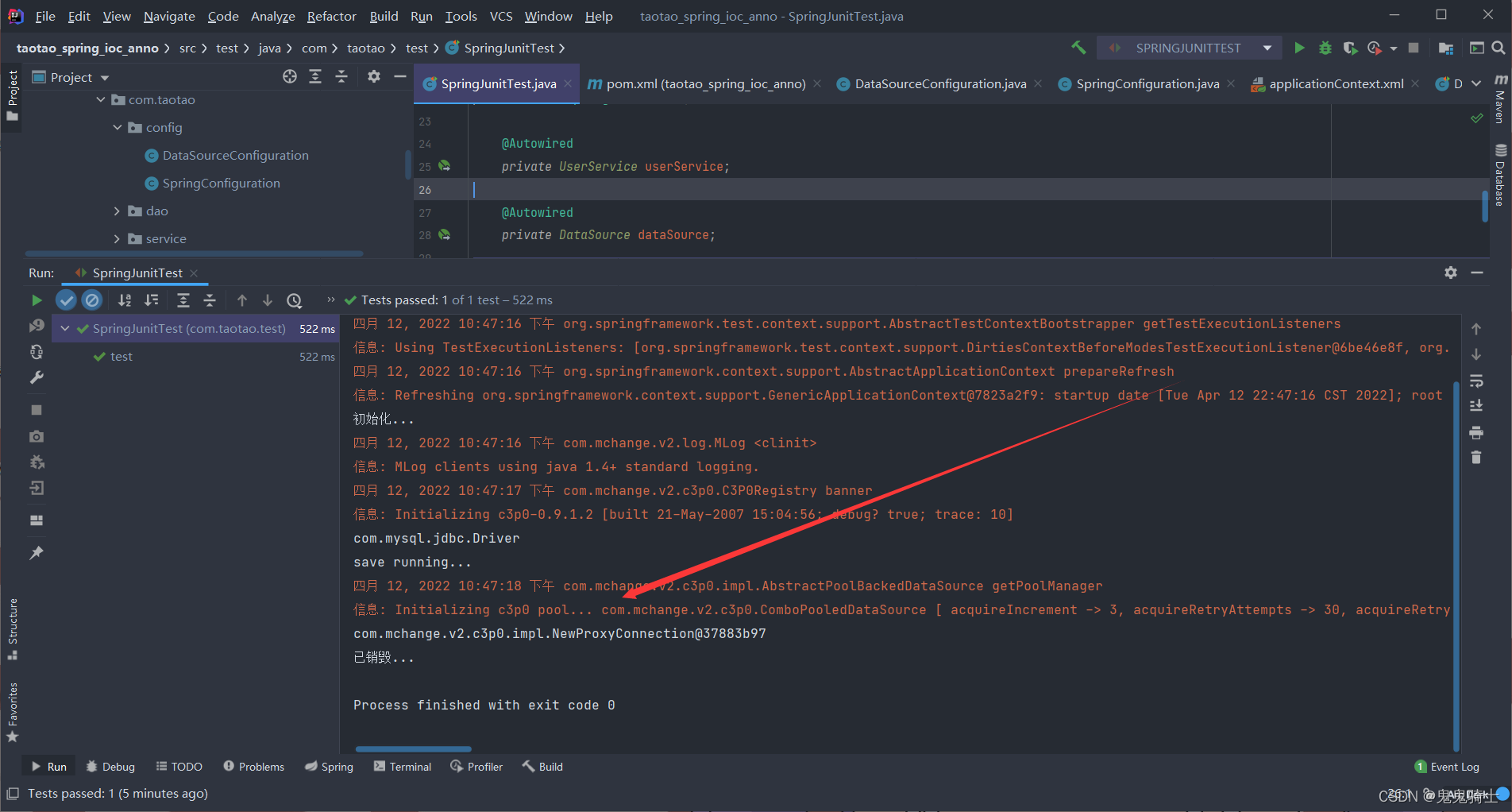
测试运行
版权声明:本文为qq_39123467原创文章,遵循CC 4.0 BY-SA版权协议,转载请附上原文出处链接和本声明。