每个 Vuex 应用的核心 store(仓库), 包含5个核心概念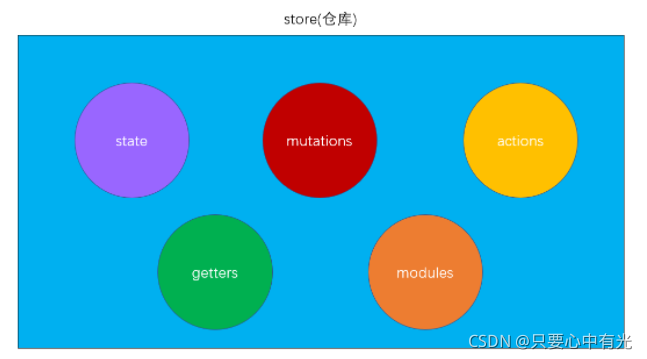
- vuex目录 ,和路由模块router/index.js - 类似, 维护项目目录的整洁,新建src/store/index.js文件
- npm add vuex
- store/index.js 创建 定义 导出store对象
// 目标: 创建store仓库对象
// 1. 下载vuex: 终端命令(yarn add vuex)
// 2. 引入vuex
import Vue from 'vue'
import Vuex from 'vuex'
// 3. 注册
Vue.use(Vuex)
// 4. 实例化store对象
const store = new Vuex.Store({})
// 5. 导出store对象
export default store
- main.js - 导入注入到Vue中
import Vue from 'vue'
import App from './App.vue'
import store from '@/store' // 导入store对象

Vue.config.productionTip = false

new Vue({
  // 6. 注入到Vue实例中(确保组件this.$store使用)
  store,
  render: h => h(App),
}).$mount('#app')
定义state
直接使用state
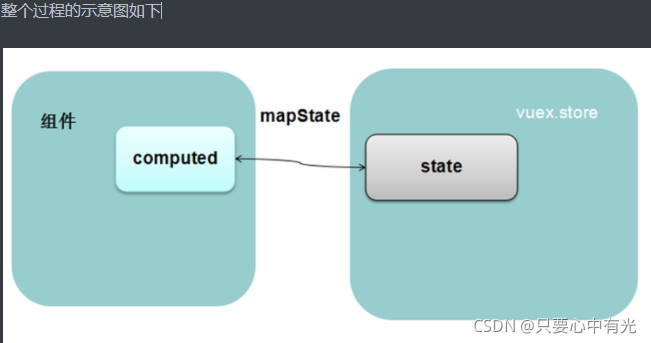
辅助函数mapState
/*
const store = new Vuex.Store({
    state: {
        变量名: 初始值
    }
})
*/

const store = new Vuex.Store({
    state: {
        count: 100 // 库存
    }
})
使用state2种方式
- 组件内 and 直接使用
this.$store.state.变量名
- 组件内 and 映射使用(推荐)
// 1. 拿到mapState辅助函数
import { mapState } from 'vuex'
export default {
    computed: {
        // 2. 把state里变量映射到计算属性中
        ...mapState(['state里的变量名'])
    }
}
- additem直接使用
<template>
  <div>
      <h3>AddItem组件</h3>
      <p>已知库存数: {{ $store.state.count }}</p>
      <button>库存+1</button>
  </div>
</template>
- state是响应式的, 只要state值变化, 页面上使用的地方会自动更新同步
版权声明:本文为i_bilibili原创文章,遵循CC 4.0 BY-SA版权协议,转载请附上原文出处链接和本声明。