feign是声明式的web service客户端,主要是方便微服务之间的调用,类似controller调用service。feign也是利用了Ribbon来实现负载均衡,我们通过代码可以很直观的看出feign与ribbon在编写上的区别
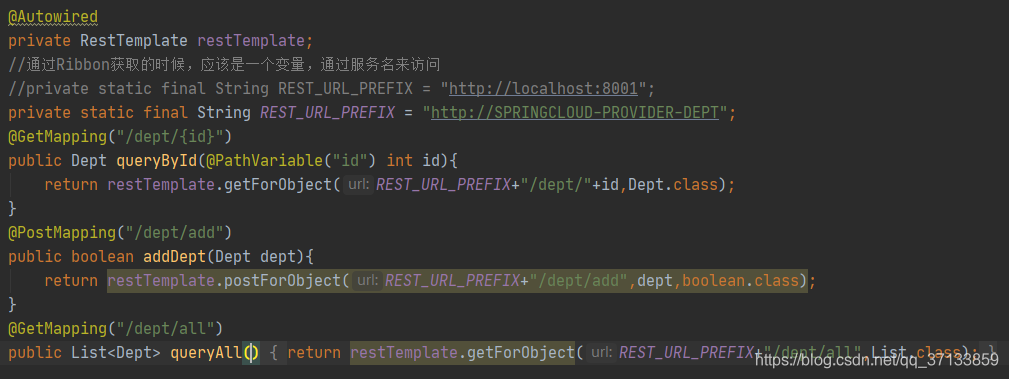
Ribbon的Controller层
Feign的Controller层
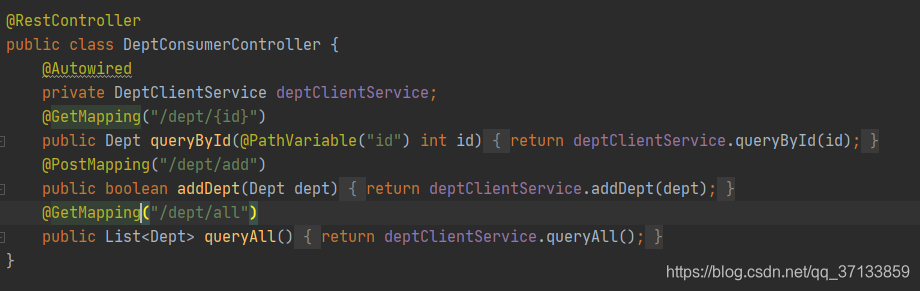
我们只需要修改消费方就可以,其他的都不用修改
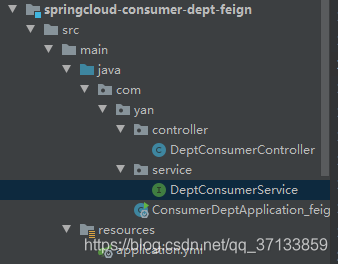
消费方目录结构
1.首先引入依赖
<dependency>
            <groupId>org.springframework.cloud</groupId>
            <artifactId>spring-cloud-starter-feign</artifactId>
            <version>1.4.7.RELEASE</version>
        </dependency>
        <dependency>
            <groupId>org.springframework.cloud</groupId>
            <artifactId>spring-cloud-starter-netflix-eureka-client</artifactId>
            <version>2.2.2.RELEASE</version>
        </dependency>
2.配置文件不用修改
server:
  port: 80
eureka:
  client:
    register-with-eureka: false
    fetch-registry: true
    service-url:
      defaultZone: http://eureka7001:7001/eureka/,http://eureka7002:7002/eureka/,http://eureka7003:7003/eureka/
3.service编写
@FeignClient("SPRINGCLOUD-PROVIDER-DEPT")  //服务提供方在eureka中注册的名称
public interface DeptConsumerService {
    @GetMapping("/dept/{id}")
    public Dept queryById(@PathVariable("id") int id);
    @GetMapping("/dept/all")
    public List<Dept> queryAll();
    @PostMapping("/dept/add")
    public boolean addDept(Dept dept);
}
4.controller编写
@RestController
public class DeptConsumerController {
    @Autowired
    private DeptConsumerService deptConsumerService;
    @GetMapping("/dept/{id}")
    public Dept queryById(@PathVariable("id") int id){
        return deptConsumerService.queryById(id);
    }
    @PostMapping("/dept/add")
    public boolean addDept(Dept dept){
        return deptConsumerService.addDept(dept);
    }
    @GetMapping("/dept/all")
    public List<Dept> queryAll(){
        return deptConsumerService.queryAll();
    }
}
启动类
@SpringBootApplication
@EnableEurekaClient
@EnableFeignClients(basePackages={"com.yan"}) //扫描的包
public class ConsumerDeptApplication_feign {
    public static void main(String[] args) {
        SpringApplication.run(ConsumerDeptApplication_feign.class,args);
    }
}
启动项目

controller调用了DeptConsumerService,Service中只是接口,并没有方法的实现,但是却依然完成了查询。
版权声明:本文为qq_37133859原创文章,遵循CC 4.0 BY-SA版权协议,转载请附上原文出处链接和本声明。