1.国际化使用方案
uni-app是基于vue.js的,因此国际化的方案也是使用的 i18n 插件,uni-app官网也提供了关于国际化的文档 :
uniapp国际化
2.i18n配置及使用
根目录新建i18n文件夹,文件结构如下:
├── i18n │
├── common │
│ ├── en.js │
│ ├── zh.js │
├── index.js
- index.js :
import VueI18n from 'vue-i18n'
import Vue from 'vue'
import zh from './common/zh.js'
import en from './common/en.js'
Vue.use(VueI18n) export default new VueI18n({
    locale:uni.getStorageSync('locale') ? uni.getStorageSync('locale') :'en',
    messages:{
        'en':en,
        'zh':zh
   }
})
- zh.js
export default {
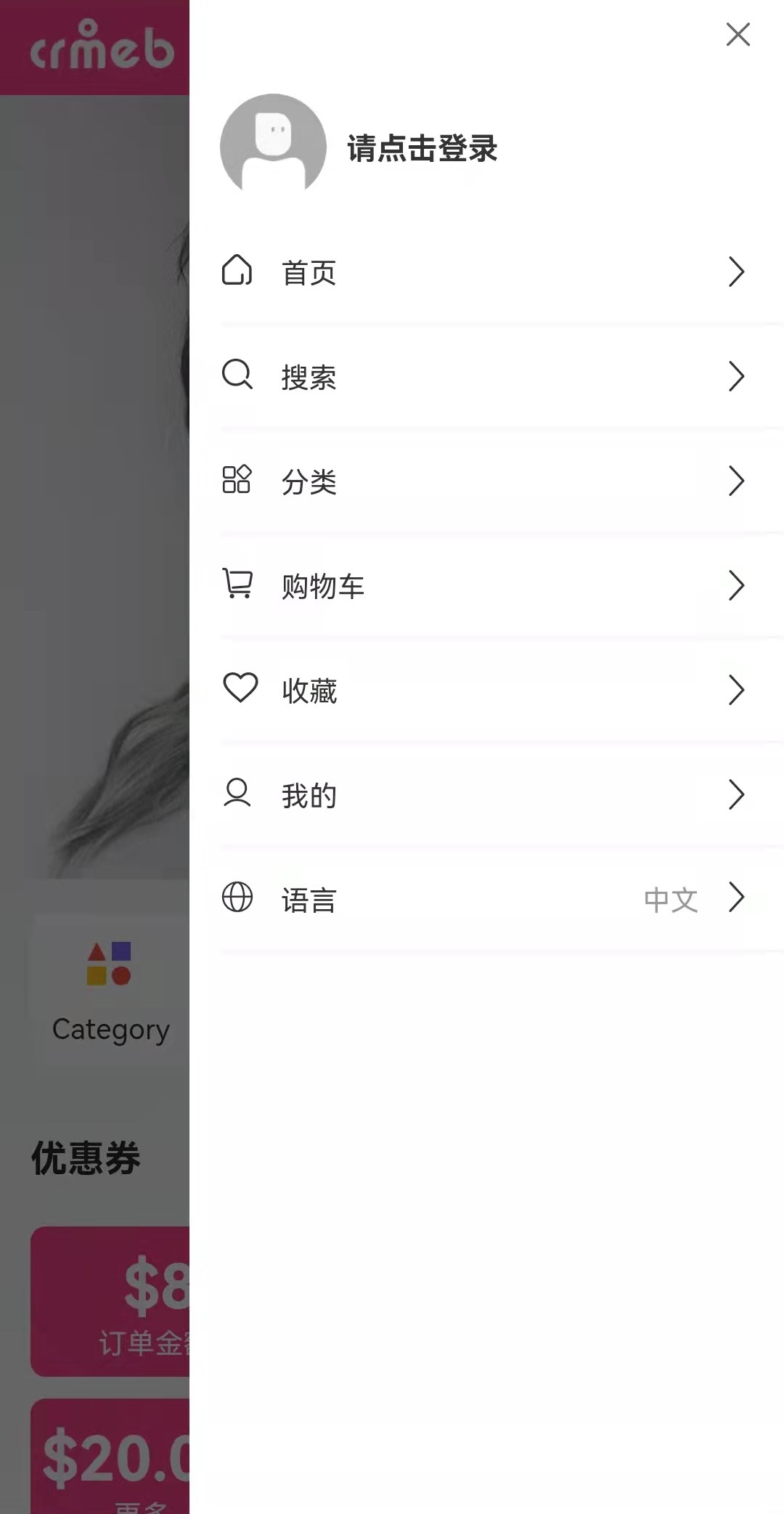
    userDrawer:{ //抽屉导航
		data:[
			{name:'首页'},
			{name:'搜索'},
			{name:'分类'},
			{name:'购物车'},
			{name:'收藏'},
			{name:'我的'}
		]
	},
	page:{
	    index:{
			mainNav:[
				{name:'分类'},
				{name:'收藏'},
				{name:'订单'},
				{name:'地址'},
			],
			coupons:'优惠券',
		},
	},
	message:{
	    confirmDel:'确定删除吗?',
	    loginLoading:'正在登录中',
	}
 }
- en.js
export default {
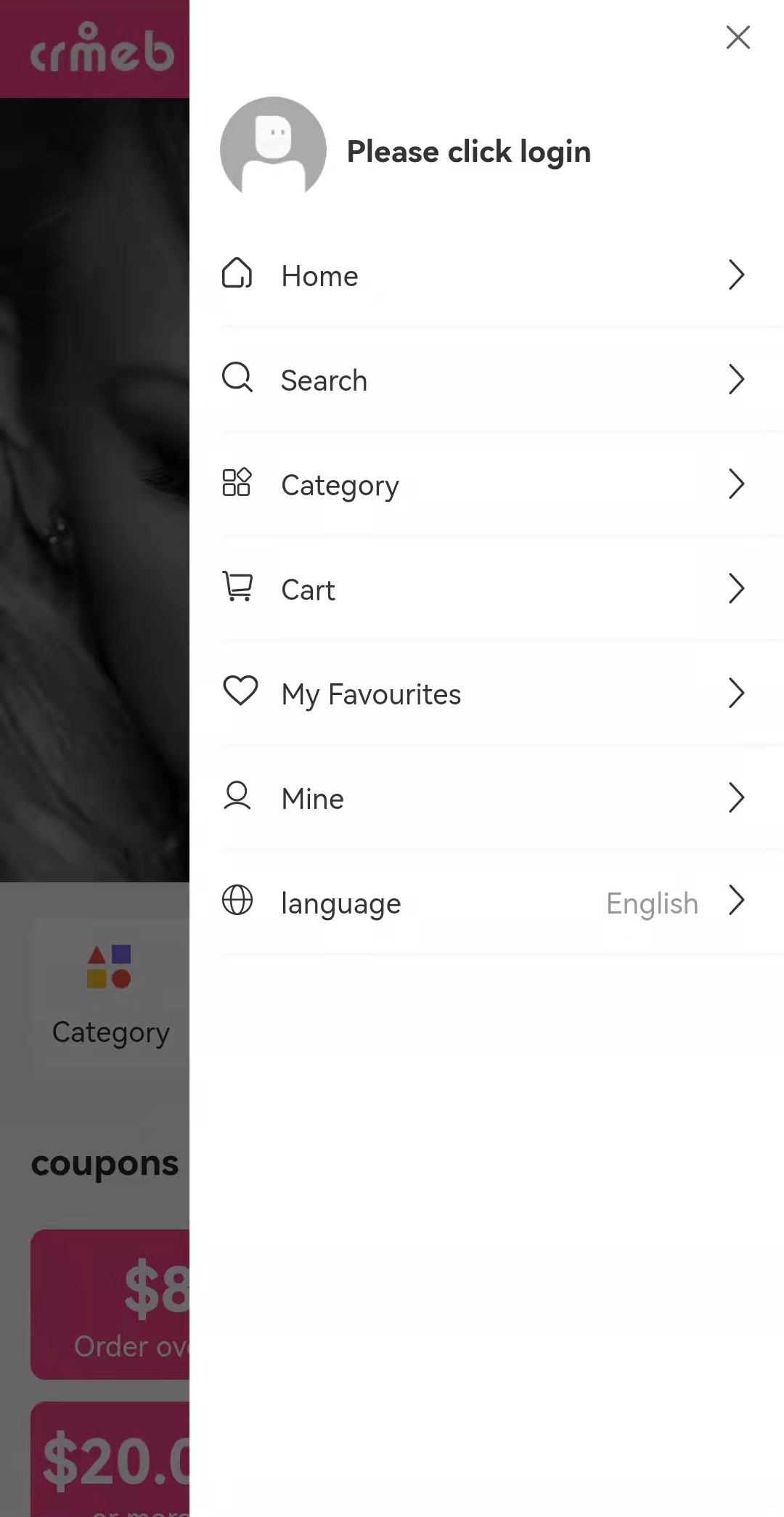
    userDrawer:{ //抽屉导航
		data:[
    		{name:'Home'},
    		{name:'Search'},
    		{name:'Category'},
    		{name:'Cart'},
    		{name:'My Favourites'},
    		{name:'Mine'}
		]
	},
	page:{
	    index:{
			mainNav:[
				{name:'categories'},
				{name:'Favorite'},
				{name:'Order'},
				{name:'address'},
			],
			coupons:'coupons',
		},
	},
	message:{
	    confirmDel:'Are you sure?',
	    loginLoading:'logging in',
	}
 }
- 在main.js中挂载
import Vue from 'vue'
import App from './App'
import store from './store/index.js' //vuex
import i18n from './i18n/index.js' // 国际化
Vue.config.productionTip = false
Vue.prototype.$store = store
App.mpType = 'app'
Vue.prototype._i18n=i18n const app = new Vue({
    store,
    i18n,
    ...App
})
app.$mount()
在页面中使用
页面模板中使用 $t() 获取,并传递国际化json文件中定义的key,js中使用 this.$t('')
<template>
	<view class="container">
		<view class="close iconfont icon-guanbi" @click="close"></view>
		<view class="drawer_user" v-if="!uid">
			<image src="/static/images/default_avatar.png" mode=""></image>
			<view class="drawer_user_info">
				<navigator url="/pages/users/login/index">
					<text class="nickname">{{$t(`page.user.placeLogin`)}}</text>
				</navigator>
			</view>
		</view>
		<view class="drawer_user" v-if="uid" @click="goPage('/pages/user/index')">
			<image :src="userInfo.avatar" mode=""></image>
			<view class="drawer_user_info">
				<text class="nickname">{{userInfo.nickname}}</text>
				<text class="email" v-if="userInfo.email">{{userInfo.email}}</text>
				<text class="email" v-else="userInfo.phone">{{userInfo.phone}}</text>
			</view>
		</view>
		<view class="draw_nav">
			<view class="draw_nav_item" v-for="(item,index) in drawerNav" :key="index" @click="goPage(item.url)">
				<view>
					<text class="iconfont left-icon" :class="item.icon"></text>
					<text class="pl-20">{{$t(`userDrawer.data[${index}].name`)}}</text>
				</view>
				<text class="iconfont icon-gengduo"></text>
			</view>
			<view class="draw_nav_item" @click="languagelTab">
				<view>
					<text class="iconfont left-icon icon-yuyan"></text>
					<text class="pl-20"> {{language==='zh'?'语言':'language'}}</text>
				</view>
				<view>
					<text class="text-999">{{language==='zh'?'中文':'English'}}</text>
					<text class="iconfont icon-gengduo pl-20"></text>
				</view>
			</view>
		</view>
	</view>
</template>
<script>
	import {mapGetters} from "vuex";
	export default {
		data() {
			return {
				drawerNav:[
					{icon:"icon-shouye",name:"Home",url:"/pages/index/index"},
					{icon:"icon-sousuo2",name:"Search",url:"/pages/goods_search/index"},
					{icon:"icon-fenlei",name:"Category",url:"/pages/goods_cate/index"},
					{icon:"icon-gouwuche",name:"Cart",url:"/pages/order_addcart/order_addcart"},
					{icon:"icon-xihuan",name:"My Favourites",url:"/pages/users/user_goods_collection/index"},
					{icon:"icon-gerenzhongxin",name:"Mine",url:"/pages/user/index"},
				]
			}
		},
		computed:{
			...mapGetters(['uid', 'userInfo']),
			language(){
				return this._i18n.locale
			}
		},
		methods:{
			close(){
				this.$emit('close')
			},
			goPage(url){
				let that = this;
				uni.navigateTo({
					url,
					complete(){
						that.$emit('close',false);
					}
				})
			},
			languagelTab(){
				//  语言切换
				let lg = this.language ==='zh'?'en':'zh';
				this._i18n.locale = lg;
				uni.setStorageSync('locale', lg)
			},
		}
	}
</script>
- 为了在页面刷新后仍然能够保持当前的语言环境,一般会将语言参数缓存到localStorage中
- 语言切换只要改变i18n实例中locale的值
- 需要更多语言切换的话,在i18n/common文件夹下,复制一份zh.js对照翻译即可,然后在index.js中引入并挂载。
效果图
在js中使用
一些操作提示也需要用到多语言,例如:
uni.showLoading({
    title: this.$t(`message.loginLoading`)
});
版权声明:本文为yesterdaycss原创文章,遵循CC 4.0 BY-SA版权协议,转载请附上原文出处链接和本声明。