1:electron之初始化项目
初始化包 electron-base / package.json
npm init -y- 安装 electron 全局 与局部安装
npm i electron -g 与 npm i electrong -D - 修改入口文件 为 main.js
{
  "name": "electron-base",
  "version": "1.0.0",
  "main": "main.js",
  "scripts": {
    "dev": "nodemon --exec electron .",
    "test": "echo \"Error: no test specified\" && exit 1"
  },
  "keywords": [],
  "author": "",
  "license": "ISC",
  "description": "",
  "devDependencies": {
    "electron": "^20.1.4",
    "nodemon": "^2.0.19"
  }
}
main.js
const {
  app,
  BrowserWindow
} = require('electron')

const createWindow = () => {
  const win = new BrowserWindow({
    width: 800,
    height: 600
  })
  win.loadURL('http://127.0.0.1:5174/#/dashboard')
}

app.whenReady().then(createWindow)
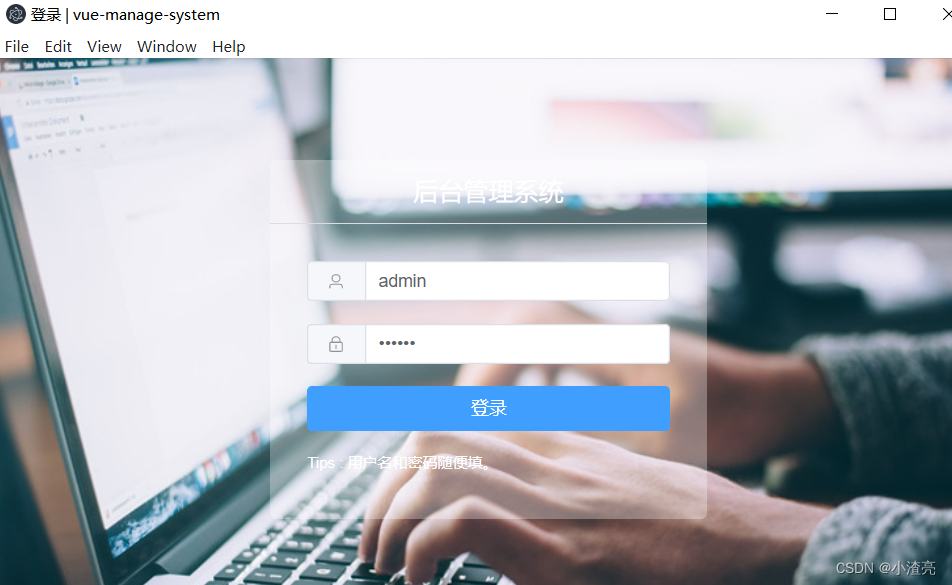
npm run dev 效果
2:electron之 加载本地的 html
main.js
const {
  app,
  BrowserWindow
} = require('electron')

const createWindow = () => {
  const win = new BrowserWindow({
    width: 800,
    height: 600,
    // webPreferences: {
    //   nodeIntegration: true,
    //   contextIsolation: false
    // }
  })
  // 内嵌 url
  // win.loadURL('http://127.0.0.1:5174/#/dashboard')
  // 加载本地的 html
  win.loadFile('index.html')
  // 打开开发者工具
  win.webContents.toggleDevTools()
}

app.whenReady().then(createWindow)
render / app.js
console.log("app.js");
// const fs = require('fs')
// console.log("fs",fs);
index.html
<!DOCTYPE html>
<html lang="en">

<head>
  <meta charset="UTF-8">
  <meta http-equiv="X-UA-Compatible" content="IE=edge">
  <meta name="viewport" content="width=device-width, initial-scale=1.0">
  <title>Document</title>
  <script src="./render/app.js"></script>
  <!-- <meta http-equiv="Content-Security-Policy" content="default-src 'self'; img-src 'self'; data:; script-src:'self';
  style-src:'self'; 'unsafe-inline';"> -->
  <meta http-equiv="Content-Security-Policy" content="default-src 'self' 'unsafe-inline'; img-src 'self'; ">


</head>

<body>
  hhhh我是xzl
</body>

</html>
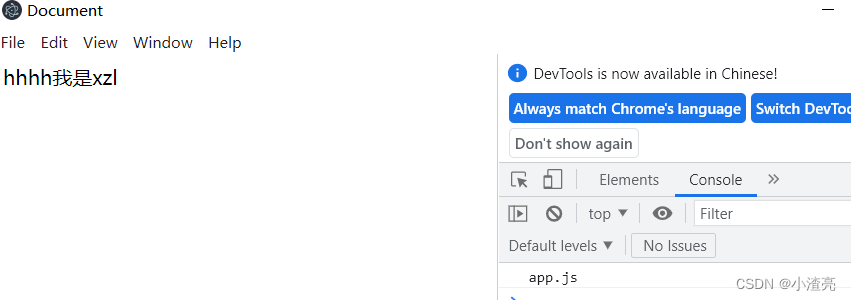
npm run dev 效果
版权声明:本文为weixin_43845137原创文章,遵循CC 4.0 BY-SA版权协议,转载请附上原文出处链接和本声明。