方案一
查看手册,告知可以通过修改config文件以实现,详情如下
https://docs.min.io/cn/minio-bucket-notification-guide.html
MinIO要求MySQL 版本 5.7.8及以上,MinIO使用了MySQL5.7.8版本引入的 JSON 数据类型。我们使用的是MySQL5.7.17进行的测试。
然后在minio version DEVELOPMENT.2020-04-22T07-28-21Z
版本中并没有发现这个文件
查看git发现
https://github.com/minio/minio/tree/master/docs/config
Till MinIO release RELEASE.2018-08-02T23-11-36Z, MinIO server
configuration file (config.json) was stored in the configuration
directory specified by --config-dir or defaulted to ${HOME}/.minio.
However from releases after RELEASE.2018-08-18T03-49-57Z, the
configuration file (only), has been migrated to the storage backend
(storage backend is the directory passed to MinIO server while
starting the server).You can specify the location of your existing config using
–config-dir, MinIO will migrate the config.json to your backend storage. Your current config.json will be renamed upon successful
migration as config.json.deprecated in your current --config-dir. All
your existing configurations are honored after this migration.Additionally --config-dir is now a legacy option which will is
scheduled for removal in future, so please update your local startup,
ansible scripts accordingly.
所以修改配置文件的方式无法使用了,最终找到了下面的方式
方案二
https://docs.min.io/docs/minio-bucket-notification-guide.html
Step 1:确认MySQL版本
MinIO requires MySQL version 5.7.8 or above. MinIO uses the JSON
data-type introduced in version 5.7.8. We tested this setup on MySQL
5.7.17.
Step 2:首先查询当前配置情况
./mc admin config get minio1/testbucket/ notify_mysql
notify_mysql enable=off format=namespace dsn_string= table= queue_dir= queue_limit=0
Step 3: 使用mc启动存储桶通知
mc admin config set minio1/testbucket/ notify_mysql:mysql1 table="new_table" dsn_string="root:Asiainfo_2019@tcp(10.19.9.71:3306)/minio"
ps:也可以使用环境变量
Setting new key has been successful.
Please restart your server with mc admin service restart minio1/testbucket/.
./mc admin service restart minio1/testbucket/
Restart command successfully sent to minio1/testbucket/.
Restarted minio1/testbucket/ successfully.
docker logs 64a
可以看到
SQS ARNs: arn:minio:sqs::mysql1:mysql
mc event add minio1/testbucket arn:minio:sqs::mysql1:mysql
Successfully added arn:minio:sqs::mysql1:mysql
./mc event list minio1/testbucket
arn:minio:sqs::mysql1:mysql
s3:ObjectCreated:,s3:ObjectRemoved:,s3:ObjectAccessed:* Filter:
此时上传文件到minio1/testbucket
然后查看表,可以看到记录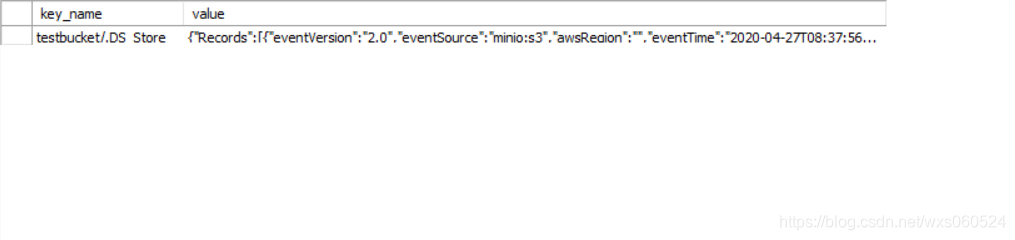
更多细节可以查看文中链接,附一些常用mc命令的整理
常用命令总结