查询
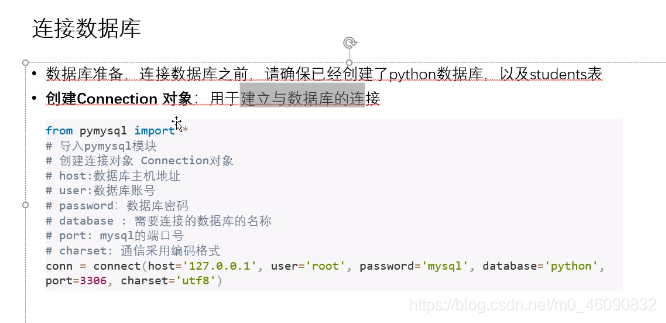
from pymysql import *

#创建数据库的连接

conn=connect(host='127.0.0.1',user='root',password='123456',database='company',charset='utf8')

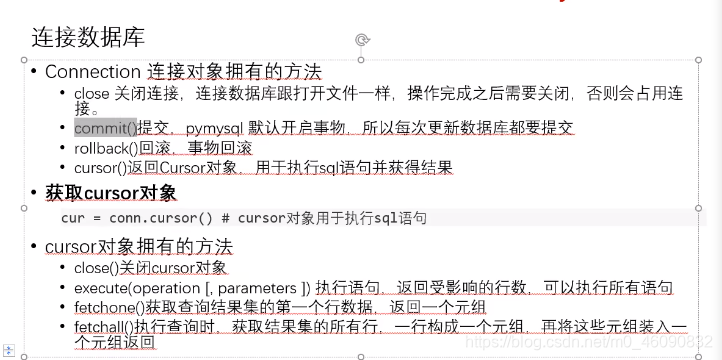
#创建游标对象

try:
    cur=conn.cursor()
    cur.execute('select * from dept')
    result=cur.fetchall()
    for item in result:
        print('姓名:{0} 地址:{1}'.format(item[1], item[2]))


    print('success')

except Exception as ex:
    print(ex)
finally:
     cur.close()
     conn.close()
插入:
from pymysql import *

#创建数据库的连接

conn=connect(host='127.0.0.1',user='root',password='123456',database='company',charset='utf8')

#创建游标对象

try:
    cur=conn.cursor()
    insertsql='''
    insert into dept(deptno, dname) values('0008','hhh')
    '''
    cur.execute(insertsql)
    conn.commit()


    print('success')

except Exception as ex:
    print(ex)
finally:
     cur.close()
     conn.close()

版权声明:本文为m0_46090832原创文章,遵循CC 4.0 BY-SA版权协议,转载请附上原文出处链接和本声明。