项目介绍
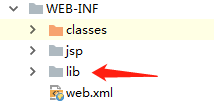
- 普通的web项目,没有maven管理. jar包直接是在WEB-INF下的 lib 包下.
- 使用传统的spring + springmvc +mybatis 架构.
- 使用的工具 idea2018.2版
test 包设置
- 不需要再任何配置文件中配置,直接写测试类.
- 在项目文件夹下直接创建 test 包,保持和要测试的 src 文件夹平级 .项目路径要一致.
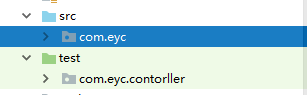
- 将 test 包 设置成 测试包 。
- 可以在test 文件夹上右键选择 mark … (如下图),

- 也可以在项目管理中设置。
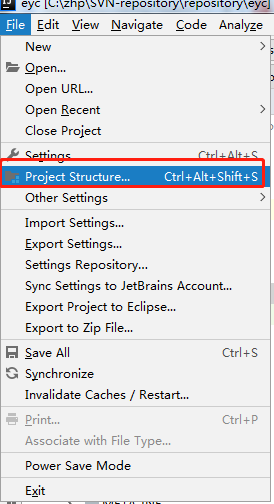
点击test文件夹, 然后点击(箭头所指处即可),设置好后 test 变成下图颜色,设置OK.保存退出即可。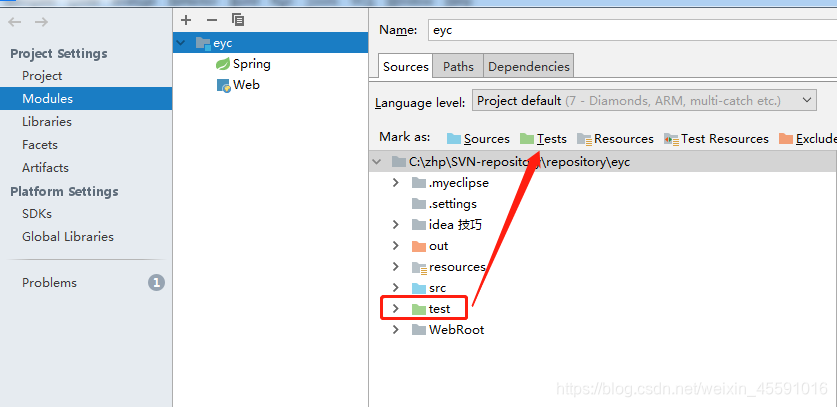
- 可以在test 文件夹上右键选择 mark … (如下图),
junit 测试类
package com.eyc.contorller;

import com.zhp.entity.Page;
import com.zhp.service.userinfo.UserinfoService;
import com.zhp.util.PageData;
import org.junit.Test;
import org.junit.runner.RunWith;
import org.springframework.beans.factory.annotation.Autowired;
import org.springframework.test.context.ContextConfiguration;
import org.springframework.test.context.junit4.SpringJUnit4ClassRunner;
import java.util.List;
import java.util.Map;


//测试运行器,JUnit所有的测试方法都是由测试运行器负责执行。
//这里是spring提供了org.springframework.test.context.junit4.SpringJUnit4ClassRunner作为Junit测试环境
@RunWith(SpringJUnit4ClassRunner.class)
@ContextConfiguration(locations = "classpath:/spring/ApplicationContext.xml")    //加载spring
public class UserinfoListTest {
    @Autowired
    private UserinfoService userinfoService;

    @Test
    public void testUserinfoList() {

        try {
        //PageData 是个工具类,实际上是个Map,里面封装了很多工具方法,网上有现成的类,可直接复制使用.
        List<PageData> userList = userinfoService.listPdPageUser(new Page());  //列出用户列表
            if(userList.size()==0||userList==null){
                System.out.println("空集合,啥也没有.");
            }
            //遍历list中的Map
            for (Map<String,Object> map : userList) {
                for(Map.Entry<String,Object> entry: map.entrySet()){
                    System.out.println("key= " + entry.getKey() + " and value= " + entry.getValue());
        	} catch (Exception e){
            	e.getMessage();
            	System.out.println("出错");
        }
    }
}
版权声明:本文为weixin_45591016原创文章,遵循CC 4.0 BY-SA版权协议,转载请附上原文出处链接和本声明。