eventBus.js
import Vue from 'vue';

export const EventBus = new Vue();
components/Parent.vue
<template>
    <div>
        我是父组件
        <Son></Son>
    </div>
</template>

<script>
/*
vm.$on( event, callback )
参数:
{string | Array<string>} event (数组只在 2.2.0+ 中支持)
{Function} callback
用法:
监听当前实例上的自定义事件。事件可以由 vm.$emit 触发。回调函数会接收所有传入事件触发函数的额外参数。


vm.$once( event, callback )
参数:
{string} event
{Function} callback
用法:
监听一个自定义事件,但是只触发一次。一旦触发之后,监听器就会被移除。


vm.$off( [event, callback] )
参数:
{string | Array<string>} event (只在 2.2.2+ 支持数组)
{Function} [callback]
用法:
移除自定义事件监听器。
如果没有提供参数,则移除所有的事件监听器;
如果只提供了事件,则移除该事件所有的监听器;
如果同时提供了事件与回调,则只移除这个回调的监听器。


vm.$emit( eventName, […args] )
参数:
{string} eventName
[...args]
触发当前实例上的事件。附加参数都会传给监听器回调。
 */
 import Son from '../components/Son';
 import {EventBus} from '../eventBus';

    export default {
       components: {
           Son,
       },
       mounted () {
           //监听grandson事件
           EventBus.$on("grandson",this.handleMmsg);
       },
       methods: {
           handleMmsg(msg) {
               console.log(msg);
               //移除事件监听,故Parent只监听一次
               EventBus.$off("grandson",this.handleMmsg);
           }
       },
    }
</script>

<style scoped>

</style>
components/Son.vue
<template>
    <div>
        <hr>
        我是子组件
        <br>
        <Grandson></Grandson>
    </div>
</template>

<script>
    import Grandson from '../components/Grandson';
    import {EventBus} from '../eventBus';

    export default {
        components: {
            Grandson,
        },
        mounted () {
            //监听事件
            EventBus.$on("grandson",(msg)=>{
                console.log(msg);
            });
        },
    }
</script>

<style scoped>

</style>
components/Grandson.vue
<template>
    <div>
        <hr>
        我是孙子组件
        <br>
        <button @click="handleMsg">点击发出消息</button>
    </div>
</template>

<script>
    import {EventBus} from '../eventBus';
    export default {
        methods: {
            handleMsg() {
                //发出grandson事件
                EventBus.$emit("grandson","我是组件GrandSon")
            }
        },
    }
</script>

<style scoped>

</style>
App.vue
<template>
  <div id="app">
    <Parent></Parent>
  </div>
</template>

<script>
import Parent from './components/Parent'

export default {
  name: 'App',
  components: {
    Parent,
  }
}
</script>

<style>
#app {
  font-family: Avenir, Helvetica, Arial, sans-serif;
  -webkit-font-smoothing: antialiased;
  -moz-osx-font-smoothing: grayscale;
  text-align: center;
  color: #2c3e50;
  margin-top: 60px;
}
</style>
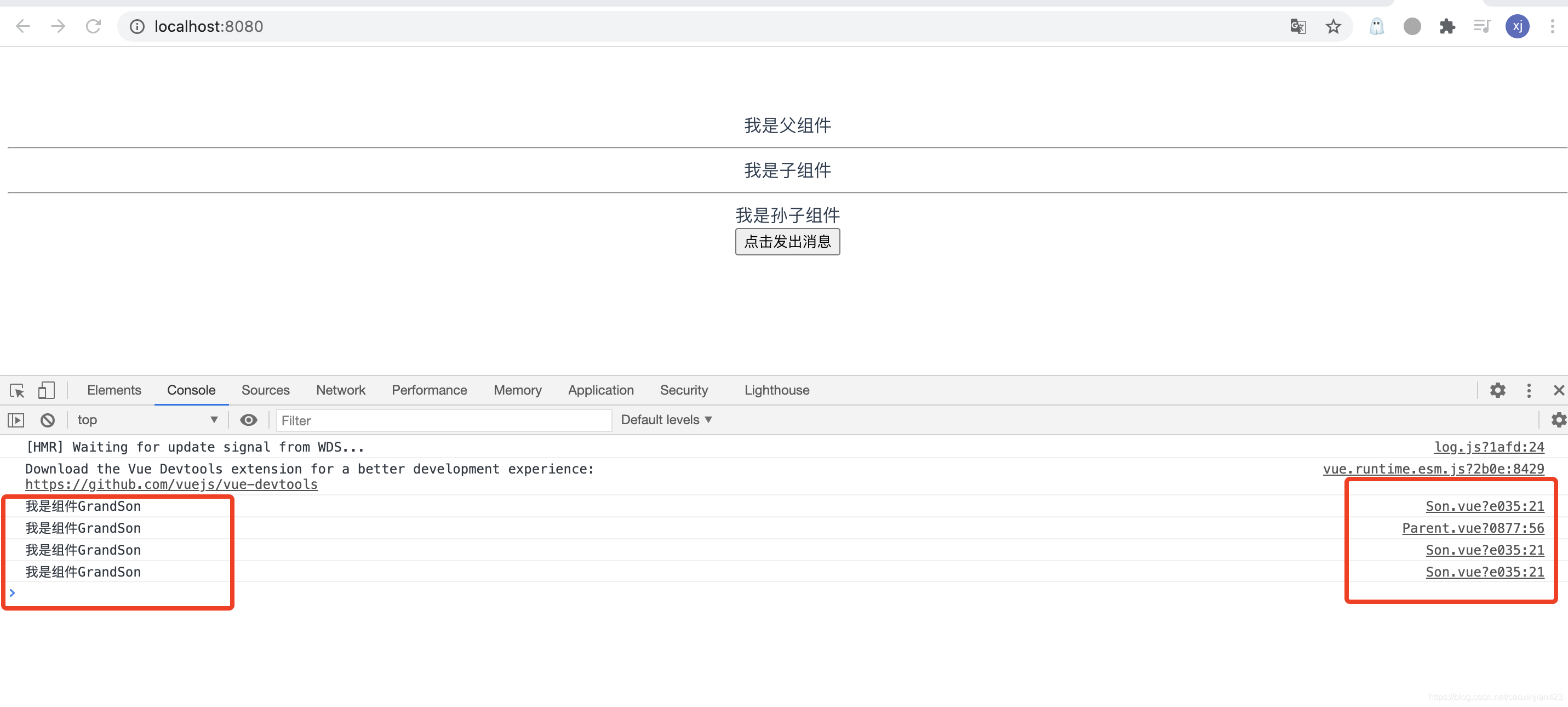
效果截图:
版权声明:本文为caoxinjian423原创文章,遵循CC 4.0 BY-SA版权协议,转载请附上原文出处链接和本声明。