homebrew安装失败
首先要下载 安装homebrew。
踩坑一:官方文档给出的代码:
/bin/bash -c "$(curl -fsSL https://cdn.jsdelivr.net/gh/ineo6/homebrew-install/install.sh)"
直接在终端中运行会报错,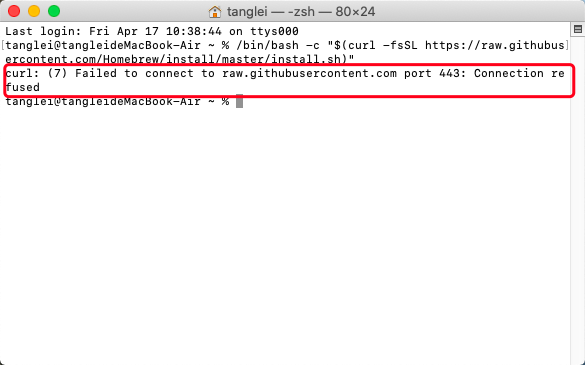
解决方法:
配置hosts文件,目录在 /private/etc/hosts
https://www.ipaddress.com 在这个网站中查找 raw.githubusercontent.com 的IP地址,显示有4个,就将这四个都写在hosts 文件中。
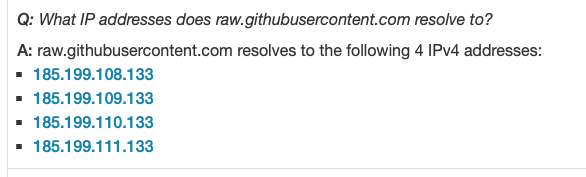
# GitHub raw & imag
185.199.108.133 raw.githubusercontent.com
185.199.109.133 raw.githubusercontent.com
185.199.110.133 raw.githubusercontent.com
185.199.111.133 raw.githubusercontent.com
系统的 hosts 文件是不能够进行修改的,可以先保存一个副本,对副本进行修改,再将副本替换为 hosts 文件。
git clone 失败的问题
git 克隆代码出错,解决方式:
git config --global http.proxy socks5://localhost:1080
git config --global https.proxy socks5://localhost:1080
需要将http 和 https 代理设置一下
版权声明:本文为weixin_39111384原创文章,遵循CC 4.0 BY-SA版权协议,转载请附上原文出处链接和本声明。