抱歉!以下重新安装后可以使用,但是重启后,又不能使用!暂时没有解决!记录一下主要折腾过程中用到的文档
上这里找找最新版有没有
Download VirtualBox
这里是源码安装文档,其中包含了许多有用知识
Mac OS X build instructions
主要包括: 一些恢复系统的指令
例如:csrutil enable --without kext
还有如何设置安全和隐私中,打开:允许所有来源 ,这个最好完成之后改回去
sudo spctl --master-disable
sudo spctl --master-enable
正在修改文章的时候,已经看到新版本出来了!
VirtualBox 6.1.30 platform packages
应该是解决这个问题的!希望如此!但愿如此!
这几天每次都要重新安装后再使用!
几个月前的痛苦还没有消失,昨天升级完 12.0.1 后,预感到的问题还是出现了!
上一次折腾的结果发现是:安全性和隐私–允许XXX ,允许后就通过了!
Mac升级后,从前的 virtualBox 虚拟机都不能用了今天想要如法炮制,却发现“安全性和隐私“根本就不列出什么”允许 Oracle …",说明这次不是被安全性和隐私挡住了,虽然错误提示还是一样
错误画面一
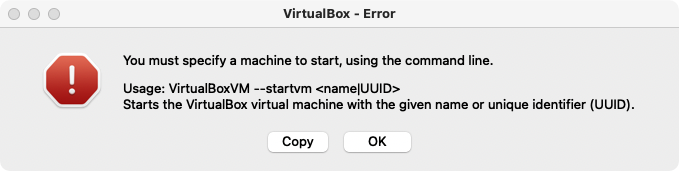
copy 下来的文本:You must specify a machine to start, using the command line.
Usage: VirtualBoxVM --startvm <name|UUID>
Starts the VirtualBox virtual machine with the given name or unique identifier (UUID).错误画面二:
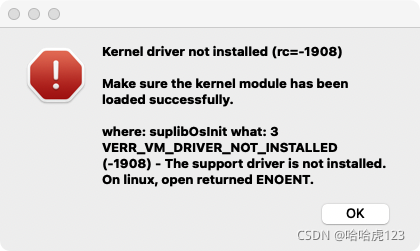
本次解决过程
按照 copy 下来的文本,打开 Terminal
$ VirtualBoxVM -h
 	Oracle VM VirtualBox VM Runner v6.1.28
 (C) 2005-2021 Oracle Corporation
 All rights reserved.

 Options:
   --startvm <vmname|UUID>    start a VM by specifying its UUID or name
   --separate                 start a separate VM process
   --normal                   keep normal (windowed) mode during startup
 ...
$ VBoxManage list vms
 "ubuntu1804-server-194-123" {6c6f0820-db61-43c4-b394-c3106760d719}
 "ubnuntu1804-server-193-123" {266dd234-2e9e-475d-bc1d-050405fc7ce1}
 "ubuntu2004Desktop-161-123" {2f46ad6b-f5e9-4450-8b5c-69e977497796}
 "ubuntu2004-202-123" {7aefe8b0-2006-4a9d-89c4-7a12b951ea37}
 "centos7-187-123" {42ade506-117a-4439-8b74-23ce32959184}
 "ubuntu2004-203-123" {733dd2f1-030e-457a-8426-3e3b9750dd48}
 "centos7-188-123" {6d871c0d-d0ce-4583-b141-95a635d058c7}
 "ubuntu2004-209" {5b5f46a9-d745-4f27-bc82-3e452d84175e}
 "ubuntu2004-205" {9381a7f4-bbe9-4a99-b7ba-c9acfc24254c}
 "ubuntu2004-208" {e060682d-21f5-4613-b6a3-7dcb938264e5}
 "centos7-186-123" {c030d84b-46f3-4d35-b782-0e2b3f24cf8e}
 "centos7-185-123" {a5f3f282-b1b9-4f66-8468-b7093de58b50}
 "centos7-189-123" {585ac235-0140-4e62-a3a9-a979cd7b61dd}
$ VirtualBoxVM --startvm “centos7-189-123”
 VirtualBoxVM: Error -1908 in suplibOsInit!
 VirtualBoxVM: Kernel driver not installed

 VirtualBoxVM: Tip! Make sure the kernel module is loaded. It may also help to reinstall VirtualBox.
 dhbm-on-mac20180816:~ dhbm$ DEBUG: issetugid_for_AppKit was called by 0x7ff80f8f259d /System/Library/Frameworks/AppKit.framework/Versions/C/AppKit::_NSCheckForIllegalSetugidApp+0xb (via 0x7ff80f8f2341)
 DEBUG: issetugid_for_AppKit was called by 0x7ff80f8f259d /System/Library/Frameworks/AppKit.framework/Versions/C/AppKit::_NSCheckForIllegalSetugidApp+0xb (via 0x7ff80f910519)
 2021-11-19 08:53:04.723 VirtualBoxVM[1065:17102] Connection Invalid error for service com.apple.hiservices-xpcservice.
 2021-11-19 08:53:04.723 VirtualBoxVM[1065:17115] Error received in message reply handler: Connection invalid
 2021-11-19 08:53:04.731 VirtualBoxVM[1065:17101] Error received in message reply handler: Connection invalid
 2021-11-19 08:53:04.794 VirtualBoxVM[1065:17073] +[NSXPCSharedListener endpointForReply:withListenerName:]: an error occurred while attempting to obtain endpoint for listener 'ClientCallsAuxiliary': Connection invalid
从命令行启动,也会弹出以上 2 个错误画面!
换个 单CPU 的虚拟机,也一样!说明和虚拟机内核配置无关
重新安装 virtualBox
既然“安全性和隐私“不再挡住,而且提示 VirtualBoxVM: Kernel driver not installed ,说明缺少driver,那就重新安装
好在前几天也是刚刚升级了 virtualBox 6.1.28,下载的 dmg 文件还有热乎劲!
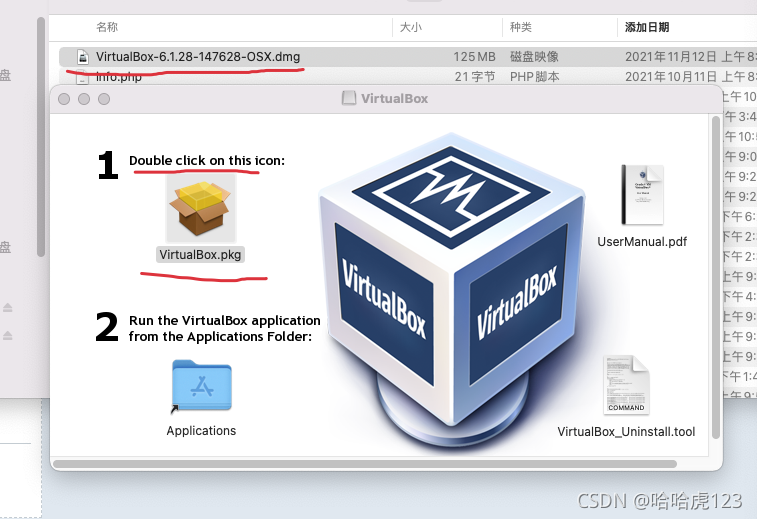
注意要关闭退出所有刚刚打开的虚拟机,虽然他们出错了!否则会收到一下错误提示
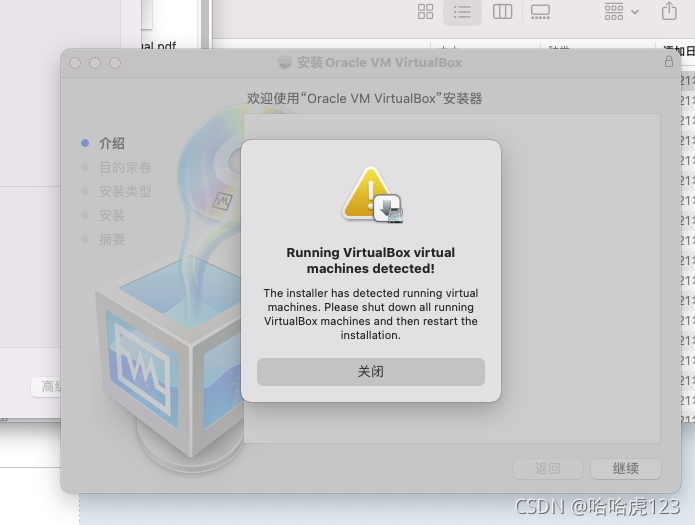
退出干净之后,重新开始安装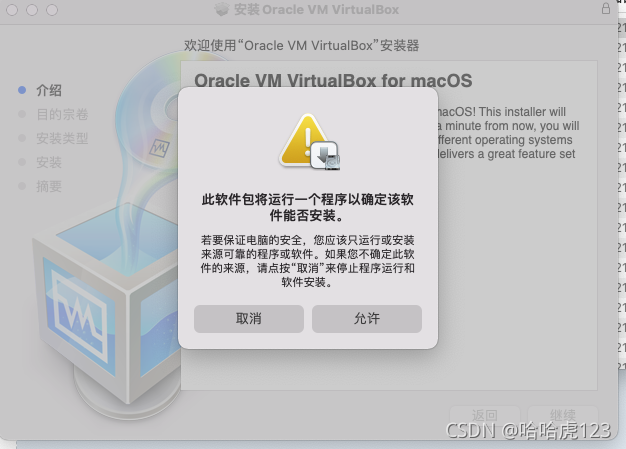
记忆中,上次是在这里被 “安全性和隐私”挡住的,这一次特意同时打开“系统偏好设置”–“安全性和隐私”,没有发现被挡住,所以,点击 “允许”,接下来顺利安装完成!
- 再次运行虚拟机,ok 了!
总结
- 几个月前的问题是因为 “安全性和隐私”
- 今天的问题时缺少 driver ,直接重装 virtualBox ,就ok !