编写一个微信小程序修改已注册的用户的信息。
开发平台:微信开发者工具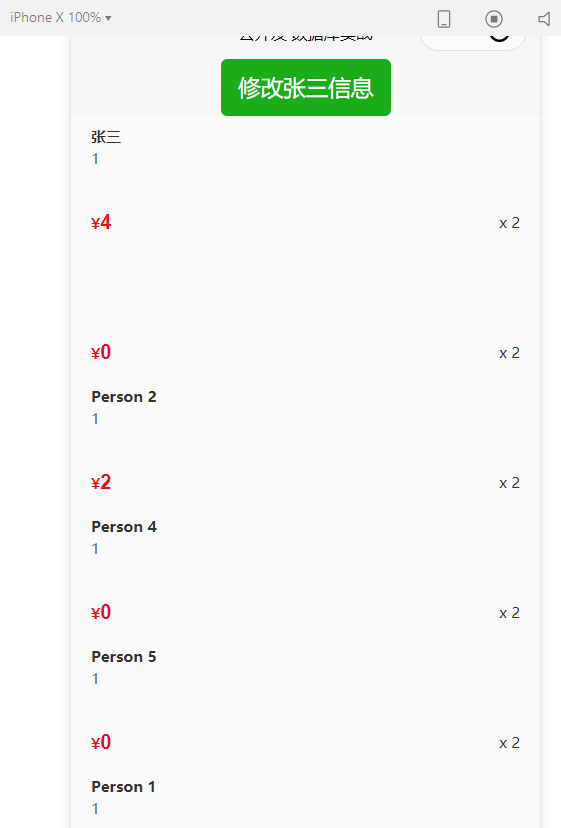
微信云开发更新信息的代码字段update: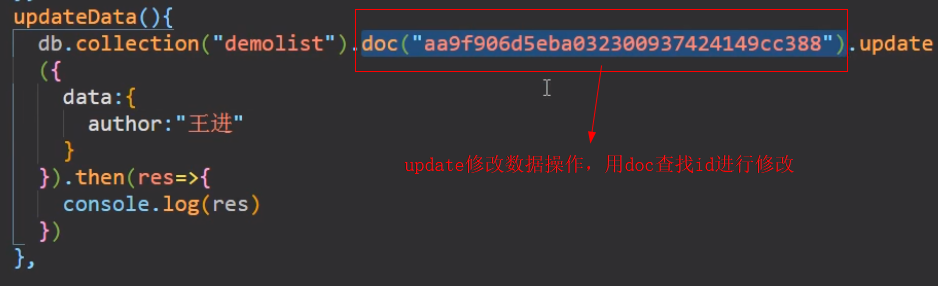
在update.js页面添加数据库peocollection(需要提前在云数据库创建并添加一定数据)
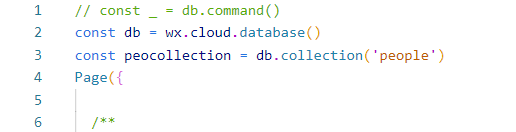
按下按钮查找张三的_id号
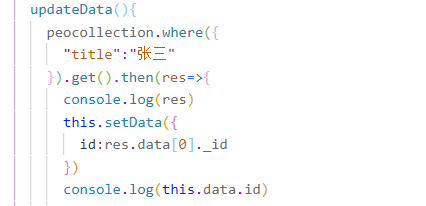
在数据库中根据_id号进行查找,找到张三并修改其数据
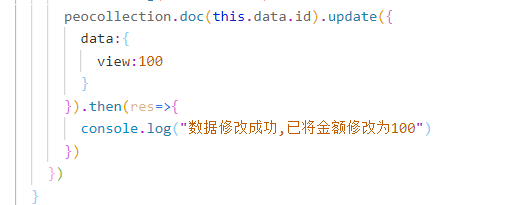
修改后张三的数据已经更新为100
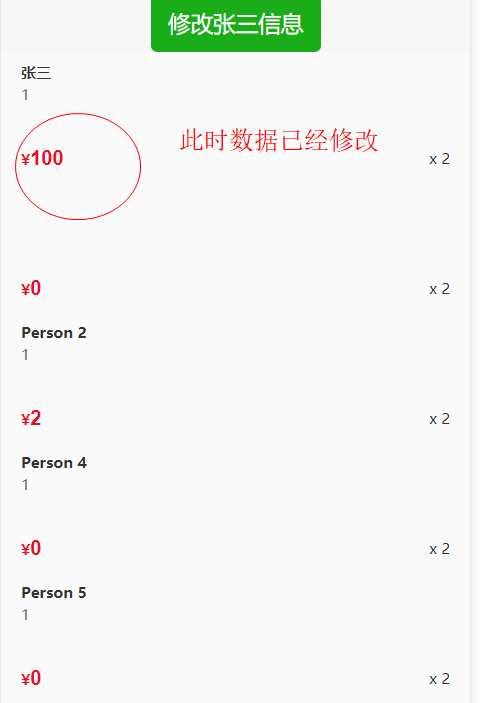
本次导入了vant-weapp库
可在该网站进行下载:
https://github.com/youzan/vant-weapp
####完整代码:
update.js
// const _ = db.command()
const db = wx.cloud.database()
const peocollection = db.collection('people')
Page({

  /**
   * 页面的初始数据
   */
  data: {
      page:0,
      id:""
  },

  /**
   * 生命周期函数--监听页面加载
   */
  onLoad: function (options) {
      peocollection.get().then(res=>{
        console.log(res)
        this.setData({
          people: res.data
        })
      })
  },
  /**
   * 页面相关事件处理函数--监听用户下拉动作
   */
  onPullDownRefresh: function () {
    peocollection.get().then(res=>{
        console.log(res)
        this.setData({
          people: res.data
        },res=>{
          console.log("数据更新完成")
          wx.stopPullDownRefresh()
        })
      })
  },

  /**
   * 页面上拉触底事件的处理函数
   */
  onReachBottom: function () {
    let page = this.data.page+25;

    peocollection.skip(page).get().then(res=>{
      let old_data=res.data
      let new_data=this.data.people
      this.setData({
        people: old_data.concat(new_data),
        page:page
      },res=>{
        console.log(res)
        //wx.stopPullDownRefresh()
      })
    })
  },

  /**
   * 用户点击右上角分享
   */
  onShareAppMessage: function () {

  },
  click:function(event){
    console.log(event.currentTarget.dataset.id)
    peocollection.doc(event.currentTarget.dataset.id).update({
      data:{
        view: _.inc(1)
      }
    })
  },
  updateData(){
    peocollection.where({
      "title":"张三"
    }).get().then(res=>{
      console.log(res)
      this.setData({
        id:res.data[0]._id
      })
      console.log(this.data.id)
      peocollection.doc(this.data.id).update({
        data:{
          view:100
        }
      }).then(res=>{
        console.log("数据修改成功,已将金额修改为100")
      })
    })
  }
})
update.json(需要导入vant-weapp库,不然无法正常显示)
{
  "usingComponents": {
    "van-card": "../../dist/card"
  },
  "enablePullDownRefresh":true,
  "onReachBottomDistance":25
}
update.wxml
<button type="primary" bindtap="updateData">修改张三信息</button>
<block wx:for="{{people}}">
<van-card
  num="2"
  price="{{item.view}}"
  desc="{{item.team}}"
  title="{{item.title}}"
  data-id="{{item._id}}"
  thumb="{{ imageURL }}"
  bindtap="click"
/>
</block>
update.wxss
版权声明:本文为Jay_fearless原创文章,遵循CC 4.0 BY-SA版权协议,转载请附上原文出处链接和本声明。