在QML地图中可以显示位置,那么如果有路径的点需要动态的显示其运动轨迹,该如何实现呢?
运动点迹可以使用MapItemView加载,使用箭头表示运动的指向,相邻两个位置处的矢量偏移角度可使用Map.azimuthTo()函数计算得到。但是加载的点迹是动态的,因此需要再给箭头它加上动态的效果,动态效果的实现我采用的是间隔显示法,即每个动画周期内根据自定义点间隔显示点,同时隐藏上一周期显示的点。效果如图:
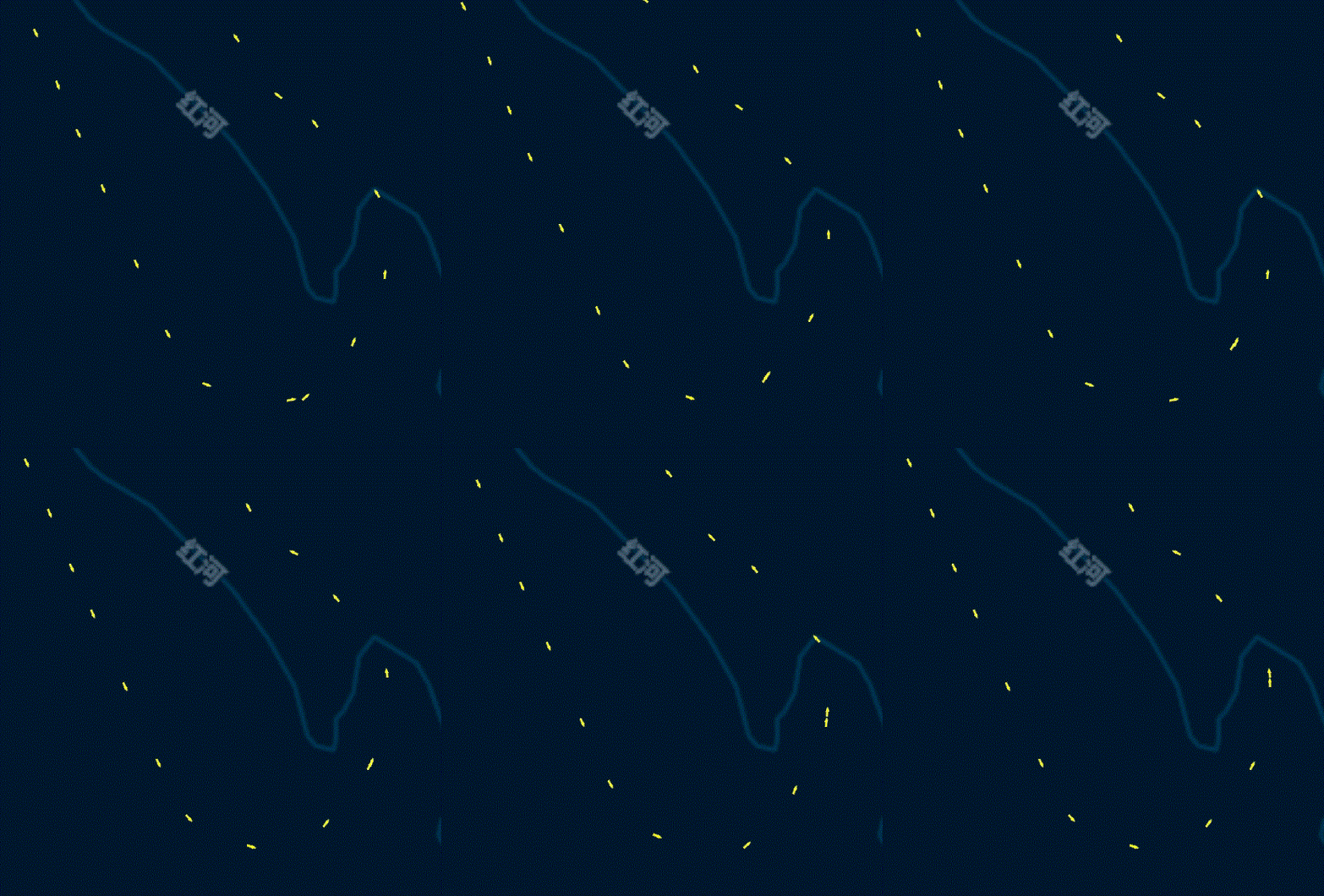
1、重构控件MapItemView:
import QtQuick 2.11
import QtQml 2.11
import QtLocation 5.11
import QtPositioning 5.11
import QtGraphicalEffects 1.0

MapItemView{
    property int arrowSize: 12//箭头尺寸
    property color arrowColor: "white"//箭头颜色
    property int arrowStep: 8//采样间隔,值越小箭头越密集
    property var indexArray: []//当前显示的箭头列表,用于动态效果

    model:ListModel{
        id:arrowModel
    }

    delegate:Component{
	……
     }
}
2、实现MapItemView中的delegate,用于绘制路径箭头,代码:
delegate: Component{
        id:arrowDelegate
        MapQuickItem{
            id:arrow
            width: arrowSize
            height: arrowSize
            coordinate: QtPositioning.coordinate(latitude,longitude)
            anchorPoint.x:arrowSize*5/3
            anchorPoint.y:arrowSize/2
            rotation: model.rotation
            visible: model.arrowVisible

            sourceItem: Image {
                id: image
                source: "qrc:/Img/MapArrow.png"
                sourceSize.width: arrowSize*10/3
                sourceSize.height: arrowSize

                ColorOverlay {
                    anchors.fill: image
                    source: image
                    color: arrowColor
                }
            }
        }
    }
其中model中的对象为:
{
      "latitude":list[j].latitude,//纬度
      "longitude":list[j].longitude,//经度
      "rotation":rotation,//箭头偏移角度
      "arrowVisible":v//当前是否显示,用于动画效果
}
3、计算每个点与下一个点矢量的偏移角度:
function setDataList(list){
        for(var j=0;j<list.length;j++){
            if(j<list.length-1){
                var jj = j+1
                var c1 = QtPositioning.coordinate(list[j].latitude,list[j].longitude)
                var c2 = QtPositioning.coordinate(list[jj].latitude,list[jj].longitude)
                var rotation = c1.azimuthTo(c2)
                var v = j%arrowStep===0
                if(v){
                    indexArray.push(j)
                }

                arrowModel.append({
                                      "latitude":list[j].latitude,
                                      "longitude":list[j].longitude,
                                      "rotation":rotation,
                                      "arrowVisible":v
                                  })
            }

        }
    }
4、动画效果函数:
function triggerRotation(){
        var count = arrowModel.count
        for(var j in indexArray){
            var oldIndex = indexArray[j]
            arrowModel.setProperty(oldIndex,"arrowVisible",false)
            if(oldIndex===count-1){
             oldIndex = -1
            }
            var newIndex = oldIndex+1
            indexArray[j] = newIndex
            arrowModel.setProperty(newIndex,"arrowVisible",true)
        }
    }
5、使用时,需要自定义一个计时器Timer,每次计时周期到时触发triggerRotation()函数即可实现箭头的动态移动:
Timer{
        id:animationTimer
        interval:160
        running: true
        repeat: true
        onTriggered: {
		    arrowMapView.triggerRotation()
                    }
}版权声明:本文为zjgo007原创文章,遵循CC 4.0 BY-SA版权协议,转载请附上原文出处链接和本声明。