一、地址选择器组件封装
1、引入antd的Select组件
import React, { Component } from "react";
import { Select } from "antd";
import { api } from '../api/modules/services/src/api';

const { Option } = Select;
2、定义组件Props & States
onSelectData最后选中后的所有值provinceList省的数据cityList市的数据areaList区的数据
interface States {
    onSelectData: string
    provinceList: any[]
    cityList: any[]
    areaList: any[]
}

interface Props {
    range: 'province' | 'city' | 'area' // 地址选择的范围(市/区)
    onSelect: (value: any) => void //通过参数传给父组件选中地址值
}
3、创建class组件
封装思路:
- 接口先后获取省市区列表数据
provinceList、cityList、areaList- 遍历对应的省市区列表获取对应的option
provinceOptions、cityOptions、areaOptionsonChange事件获取当前Select组件选中的地址code,获取相应的省市区数据,字符串拼接抛出给父组件
class AreaSelect extends Component<Props, States>{
    constructor(props: Props) {
        super(props);
        this.state = {
            onSelectData: '',
            provinceList: [],
            cityList: [],
            areaList: []
        }
    }
    componentDidMount() {
        this.getProvinceList()
    }

    /******* 省市区列表获取 start ****/
    getProvinceList() {
        api.codeGetProvinceList().then((res) => {
            this.setState({ provinceList: res.data || [] })
        })
    }

    getCityList(provinceCode: string) {
        api.codeGetCityList(provinceCode).then((res) => {
            this.setState({ cityList: res.data || [] })
        })
    }

    getAreaList(CityCode: string) {
        api.codeGetAreaList(CityCode).then((res) => {
            this.setState({ areaList: res.data || [] })
        })
    }
    /******* 省市区列表获取 end ****/

    /*******  省市区选中值 start *****/
    procinceChange(value: string) {
        this.getCityList(value)
        this.setState({ onSelectData: value })
    }

    cityChange(value: string) {
        const code = this.state.onSelectData + ',' + value;
        this.setState({ onSelectData: code })
        if (this.props.range === 'city') {
            this.props.onSelect(code)
        }
        if(this.props.range === 'area'){
            this.getAreaList(value)
        }
    }

    areaChange(value: string) {
        const code = this.state.onSelectData + ',' + value;
        this.setState({ onSelectData: code })
        this.props.onSelect(code)
    }
    /*******  省市区选中值 end *****/

    render() {
        const { range } = this.props;
        const { provinceList, cityList, areaList } = this.state;
        const provinceOptions = provinceList.map((v) => {
            return <Option key={v.provinceCode} value={v.provinceCode}>{v.provinceName}</Option>
        })

        const cityOptions = cityList.map((v) => {
            return <Option key={v.cityCode} value={v.cityCode}>{v.cityName}</Option>
        })

        const areaOptions = areaList.map((v) => {
            return <Option key={v.areaCode} value={v.areaCode}>{v.areaName}</Option>
        })

        return (
            <div style={{ display: 'flex', flexDirection: 'row' }}>
                <Select onChange={this.procinceChange.bind(this)} placeholder="请选择">
                    {provinceOptions}
                </Select>

                {
                    range === 'city' || range === 'area' ?
                        <Select onChange={this.cityChange.bind(this)} style={{ marginLeft: 5 }} placeholder="请选择">
                            {cityOptions}
                        </Select> : null
                }

                {
                    range === 'area' ?
                        <Select onChange={this.areaChange.bind(this)} style={{ marginLeft: 5 }} placeholder="请选择">
                            {areaOptions}
                        </Select> : null
                }
            </div>
        )
    }
}

export default AreaSelect;
二、父组件使用
1、引入封装的地址选择器组件
import AreaSelect from '../../../components/AreaSelect';
2、表单渲染
onSelect获取子组件传入的参数- 传入地址选择范围
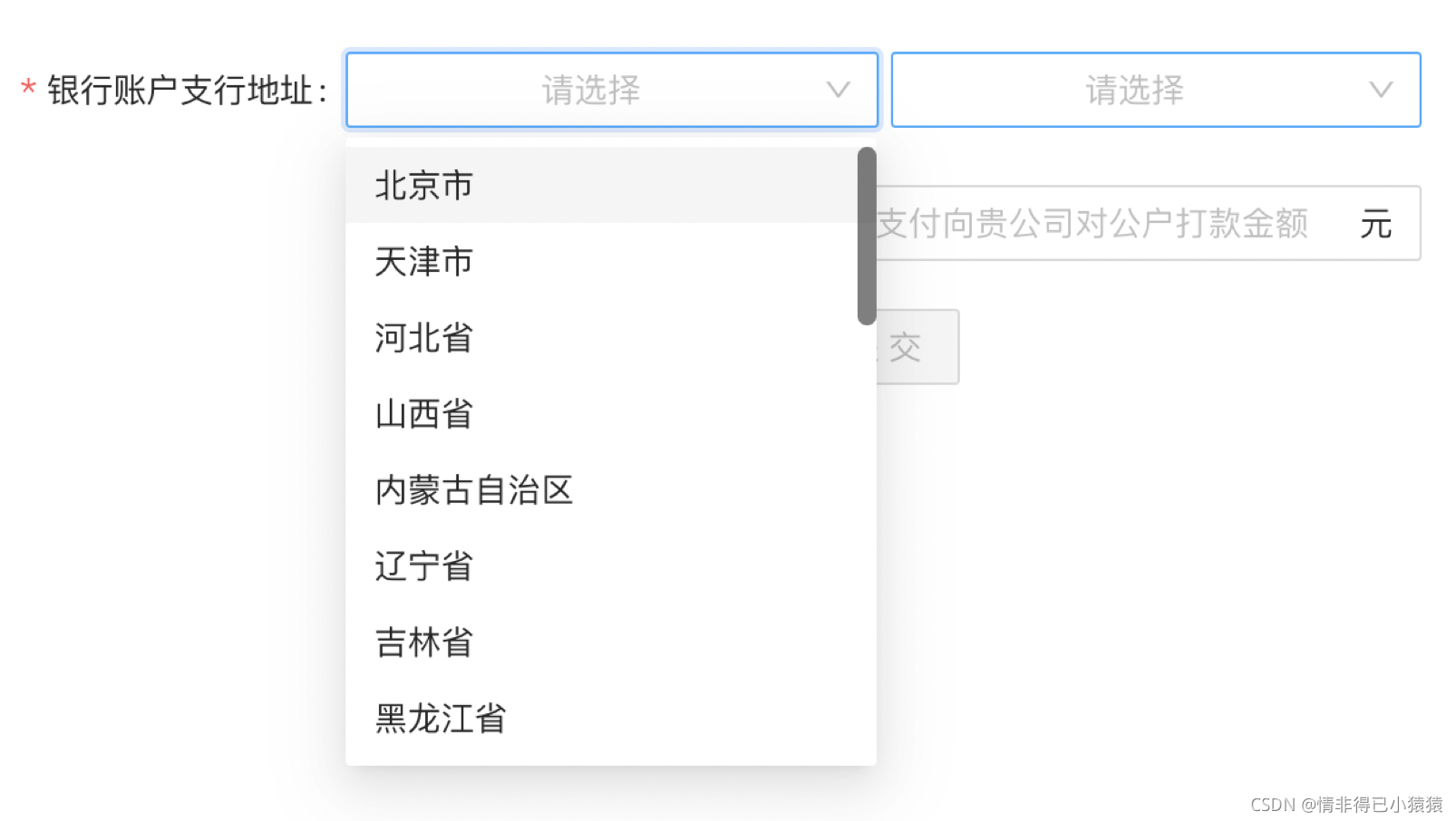
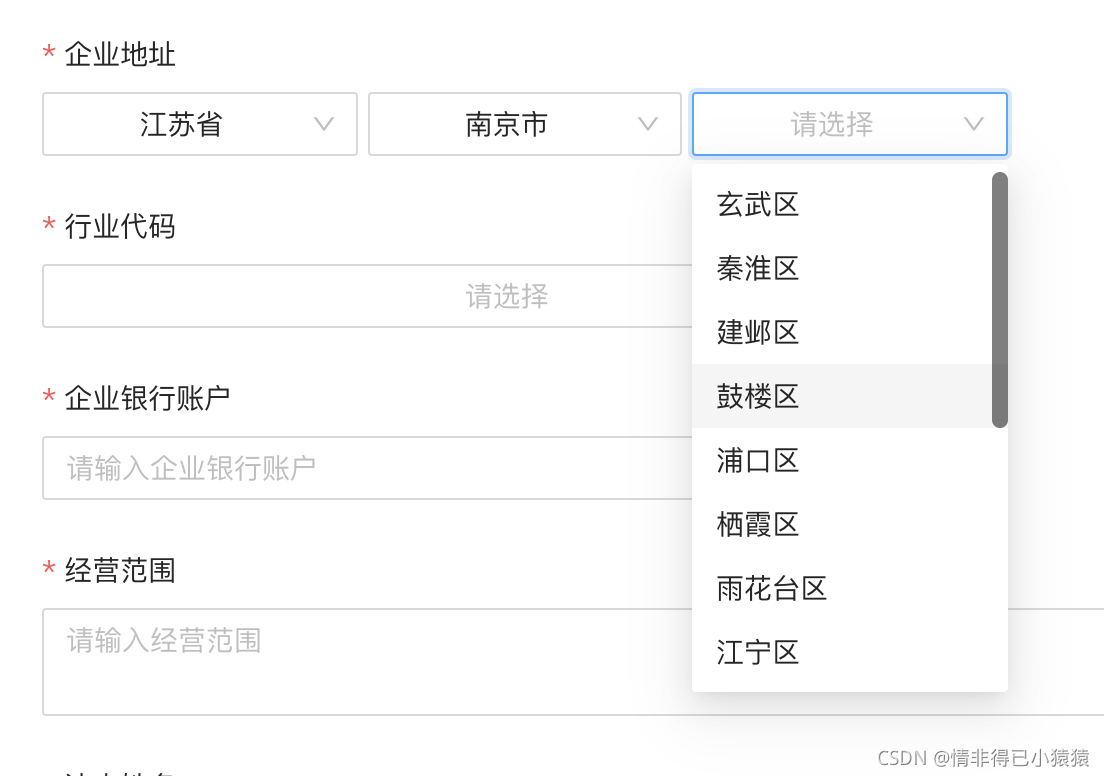
rangerange地址选择器范围city: 省市area: 省市区
<Form.Item name="branchAddrCode" label="银行账户支行地址" rules={[{ required: true }]}>
    <AreaSelect onSelect={this.onSelect.bind(this)} range='city' />
</Form.Item>
<Form.Item name="corporationAddr" label="企业地址" rules={[{ required: true }]}>
    <AreaSelect onSelect={this.onSelect.bind(this)} range='area' />
</Form.Item>
3、获取最后选择省市区的code
onSelect(value: any) {
    this.form.current.setFieldsValue({
        branchAddrCode: value
    })
    console.log('valueAre===', value);
    // valueAre=== 32,320100,320115
}

const formValues = this.form.current.getFieldsValue();
const code = formValues.branchAddrCode.split(',');
// code=== ['32', '320100', '320115']
视图
省市
省市区
版权声明:本文为weixin_43924228原创文章,遵循CC 4.0 BY-SA版权协议,转载请附上原文出处链接和本声明。