vsftpd--530 Login incorrect. Login failed
我的解决办法:
首先使用:
cat /etc/passwd
查看对应的ftp用户所对应的主目录和登陆shell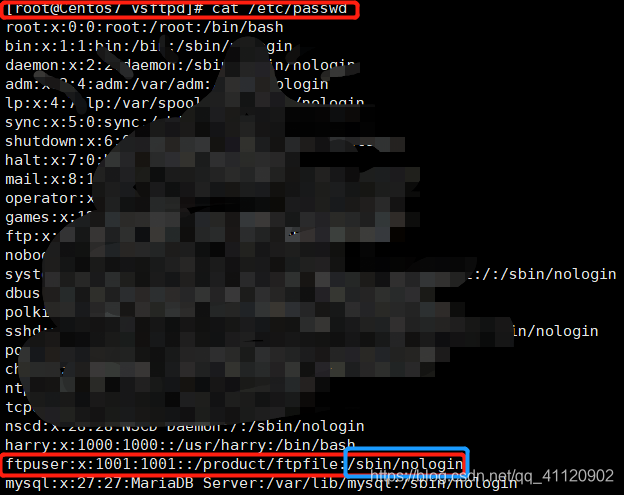
对应我的为:sbin/nologin
接着使用:
vim /etc/shells
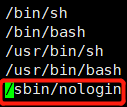
添加/sbin/nologin即可。
之后在登陆可能会报
vsftpd:500 OOPS: vsftpd: refusing to run with writable root inside chroot
接下来在vsftpd.conf中新增allow_writeable_chroot=YES配置
配置文件路径:/etc/vsftpd/vsftpd.conf
新增如下:
allow_writeable_chroot=YES #允许用户具有主目录写权限
即可登陆成功。
最后还有一种可能就是,如果你是用的阿里云的虚拟机,看看安全组那边有无开放相应的端口,例如3306/3306,或者是你自己配置的防火墙规则,如iptables里的61001/62000。
版权声明:本文为qq_41120902原创文章,遵循CC 4.0 BY-SA版权协议,转载请附上原文出处链接和本声明。