测试环境
基于C++20构建测试 (g++ 10.2.1)
CMakeLists.txt
# 设置用于构建该项目的最低cmake版本
cmake_minimum_required(VERSION 3.1)

# 设置项目名称和编程语言
project(获取Linux信息 CXX)

# 设置二进制文件生成路径
set(EXECUTABLE_OUTPUT_PATH ${PROJECT_SOURCE_DIR}/bin)
# 获取源码的路径
aux_source_directory(src src)

# 设置编译标准和额外参数
add_compile_options(-std=c++20 -Wall -Werror -Wextra -pedantic -Wimplicit-fallthrough -Wsequence-point -Wswitch-default -Wswitch-unreachable -Wswitch-enum -Wstringop-truncation -Wbool-compare -Wtautological-compare -Wfloat-equal -Wshadow=global -Wpointer-arith -Wpointer-compare -Wcast-align -Wcast-qual -Wwrite-strings -Wdangling-else -Wlogical-op -Wconversion -Wno-pedantic-ms-format)

# 从源码构建二进制文件
add_executable(demo ${src})
结构参考下图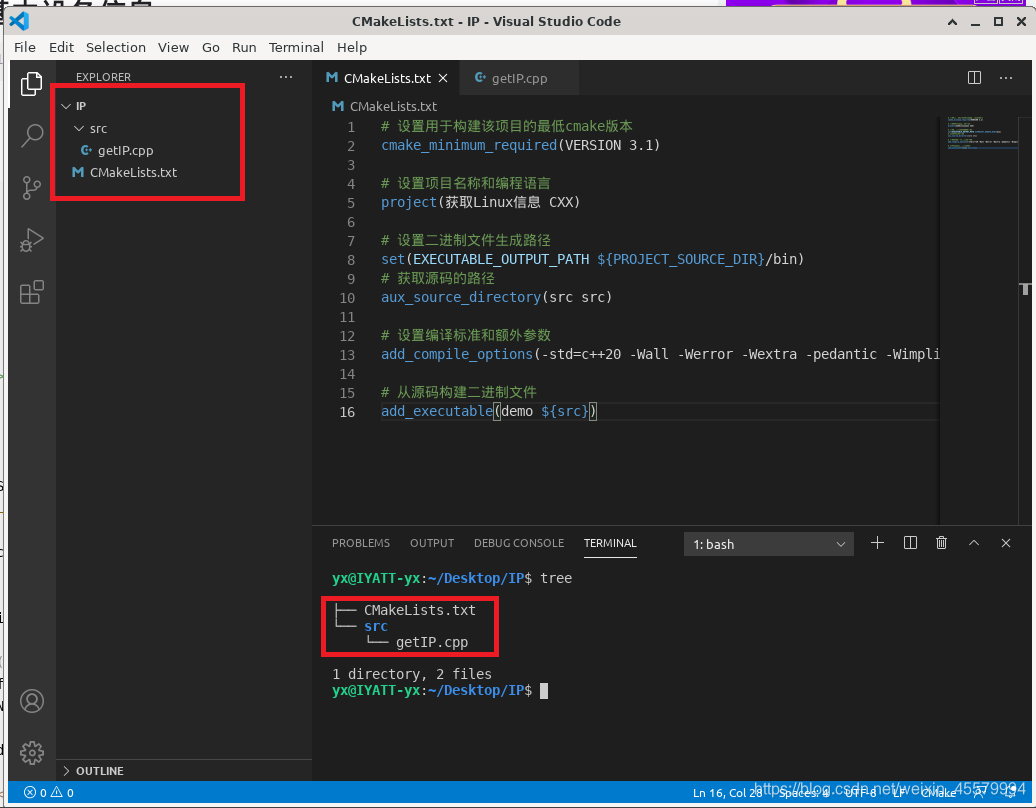
源码
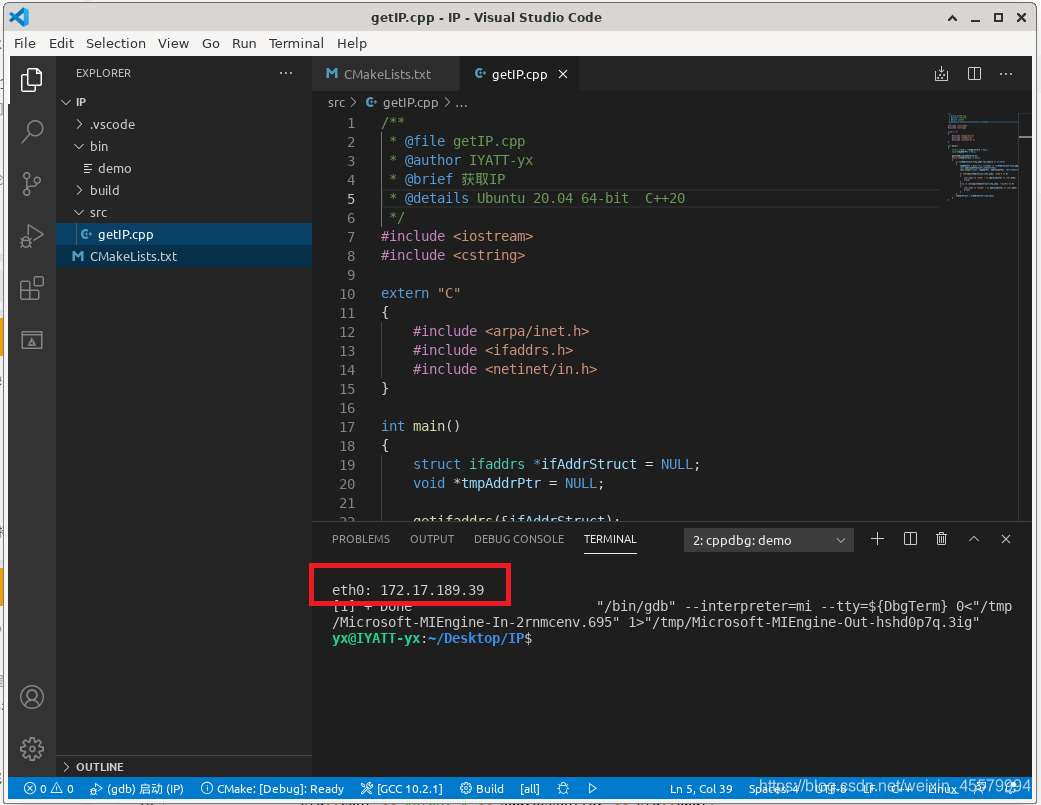
1.获取IP
/**
 * @file getIP.cpp
 * @author IYATT-yx
 * @brief 获取IP
 * @details Ubuntu 20.04 64-bit  C++20
 */
#include <iostream>
#include <cstring>

extern "C"
{
    #include <arpa/inet.h>
    #include <ifaddrs.h>
    #include <netinet/in.h>
}

int main()
{
    struct ifaddrs *ifAddrStruct = NULL;
    void *tmpAddrPtr = NULL;

    getifaddrs(&ifAddrStruct);
    while (ifAddrStruct != NULL)
    {
        if (ifAddrStruct->ifa_addr->sa_family == AF_INET)
        {
            tmpAddrPtr = &((struct sockaddr_in *)ifAddrStruct->ifa_addr)->sin_addr;
            char addressBuffer[INET_ADDRSTRLEN];
            inet_ntop(AF_INET, tmpAddrPtr, addressBuffer, INET_ADDRSTRLEN);

            if (strcmp(ifAddrStruct->ifa_name, "eth0") == 0)
            {
                std::cout << "eth0: " << addressBuffer << std::endl;
                break;
            }
            else if (strcmp(ifAddrStruct->ifa_name, "wlan0") == 0)
            {
                std::cout << "wlan0: " << addressBuffer << std::endl;
                break;
            }
        }
        ifAddrStruct = ifAddrStruct->ifa_next;
    }
}
2.获取磁盘信息
磁盘信息
/**
 * @file getDiskInfo.cpp
 * @author IYATT-yx
 * @brief 获取磁盘使用信息
 * @details Ubuntu 20.04 64-bit  C++20
 */
#include <iostream>

extern "C"
{
    #include <sys/vfs.h>
    #include <unistd.h>
}

struct statfs diskInfo;

int main()
{
    statfs("/", &diskInfo);
    long long unsigned totalBlocks = diskInfo.f_bsize;
    long long unsigned totalSize = (totalBlocks * diskInfo.f_blocks) >> 20;
    long long unsigned freeDisk = (diskInfo.f_bfree * totalBlocks) >> 20;

    std::cout << "磁盘总大小: " << totalSize << " MB"
                << "\n空闲大小: " << freeDisk << " MB" << std::endl;
}

3.CPU使用率
计算原理 (仅供参考):
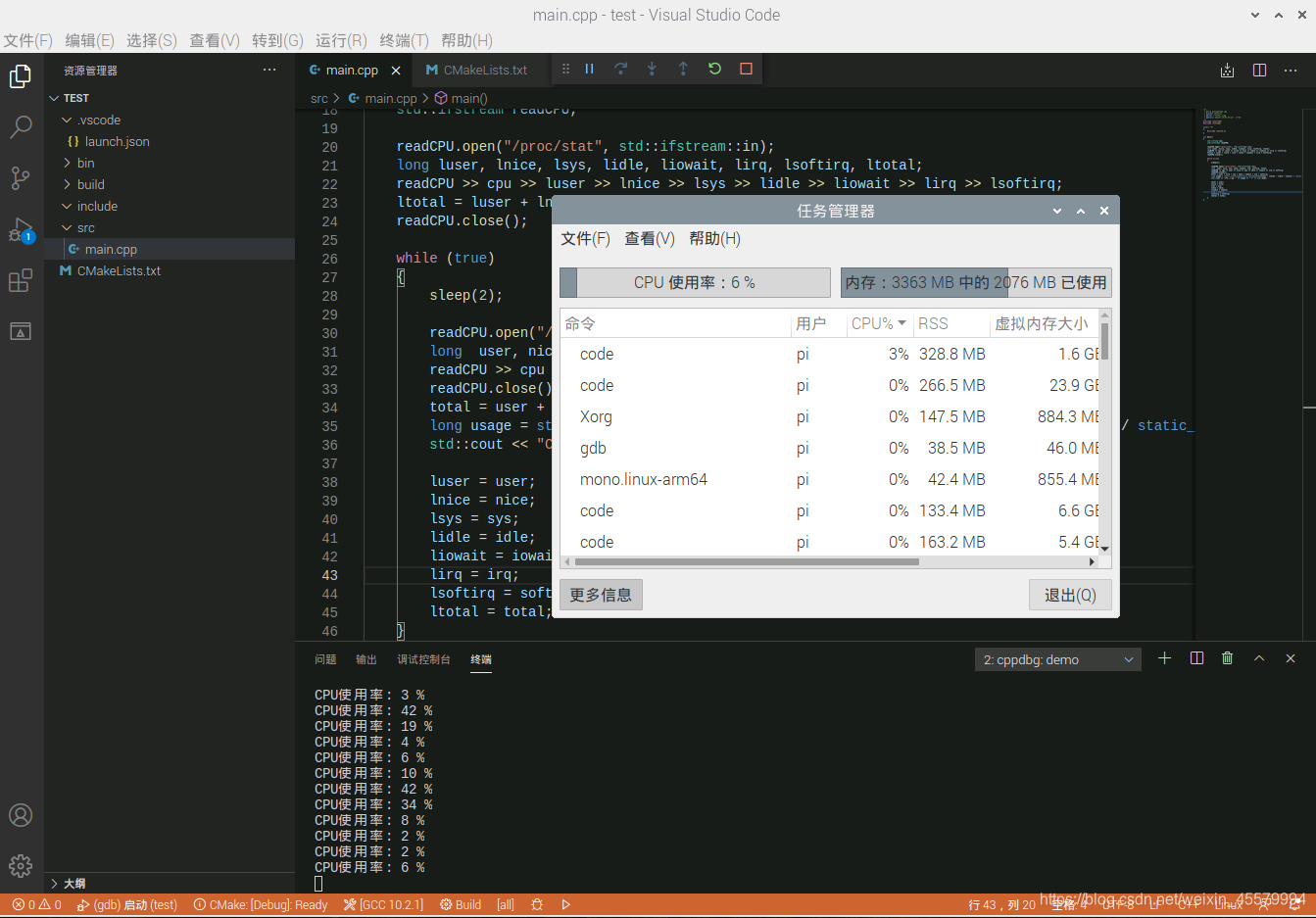
将每两次读取 /proc/stat 中的数据计算差值 (源数据是从计算机启动开始计时到读取时的时间), 然后实现计算 (user + nice + system + iowait + irq + softifq) / (user + nice + system + idle + iowait + irq + softirq) 作为CPU使用率
| 第一行的数据 | 解释 |
|---|---|
| user | 从系统启动开始累计到当前时刻,处于用户态的运行时间,不包含 nice值为负进程 |
| nice | 从系统启动开始累计到当前时刻,nice值为负的进程所占用的CPU时间 |
| system | 从系统启动开始累计到当前时刻,处于核心态的运行时间 |
| idle | 从系统启动开始累计到当前时刻,除IO等待时间以外的其它等待时间 |
| iowait | 从系统启动开始累计到当前时刻,IO等待时间 |
| irq | 从系统启动开始累计到当前时刻,硬中断时间 |
| softirq | 从系统启动开始累计到当前时刻,软中断时间 |
/**
 * @file getCpuUsage.cpp
 * @author IYATT-yx
 * @brief 计算CPU使用率
 * @details Ubuntu 20.04 64-bit  C++20
 */
#include <iostream>
#include <fstream>

extern "C"
{
    #include <unistd.h>
}

int main()
{
    std::string cpu;
    std::ifstream readCPU;

    readCPU.open("/proc/stat", std::ifstream::in);
    long luser, lnice, lsys, lidle, liowait, lirq, lsoftirq, ltotal;
    readCPU >> cpu >> luser >> lnice >> lsys >> lidle >> liowait >> lirq >> lsoftirq;
    ltotal = luser + lnice + lsys + lidle + liowait + lirq + lsoftirq;
    readCPU.close();

    while (true)
    {
        sleep(2);

        readCPU.open("/proc/stat", std::ifstream::in);
        long  user, nice, sys, idle, iowait, irq, softirq, total;
        readCPU >> cpu >> user >> nice >> sys >> idle >> iowait >> irq >> softirq;
        readCPU.close();
        total = user + nice + sys + idle + iowait + irq + softirq;
        long usage = static_cast<long>(static_cast<double>(total - ltotal - (idle - lidle)) / static_cast<double>(total - ltotal) * 100);
        std::cout << "CPU使用率: " << usage << " %" << std::endl;

        luser = user;
        lnice = nice;
        lsys = sys;
        lidle = idle;
        liowait = iowait;
        lirq = irq;
        lsoftirq = softirq;
        ltotal = total;
    }
}
4.获取CPU温度 (仅树莓派可用)
/**
 * @file getCpuTemp.cpp
 * @author IYATT-yx
 * @brief 获取CPU温度
 * @details Raspberry Pi 4B 1.1  Raspberry Pi OS 64-bit beta (2020-8-24)  C++20
 */
#include <iostream>
#include <fstream>

extern "C"
{
    #include <unistd.h>
}

int main()
{
    std::ifstream cpuTemp;
    long temp;

    while (true)
    {
        cpuTemp.open("/sys/class/thermal/thermal_zone0/temp", std::ifstream::in);
        cpuTemp >> temp;
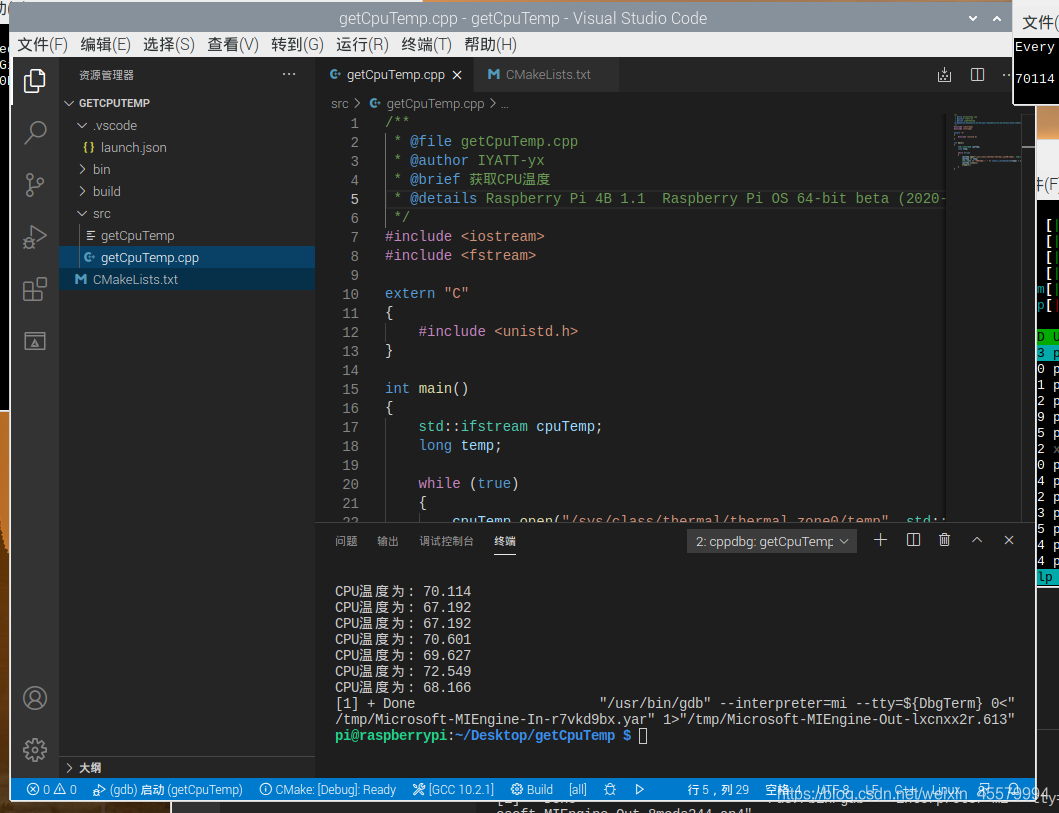
        std::cout << "CPU温度为: " << static_cast<double>(temp) / 1000 << std::endl;
        cpuTemp.close();
        sleep(1);
    }
}
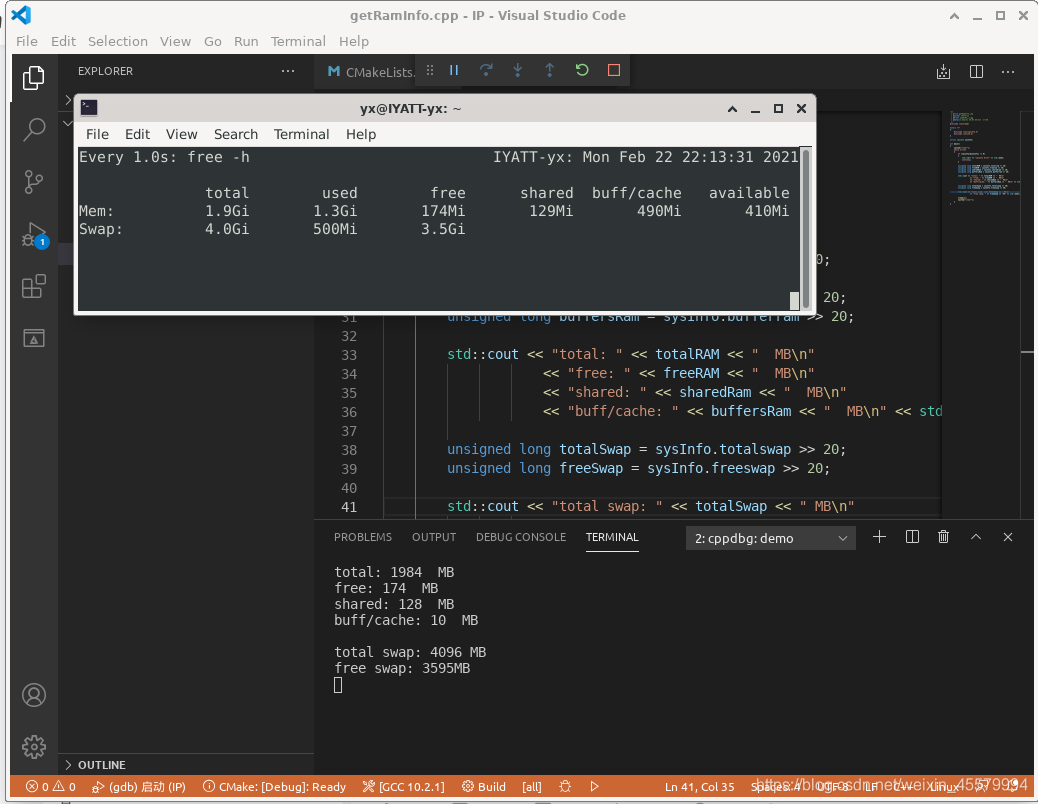
5.获取内存和交换分区信息
1
/**
 * @file getRamInfo.cpp
 * @author IYATT-yx
 * @brief 获取内存和交换分区信息
 * @details Ubuntu 20.04 64-bit  C++20
 */
#include <iostream>

extern "C"
{
    #include <sys/sysinfo.h>
    #include <unistd.h>
}

struct sysinfo sysInfo;

int main()
{
    system("clear");
    while (true)
    {
        if (sysinfo(&sysInfo) != 0)
        {
            std::cerr << "sysinfo Error" << std::endl;
            continue;
        }

        unsigned long totalRAM = sysInfo.totalram >> 20;
        unsigned long freeRAM = sysInfo.freeram >> 20;
        unsigned long sharedRam = sysInfo.sharedram >> 20;
        unsigned long buffersRam = sysInfo.bufferram >> 20;

        std::cout << "total: " << totalRAM << "  MB\n"
                    << "free: " << freeRAM << "  MB\n"
                    << "shared: " << sharedRam << "  MB\n"
                    << "buff/cache: " << buffersRam << "  MB\n" << std::endl;

        unsigned long totalSwap = sysInfo.totalswap >> 20;
        unsigned long freeSwap = sysInfo.freeswap >> 20;

        std::cout << "total swap: " << totalSwap << " MB\n"
                    << "free swap: " << freeSwap << "MB" << std::endl;

        sleep(1);
        system("clear");
    }
}
2
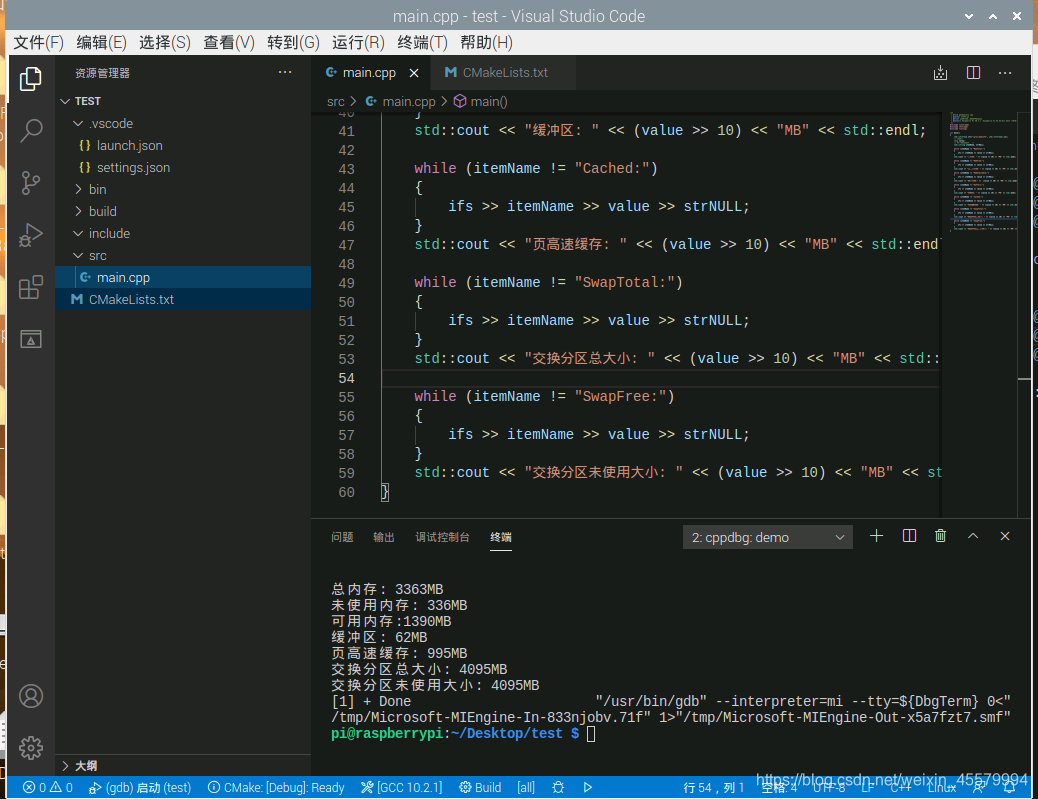
/**
 * @file getRamInfo.cpp
 * @author IYATT-yx
 * @brief 获取内存和交换分区信息
 * @details Raspberry Pi 4B 1.1  Raspberry Pi OS 64-bit beta (2020-8-24)  C++20
 */
#include <iostream>
#include <fstream>
#include <string>

int main()
{
    std::ifstream ifs("/proc/meminfo", std::ifstream::in);
    // 读取值
    long value;
    // 匹配项目名字 占位
    std::string itemName, strNULL;

    while (itemName != "MemTotal:")
    {
        ifs >> itemName >> value >> strNULL;
    }
    std::cout << "总内存: " << (value >> 10) << "MB" << std::endl;

    while (itemName != "MemFree:")
    {
        ifs >> itemName >> value >> strNULL;
    }
    std::cout << "未使用内存: " << (value >> 10) << "MB" << std::endl;

    while (itemName != "MemAvailable:")
    {
        ifs >> itemName >> value >> strNULL;
    }
    std::cout << "可用内存:" <<  (value >> 10) << "MB" << std::endl;

    while (itemName != "Buffers:")
    {
        ifs >> itemName >> value >> strNULL;
    }
    std::cout << "缓冲区: " << (value >> 10) << "MB" << std::endl;

    while (itemName != "Cached:")
    {
        ifs >> itemName >> value >> strNULL;
    }
    std::cout << "页高速缓存: " << (value >> 10) << "MB" << std::endl;

    while (itemName != "SwapTotal:")
    {
        ifs >> itemName >> value >> strNULL;
    }
    std::cout << "交换分区总大小: " << (value >> 10) << "MB" << std::endl;

    while (itemName != "SwapFree:")
    {
        ifs >> itemName >> value >> strNULL;
    }
    std::cout << "交换分区未使用大小: " << (value >> 10) << "MB" << std::endl;
}
版权声明:本文为weixin_45579994原创文章,遵循CC 4.0 BY-SA版权协议,转载请附上原文出处链接和本声明。