JAVA Web登录案例实现
需要了解的知识
- Servlet
Servlet就是一个接口,定义了Java类被浏览器访问到的规则。
- ServletContext对象
代表整个web应用,可以和程序的服务器来通信。
- 客户端会话技术:Cookie
客户端会话技术,将数据保存到客户端。
- 服务器端会话技术:Session
服务器端会话技术,在一次会话的多次请求间共享数据,将数据保存在服务器端的对象中。
- HttpSession
HttpSession是Servlet三大域对象之一(request、session、application(ServletContext)),它也有Session的方法。
6、JSP
Java Server Pages: java服务器端页面(原理:本质上是一个Servlet)
- MVC开发模式
(1)、M:Model,模型。JavaBean
完成具体的业务操作,如:查询数据库,封装对象。
(2)、V:View,视图。JSP
展示数据
(3)、C:Controller,控制器。Servlet
获取用户的输入。
调用模型。
将数据交给视图进行展示。
简单了解知识后我们来简单分析
- 访问登录界面login.jsp.
- 使用Druid数据库连接池技术,操作mysql,数据库中user表
- 使用JdbcTemplate技术封装JDBC
- 用户输入用户名,密码以及验证码。
2.1如果用户名和密码输入有误,跳转登录页面,提示:用户名或密码错误
2.2如果验证码输入有误,跳转登录页面,提示:验证码错误
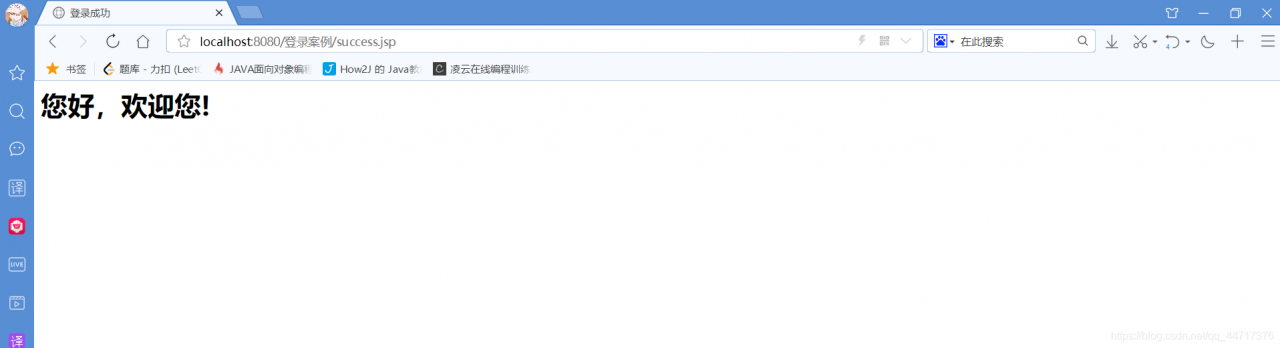
2.3 如果全部输入正确,则跳转到主页success.jsp,显示:用户名,欢迎您
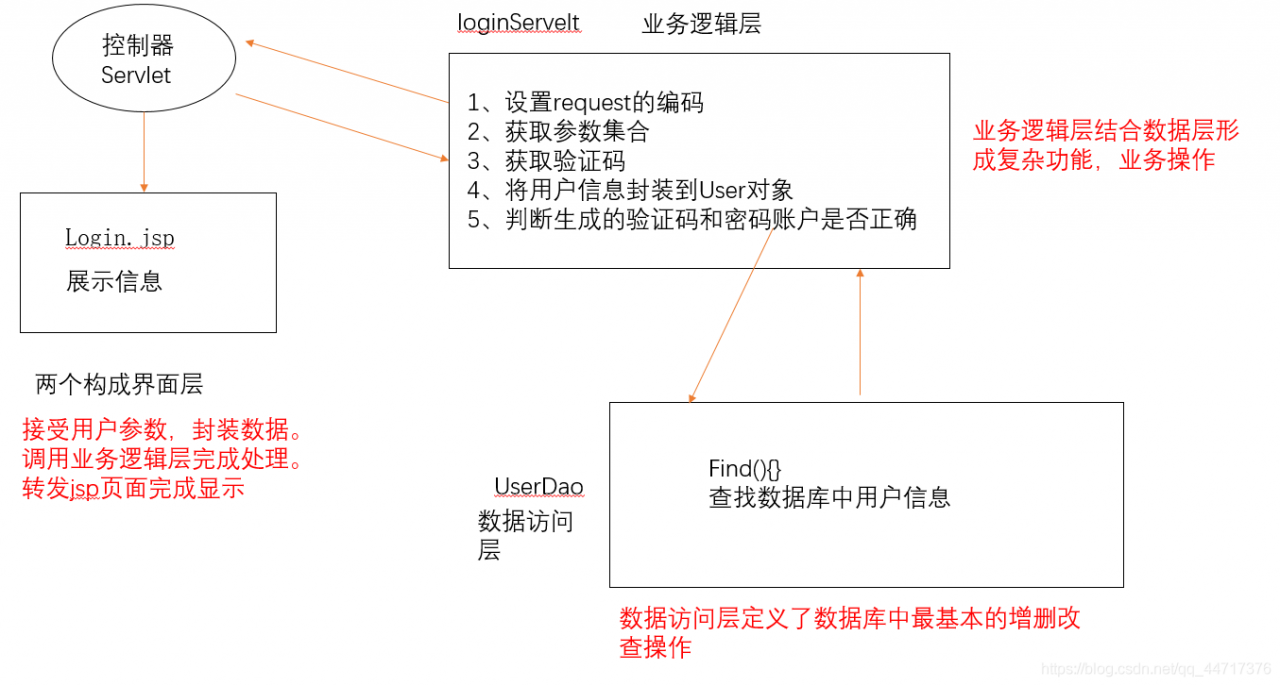
简单画图分析
经过简单分析开始上手操作
- 写好登录页面(可自己写,可用前端框架,此次前端不是重点)
<divclass="container"style="width:400px;">
<h3style="text-align:center;">用户登录</h3>
<formaction="${pageContext.request.contextPath}/loginServlet"method="post">
<divclass="form-group">
<labelfor="user">用户名:</label>
<inputtype="text"name="username"class="form-control"id="user"placeholder="请输入用户名"/>
</div>
<divclass="form-group">
<labelfor="password">密码:</label>
<inputtype="password"name="password"class="form-control"id="password"placeholder="请输入密码"/>
</div>
<divclass="form-inline">
<labelfor="vcode">验证码:</label>
<inputtype="text"name="verifycode"class="form-control"id="verifycode"placeholder="请输入验证码"style="width:120px;"/>
<ahref="javascript:refreshCode();">
<imgsrc="${pageContext.request.contextPath}/checkCodeServlet"title="看不清点击刷新"id="vcode"/>
</a>
</div>
<hr/>
<divclass="form-group"style="text-align:center;">
<inputclass="btn btn btn-primary"type="submit"value="登录">
</div>
</form>
- 编写工具类JDBCutils使用Durid连接池
private staticDataSourceds;
static{
try{
//1.加载配置文件
Properties pro =newProperties();
//使用ClassLoader加载配置文件,获取字节输入流
InputStream is = JDBCUtil.class.getClassLoader().getResourceAsStream("druid.properties");
pro.load(is);
//2.初始化连接池对象
ds= DruidDataSourceFactory.createDataSource(pro);
}catch(IOException e) {
e.printStackTrace();
}catch(Exception e) {
e.printStackTrace();
}
}
/**
*获取连接池对象
*/
public staticDataSource getDataSource(){
returnds;
}
/**
*获取连接Connection对象
*/
public staticConnection getConnection()throwsSQLException {
return ds.getConnection();
}
2.1创建类UserDao,提供login方法,操作数据库中User表的类
publicUser login(User loginUser){
try{
//1.编写sql
String sql ="select*from user where username = ? and password = ?";
//2.调用query方法
User user =template.queryForObject(sql,
newBeanPropertyRowMapper<User>(User.class),
loginUser.getUsername(), loginUser.getPassword());
returnuser;
}catch(DataAccessException e) {
e.printStackTrace();//记录日志
return null;
}
- 创建LoginServelt类获取用户的输入。MVC中的控制器
protected voiddoPost(HttpServletRequest request, HttpServletResponse response)throwsServletException, IOException {
//设置编码
request.setCharacterEncoding("utf-8");
//获取数据
//获取用户填写验证码
String verifycode = request.getParameter("verifycode");
//验证码校验
HttpSession session = request.getSession();
String checkcode_server = (String) session.getAttribute("CHECKCODE_SERVER");
session.removeAttribute("CHECKCODE_SERVER");//确保验证码一次性
if(!checkcode_server.equalsIgnoreCase(verifycode)){
//验证码不正确
//提示信息
request.setAttribute("login_msg","验证码错误!");
//跳转登录页面
request.getRequestDispatcher("/login.jsp").forward(request,response);
return;
}
Map<String, String[]> map = request.getParameterMap();
//封装User对象
User loginUser =newUser();
try{
BeanUtils.populate(loginUser,map);
}catch(IllegalAccessException e) {
e.printStackTrace();
}catch(InvocationTargetException e) {
e.printStackTrace();
}
UserDao dao =newUserDao();
User user = dao.login(loginUser);
//判断是否登录成功
if(loginUser !=null){
//登录成功
//将用户存入session
session.setAttribute("user",loginUser);
//跳转页面
response.sendRedirect(request.getContextPath()+"/success.jsp");
}else{
//登录失败
//提示信息
request.setAttribute("login_msg","用户名或密码错误!");
//跳转登录页面
request.getRequestDispatcher("/login.jsp").forward(request,response);
}
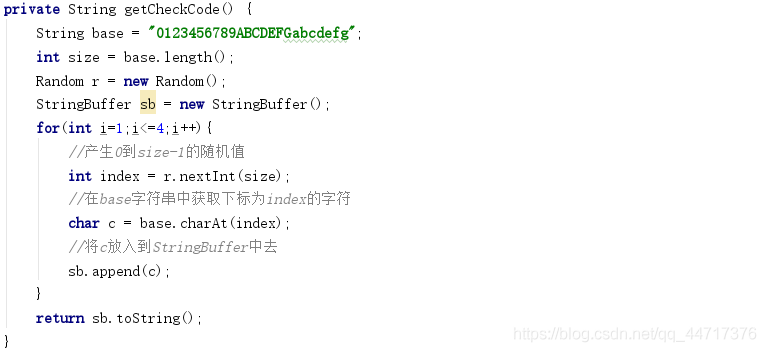
3.1创建CheckCodeServlet类来生成验证码。(不用自己写)
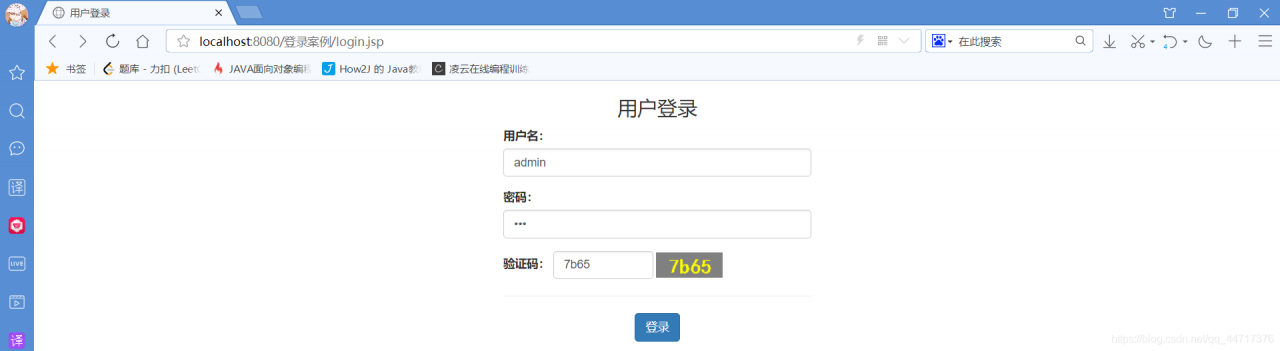
4、编写完成后启动Tomcat(服务器)测试(数据库中已经设置好账户和密码)。
登录成功后