目录标题
main.js中

import axios from 'axios'
import qs from 'qs' // qs是axios中的

Vue.prototype.$axios = axios
Vue.prototype.$qs = qs
get
      this.$axios.get("http://localhost:8080/test01?name=张三").then(function (res) {
        console.log(res);
      });
http://localhost:8080/test01?name=张三
接收方式1 - 参数用@RequestParam注解接收
    @RequestMapping(value = "/test01", method = RequestMethod.GET)
    public String testGet(
            @RequestParam(value = "name") String name
    ) {
        System.out.println(name);
        return "GET";
    }
接收方式2 - 参数不使用注解,直接用对象接收
缺点: 不方便属性的校验
    // User类中有name属性,就会自动赋值给user.name
    @RequestMapping(value = "/test01", method = RequestMethod.GET)
    public String testGet(
            User user
    ) {
        System.out.println(user.name);
        return "GET";
    }
post - json格式
      this.$axios
        .post("http://localhost:8080/test01", {
          id: 1,
          age: 23,
          name: "张三",
        })
        .then(function (res) {
          console.log(res);
        });
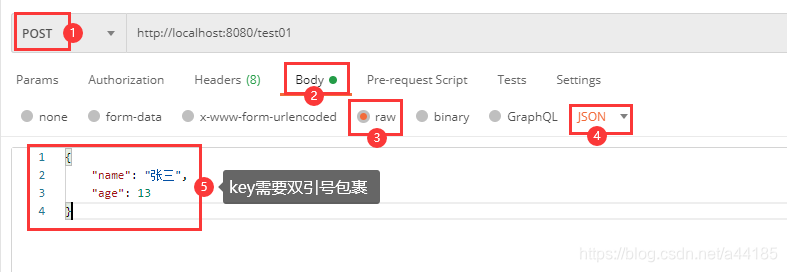
    @RequestMapping(value = "/test01", method = RequestMethod.POST)
    public String testPost(
            @RequestBody Student s
    ) {
        System.out.println(s.getName() + "--" + s.getAge());
        return "POST";
    }
post - 借助qs发送【模拟表单的 form data】
      this.$axios
        .post('/user/login', this.$qs.stringify({
          username: 'root',
          password: 'root123'
        }, { indices: false }))
        .then(function (res) {
          console.log(res)
        })
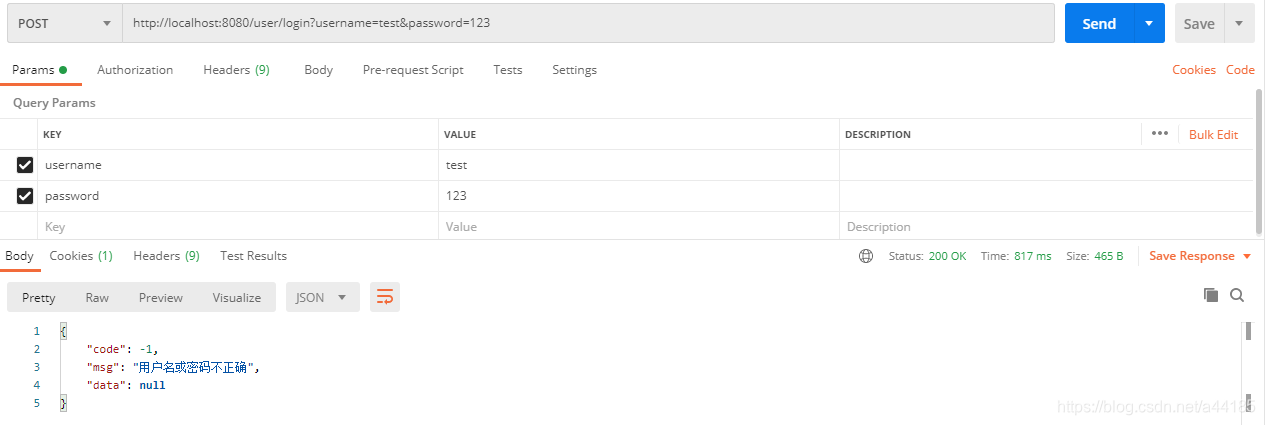
    @PostMapping("/login")
    public Result login(
            @RequestParam(name = "username", required = true) String username,
            @RequestParam(name = "password", required = true) String password
    ) {
请求头和cookie
请求头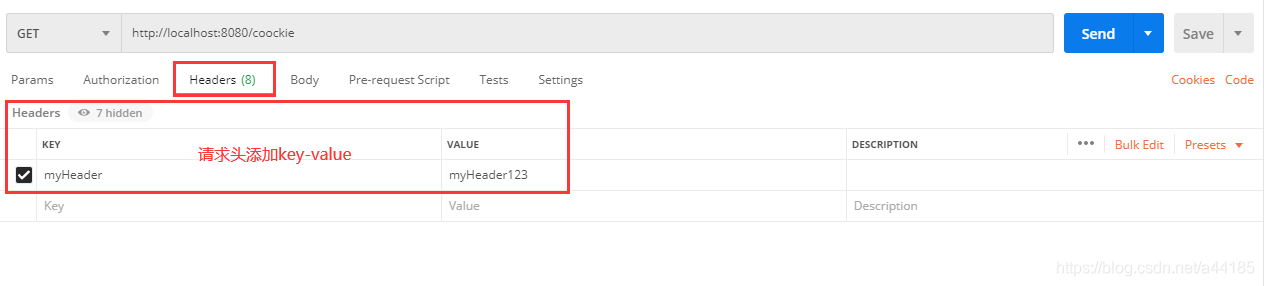
cookie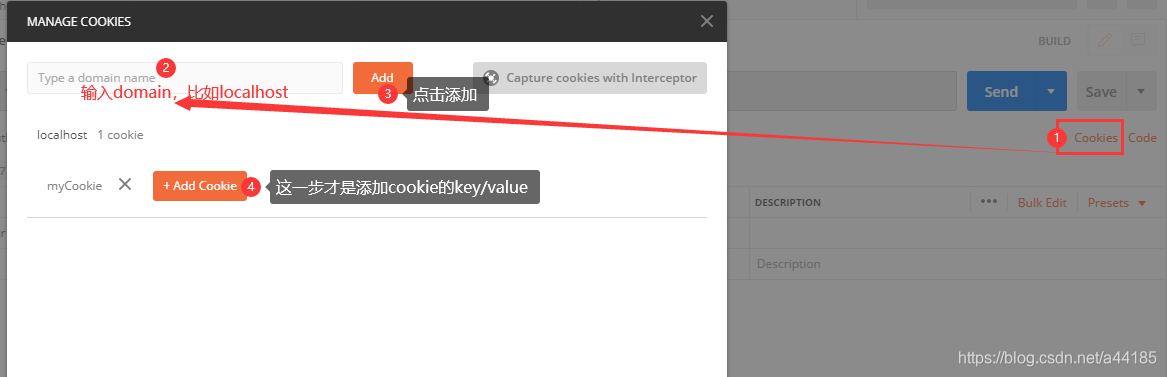
    @RequestMapping(value = "/coockie", method = RequestMethod.GET)
    public String coockie(
            @RequestHeader(name = "myHeader") String myHeader,
            @CookieValue(name = "myCookie") String myCookie
    ) {
        System.out.println(myHeader);
        System.out.println(myCookie);
        return "GET";
    }
@RequestParam 必填/默认值/日期格式
// @RequestParam注解中的name和value两个属性基本是等价的,都是获取从前台传入的参数
@RequestParam(value = "name", required = true, defaultValue = "zhangsan") String name
@RequestParam(name = "birthday") @DateTimeFormat(pattern = "yyyy-MM-dd HH:mm:ss") Date birthday
把数组当做参数传递
// this.$axios.get("http://localhost:8080/test01?ids=1,2,3").then(function (res) {...});

      this.$axios
        .post('/user/deleteBatch', this.$qs.stringify({
          ids: '1,2,3'
        }, { indices: false }))
        .then(function (res) {
          console.log(res)
        })
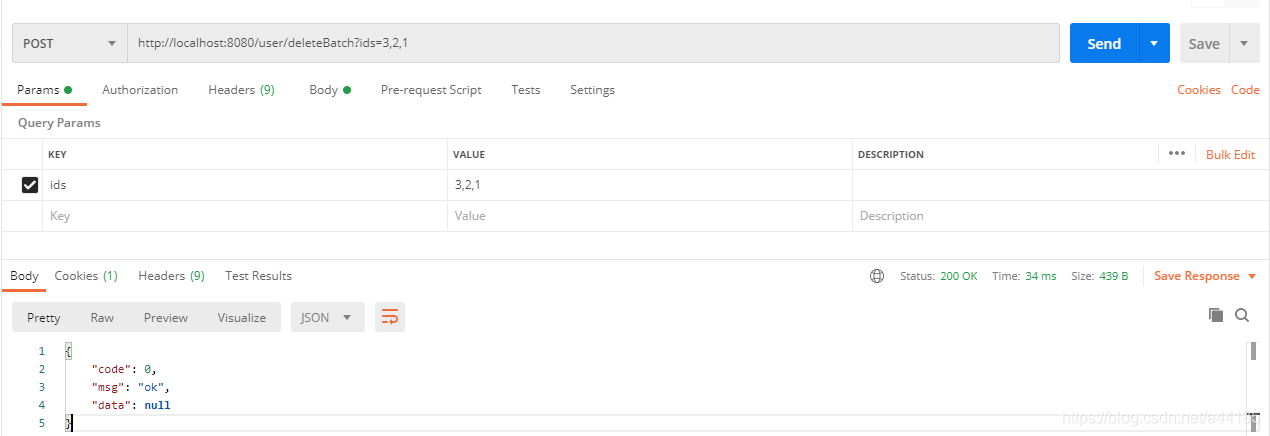
    @PostMapping("/deleteBatch")
    public Result deleteBatch(int[] ids) {
        System.out.println(Arrays.toString(ids));// 打印数组的内容
        return Result.success();
    }
版权声明:本文为a44185原创文章,遵循CC 4.0 BY-SA版权协议,转载请附上原文出处链接和本声明。