先看效果图: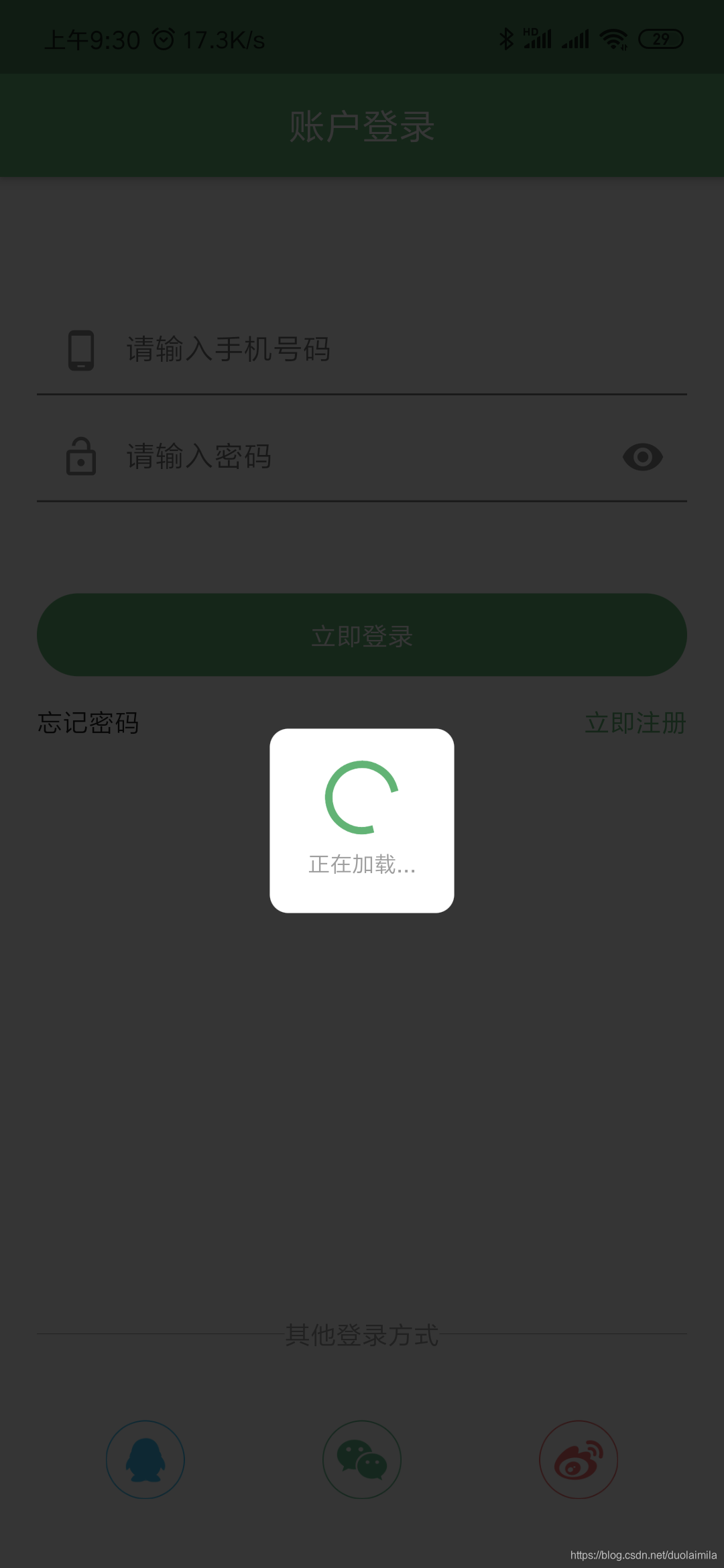
在Flutter中要自定义这样一个加载框也是非常的简单,直接看代码:
class LoadingDialog extends Dialog {
  @override
  Widget build(BuildContext context) {
    // TODO: implement build
    return new Material(
      type: MaterialType.transparency,
      child: new Center(
        child: new Container(
          decoration: new ShapeDecoration(
              color: Colors.white,
              shape: new RoundedRectangleBorder(
                  borderRadius: new BorderRadius.all(new Radius.circular(10)))),
          width: 100,
          height: 100,
          padding: EdgeInsets.all(10),
          child: new Column(children: <Widget>[
            CircularProgressIndicator(),
            new Text('正在加载...',style: TextStyle(fontSize: 12,color: Colors.grey),softWrap: false,)
          ],mainAxisAlignment: MainAxisAlignment.spaceEvenly,),
        ),
      ),
    );
  }

}
继承Dialog,然后返回一个自定义的widget,设置居中显示一个宽高100,圆角,白色的Container,Container的child设置一个垂直布局,用来放置一个圆形进度条和‘加载中…’。
使用方法:
显示:
showDialog(
        context: context,
        builder: (context) {
          return new LoadingDialog();
        });
关闭:
Navigator.pop(context);
欢迎各位同学一起学习flutter,群号:187670882
版权声明:本文为duolaimila原创文章,遵循CC 4.0 BY-SA版权协议,转载请附上原文出处链接和本声明。