PUN,即Photon Unity Networking,它是一个Unity多人游戏插件包。它提供了身份验证选项、匹配,以及快速、可靠的通过我们的Photon后端实现的游戏内通信。
在实现聊天功能之前,你需要把PUN导入到你的项目中来,并完成玩家加入房间等功能。
现在,我已经写好了一个房间,并让两个玩家加入了房间内

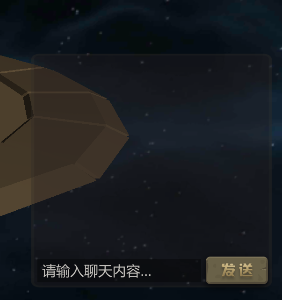
并且写好了聊天框,聊天框要挂载photonview组件

下面是关键代码
using System.Collections.Generic;
using UnityEngine;
using UnityEngine.UI;
using System.Collections;

[RequireComponent(typeof(PhotonView))]
public class InRoomChat : Photon.MonoBehaviour
{
    //声明变量
    public Rect GuiRect;
    public bool IsVisible = true;
    public bool AlignBottom = false;
    public List<string> messages = new List<string>();
    private string inputLine = "";
    public Vector2 scrollPos;
    public InputField inputMessage;
    public GameObject btnSend;
    public GameObject lblRoomMessage;
    public static readonly string ChatRPC = "Chat";

    public void Start()
    {
        FindObject();
    }
    //加载需要的对象
    public void FindObject()
    {
        inputMessage = GameObject.Find("inputRoomMessage").GetComponent<InputField>();
        btnSend = GameObject.Find("btnRoomMessage");
        lblRoomMessage = GameObject.Find("lblRoomMessage");
        if (btnSend != null)
        {
            btnSend.GetComponent<Button>().onClick.AddListener(
                delegate { SendContent(); }
            );
        }
    }

    //发送聊天内容
    public void SendContent()
    {
        if (!this.IsVisible || !PhotonNetwork.inRoom)
        {
            return;
        }
        //获取聊天框内容
        inputLine = inputMessage.text;

        if (!string.IsNullOrEmpty(this.inputLine))
        {
            lblRoomMessage.GetComponent<Text>().text = "";
            //关键代码  使用photonView.RPC发送消息
            this.photonView.RPC("Chat", PhotonTargets.All, this.inputLine);
            this.inputLine = "";
            inputMessage.text = "";
            inputMessage.ActivateInputField();
        }
        else
        {
            return;
        }

    }

    //接收方收取消息
    [PunRPC]
    public void Chat(string newLine, PhotonMessageInfo mi)
    {
        string senderName = "anonymous";
        lblRoomMessage.GetComponent<Text>().text = "";
        if (mi.sender != null)
        {
            if (!string.IsNullOrEmpty(mi.sender.NickName))
            {
                senderName = mi.sender.NickName;
            }
            else
            {
                senderName = "player " + mi.sender.ID;
            }
        }

        this.messages.Add("<color=#EEAD0E>" + senderName +":</color> " + newLine);


        //只显示最新的24条消息
        List<string> newmessages = new List<string>();
        if (messages.Count > 24)
        {
            for (int i = (messages.Count - 24); i < messages.Count; i++)
            {
                newmessages.Add(messages[i]);
            }

            for (int i = 0; i < newmessages.Count; i++)
            {
                lblRoomMessage.GetComponent<Text>().text += newmessages[i] + "\n";
            }
        }
        else
        {
            for (int i = 0; i < messages.Count; i++)
            {
                lblRoomMessage.GetComponent<Text>().text += messages[i] + "\n";
            }
        }


    }

    public void AddLine(string newLine)
    {
        this.messages.Add(newLine);
    }
}
关键的代码就是这一句, photonView组件自带的功能,第一个参数是接收方法,第三个参数是聊天内容
this.photonView.RPC("Chat", PhotonTargets.All, this.inputLine);
接收方的方法,前面要带上[PunRPC]
[PunRPC]
public void Chat(string newLine, PhotonMessageInfo mi)
{
//接收后的处理
}
就是这些了,省略了一些其他部分的内容。希望这篇文档能有帮助。
版权声明:本文为Lance_One原创文章,遵循CC 4.0 BY-SA版权协议,转载请附上原文出处链接和本声明。