首先是在Ubuntu中安装python3.6
sudo apt-get install software-properties-common
sudo add-apt-repository ppa:jonathonf/python-3.6
sudo apt-get update
sudo apt-get install python3.6
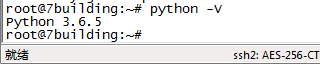
这个时候使用pip -V查询,会发现pip还是python3.5的pip,如何指向python3.6呢,首先是删除pip
apt-get remove python3-pip
apt-get autoremove
然后再安装pip
apt-get install python3-pip
发现pip还是指向 python3.5的,这个时候再用python3.6指定升级一下pip:
python3.6 -m pip install --upgrade pip
然后查询pip
然后再次命令行输入python3 -V
发现还是python3.5的。
输入which python3查看快捷键的路径。
然后cd /usr/bin/进到该目录。
rm python3
删除快捷键。
创建软链接
ln -s python3.6 python3
再次python3 -V

python版本的卸载
1、卸载python3.4
sudo apt-get remove python3.4
2、卸载python3.4及其依赖
sudo apt-get remove --auto-remove python3.4
3、清除python3.4
sudo apt-get purge python3.4
or
sudo apt-get purge --auto-remove python3.4
版权声明:本文为weixin_35340730原创文章,遵循CC 4.0 BY-SA版权协议,转载请附上原文出处链接和本声明。