1. 为什么使用分区表?
- 条件:假如现有一个角色表
t_all_hero,该表中有6个清洗干净的互不干扰的数据文件:射手、坦克、战士、法师、刺客、辅助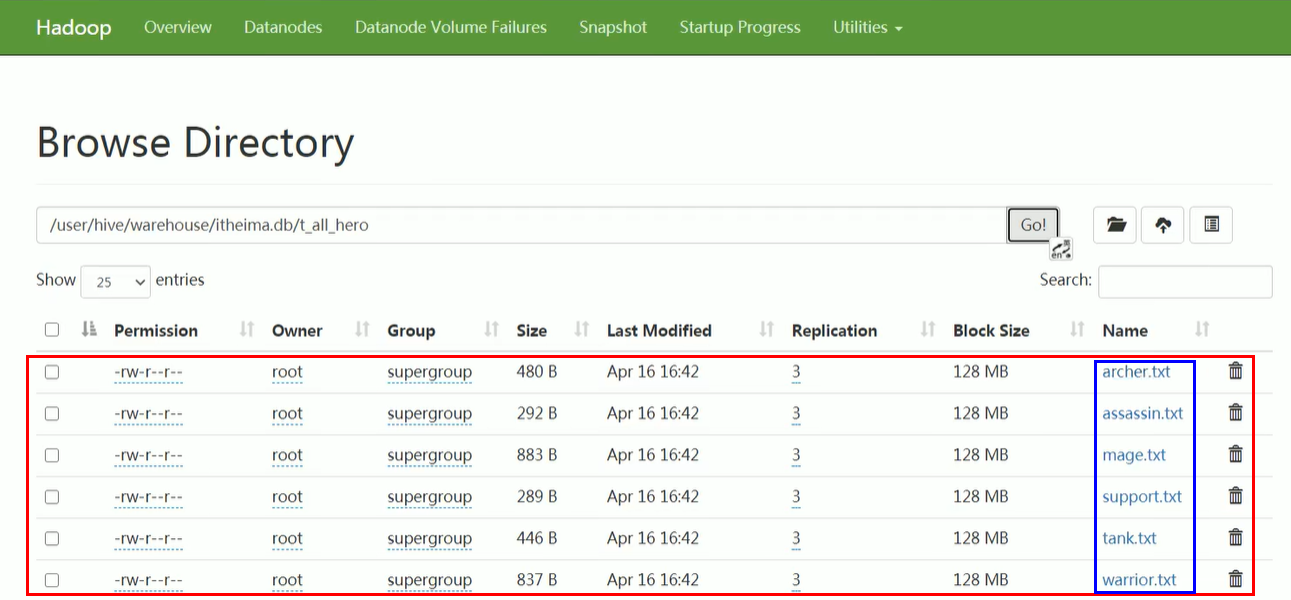
- 要求:查找出名字为射手且生命值大于6000的角色人数
- 惯性解决方法:按照MySQL思维很容易想到

- 问:如何提高效率?这样虽然能够解决问题,但是由于要进行全表扫描,效率非常低。
- 答:由于6个文件已经清洗好了,且互不干扰,所以我们只需要从
archer.txt中进行扫描就可以了。
总结:为了避免查询时进行全表扫描,Hive可以根据指定的字段对表进行分区扫描,提高查询效率。
2. 创建分区表
在创建分区表时选择CLUSTERED BY关键字。比如:
create table person(
	id int,
	name string comment '名字',
	sex string comment '性别',
	city string comment '城市'
)
-- 分区字段可以是1个,也可以是多个
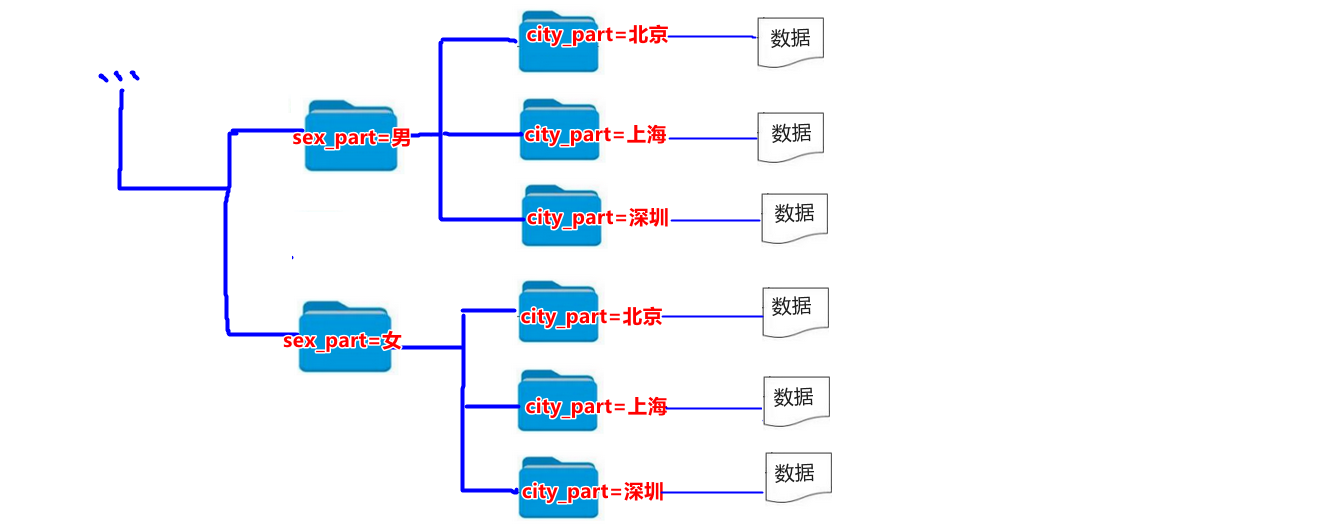
partitioned by (sex_part string, city_part string)
注意:
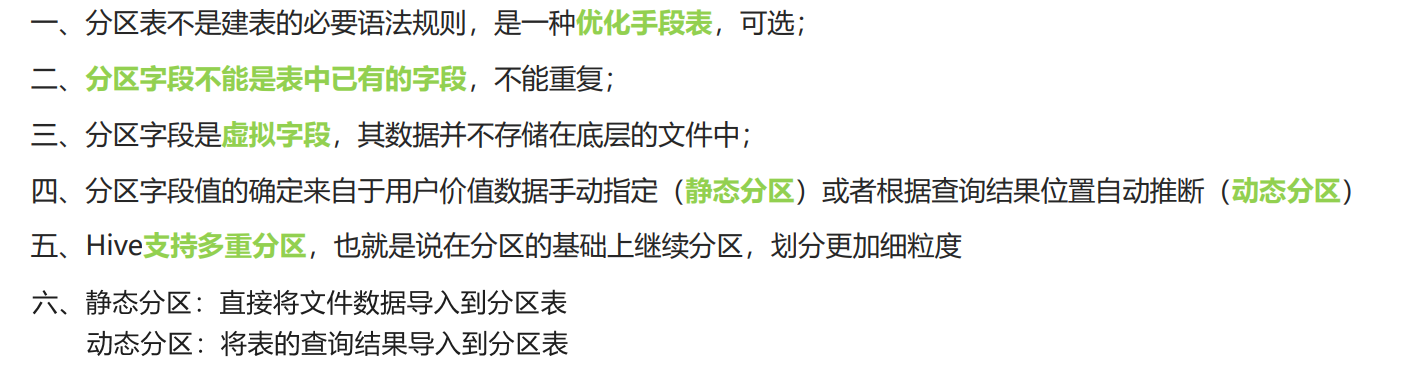
- 分区字段不能是表中已经存在的字段,开发中一般是对某字段取别名做为分区字段。
- 分区字段最终也会以虚拟字段的形式显示在表结构上。如果以
select * from person;,则查询结果会显示分区字段sex_part、city_part。- 分区字段本质上是将打上相同分区标签的数据放在同一个文件夹下,利用文件夹来区分不同数据。
- 分区字段可以是1个,也可以是多个。
3. 分区表的数据导入
一旦创建了分区表,那么在向该分区表中导入数据时,就必须指定分区字段的值,即指定每条数据属于哪一个分区。而:
- 如果需要手动指定分区字段的值,叫做静态分区;
- 如果自动指定分区字段的值,叫动态分区。
(1) 静态分区
语法:使用
load data+into table关键字:load data [local] inpath 'filepath ' into table tablename partition(分区字段1='分区值1', 分区字段1='分区值2'...);直接将文件数据导入到分区表
例子:
load data local inpath '/root/hivedata/archer.txt' into table t_all_hero_part partition(role='sheshou');
load data local inpath '/root/hivedata/assassin.txt' into table t_all_hero_part partition(role='cike');
load data local inpath '/root/hivedata/mage.txt' into table t_all_hero_part partition(role='fashi');
load data local inpath '/root/hivedata/support.txt' into table t_all_hero_part partition(role='fuzhu');
load data local inpath '/root/hivedata/tank.txt' into table t_all_hero_part partition(role='tanke');
load data local inpath '/root/hivedata/warrior.txt' into table t_all_hero_part partition(role='zhanshi');
然后,在hdfs中查看可知,文件结构由
表名文件夹/文件名变为表名文件夹/分区字段=分区值/文件名:中间多了一层文件夹。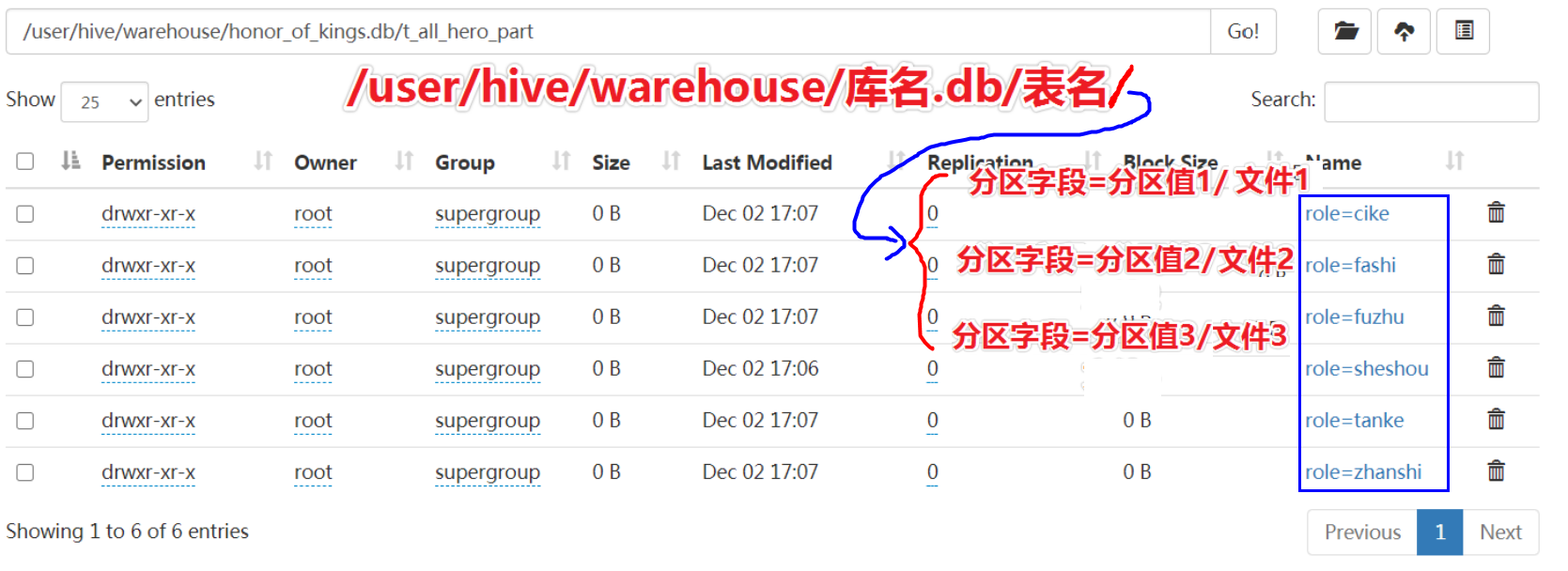
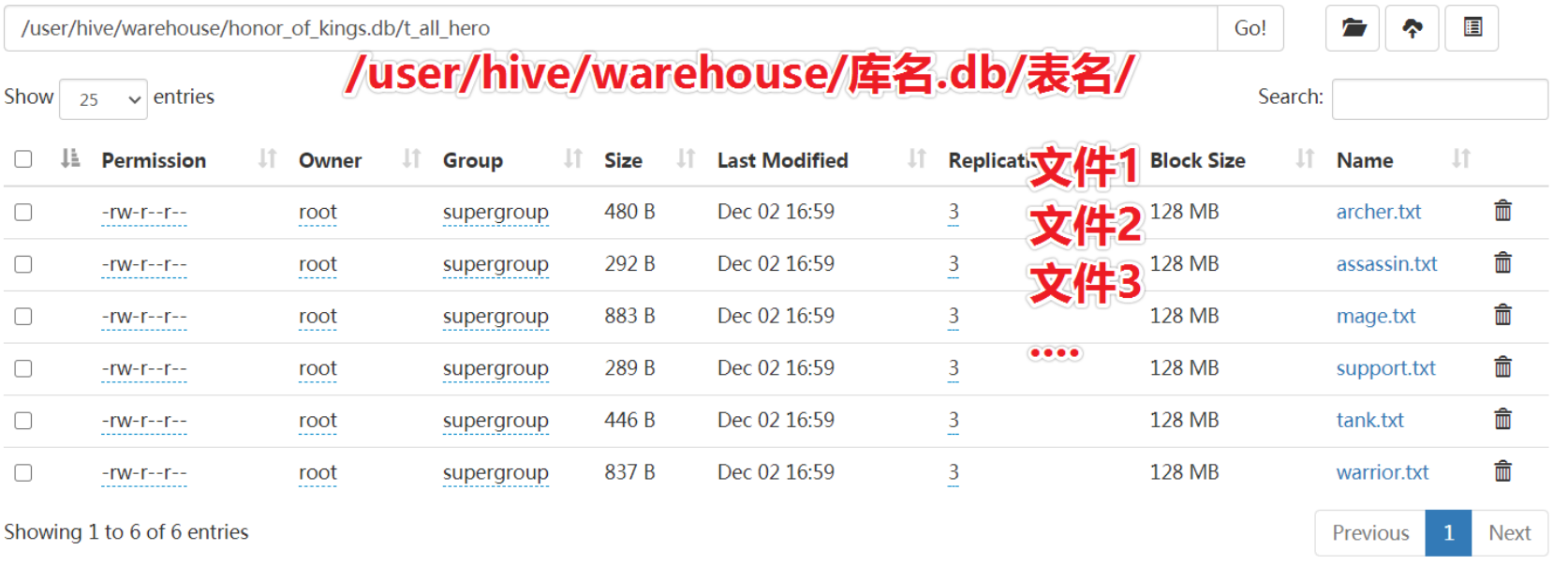
对比创建普通表,不是分区表时,hdfs中文件结构为:
(2) 动态分区
在静态分区中,可以发现有几个分区值,就要使用load data + into table分几次导入数据,较麻烦。
动态分区解决了这个问题,只需要一次加载全部数据,就可以为全部数据打上标签。
首先要预先设置动态分区:
-- 是否开启动态分区功能
set hive.exec.dynamic.partition=true;

-- 指定动态分区模式,分为nonstick非严格模式和strict严格模式。
-- strict严格模式要求至少有一个分区为静态分区。
set hive.exec.dynamic.partition.mode=nonstrict;
语法:使用
insert into table+select关键字insert into table 分区表名称 partition(分区字段1名称, 分区字段2名称) select ..., 分区字段1按照table_name的哪个字段值分区,分区字段2按照table_name的哪个字段值分区 from table_name;将表的查询结果导入到分区表
例子:
--创建一张新的分区表 t_all_hero_part_dynamic
create table t_all_hero_part_dynamic(
	id int,
	name string,
	hp_max int,
	mp_max int,
	attack_max int,
	defense_max int,
	attack_range string,
	role_main string,
	role_assist string
) partitioned by (role string)
row format delimited fields terminated by "\t";

--执行动态分区插入
insert into table t_all_hero_part_dynamic partition(role) select tmp.*,tmp.role_main from t_all_hero
tmp;
4. 查询
4.1 查询分区表数据
对于分区表的查询,候尽量先使用where进行分区过滤,查询指定分区的数据,避免全表扫描。
比如:
-- role是分区字段
select count(*) from t_all_hero_part where role="sheshou" and hp_max >6000;
4.2 查询分区表结构
查看分区表有哪些分区字段
desc formatted table_name;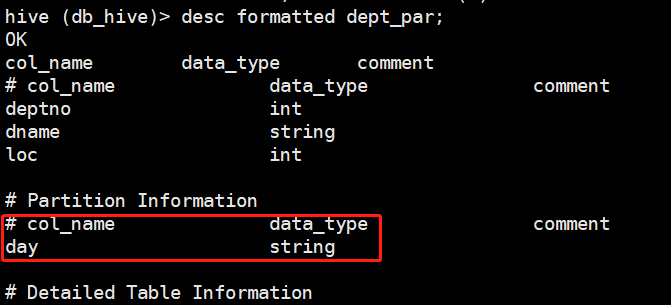
查看分区表分了几个区
show partitions table_name;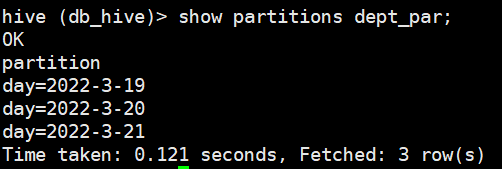
5. 小结
- 分区表好处:查询时可以避免全表扫描,提高查询效率。
版权声明:本文为qq_43546676原创文章,遵循CC 4.0 BY-SA版权协议,转载请附上原文出处链接和本声明。