一,安装软件
-----------------------------------------------------------------------------------------------------------------
注意:将安装文件解压到Oracle Home下,这里和Oracle 18c之前的版本不同,之前的版本解压的安装文件可以在任何位置,Oracle 解压的安装文件必须在Oracle Home下。因为仅从Oracle home运行runInstaller命令。不要从任何其他位置运行runInstaller。
最好是拷贝到ORACLE_HOME下面后进行一次授权
chomd -R 755 /u01/
-----------------------------------------------------------------------------------------------------------------
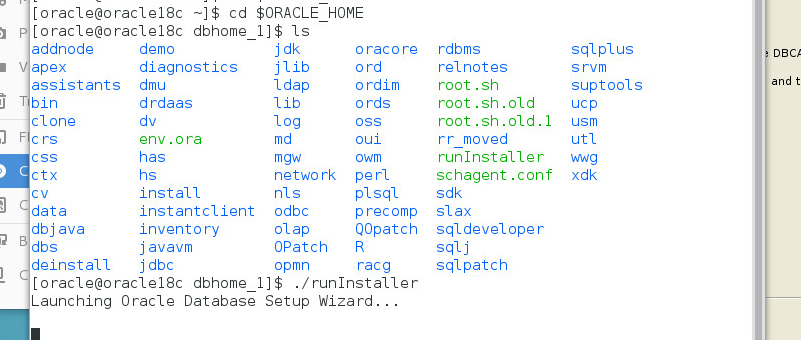
开启安装界面
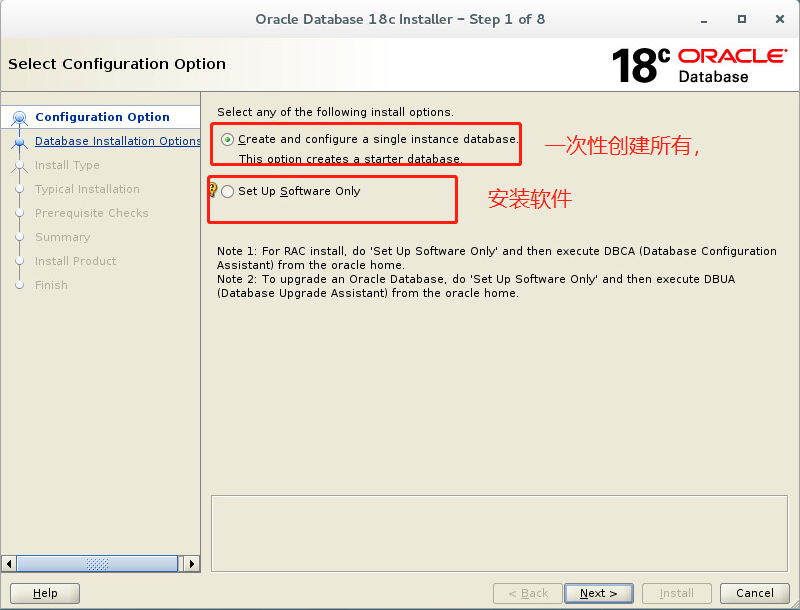
我们选择安装软件吧,等会搭建DG
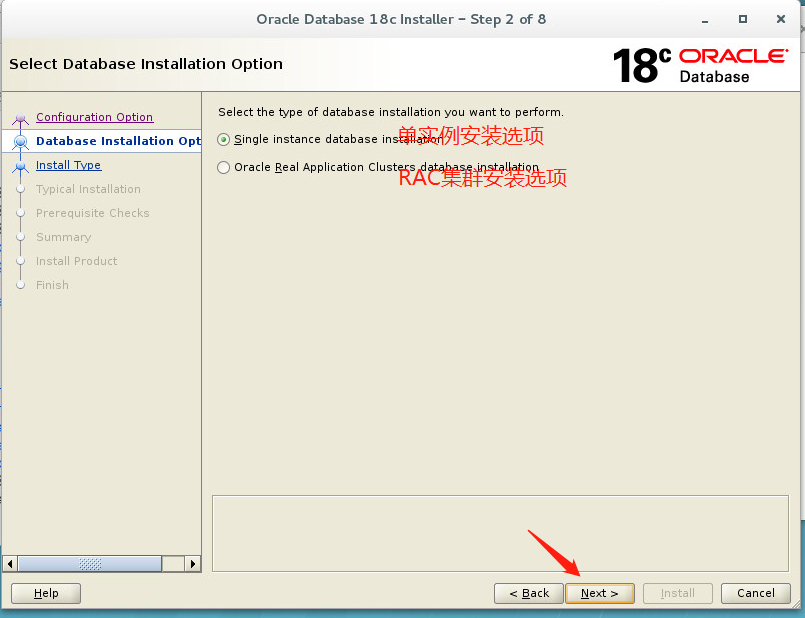
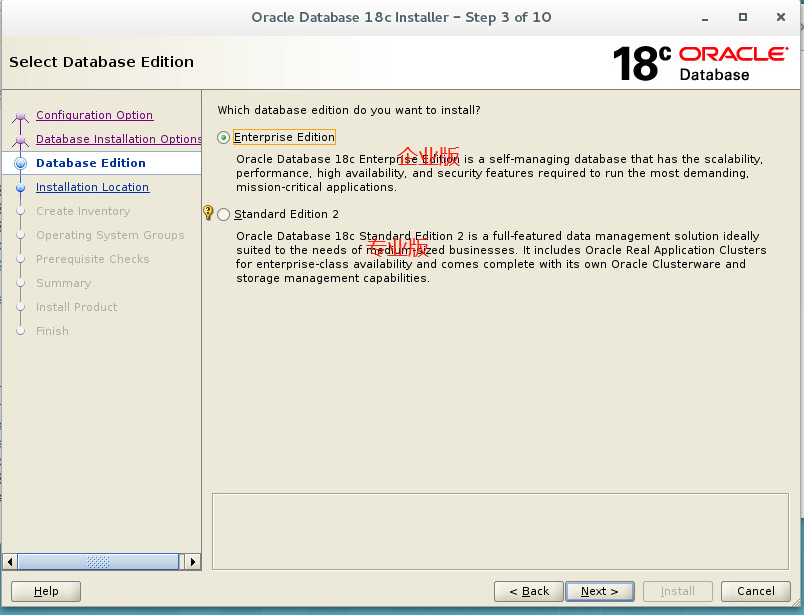
base路径
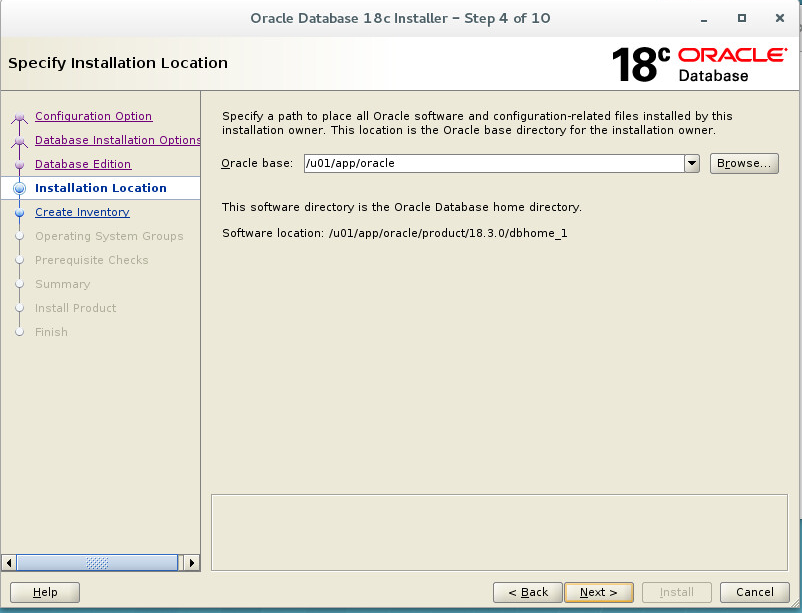
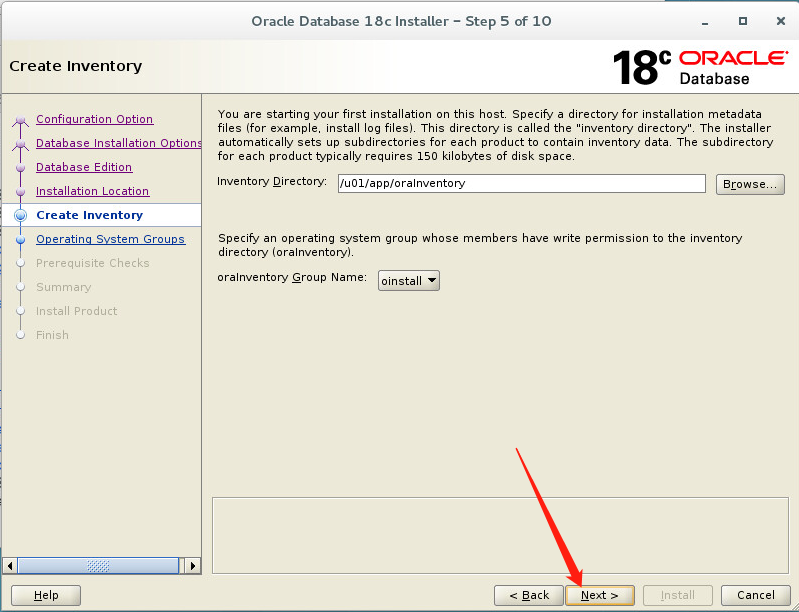
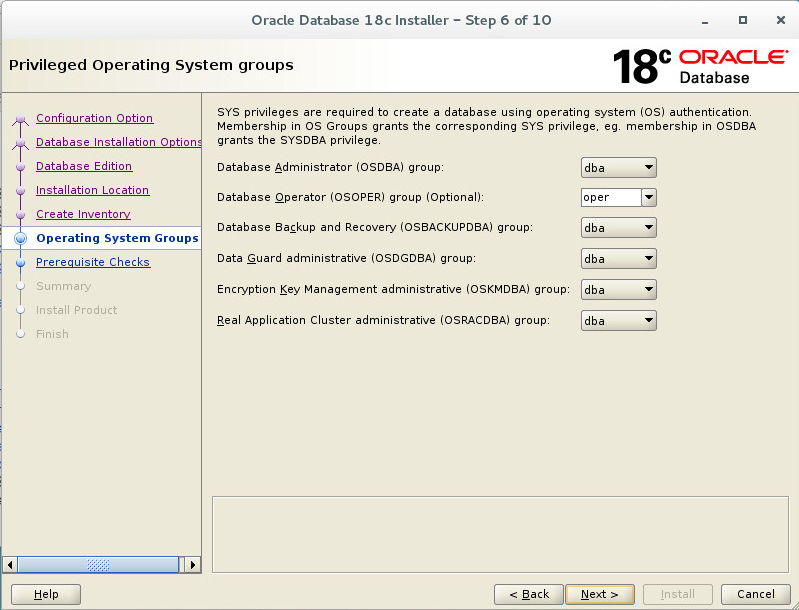
权限看是不是对的,自己根据情况配置
等待安装
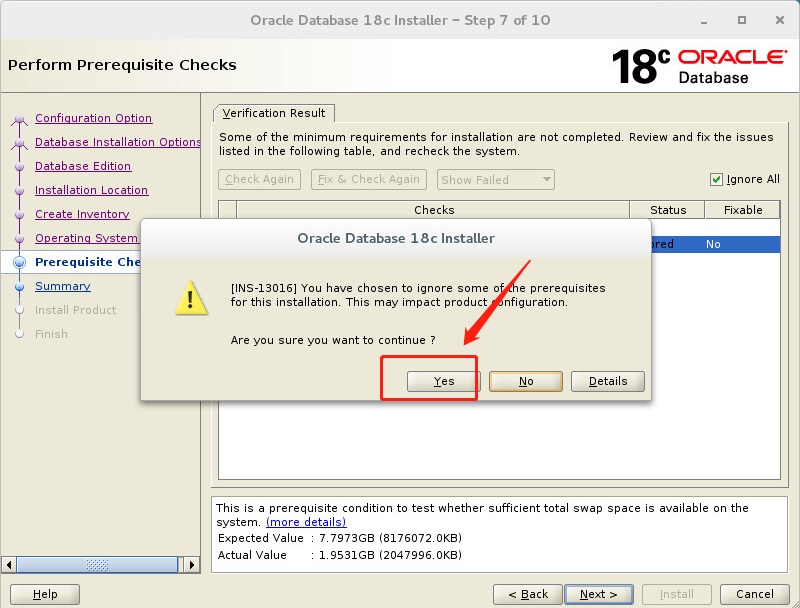
swap 勾选忽略,几点swap也会出现对应的错误信息,以及解决方法


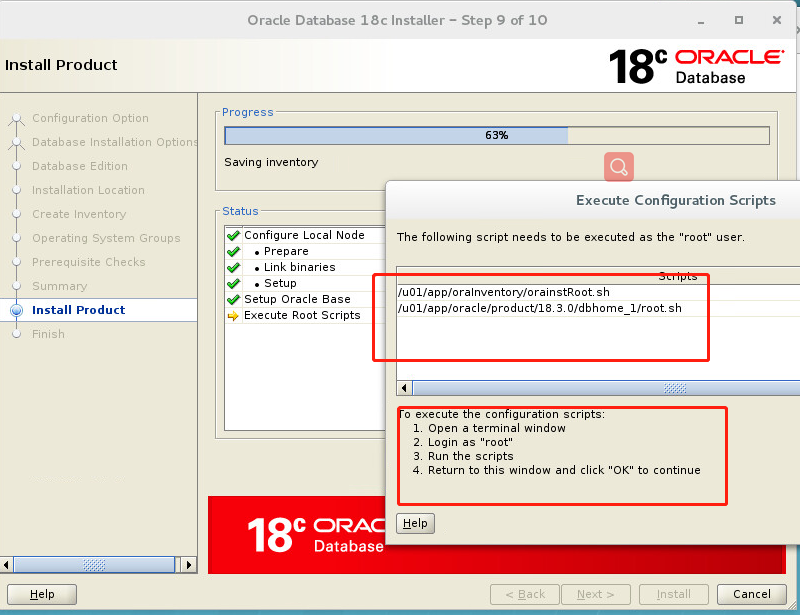
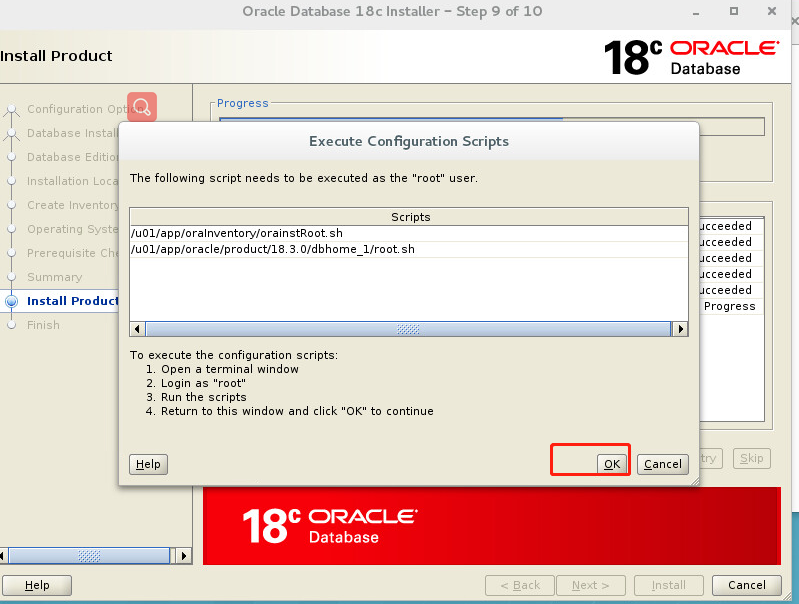
用root执行对应的脚本
[root@oracle18c ~]#sh /u01/app/oraInventory/orainstRoot.sh
Changing permissions of /u01/app/oraInventory.Addingread,write permissions for group.Removingread,write,execute permissions for world.Changing groupname of/u01/app/oraInventory to oinstall.The execution of the script is complete.[root@oracle18c ~]#sh /u01/app/oracle/product/18.3.0/dbhome_1/root.sh
Performing root user operation.The following environment variables are set as:ORACLE_OWNER=oracle
ORACLE_HOME= /u01/app/oracle/product/18.3.0/dbhome_1
Enter the full pathname of thelocal bin directory: [/usr/local/bin]:Copying dbhome to/usr/local/bin ...Copying oraenv to/usr/local/bin ...Copying coraenv to/usr/local/bin ...Creating/etc/oratab file...Entries will be added to the/etc/oratab file as needed by
Database Configuration Assistant when a database is created
Finished running generic part of root script.Now product-specific root actions will be performed.
Do you want to setup Oracle Trace File Analyzer (TFA) now ? yes|[no] :yes
Installing Oracle Trace File Analyzer (TFA).
Log File: /u01/app/oracle/product/18.3.0/dbhome_1/install/root_oracle18c_2019-08-30_13-39-07-182707693.logFinished installing Oracle Trace File Analyzer (TFA)
[root@oracle18c ~]#
执行完后点击OK