首先目录结构,项目名djangoProject1
有app一个模块
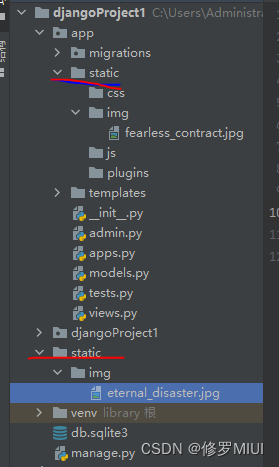
这里我们分别要访问static和app/static里面的资源
<!DOCTYPE html>
<html lang="en">
<head>
    <meta charset="UTF-8">
    <title>Title</title>
    <style>
        .img-div > img {
            width: 30%;
            padding: 10%;
        }

        .img-div {
            display: flex;
            align-items: center;
            justify-content: center;
        }
    </style>
</head>
<body>
<h1>用户列表</h1>
<div class="img-div">
    <img src="/static/img/fearless_contract.jpg"/>
    <img src="/static/img/eternal_disaster.jpg"/>
</div>
</body>
</html>
配置文件setttings.py
# 上面代码略
# 根静态目录
STATIC_URL = '/static/'
# 解决静态资源无法找到
STATICFILES_DIRS = [
    os.path.join(BASE_DIR, 'static').replace('\\', '/'),
    os.path.join(BASE_DIR, 'app/static').replace('\\', '/'),
]
# 下面代码略
最终结果
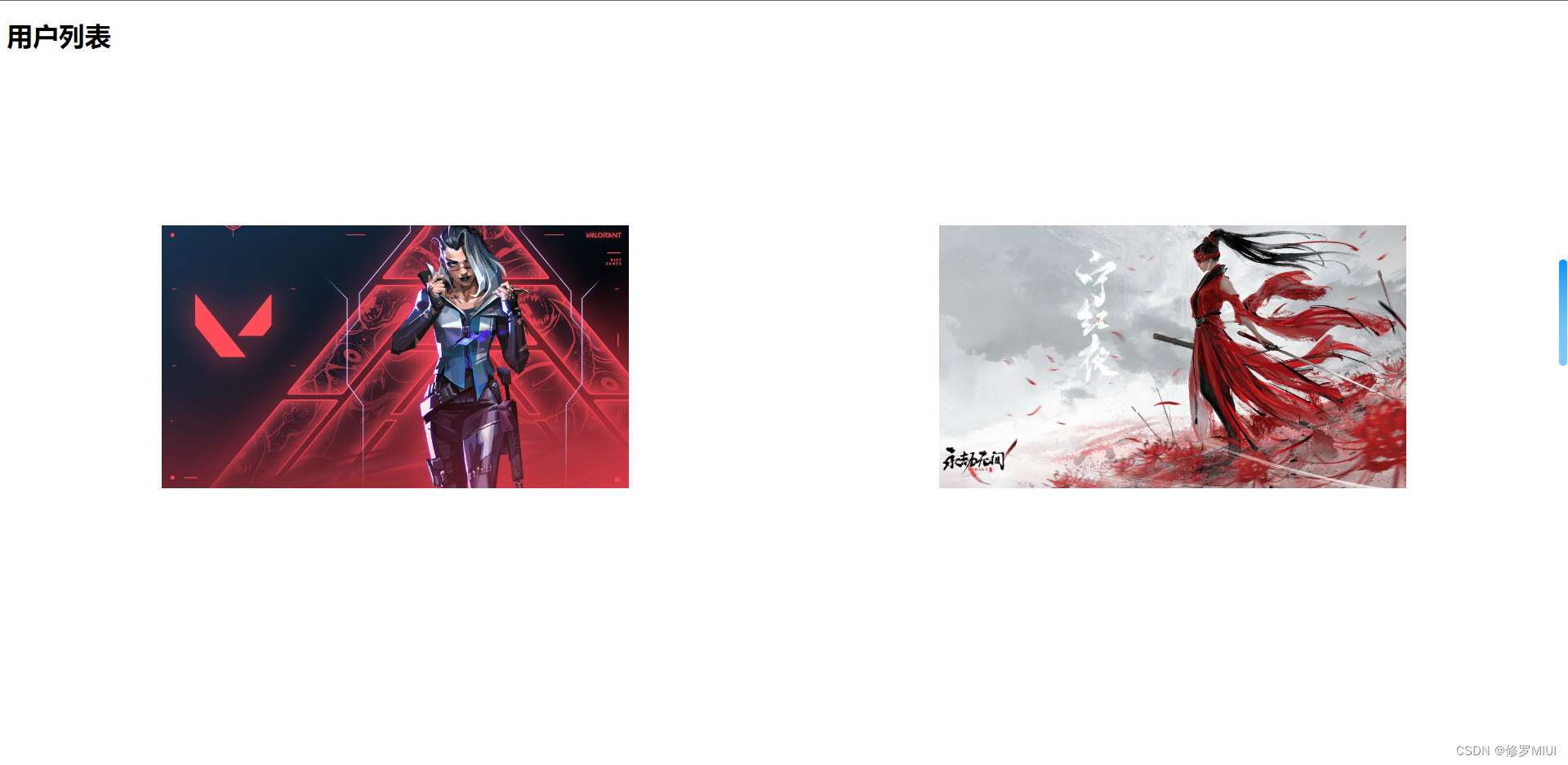
!!!另外的第二种写法(推荐)
html
{% load static %}
<!DOCTYPE html>
<html lang="en">
<head>
    <meta charset="UTF-8">
    <title>Title</title>
    <style>
        .img-div > img {
            width: 30%;
            padding: 10%;
        }

        .img-div {
            display: flex;
            align-items: center;
            justify-content: center;
        }
    </style>
</head>
<body>
<h1>用户列表</h1>
<div class="img-div">
    <img src="{% static 'img/fearless_contract.jpg' %}"/>
    <img src="{% static 'img/eternal_disaster.jpg' %}"/>
</div>
</body>
</html>
settings.py
# 上面代码略
# 根静态目录
STATIC_URL = '/static/'
# 解决静态资源无法找到
# STATICFILES_DIRS = [
#    os.path.join(BASE_DIR, 'static').replace('\\', '/'),
#    os.path.join(BASE_DIR, 'app/static').replace('\\', '/'),
#]
# 下面代码略
版权声明:本文为weixin_45843676原创文章,遵循CC 4.0 BY-SA版权协议,转载请附上原文出处链接和本声明。