SERVLET
使用10.0tomcat导入SERVLET得用tomcat/lib里的servlet-api.jar
<url-pattern>/myServlet</url-pattern>

拼接到 `http://ip:port/工程路径`即http://ip:port/工程路径/myServlet
jsp+servlet实现login和register
能传回来数据,login和regiser网页能正常输入
但是不能连接到MySQL和表格的数据进行比对并返回Boolean值
很迷,啊,MySQL连上了,但是不知道怎么设置
登录界面:

注册界面:
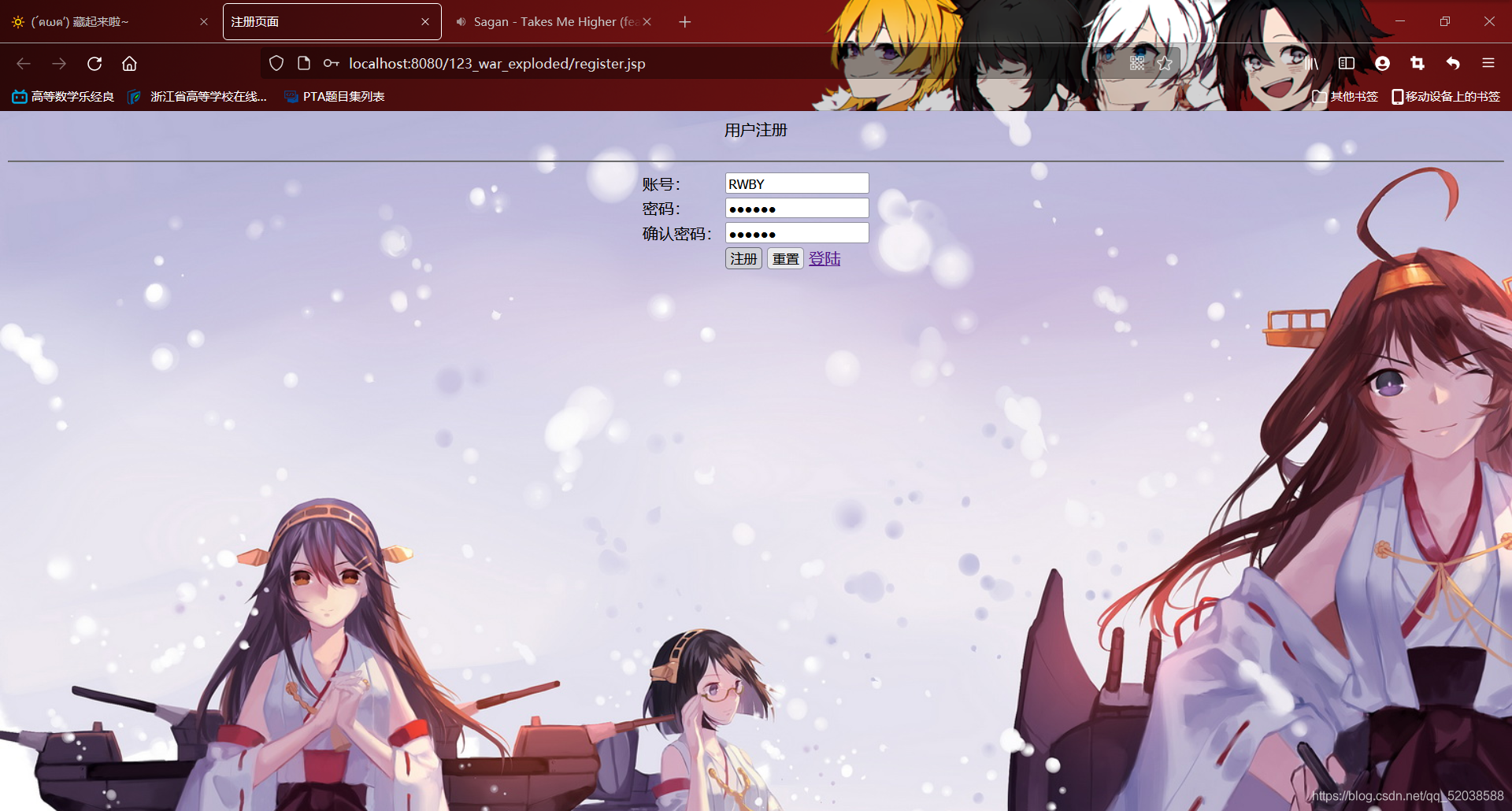
这个数据库连接和查询,啊,不是很懂
java的myServlet各种功能有学姐指导还算简单的
代码:
package com;

import jakarta.servlet.ServletException;
import jakarta.servlet.http.HttpServlet;
import jakarta.servlet.http.HttpServletRequest;
import jakarta.servlet.http.HttpServletResponse;

import java.io.IOException;

public class MySeverlet extends HttpServlet {
    @Override
    protected void doGet(HttpServletRequest req, HttpServletResponse resp) throws ServletException, IOException {
        String id=req.getParameter("id");
        System.out.println("id");
    }

    @Override
    protected void doPost(HttpServletRequest req, HttpServletResponse resp) throws ServletException, IOException {
        System.out.println("dopost");
    }
}
<%--
  Created by IntelliJ IDEA.
  User: 86188
  Date: 2021/7/27
  Time: 10:02
  To change this template use File | Settings | File Templates.
--%>
<%@ page language="java" contentType="text/html; charset=UTF-8" pageEncoding="UTF-8"%>
<!DOCTYPE html>
<html>
<head>
    <meta http-equiv="Content-Type" content="text/html; charset=UTF-8">
    <title>用户登陆</title>
    <style type="text/css">
        h1{text-align:left;}
        h4{text-align:left;color:red;}
        body{background:url(images/2.jpg)}
        a{text-decoration:none;font-size:20px;color:black;}
        a:hover{text-decoration:underline;font-size:24px;color:red;}
    </style>
</head>
<body>
<form action=http://localhost:8080/web/wdnmd" method="post">
    <div class="text" style=" text-align:center;">用户登录</div>
    <hr/>
    <table align="center">
        <tr>
            <td>账号:</td>
            <td><input type="text" name="name" id="name"></td>
        </tr>
        <tr>
            <td>密码:</td>
            <td><input type="password" name="password" id="password"></td>
        </tr>
        <tr>
            <td colspan="1">
            </td>
            <td>
                <input type="submit" value="登陆"/>
                <input type="reset" value="重置"/>
                <a href="register.jsp" target="_blank">注册</a>
            </td>
        </tr>
    </table>
</form>
</body>
</html>
<%--
  Created by IntelliJ IDEA.
  User: 86188
  Date: 2021/7/27
  Time: 16:48
  To change this template use File | Settings | File Templates.
--%>
<%@ page language="java" contentType="text/html; charset=UTF-8" pageEncoding="UTF-8"%>
<html>
<head>
    <meta http-equiv="Content-Type" content="text/html; charset=UTF-8">
    <title>注册页面</title>
    <style type="text/css">
        h1{text-align:center;}
        h4{text-align:right;color:red;}
        body{background:url(images/2.jpg)}
    </style>
    <script type="text/javascript" src="js/jquery.min.js"></script>
    <script type="text/javascript">
        $(document).ready(function(){
            $("#form1").submit(function(){
                var id=$("#name").val();
                if(id.length==0){
                    $("#nameError").html("账号不能为空");
                    return false;
                }
                var password=$("#password").val();
                if(password.length==0){
                    $("#passwordError").html("密码不能为空");
                    return false;
                }
                var relpassword=$("#relpassword").val();
                if(relpassword.length==0){
                    $("#relpasswordError").html("确认密码不能为空");
                    return false;
                }

                if(password!=relpassword){
                    $("#relpasswordError").html("确认密码输入不正确");
                    return false;
                }
            });
        });
    </script>
</head>
<body>
<form action="http://localhost:8080/web/wdnmd" method="post" id="form1">
    <div class="text" style=" text-align:center;">用户注册</div>
    <h4></h4>
    <hr/>
    <table align="center">
        <tr>
            <td>账号:</td>
            <td>
                <input type="text" name="name" id="name"/>
                <div id="nameError" style="display:inline;color:red;"></div>
            </td>
        </tr>
        <tr>
            <td>密码:</td>
            <td>
                <input type="password" name="password" id="password">
                <div id="passwordError" style="display:inline;color:red;"></div>
            </td>
        </tr>
        <tr>
            <td>确认密码:</td>
            <td>
                <input type="password" name="relpassword" id="relpassword">
                <div id="relpasswordError" style="display:inline;color:red;"></div>
            </td>
        </tr>
        <tr>
            <td colspan="1">
            </td>
            <td>
                <input type="submit" value="注册"/>
                <input type="reset" value="重置"/>
                <a href="login.jsp" target="_blank">登陆</a>
            </td>
        </tr>
    </table>
</form>
</body>
</html>
/>
登陆
版权声明:本文为qq_52038588原创文章,遵循CC 4.0 BY-SA版权协议,转载请附上原文出处链接和本声明。