当按下ENTER时,它看起来像普通的文本框一样,但可以换行继续输入内容,将AcceptsReturn和TextWrapping属性用于多行文本框,Height="Auto"高度自动。
先看一下多行文本框效果:
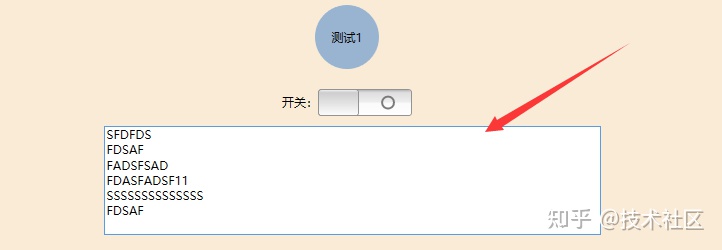
当设置AcceptsReturn属性时,Enter Key由AcceptsReturn,设置控件KeyDown事件 当判断按下Enter键,取消当前操作。
<TextBox Grid.Row="6" HorizontalAlignment="Center" Height="Auto" Margin="10,10,0,0"
             TextWrapping="Wrap" VerticalAlignment="Top"
             Width="497" AcceptsReturn="True"
             KeyDown="TextBoxKeyDown" />
private void TextBoxKeyDown(object sender, KeyEventArgs e)
{
var textbox = sender as TextBox;
if (e.Key == Key.Enter &&
!(Keyboard.IsKeyDown(Key.LeftCtrl) || Keyboard.IsKeyDown(Key.RightCtrl)) &&
!(Keyboard.IsKeyDown(Key.LeftShift) || Keyboard.IsKeyDown(Key.LeftShift)))
{
textbox.Text = "";
e.Handled = true;
}
}推荐一款WPF MVVM框架开源项目:Newbeecoder.UI
Newbeecoder.UI开源项目
Demo下载:
 https://share.weiyun.com/py6W1dcK
版权声明:本文为liaohaiyin原创文章,遵循CC 4.0 BY-SA版权协议,转载请附上原文出处链接和本声明。