1.报错信息:Could not autowire. No beans of 'RabbitTemplate' type found.
2.解决方法:在左上角的File中打开Setting→Editor→Inspections,然后找到Spring→Spring Core→Core,最后点击那一行,将Error改为Warning,下划线就消失了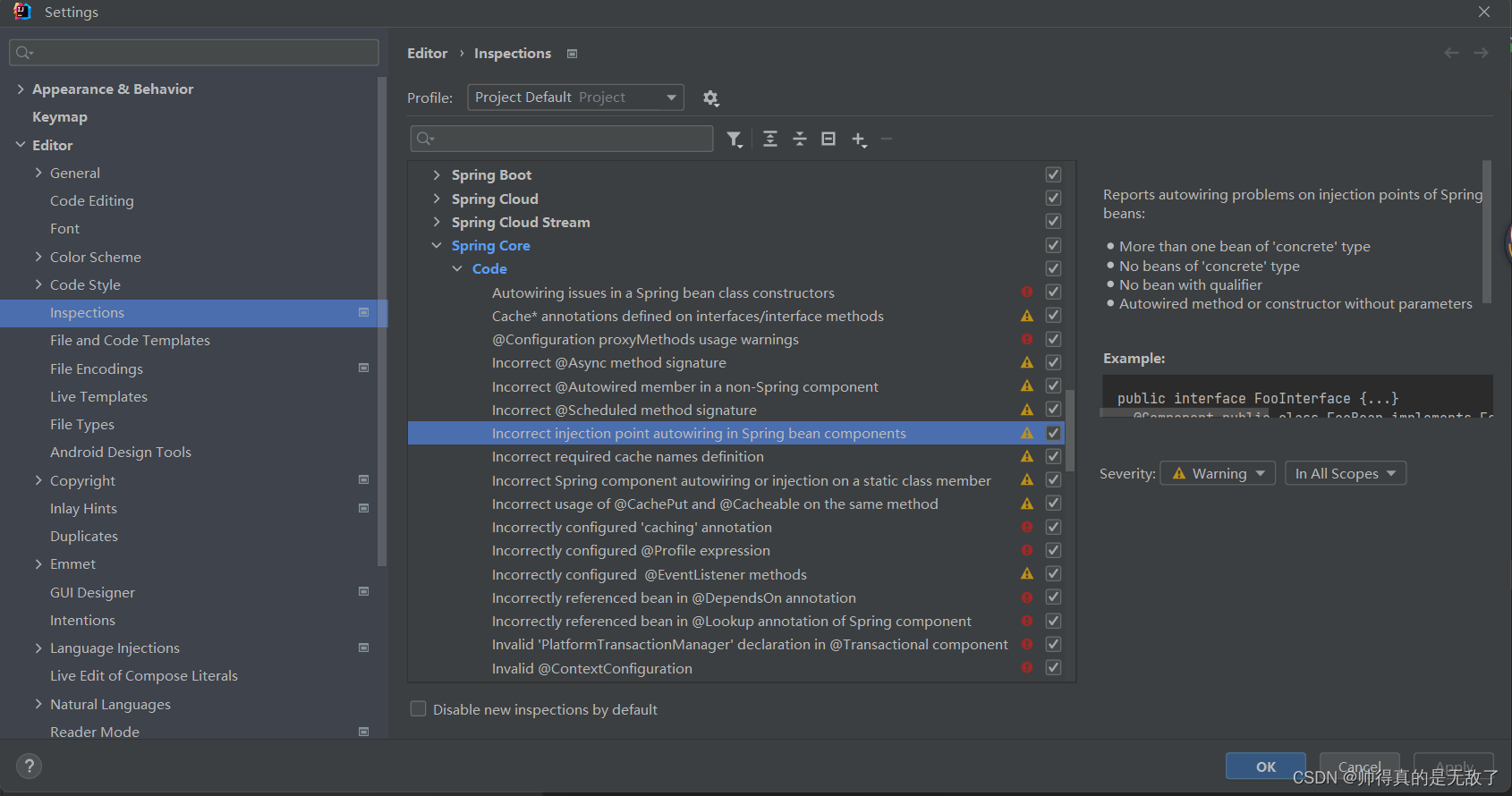
版权声明:本文为weixin_49076273原创文章,遵循CC 4.0 BY-SA版权协议,转载请附上原文出处链接和本声明。
1.报错信息:Could not autowire. No beans of 'RabbitTemplate' type found.
2.解决方法:在左上角的File中打开Setting→Editor→Inspections,然后找到Spring→Spring Core→Core,最后点击那一行,将Error改为Warning,下划线就消失了