如果要修改某个第三方库,那么就不能用pip install xxx, 而要找到源码clone下来。
修改版httprunner使用步骤:
- 下载新版本 源码
- 激活虚拟环境
source venv/bin/activate - 下载依赖库文件
pip install -r requirements.txt - 执行测试
python test.py run tt01/testcases
之前标准
httprunner run xxx等命令,全部改为python test.py hrun xxx执行,代码全部改完后,可以做个alias映射
修改默认执行命令
- 默认的hrun命令不会生成测试报告,每次都需要手动添加命令
--html=report.html,修改cli.py, 将main_run()方法的最后一行return pytest.main(extra_args_new), 改为如下代码即可执行时默认生成html格式和allure的测试报告.time_stamp = time.strftime('%Y%m%d%H%M%S',time.localtime(time.time())) report_name = './reports/'+ time_stamp+'report'+'.html' extra_args_new.append('--capture=sys') #显示日志详情,避免出现 No log output captured错误 extra_args_new.append('--html=%s'%report_name ) extra_args_new.append('--self-contained-html' ) extra_args_new.append('--alluredir=./my_allure_results' ) extra_args_new.append('--clean-alluredir' ) return pytest.main(extra_args_new)需要额外安装
pip install pytest-html, 否则会提示pytest: error: unrecognized arguments: --html=report.html.因为pytest-html 是pytest的插件,不属于pytest库。
另外需要pip install allure-pytest, 生成的allure报告在本地用allure serve ./my_allure_results打开
优化断言正则匹配
如果要在断言里使用参数化变量,那只能使用assert_regex_match方式, 而这个校验要求提取的报文响应字段必须为str, 但是经常会遇到报文里提取的字段是byte类型,无法做校验,因此需要在源码内将assert_regex_match的参数做一个强制转换.
打开comparators.py,改动的方法是:
def regex_match(check_value: Text, expect_value: Any, message: Text = ""):
    assert isinstance(expect_value, str), "expect_value should be Text type"
    check_value=str(check_value,encoding='utf-8')  #这一行就是新加的强制转换
    assert isinstance(check_value, str), "check_value should be Text type"
    assert re.match(expect_value, check_value), message
然后在测试用例里,只需要使用.assert_regex_match("body", "${res}")即可调用参数化的断言了.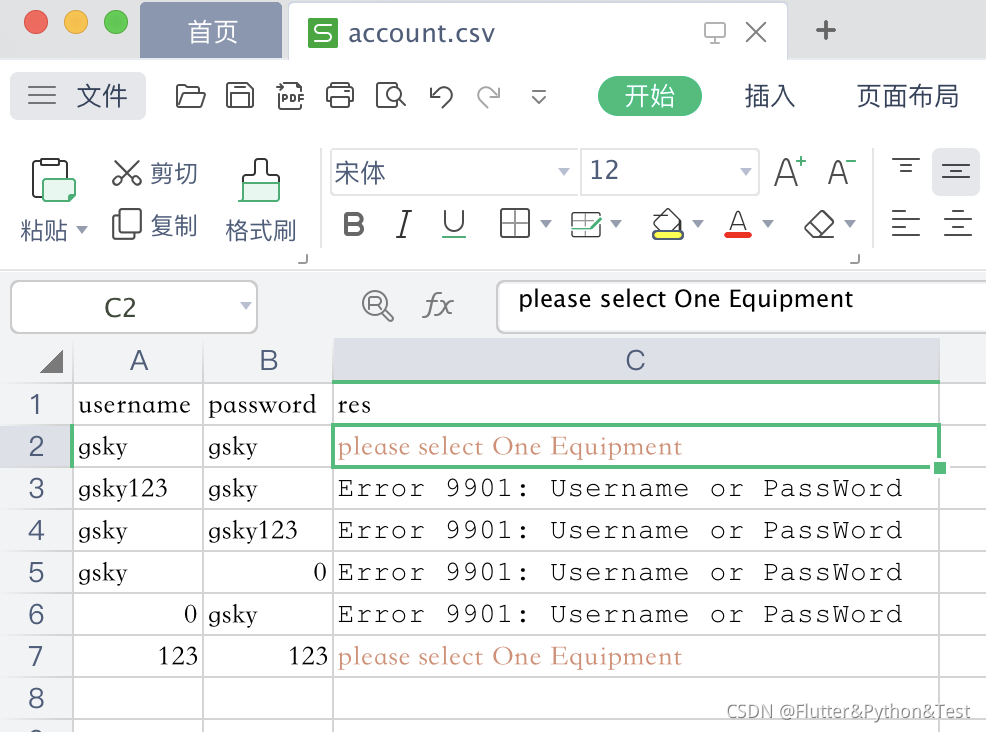
修改csv文件寻找方式
框架自身在使用csv文件时,需要在测试用例里传入csv文件的绝对路径,或者相对本测试用例的路径,而无法调用本测试用例上一级专用数据文件夹的文件.
为了将数据和代码进一步分离,需要把调用的csv文件绝对路径地址写到环境变量.env文件里,后续只需要维护这个文件的内容即可.
在loader.py的def load_csv_file(csv_file: Text) -> List[Dict]:方法内,优先使用环境变量里配置的csv文件路径:
将csv_file = os.path.join(project_meta.RootDir, *csv_file.split("/")):改为
        # csv_file = os.path.join(project_meta.RootDir, *csv_file.split("/"))
        try:
            temp = os.getenv(csv_file)
        except IOError:
            print('.evn文件中的环境变量account_path不存在')
        else:
            csv_file = temp
改完源码后,在测试用例使用时,测试用例可以使用两种方式:
- 传入
.env文件配置的环境变量name,值是csv文件所在绝对路径(推荐这个方式) - 直接在用例写入csv文件所在绝对路径
### 方式1
    @pytest.mark.parametrize(
        "param",
        Parameters(
            {"username-password-res":"${P(account_path)}"}
        ),
    )
### 特别注意,这里是"${P(account_path)}" ,而不是"${ENV(account_path)}"
### 方式2
	@pytest.mark.parametrize(
        "param",
        Parameters(
            {"username-password-res":"${P(/Users/gs/new_httprunner3/battle_cases/datas/account.csv)}"}
        ),
    )
