文章目录
前言
第三节课,
一、基于facenet_pytorch进行人脸识别
1. 安装
- 安装 pytorch库
- 安装 facenet_pytorch库
pip install facenet-pytorch
2. 使用InceptionResnetV1预训练模型
下载InceptionResnetV1 预训练模型预训练模型文件,将”20180402-114759.pb“、”model-20180402-114759.ckpt-275.data-00000-of-00001“、”model-20180402-114759.ckpt-275.index“和”model-20180402-114759.meta“文件,放置到”C:\Users\用户名.cache\torch\checkpoint“地址中,在之后运行的过程将会自动生成pt文件。
3. 准备图片
将lyf的两张图片放在代码目录下,图片如下。

4. 运行代码
以下代码会提取人脸的特征向量,计算特征向量的欧⽒距离,根据预先设定的阈值,如果⼩于阈值,那么这两张人脸是一个人,即”匹配“,否则输出”不匹配“。
import cv2
import torch
from facenet_pytorch import MTCNN, InceptionResnetV1

def load_known_faces(dstImgPath, mtcnn, resnet):
    aligned = []
    knownImg = cv2.imread(dstImgPath)
    face = mtcnn(knownImg)
    if face is not None:
        aligned.append(face[0])
    aligned = torch.stack(aligned).to(device)
    with torch.no_grad():
        known_faces_emb = resnet(aligned).detach().cpu()
    return known_faces_emb, knownImg

def match_faces(faces_emb, known_faces_emb, threshold):
    isExistDst = False
    distance = (known_faces_emb[0] - faces_emb[0]).norm().item()
    if(distance < threshold):
        isExistDst = True
    return isExistDst

if __name__ == '__main__':
    # 获取设备
    device = torch.device('cuda:0' if torch.cuda.is_available() else 'cpu')
    # mtcnn模型加载
    mtcnn = MTCNN(min_face_size=12, thresholds=[0.2, 0.2, 0.3],keep_all=True, device=device)
    # InceptionResnetV1模型加载
    resnet = InceptionResnetV1(pretrained='vggface2').eval().to(device)
    MatchThreshold = 0.8    # ⼈脸特征向量匹配阈值设置
    known_faces_emb, _ = load_known_faces('lyf.jpg',mtcnn, resnet)  # 已知⼈物图
    faces_emb, img = load_known_faces('lyf2.jpg', mtcnn,resnet) # 待检测⼈物图
    isExistDst = match_faces(faces_emb, known_faces_emb, MatchThreshold)
# ⼈脸匹配
    if isExistDst:
        boxes, prob, landmarks = mtcnn.detect(img, landmarks=True)
        print('匹配')
    else:
        print('不匹配')
5. 结果

二、初步学习flask
1. 安装flask
下载flask
pip install flask
2. 第一个简单的实验
代码如下:
from flask import Flask
app = Flask(__name__)
@app.route('/user')
def hello_world():
    return 'hello user'

@app.route('/user/<userid>')
def hello_userid(userid):
    return 'hello user'+userid

if __name__=='__main__':
    app.run(debug=True,port=9989,use_reloader=False)
在jupyter运行的时候需要设置use_reloader=False,在idle和pycharm运行时则不再需要。
结果: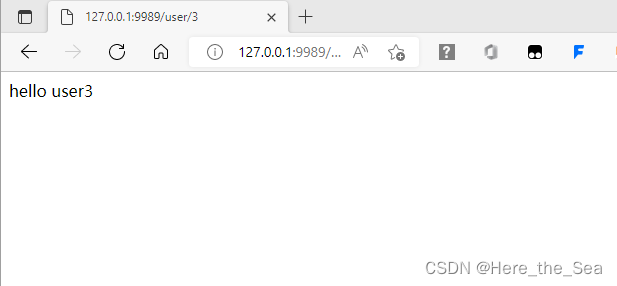
3. 第二个小实验
代码如下:
from flask import Flask
app = Flask(__name__)
@app.route('/user')
def hello_world():
    return 'hello user'

@app.route('/user/<userid>')
def hello_userid(userid):
    return 'hello user'+userid

if __name__=='__main__':
    app.run(debug=True,port=9989,use_reloader=False)
在jupyter运行的时候需要设置use_reloader=False,在idle和pycharm运行时则不再需要。
结果: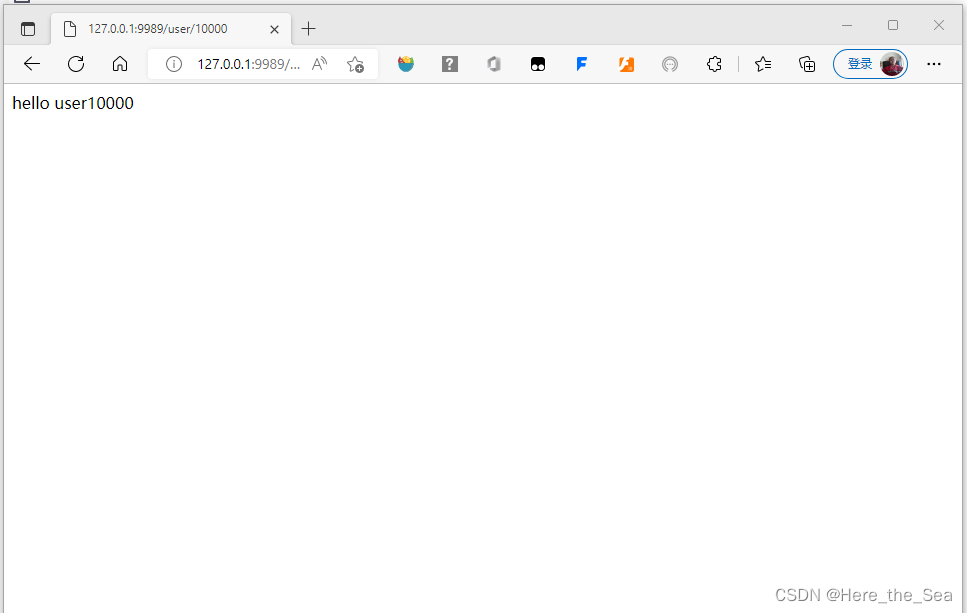
版权声明:本文为qq_46141123原创文章,遵循CC 4.0 BY-SA版权协议,转载请附上原文出处链接和本声明。