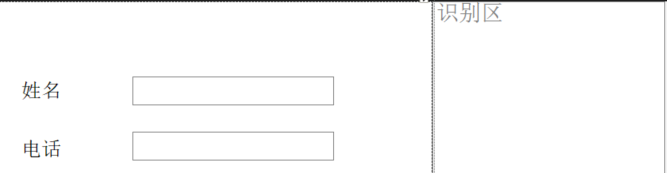
1、给窗体添加控件,文本框,改名为name,phone,shibie
2、给识别文本框添加TextChanged事件
代码如下:
			tring name = "";
			string phone = "";
            string[] P = System.Text.RegularExpressions.Regex.Split(shibie.Text.Replace(" ", ""), "[0-9]");
            //shibie.Text.Replace(" ", "")用于去除shibie字符串中的空格
            foreach (string s in P)
            {
                name += s;//遍历字符数组,整合成字符串
            }

            string[] P2 = System.Text.RegularExpressions.Regex.Split(shibie.Text.Replace(" ", ""), name);
            foreach (string s in P2)
            {
                phone += s;
            }
            this.name.Text = name;
            this.phone.Text = phone;
在识别框中输入 aaaa kkk 123456789,然后name,phone文本框自动出现了
效果图: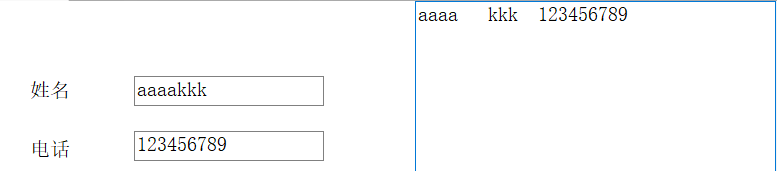
版权声明:本文为lx1315998513原创文章,遵循CC 4.0 BY-SA版权协议,转载请附上原文出处链接和本声明。