1、准备工作
rt补丁下载
https://mirrors.edge.kernel.org/pub/linux/kernel/projects/rt/3.18/older/patch-3.18.28-rt28.patch.gz
#我下载patch-3.18.28-rt28.patch.gz
内核源码下载
https://cdn.kernel.org/pub/linux/kernel/v3.x/linux-3.18.28.tar.xz
#我下载linux-3.18.28.tar.gz
安装make menuconfig 环境
sudo apt-get install libncurses-dev
将gz文件复制到/usr/src文件夹
#cd 到linux-3.18.28.tar.gz的文件夹或加上路径
sudo cp linux-3.18.28.tar.gz /usr/src
sudo cp patch-3.18.28-rt28.patch.gz /usr/src
解压
#cd /usr/src
sudo tar -xf  linux-3.18.28.tar.gz
2、配置RT
cd linux-3.18.28
sudo gzip -cd ../patch-3.18.28-rt28.patch.gz | patch -p1 --verbose
这里 …/patch-3.18.28-rt28.patch.gz是因为 patch-3.18.28-rt28.patch.gz文件在该目录的上一个目录(否则加上绝对路径)
error:patch: **** Can’t create temporary file Documentation/hwlat_detector.txt.o1WMoof : Permission denied
sudo -s
sudo gzip -cd ../patch-3.18.28-rt28.patch.gz | patch -p1 --verbose
3、配置内核
sudo make localmodconfig      #生成.config
sudo make menuconfig
error: /bin/sh: 1: bison: not found
sudo apt-get install bison
error:/bin/sh: 1: flex: not found
scripts/Makefile.lib:202: recipe for target ‘scripts/kconfig/zconf.lex.c’ failed
make[1]: *** [scripts/kconfig/zconf.lex.c] Error 127
Makefile:514: recipe for target ‘localmodconfig’ failed
sudo apt-get install flex
error: *** Unable to find the ncurses libraries or the
*** required header files.
*** ‘make menuconfig’ requires the ncurses libraries.
*** Install ncurses (ncurses-devel or libncurses-dev
*** depending on your distribution) and try again.
scripts/kconfig/Makefile:206: recipe for target ‘scripts/kconfig/dochecklxdialog’ failed
sudo apt-get install libncurses-dev
sudo make menuconfig后如下依次选择: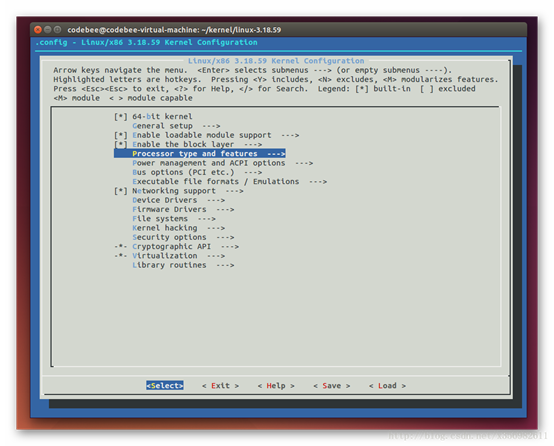
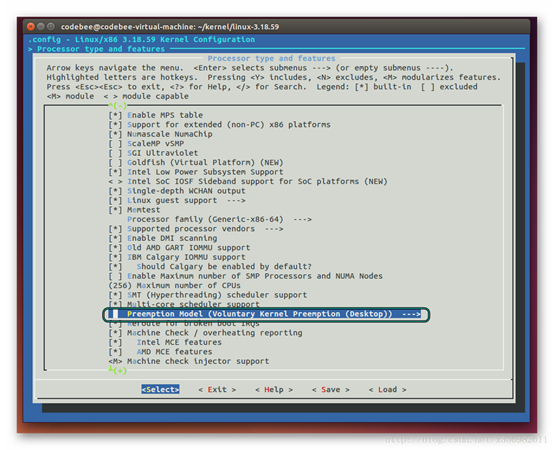
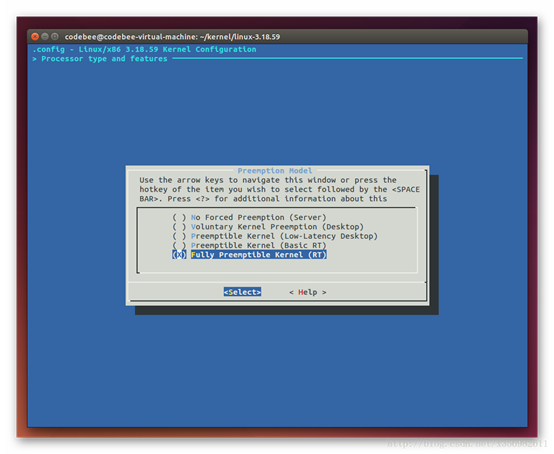
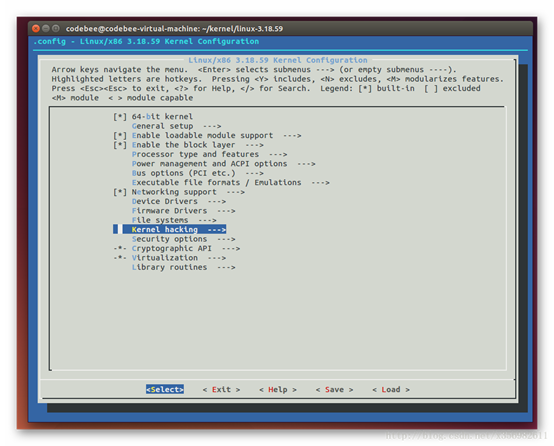
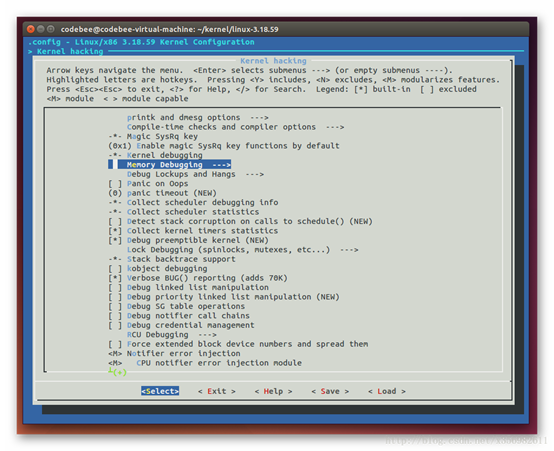
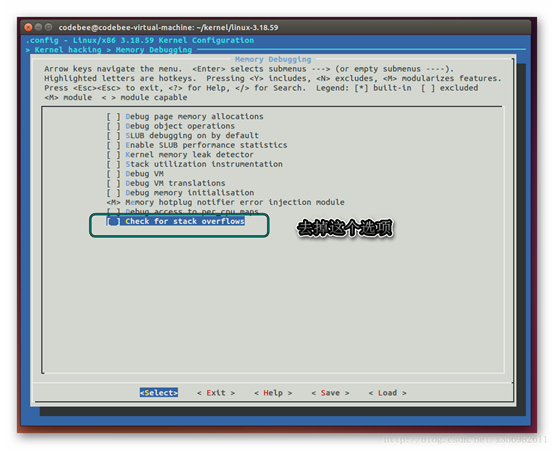
save-exit
编译安装
sudo make -j2 #编辑内核,耗时-j2是2个线程
error: scripts/sign-file.c:25:30: fatal error: openssl/opensslv.h: No such file or directory
sudo apt-get install libssl-dev
errot: The following packages have unmet dependencies:
libssl-dev : Depends: libssl1.0.0 (= 1.0.2g-1ubuntu4) but 1.0.2g-1ubuntu4.13 is to be installed
Depends: zlib1g-dev but it is not going to be installed
E: Unable to correct problems, you have held broken packages.
首先安装aptitude工具
sudo apt-get install aptitude
再利用aptitude来安装libssl-dev
sudo aptitude install libssl-dev
(n y y)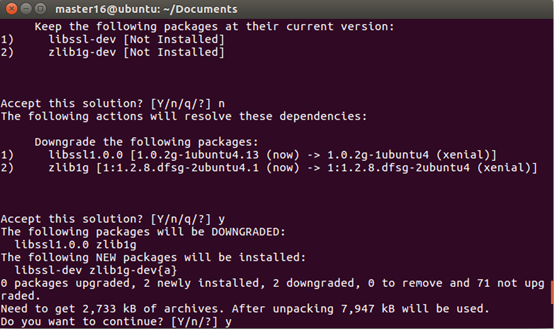
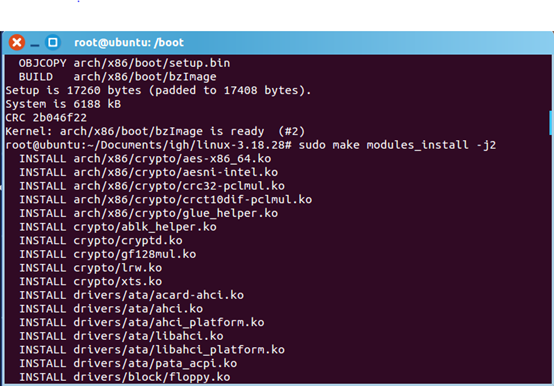
make install -j2的部分界面: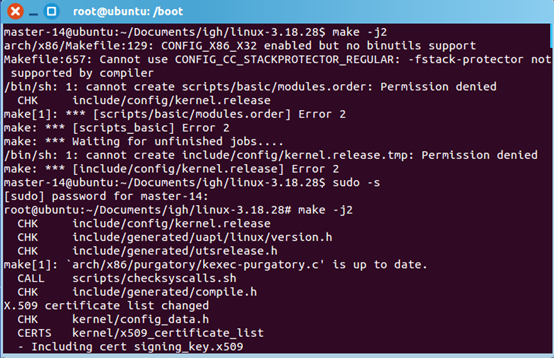
接着
sudo make modules -j2
sudo make modules_install -j2
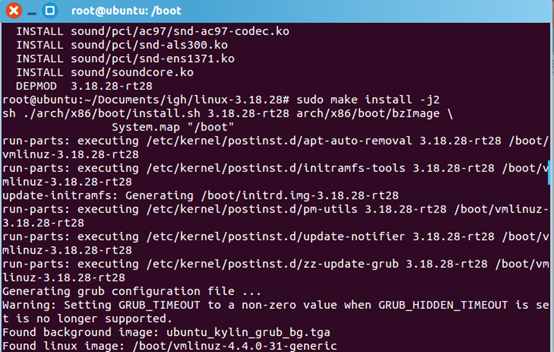
sudo make install -j2
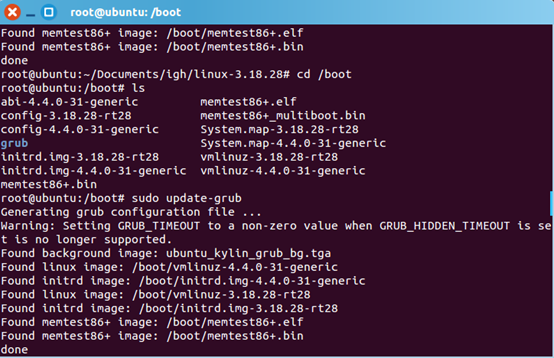
更新grub
cd /boot
ls   #查看是否成功生成rt核
sudo update-grub
vim /boot/grub/grub.cfg #看内核是否添加到grub,vim不行就用gedit
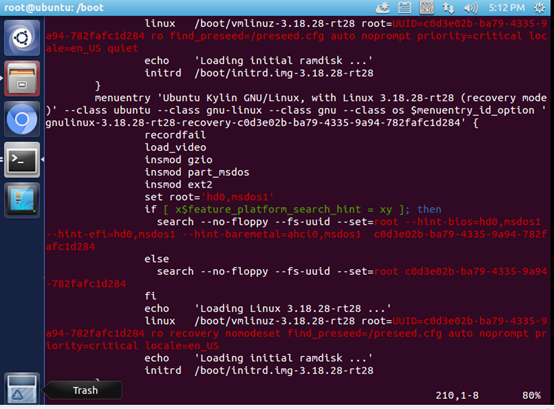
如果自动安装失败,就需要手动修改 /boot/grub/grub.conf 去配置启动项,如下图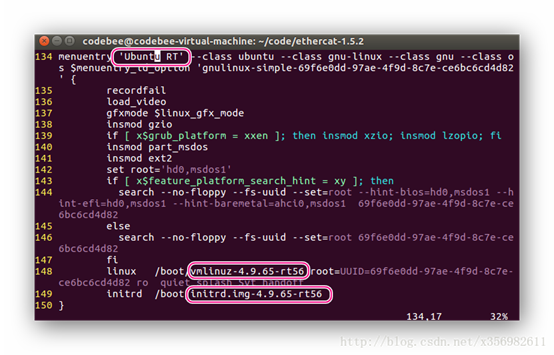
重启:
sudo reboot
shift+F12(或F2)
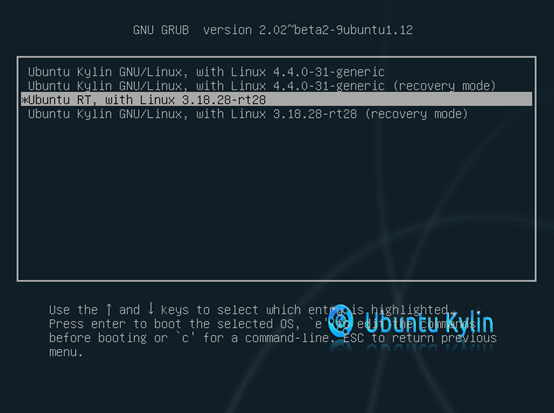
终端输入:uname –a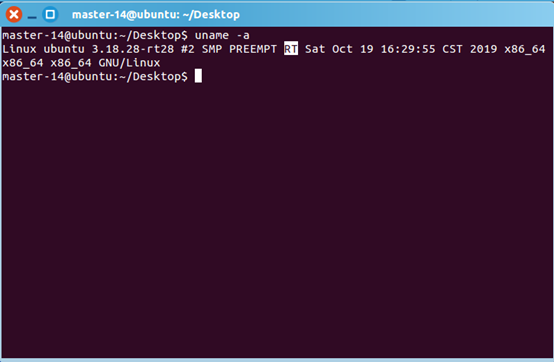
4 修改grub配置文件, 更改启动内核
查看grub目录
grep menuentry /boot/grub/grub.cfg
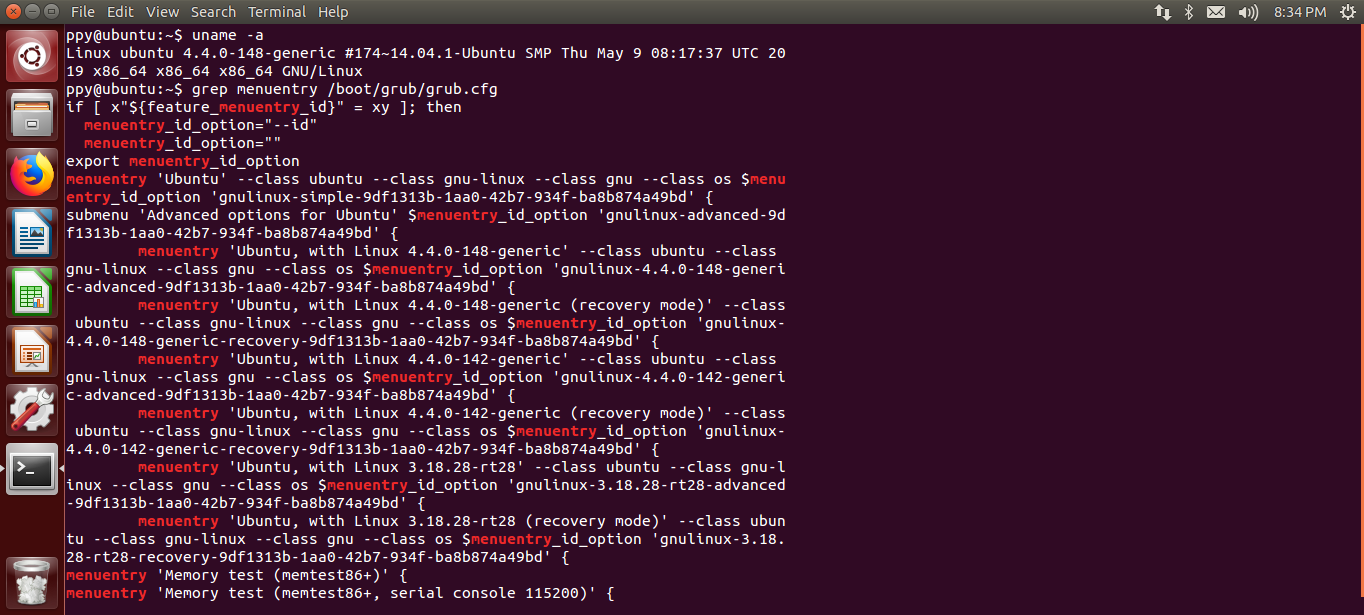
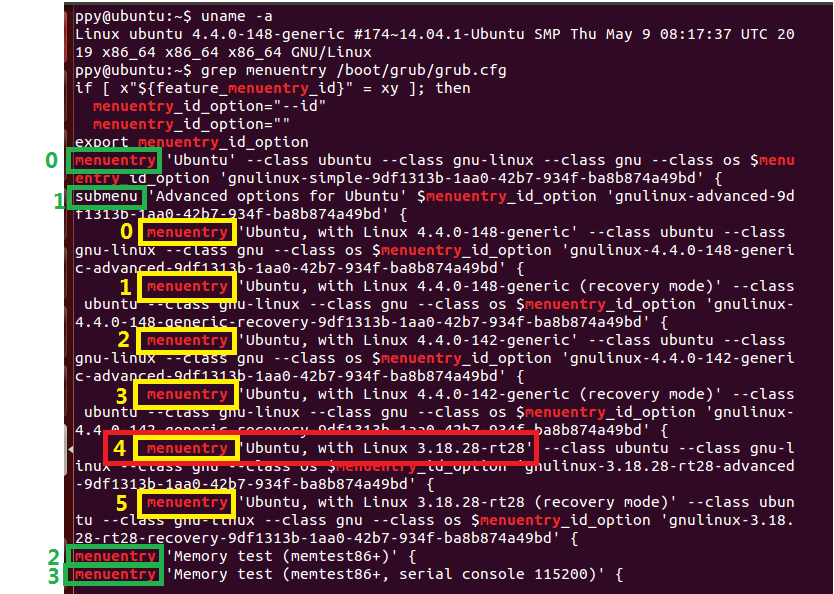
sudo gedit /etc/default/grub
修改
GRUB_DEFAULT=“1>4”
GRUB_DEFAULT=“1>4”,1时绿色的1,4是黄色的4
或者GRUB_DEFAULT=“Advanced options for Ubuntu>Ubuntu, with Linux 3.18.28-rt28”
更新,重启
sudo update-grub
sudo reboot
uname -r