目标是想让Toolbar不被DrawerLayout的NavigationView遮盖,一直显示。
以下代码运行于Android Studio 2.1.2, 手机5.1.1
1.按照Android Studio 模板Navigation Drawer Activity创建的项目:
xmlns:app="http://schemas.android.com/apk/res-auto"
xmlns:tools="http://schemas.android.com/tools"
android:id="@+id/drawer_layout"
android:layout_width="match_parent"
android:layout_height="match_parent"
android:fitsSystemWindows="true"
tools:openDrawer="start">
layout="@layout/content_main"
android:layout_width="match_parent"
android:layout_height="match_parent" />
android:id="@+id/nav_view"
android:layout_width="wrap_content"
android:layout_height="match_parent"
android:layout_gravity="start"
android:fitsSystemWindows="true"
app:headerLayout="@layout/nav_header_main"
app:menu="@menu/activity_main_drawer" />
xmlns:app="http://schemas.android.com/apk/res-auto"
xmlns:tools="http://schemas.android.com/tools"
android:layout_width="match_parent"
android:layout_height="match_parent"
android:fitsSystemWindows="true"
tools:showIn="@layout/activity_main"
tools:context="com.hooking.note.MainActivity">
android:layout_width="match_parent"
android:layout_height="wrap_content"
android:theme="@style/AppTheme.AppBarOverlay">
android:id="@+id/toolbar"
android:layout_width="match_parent"
android:layout_height="?attr/actionBarSize"
android:background="?attr/colorPrimary"
app:popupTheme="@style/AppTheme.PopupOverlay" />
android:id="@+id/fg_main_list"
android:layout_width="match_parent"
android:layout_height="match_parent"
app:layout_behavior="@string/appbar_scrolling_view_behavior"/>
android:id="@+id/fab"
android:layout_width="wrap_content"
android:layout_height="wrap_content"
android:layout_gravity="bottom|end"
android:layout_margin="@dimen/fab_margin"
android:background="?attr/colorPrimary"
android:src="@drawable/ic_add_white_24dp"
app:layout_behavior="@string/floating_action_button_behavior" />
主题是android studio项目模板默认的
false
true
true
@android:color/transparent
android:name=".MainActivity"
android:theme="@style/AppTheme.NoActionBar" />
运行结果如下:
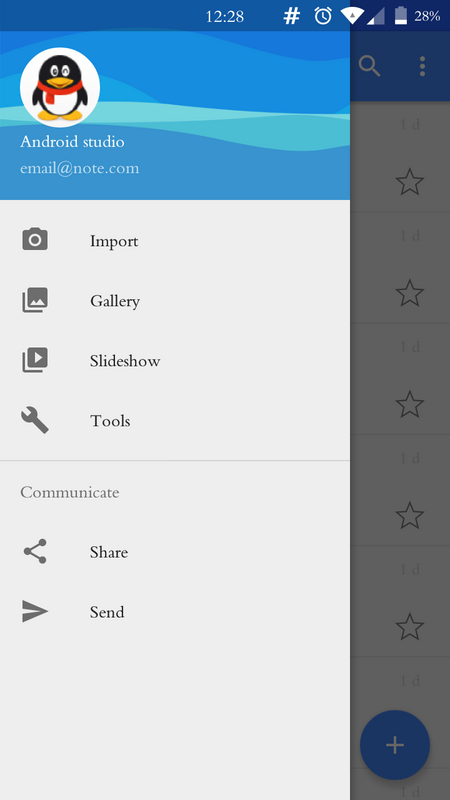
2.修改代码,使抽屉里的布局在Toolbar下面
xmlns:app="http://schemas.android.com/apk/res-auto"
xmlns:tools="http://schemas.android.com/tools"
android:layout_width="match_parent"
android:layout_height="match_parent"
android:fitsSystemWindows="true"
tools:context="com.hooking.note.MainActivity">
android:layout_width="match_parent"
android:layout_height="wrap_content"
android:theme="@style/AppTheme.AppBarOverlay">
android:id="@+id/toolbar"
android:layout_width="match_parent"
android:layout_height="?attr/actionBarSize"
android:background="?attr/colorPrimary"
app:layout_scrollFlags="scroll|enterAlways"
app:popupTheme="@style/AppTheme.PopupOverlay" />
android:id="@+id/fab"
android:layout_width="wrap_content"
android:layout_height="wrap_content"
android:layout_gravity="bottom|end"
android:layout_margin="@dimen/fab_margin"
android:background="?attr/colorPrimary"
android:src="@drawable/ic_add_white_24dp"
app:layout_behavior="@string/floating_action_button_behavior" />
xmlns:app="http://schemas.android.com/apk/res-auto"
xmlns:tools="http://schemas.android.com/tools"
android:id="@+id/drawer_layout"
android:layout_width="match_parent"
android:layout_height="match_parent"
android:fitsSystemWindows="false"//注1
app:layout_behavior="@string/appbar_scrolling_view_behavior"
tools:openDrawer="start">
android:id="@+id/fg_main_list"
android:layout_width="match_parent"
android:layout_height="match_parent"/>
android:id="@+id/nav_view"
android:layout_width="wrap_content"
android:layout_height="match_parent"
android:layout_gravity="start"
android:fitsSystemWindows="false"//注2
app:headerLayout="@layout/nav_header_main"
app:menu="@menu/activity_main_drawer" />
主题不变,运行结果如下:
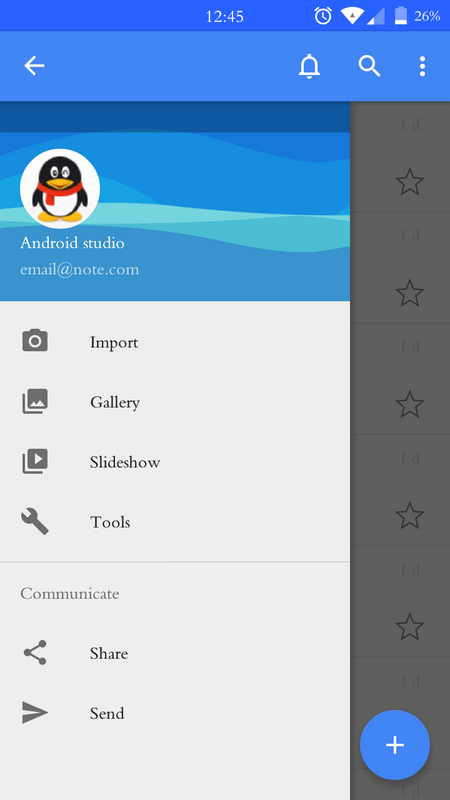
发现NavigationView的顶部有一与状态栏高度相等的遮罩层,请问怎样去掉这部分遮罩层的阴影。
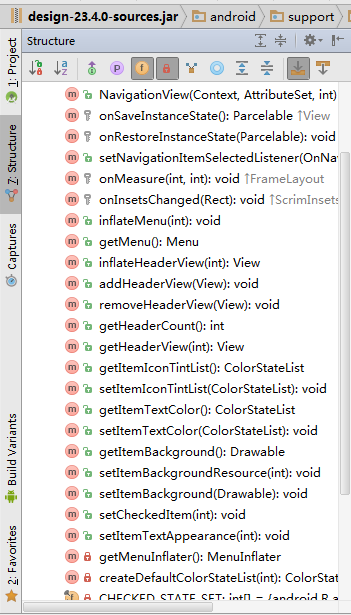
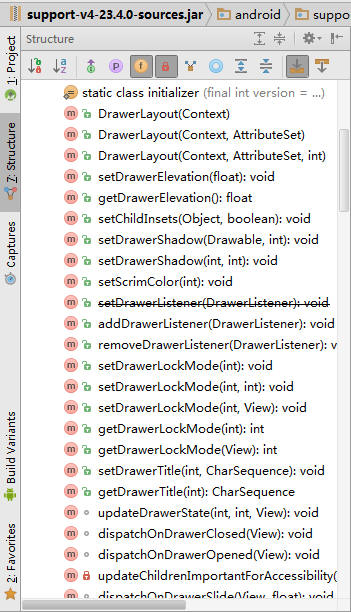
试过,修改DrawerLayout和NavigationView的布局属性;以及从以下代码涉及到颜色的函数着手修改,都没有效果
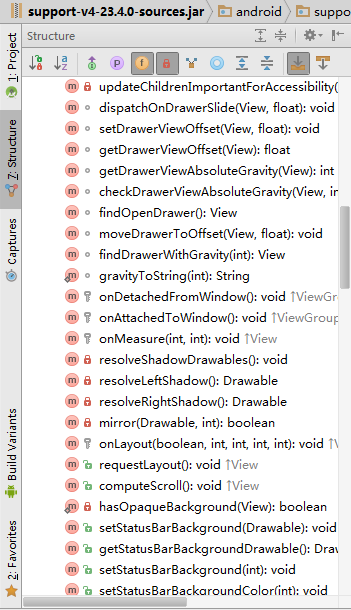
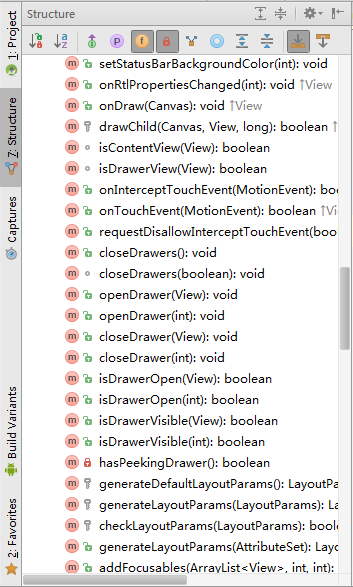
修改activity_main_2.xml、content_main_2.xml中DrawerLayout 【注1】 和NavigationView【注2】的 android:fitsSystemWindows="false"由false改为true,就出现了以下结果:可以看到内容区也多了状态栏同等高度的遮罩层阴影
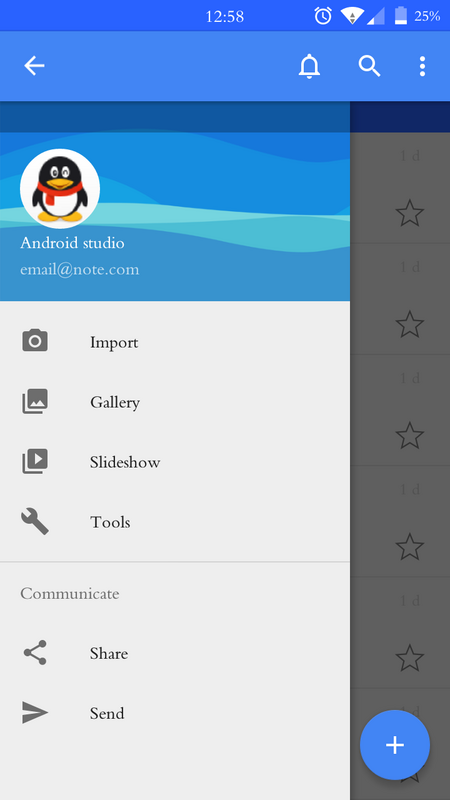
问题:请问,这个与状态栏等高的遮罩层阴影的来源是哪里,应该怎么去掉?谢谢!