1、关于在el-table中的el-button,触发点击事件时,执行confirm方法,无论点击确认还是取消,原来的button未取消聚焦的问题,解决方案如下代码。
<el-button
  size="mini"
  type="success"
  plain
  circle
  @click="startTask(scope.row, $event)"
  icon="el-icon-caret-right"
>
</el-button>

startTask(row, evt) {
  this.handleButtonBlur(evt);

  const h = this.$createElement
  this.$confirm("提示", {
    title: "提示",
    message: h('div', null, [
      h('p', null, '是否发布任务?'),
      h('p', null, '当前任务执行数据如下 : '),
      h('span', null, '活跃数 : '),
      h('span', { style: 'color: red; font-weight: bold' }, '9999')
    ]),
    showCancelButton: true,
    confirmButtonText: "确定",
    confirmButtonClass: "el-icon-circle-check el-button--mini",
    cancelButtonText: "取消",
    cancelButtonClass: "el-icon-circle-close el-button--mini",
    type: "warning"
  })
  .then(() => {
    // 业务逻辑代码...
  })
  .catch(() => {
    // ...
  });
}

handleButtonBlur(evt) {
    // 取消聚焦
    let target = evt.target;
    if (target.nodeName === "I") { // 判断button标签里面的标签是否为i标签,注意element.nodeName返回的是大写字母
        target = evt.target.parentNode;
    }
    else if (target.nodeName === "SPAN"){ // 判断button标签里面的标签是否为span标签,注意element.nodeName返回的是大写字母
        target = evt.target.parentNode;
    }
    target.blur();
}
2、Element - Vue暂无数据美化
<template v-if="productData.list == undefined || productData.list == ''">
  <div class="ant-empty-image">
    <svg class="ant-empty-img-simple" width="64" height="41" viewBox="0 0 64 41" xmlns="http://www.w3.org/2000/svg"><g transform="translate(0 1)" fill="none" fill-rule="evenodd"><ellipse class="ant-empty-img-simple-ellipse" cx="32" cy="33" rx="32" ry="7"></ellipse><g class="ant-empty-img-simple-g" fill-rule="nonzero"><path d="M55 12.76L44.854 1.258C44.367.474 43.656 0 42.907 0H21.093c-.749 0-1.46.474-1.947 1.257L9 12.761V22h46v-9.24z"></path><path d="M41.613 15.931c0-1.605.994-2.93 2.227-2.931H55v18.137C55 33.26 53.68 35 52.05 35h-40.1C10.32 35 9 33.259 9 31.137V13h11.16c1.233 0 2.227 1.323 2.227 2.928v.022c0 1.605 1.005 2.901 2.237 2.901h14.752c1.232 0 2.237-1.308 2.237-2.913v-.007z" class="ant-empty-img-simple-path"></path></g></g></svg>
  </div>
  <div class="ant-empty-description" align="center" style="line-height: 60px;font-size: 13px">暂无数据</div>
</template>


data() {
    return {
        productData: []
    }
},

<style>
  /* 暂无数据 */
  .ant-empty-image {
    height: 50px;
    margin: 25px auto 5px auto;
    text-align: center;
  }
  .ant-empty-image img {
    height: 100%;
  }
  .ant-empty-image svg {
    height: 100%;
    margin: auto;
  }
  .ant-empty-footer {
    margin-top: 16px;
  }
  .ant-empty-normal {
    margin: 32px 0;
    color: rgba(0, 0, 0, 0.25);
  }
  .ant-empty-normal .ant-empty-image {
    height: 40px;
  }
  .ant-empty-small {
    margin: 8px 0;
    color: rgba(0, 0, 0, 0.25);
  }
  .ant-empty-small .ant-empty-image {
    height: 35px;
  }
  .ant-empty-img-default-ellipse {
    fill: #f5f5f5;
    fill-opacity: 0.8;
  }
  .ant-empty-img-default-path-1 {
    fill: #aeb8c2;
  }
  .ant-empty-img-default-path-2 {
    fill: url(#linearGradient-1);
  }
  .ant-empty-img-default-path-3 {
    fill: #f5f5f7;
  }
  .ant-empty-img-default-path-4 {
    fill: #dce0e6;
  }
  .ant-empty-img-default-path-5 {
    fill: #dce0e6;
  }
  .ant-empty-img-default-g {
    fill: #fff;
  }
  .ant-empty-img-simple-ellipse {
    fill: #f5f5f5;
  }
  .ant-empty-img-simple-g {
    stroke: #d9d9d9;
  }
  .ant-empty-img-simple-path {
    fill: #fafafa;
  }
  .ant-empty-rtl {
    direction: rtl;
  }
  .ant-empty-description {
    color: #ccc;
  }
  /* / 暂无数据 */
</style>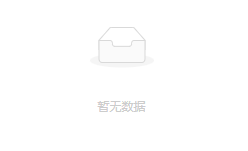
3、Element UI 分页样式美化
/* Element UI 分页样式美化 */
.el-pagination.is-background {
    margin: 0px auto;
    text-align: center;

    .el-pager li:not(.disabled).active {
        color: #fff !important;
        background-color: #5e7ce0 !important;
        border-color: #5e7ce0;
    }

    .el-pager li, .btn-prev, .btn-next {
        font-weight: normal;
        color: #aaa !important;
        border: 1px solid #dcdfe6;
        line-height: 26px;
        background-color: #fff !important;
    }

    button:disabled {
        background-color: #f4f4f5 !important;
        border: 1px solid #dcdfe6 !important;
    }
}
/* / Element UI 分页样式美化 */
4、Element UI Dialog 弹框居中
/* Element UI Dialog 弹框居中 */
.el-dialog {
  display: flex;
  flex-direction: column;
  margin:0 !important;
  position:absolute;
  top:50%;
  left:50%;
  transform:translate(-50%,-50%);
  max-height:calc(100% - 30px);
  max-width:calc(100% - 30px);

  .el-dialog__body {
    flex:1;
    overflow: auto;
    padding: 10px 20px !important;
  }
}
/* / Element UI Dialog 弹框居中 */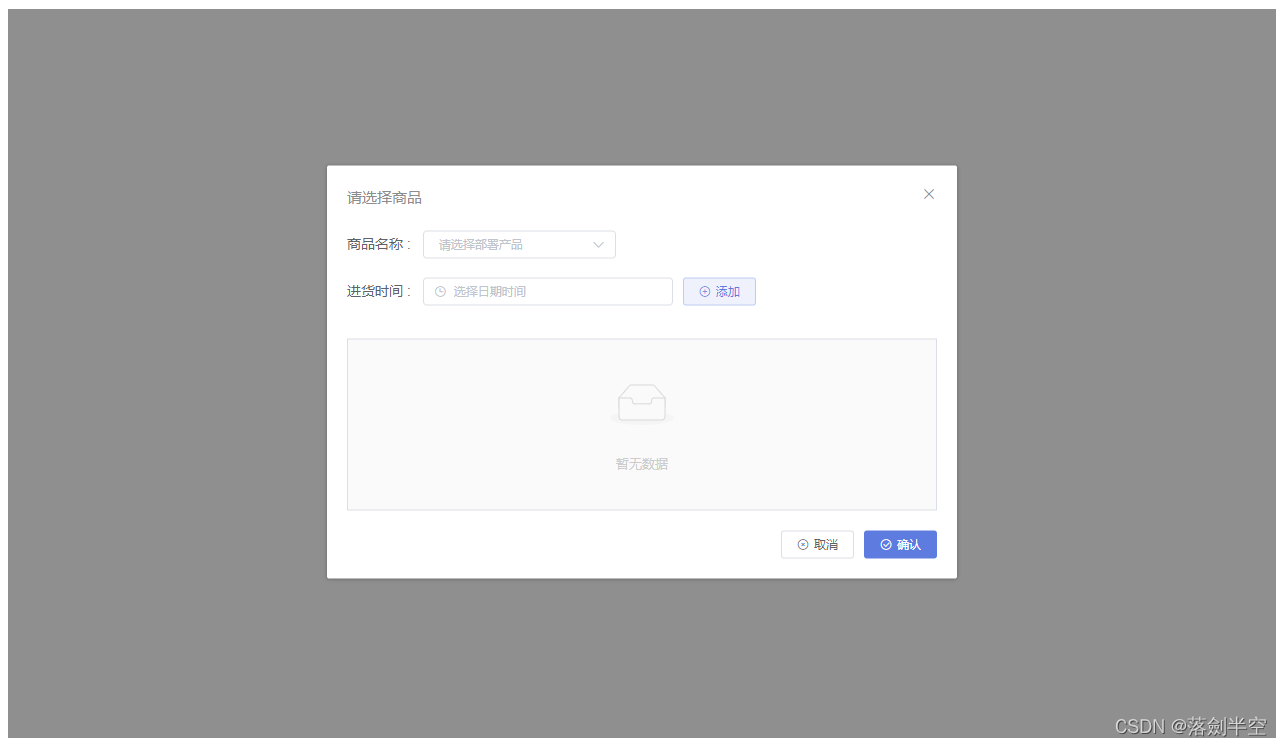
5、解决窗口缩放时,el-table突然出现线条问题
/* 解决表格错乱问题 - 方法一 */
.el-table::before {
  z-index: inherit;
}

.el-table__fixed-right::before,
.el-table__fixed::before {
  z-index: inherit;
}
/* / 解决表格错乱问题 */

/* 解决表格错乱问题 - 方法二 */
.el-table::before {
    z-index: inherit;
}
.el-table__fixed {
    z-index: inherit;
    height: calc(100% - 0px) !important;
    position: absolute;
}
.el-table__fixed-right {
    z-index: inherit;
    height: calc(100% - 0px) !important;
    position: absolute;
}
.el-table__fixed-right::before,
.el-table__fixed::before {
    z-index: inherit;
    height: 0px;
}
/* / 解决表格错乱问题 */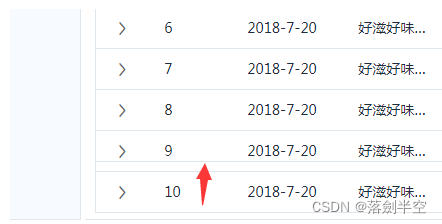
版权声明:本文为Cai181191原创文章,遵循CC 4.0 BY-SA版权协议,转载请附上原文出处链接和本声明。