先编写一个可以运行的MR任务的.jar包,我这里直接拷贝hadoop现成的jar包.
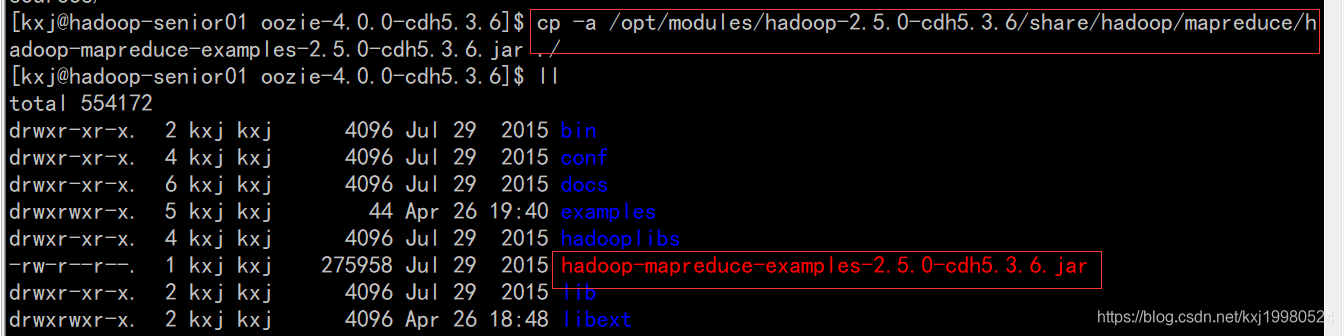
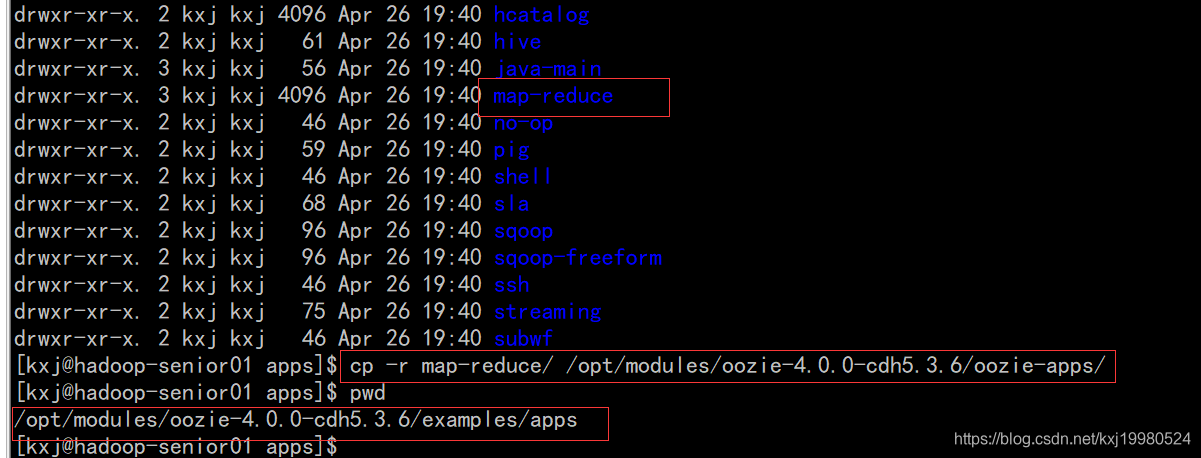
复制一个执行mapreduce的官方模板到oozie根目录下.
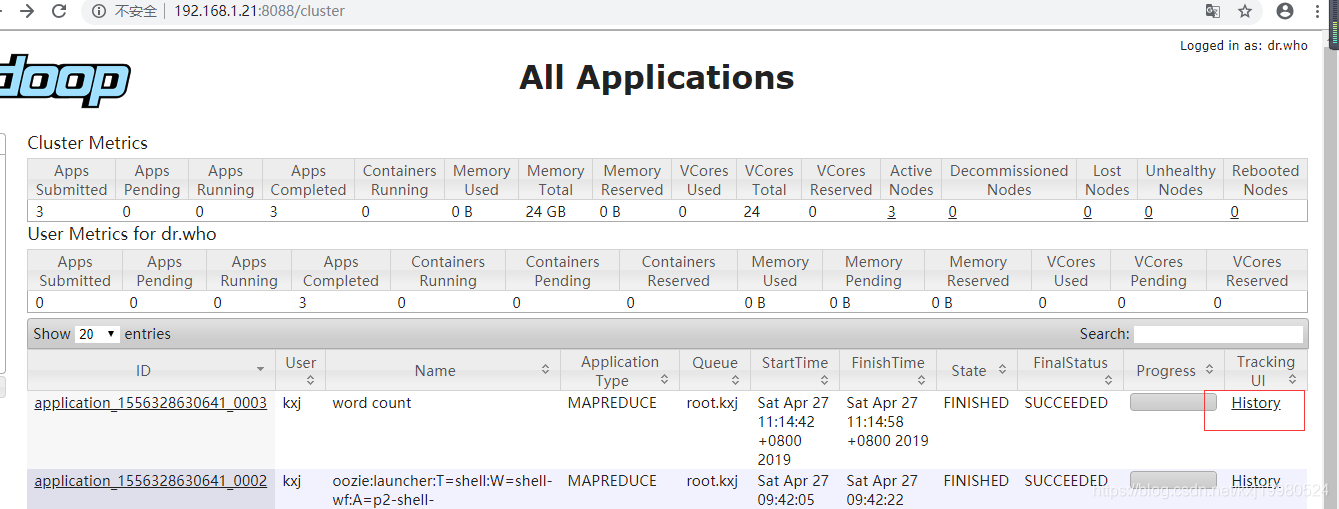
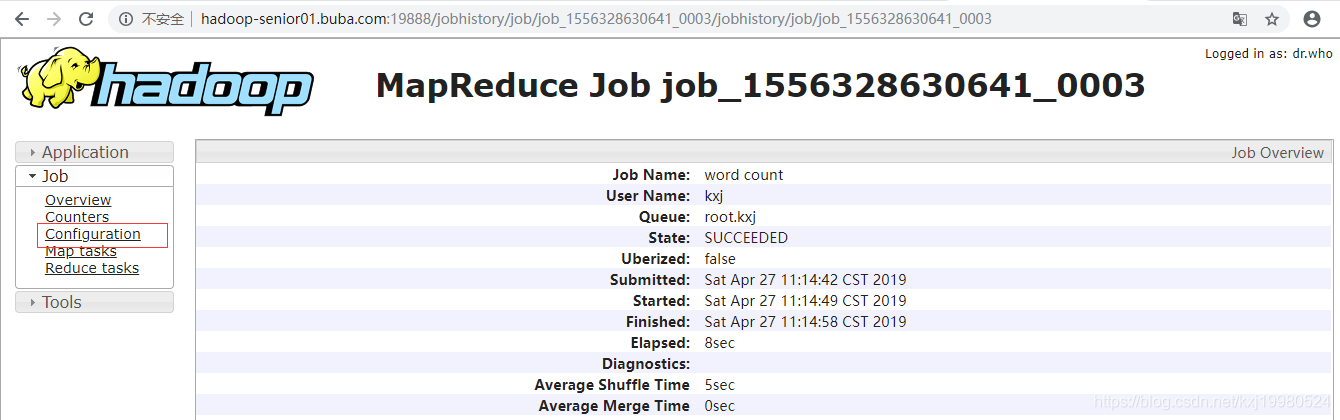
先执行一下这个mapreduce程序,因为oozie在配置mapreduce的时候需要一些输入输出参数类型,因为这个jar包不是自己写的不知道它是什么类型,执行完后可以在历史任务里查看到它的一些详细信息,里面有那些需要的参数.
/opt/modules/hadoop-2.5.0-cdh5.3.6/bin/yarn jar hadoop-mapreduce-examples-2.5.0-cdh5.3.6.jar wordcount /input/ /output2/

配置map-reduce任务
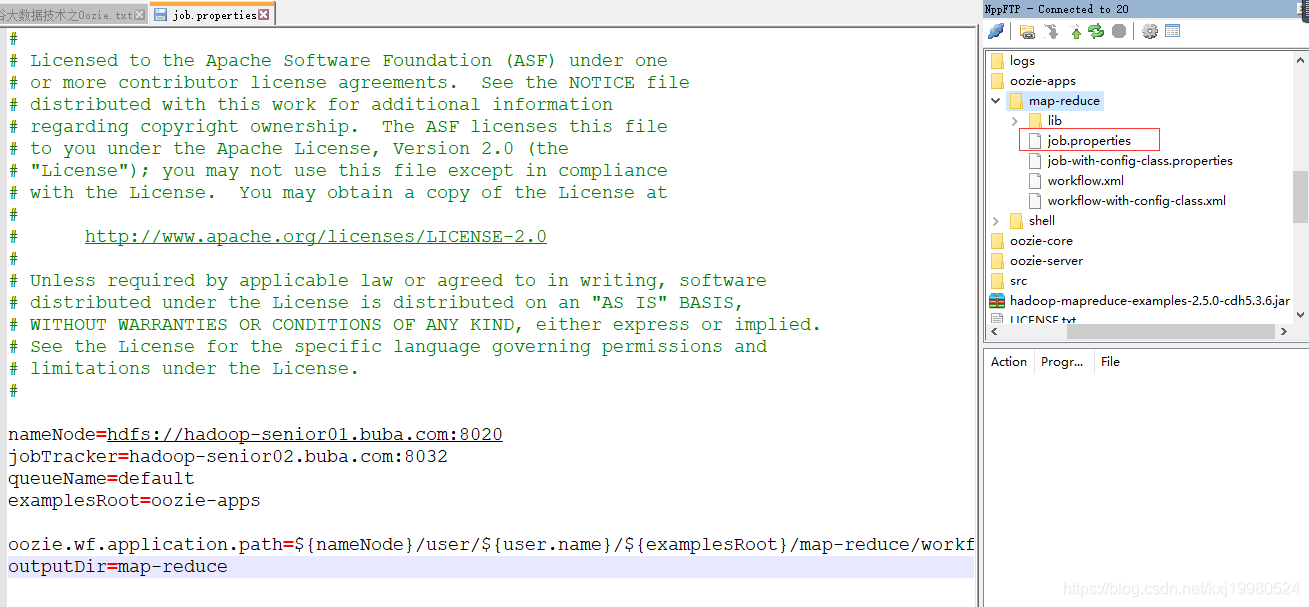
nameNode=hdfs://hadoop-senior01.buba.com:8020
jobTracker=hadoop-senior02.buba.com:8032
queueName=default
examplesRoot=oozie-apps

oozie.wf.application.path=${nameNode}/user/${user.name}/${examplesRoot}/map-reduce/workflow.xml
outputDir=map-reduce
<!--
  Licensed to the Apache Software Foundation (ASF) under one
  or more contributor license agreements.  See the NOTICE file
  distributed with this work for additional information
  regarding copyright ownership.  The ASF licenses this file
  to you under the Apache License, Version 2.0 (the
  "License"); you may not use this file except in compliance
  with the License.  You may obtain a copy of the License at

       http://www.apache.org/licenses/LICENSE-2.0

  Unless required by applicable law or agreed to in writing, software
  distributed under the License is distributed on an "AS IS" BASIS,
  WITHOUT WARRANTIES OR CONDITIONS OF ANY KIND, either express or implied.
  See the License for the specific language governing permissions and
  limitations under the License.
-->
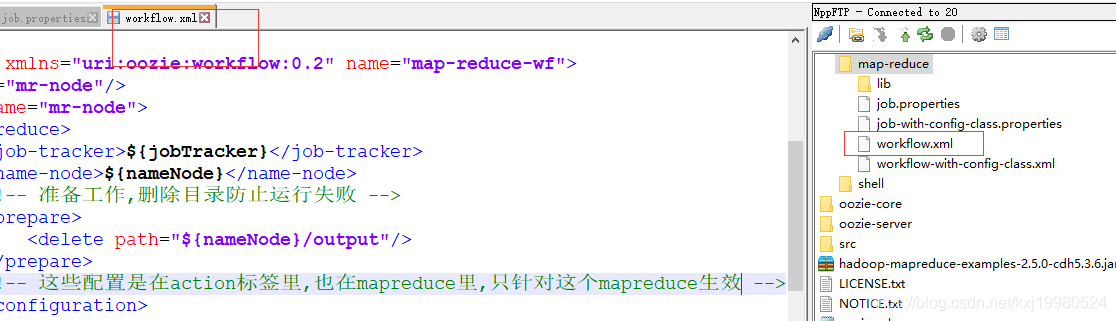
<workflow-app xmlns="uri:oozie:workflow:0.2" name="map-reduce-wf">
    <start to="mr-node"/>
    <action name="mr-node">
        <map-reduce>
            <job-tracker>${jobTracker}</job-tracker>
            <name-node>${nameNode}</name-node>
			<!-- 准备工作,删除目录防止运行失败 -->
            <prepare>
                <delete path="${nameNode}/output"/>
            </prepare>
			<!-- 这些配置是在action标签里,也在mapreduce里,只针对这个mapreduce生效 -->
            <configuration>
                <property>
                    <name>mapred.job.queue.name</name>
                    <value>${queueName}</value>
                </property>
				<!-- 配置调度MR任务时,使用新的API -->
                <property>
                    <name>mapred.mapper.new-api</name>
                    <value>true</value>
                </property>

				<property>
                    <name>mapred.reducer.new-api</name>
                    <value>true</value>
                </property>

				<!-- 指定Job Key输出类型 -->
				<property>
					<name>mapreduce.job.output.key.class</name>
					<value>org.apache.hadoop.io.Text</value>
				</property>

				<!-- 指定Job Value输出类型 -->
				<property>
					<name>mapreduce.job.output.value.class</name>
					<value>org.apache.hadoop.io.IntWritable</value>
				</property>

				<!-- 指定输入路径 -->
				<property>
					<name>mapred.input.dir</name>
					<value>/input/</value>
				</property>

				<!-- 指定输出路径 -->
				<property>
					<name>mapred.output.dir</name>
					<value>/output/</value>
				</property>

				<!-- 指定Map类 -->
				<property>
					<name>mapreduce.job.map.class</name>
					<value>org.apache.hadoop.examples.WordCount$TokenizerMapper</value>
				</property>

				<!-- 指定Reduce类 -->
				<property>
					<name>mapreduce.job.reduce.class</name>
					<value>org.apache.hadoop.examples.WordCount$IntSumReducer</value>
				</property>

				<property>
					<name>mapred.map.tasks</name>
					<value>1</value>
				</property>

            </configuration>
        </map-reduce>
        <ok to="end"/>
        <error to="fail"/>
    </action>
    <kill name="fail">
        <message>Map/Reduce failed, error message[${wf:errorMessage(wf:lastErrorNode())}]</message>
    </kill>
    <end name="end"/>
</workflow-app>
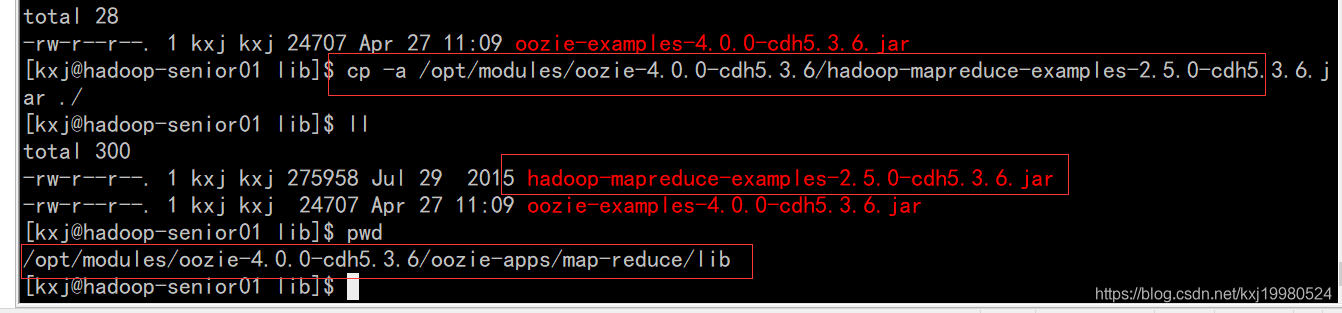
拷贝待执行的jar包到map-reduce的lib目录下,进行关联jar包
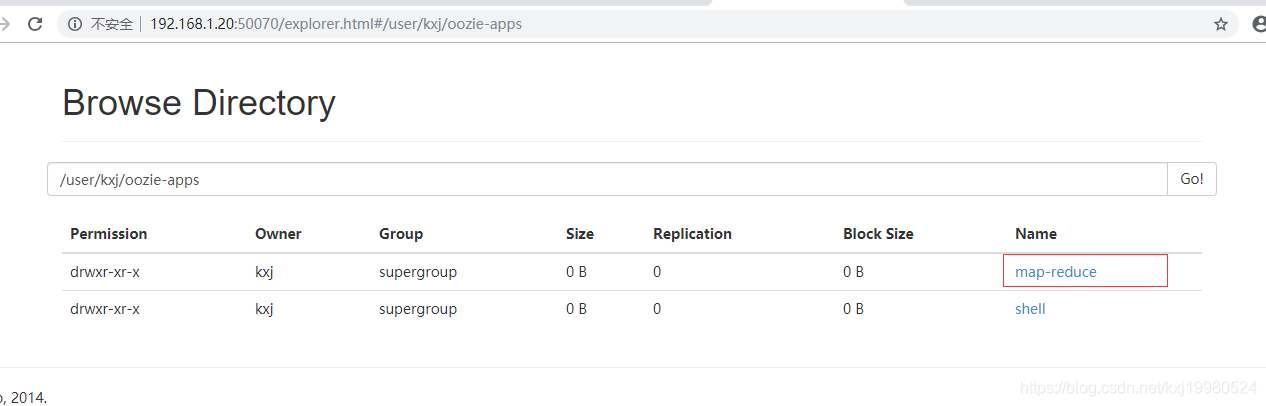
上传配置好的app文件夹到HDFS

执行任务 ,这样就执行了这个mapreduce任务了
bin/oozie job -oozie http://hadoop-senior01.buba.com:11000/oozie -config oozie-apps/map-reduce/job.properties -run

版权声明:本文为kxj19980524原创文章,遵循CC 4.0 BY-SA版权协议,转载请附上原文出处链接和本声明。