一、页面之间的传参问题
在jsp中,页面是可以通过param对象拿到路由参数的,而当我们采用传统的html方式,这种方法将不再适用。我们可以采取如下的方法来解决这个问题。
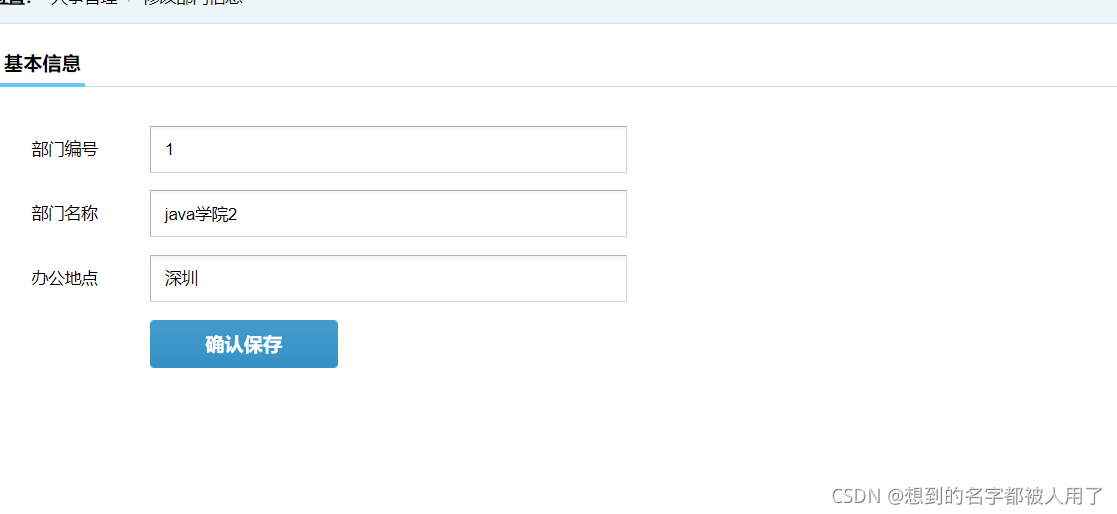
在该业务场景下,当我们点击修改后会跳到修改页面,而修改页面需要拿到部门的有关数据,在不使用jsp的情况下我们可以通过session来解决这个问题,当点击修改时,用ajax发送请求给后台,后台在session中设置一个属性来保存数据,随后浏览器发生页面跳转,当修改页面加载完成时发送ajax请求向后台拿session中存放的数据。
该方法的缺点很明显,非常繁琐并且加大的后台的负担,比较合适的解决方式是前台在修改时弹一个弹窗,在弹窗中修改页面而不发生页面跳转。
二、验证码问题

后端
 public void produceYZM(HttpServletRequest request, HttpServletResponse response) throws ServletException, IOException {
        // 在内存中创建图象
        int width = 110, height = 30;
        BufferedImage image = new BufferedImage(width, height,
                BufferedImage.TYPE_INT_RGB);
        // 获取图形上下文
        Graphics g = image.getGraphics();
        // 生成随机类
        Random random = new Random();
        // 设定背景色
        g.setColor(getRandColor(200, 250));
        g.fillRect(0, 0, width, height);
        // 设定字体
        g.setFont(new Font("Times New Roman", Font.PLAIN, 20));
        // 随机产生155条干扰线,使图象中的认证码不易被其它程序探测到
        g.setColor(getRandColor(160, 200));
        for (int i = 0; i < 155; i++) {
            int x = random.nextInt(width);
            int y = random.nextInt(height);
            int xl = random.nextInt(12);
            int yl = random.nextInt(12);
            g.drawLine(x, y, x + xl, y + yl);
        }
        // 取随机产生的认证码(6位数字)
        String sRand = "";
        for (int i = 0; i < 6; i++) {
            String rand = String.valueOf(random.nextInt(10));
            sRand += rand;
            // 将认证码显示到图象中
            g.setColor(new Color(20 + random.nextInt(110), 20 + random
                    .nextInt(110), 20 + random.nextInt(110)));
            // 调用函数出来的颜色相同,可能是因为种子太接近,所以只能直接生成
            g.drawString(rand, 13 * i + 6, 16);
        }
        // 图象生效
        g.dispose();
        //保存验证码到Session
        request.getSession().setAttribute("randStr", sRand);
        System.out.println(request.getSession().getAttribute("randStr"));
        try {
            ImageIO.write(image, "JPEG", response.getOutputStream());
        } catch (Exception e) {
            System.out.println("验证码图片产生出现错误:" + e.toString());
        }


    }
    public void checkYZM(HttpServletRequest req,HttpServletResponse resp) throws IOException {
        String code = req.getParameter("code");
        if(code.equals((String) req.getSession().getAttribute("randStr"))){
            resp.getWriter().print("flag=true");
        }else{
            resp.getWriter().print("flag=false");
        }
    }
前端
 $("#yzmImg").click(function () {
            console.log("切换验证码")
            $(this).attr("src","Login?method=produceYZM"+"&"+Math.random())
        })
        $("#yzm").blur(function(){
            console.log("失去焦点")
            $.ajax({
                    url:"Login?method=checkYZM",
                    method:"get",
                    data:{code:$(this).val()},
                    success:function(res){
                        $("#yzm-text").empty()
                        eval(res)
                        if(flag){
                            passYZM = true
                            $("#yzm-text").append("<small>验证码正确</small>")
                        }else{
                            passYZM = false
                            $("#yzm-text").append("<small>验证码错误</small>")
                        }
                    }

                })
            })

<span><input name="code" type="text" placeholder="验证码" id="yzm"/></span><cite><img src="Login?method=produceYZM" id="yzmImg" width="115px" height="46px"> </cite>
当页面加载完成时或者点击验证码图片时会发送请求切换验证码,验证码图形会发送到前端的img标签中
三、多表查询时出现多个同名字段,但表达的意义不同
<!--    多表查询、自查询 当表中出现同名字段(非连接字段)时需要起别名用来区分-->
    <select id="selectUpdate" resultMap="EmpMap2">
        select * from employee emp
        join dept on emp.deptno=dept.deptno
        join (select empid empid2,realname realname2 from employee) emp2 on emp.mgrid=emp2.empid2
        where emp.empid=#{param1}
    </select>
<resultMap id="EmpMap2" type="employee">
        <id column="empid" property="empid" ></id>
        <result column="password" property="password"></result>
        <result column="deptno" property="deptno"></result>
        <result column="posid" property="posid"></result>
        <result column="mgrid" property="mgrid"></result>
        <result column="realname" property="realname"></result>
        <result column="sex" property="sex"></result>
        <result column="birthdate" property="birthdate"></result>
        <result column="hiredate" property="hiredate"></result>
        <result column="leavedate" property="leavedate"></result>
        <result column="onduty" property="onduty"></result>
        <result column="emptype" property="emptype"></result>
        <result column="phone" property="phone"></result>
        <result column="qq" property="qq"></result>
        <result column="emercontactperson" property="emercontactperson"></result>
        <result column="idcard" property="idcard"></result>

        <association property="dept" javaType="Dept">
            <id column="deptno" property="deptno"></id>
            <result column="deptname" property="deptname"></result>
            <result column="location" property="location"></result>
        </association>
        <association property="mgr" javaType="employee">
            <id column="empid2" property="empid"></id>
            <result column="realname2" property="realname"></result>
        </association>

    </resultMap>
四、挂在webapp文件夹下的html文件访问不到的问题
需要在web.xml中添加如下配置
<servlet-mapping>
        <servlet-name>default</servlet-name>
        <url-pattern>*.css</url-pattern>
    </servlet-mapping>
    <servlet-mapping>
        <servlet-name>default</servlet-name>
        <url-pattern>*.html</url-pattern>
    </servlet-mapping>
    <servlet-mapping>
        <servlet-name>default</servlet-name>
        <url-pattern>*.js</url-pattern>
    </servlet-mapping>
    <servlet-mapping>
        <servlet-name>default</servlet-name>
        <url-pattern>*.ico</url-pattern>
    </servlet-mapping>
    <servlet-mapping>
        <servlet-name>default</servlet-name>
        <url-pattern>*.jpg</url-pattern>
    </servlet-mapping>
    <servlet-mapping>
        <servlet-name>default</servlet-name>
        <url-pattern>*.png</url-pattern>
    </servlet-mapping>
    <servlet-mapping>
        <servlet-name>default</servlet-name>
        <url-pattern>*.gif</url-pattern>
    </servlet-mapping>
版权声明:本文为qq_42861526原创文章,遵循CC 4.0 BY-SA版权协议,转载请附上原文出处链接和本声明。