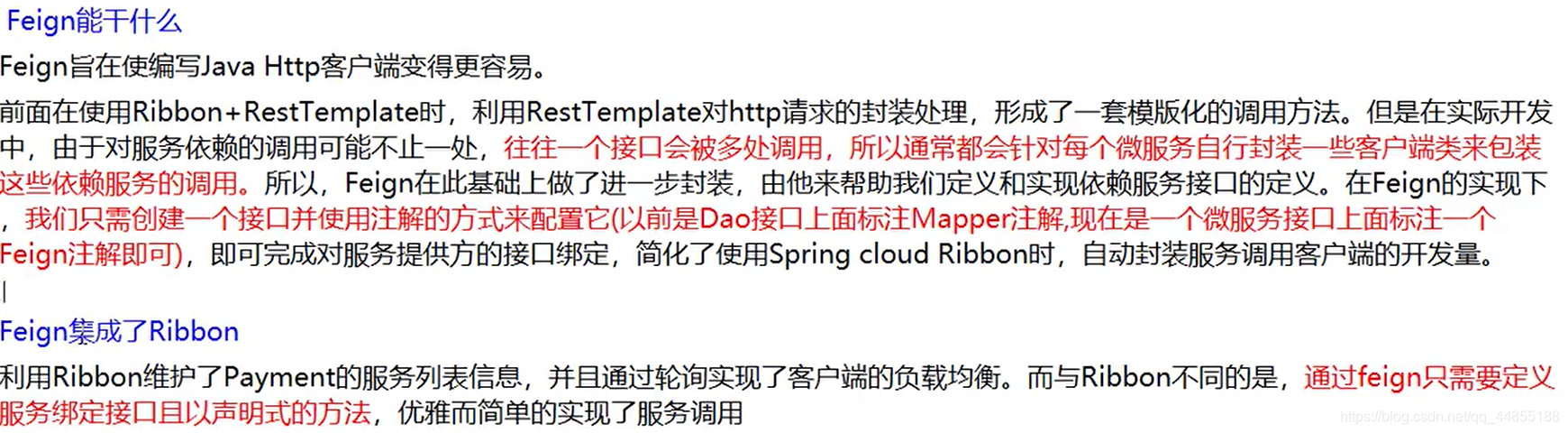
Feign是什么
Feign和OpenFeign的区别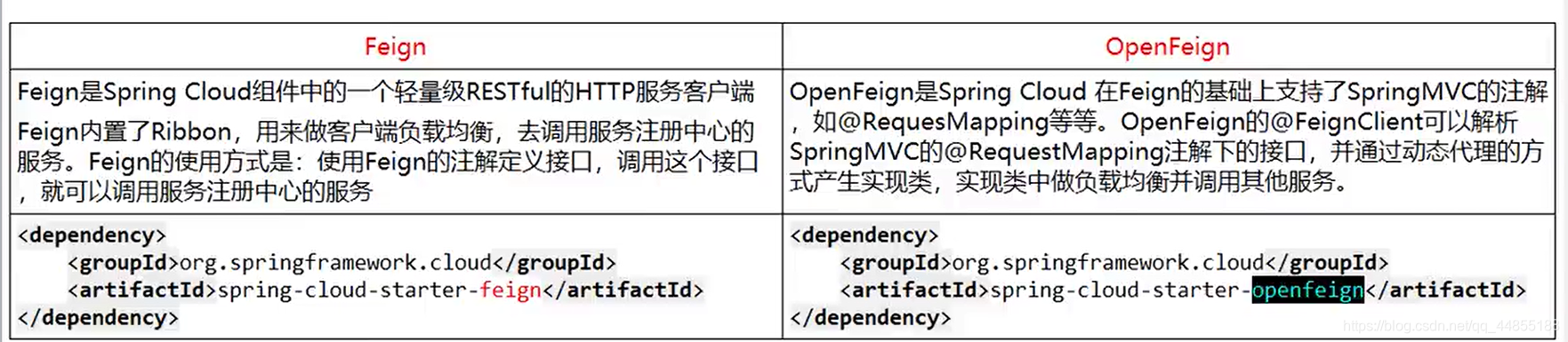
openFeign的使用
1.导入依赖
<dependency>
            <groupId>org.springframework.cloud</groupId>
            <artifactId>spring-cloud-starter-openfeign</artifactId>
 </dependency>
因为openFeign的依赖里面含有Ribbon的依赖,所以可以不导入Ribbon的坐标而进行负载均衡。
2.yml配置文件
主要配置的是eureka
server:
  port: 80

eureka:
  client:
    register-with-eureka: false
    service-url:
      defaultZone: http://eureka7001.com:7001/eureka/,http://eureka7002.com:7002/eureka/
#设置feign客户端超时时间(OpenFeign默认支持ribbon)
ribbon:
#指的是建立连接所用的时间,适用于网络状况正常的情况下,两端连接所用的时间
  ReadTimeout: 5000
#指的是建立连接后从服务器读取到可用资源所用的时间
  ConnectTimeout: 5000

logging:
  level:
    # feign日志以什么级别监控哪个接口
    com.atguigu.springcloud.service.PaymentFeignService: debug
3.主启动类上加注解
@EnableFeignClients
4.创建服务接口
服务提供方接口
@GetMapping(value = "/payment/get/{id}")
    public CommonResult<Payment> getPaymentById(@PathVariable("id") Long id)
    {
        Payment payment = paymentService.getPaymentById(id);

        if(payment != null)
        {
            return new CommonResult(200,"查询成功,serverPort:  "+serverPort,payment);
        }else{
            return new CommonResult(444,"没有对应记录,查询ID: "+id,null);
        }
    }
服务消费方接口
@Component
@FeignClient(value = "CLOUD-PAYMENT-SERVICE")//服务提供方名称
public interface PaymentFeignService
{
    @GetMapping(value = "/payment/get/{id}")
    public CommonResult<Payment> getPaymentById(@PathVariable("id") Long id);
5.消费方在Controller中进行调用
    @Resource
    private PaymentFeignService paymentFeignService;

    @GetMapping(value = "/consumer/payment/get/{id}")
    public CommonResult<Payment> getPaymentById(@PathVariable("id") Long id)
    {
        return paymentFeignService.getPaymentById(id);
    }
openFeign默认自动配置了负载均衡且默认采用轮询策略
2.openFeign的超时控制
首先让我们来看看超时指的是什么?
服务提供方的接口,特意进行3秒睡眠处理
@GetMapping(value = "/payment/feign/timeout")
    public String paymentFeignTimeout()
    {
        // 业务逻辑处理正确,但是需要耗费3秒钟
        try { TimeUnit.SECONDS.sleep(3); } catch (InterruptedException e) { e.printStackTrace(); }
        return serverPort;
    }
消费端调用服务端接口
@GetMapping(value = "/consumer/payment/feign/timeout")
    public String paymentFeignTimeout()
    {
        // OpenFeign客户端一般默认等待1秒钟
        return paymentFeignService.paymentFeignTimeout();
    }
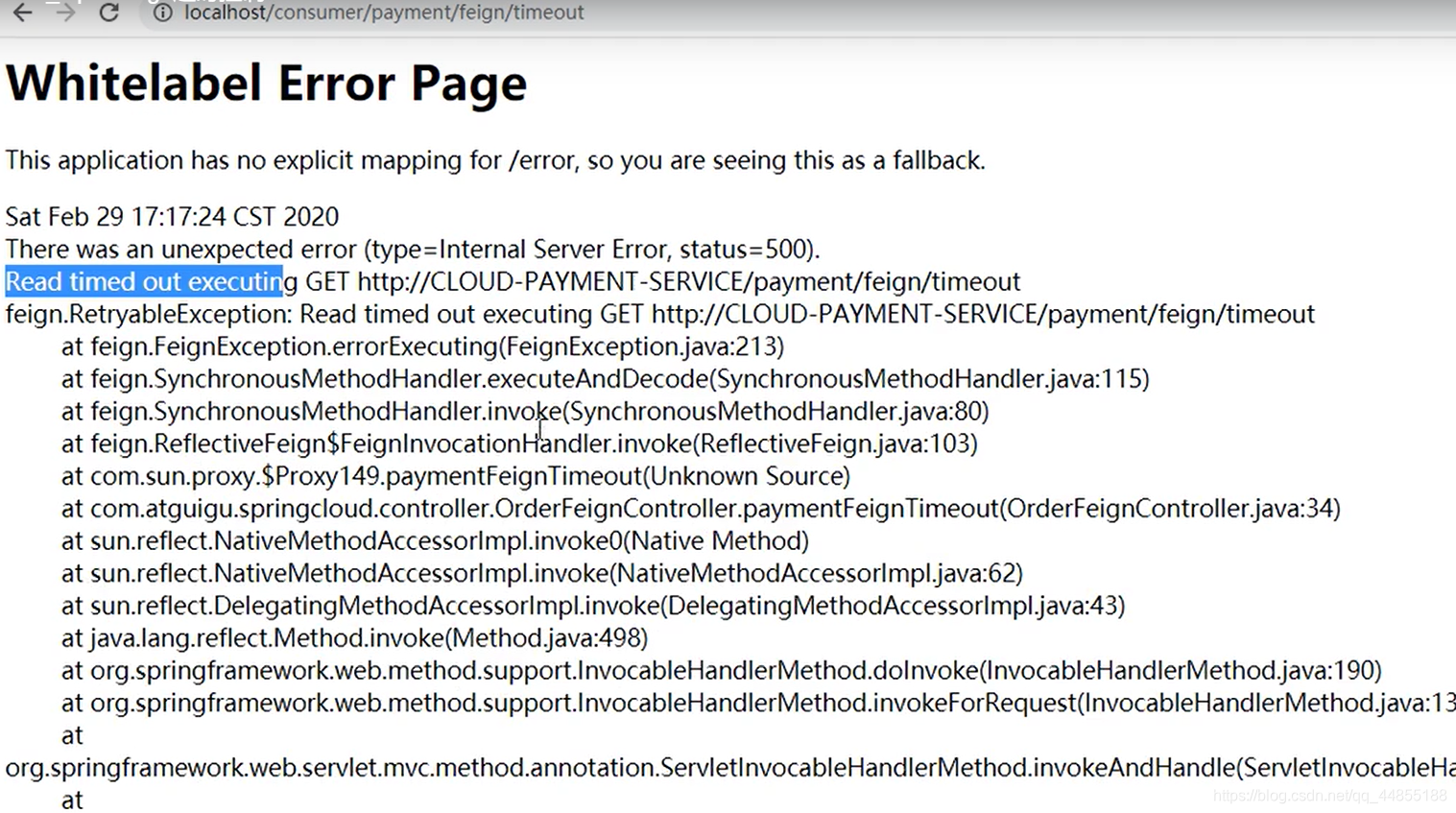
我们请求消费端的接口看看结果
我们发现显示超时,原因是我们使用openFeign调用服务提供者的接口时默认的超时时间为1秒,而我们在服务提供端让他沉睡了3秒,所以显示超时
配置openFeign超时时间
ribbon:
#指的是建立连接所用的时间,适用于网络状况正常的情况下,两端连接所用的时间
  ReadTimeout: 5000
#指的是建立连接后从服务器读取到可用资源所用的时间
  ConnectTimeout: 5000
4.openFeign的日志增强
配置文件中配置
logging:
  level:
    # feign日志以什么级别监控哪个接口
    com.atguigu.springcloud.service.PaymentFeignService: debug
创建配置类
@Configuration
public class FeignConfig
{
    @Bean
    Logger.Level feignLoggerLevel()
    {
        return Logger.Level.FULL;
    }
}
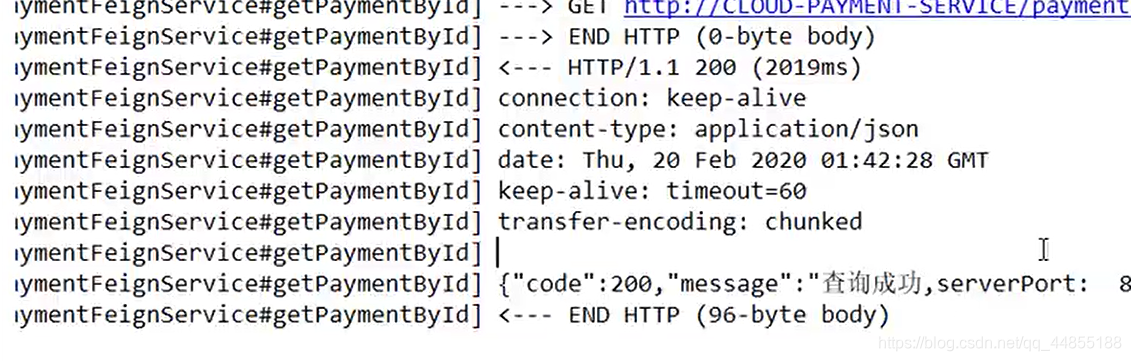
此时调用会打印详细信息
版权声明:本文为qq_44855188原创文章,遵循CC 4.0 BY-SA版权协议,转载请附上原文出处链接和本声明。