效果:
橙色为listview部分,红色为Button部分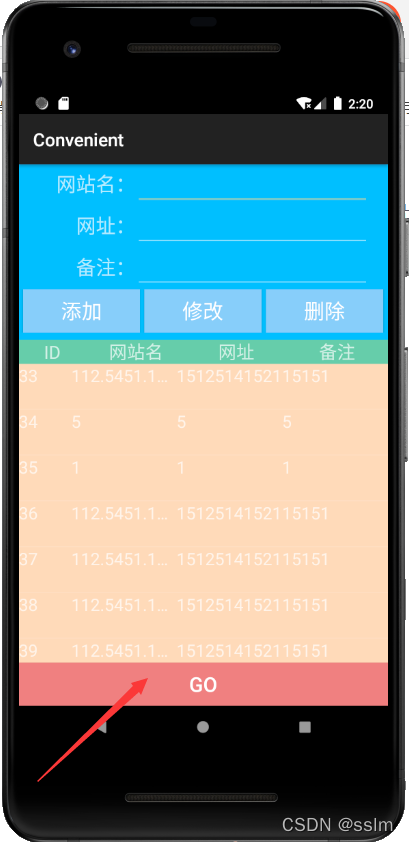
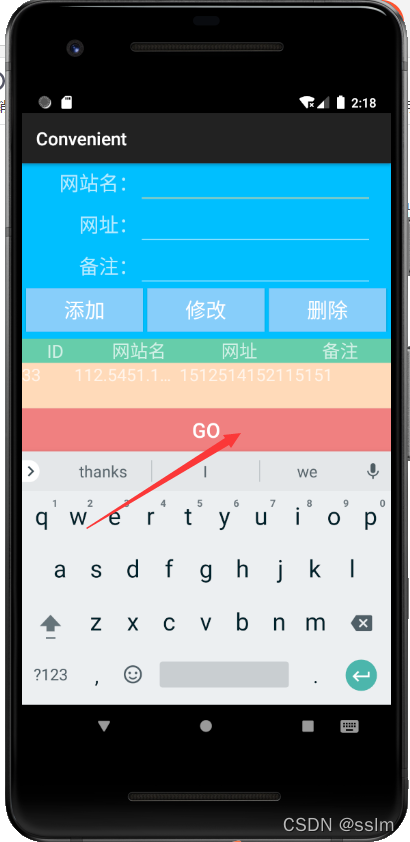
设置:
两个控件的layout_height:
android:layout_height=“wrap_content”
listview的layout_weight:
android:layout_weight=“1”
<ListView
        android:id="@+id/lv1"
        android:layout_width="match_parent"
        android:layout_height="wrap_content"
        android:background="@color/peachpuff"
        android:layout_weight="1"
        />
    <Button
        android:id="@+id/query"
        android:layout_width="match_parent"
        android:layout_height="wrap_content"
        android:background="@color/lightcoral"
        android:textSize="23dp"
        android:text="GO"
        />
版权声明:本文为m0_49678205原创文章,遵循CC 4.0 BY-SA版权协议,转载请附上原文出处链接和本声明。