一、新建Springboot项目
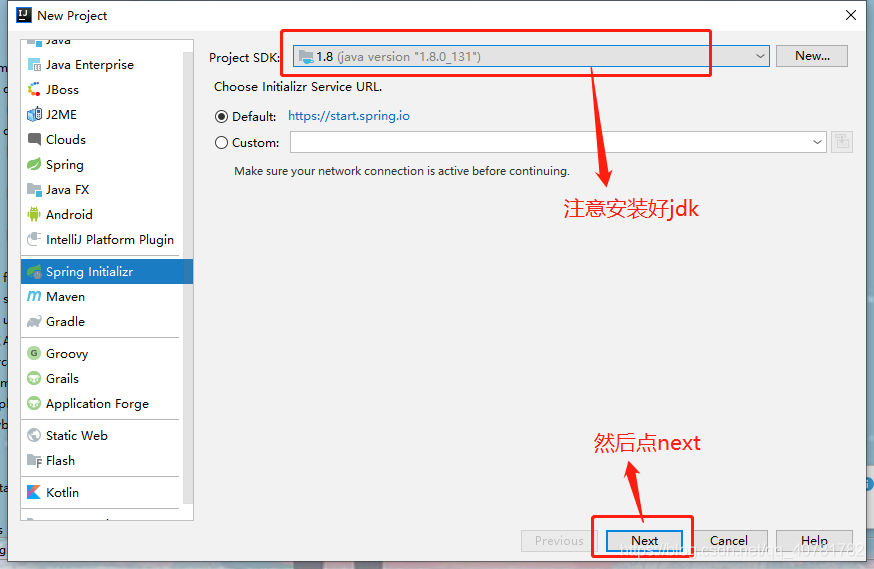
(1)打开idea,file->new->project->Spring Initializr,然后点next
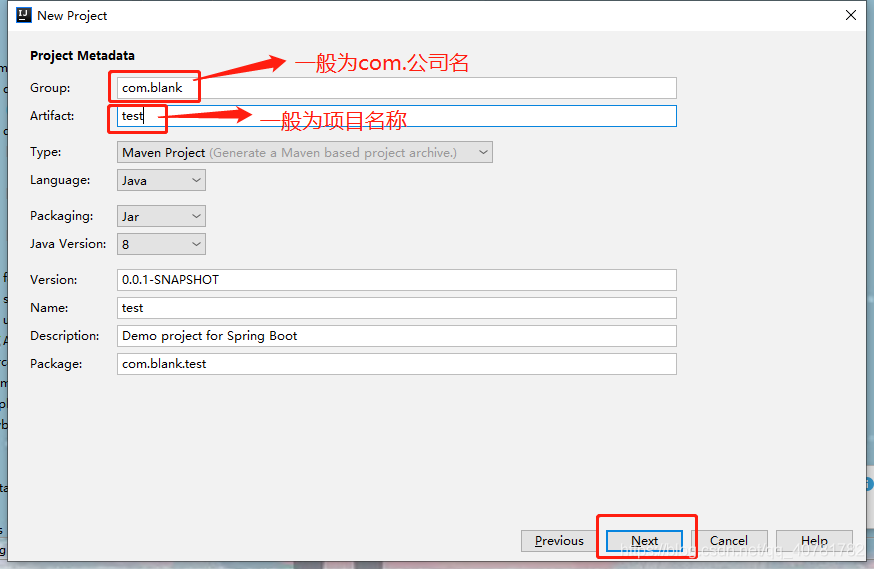
(2)填写Group和Artifact,然后点next
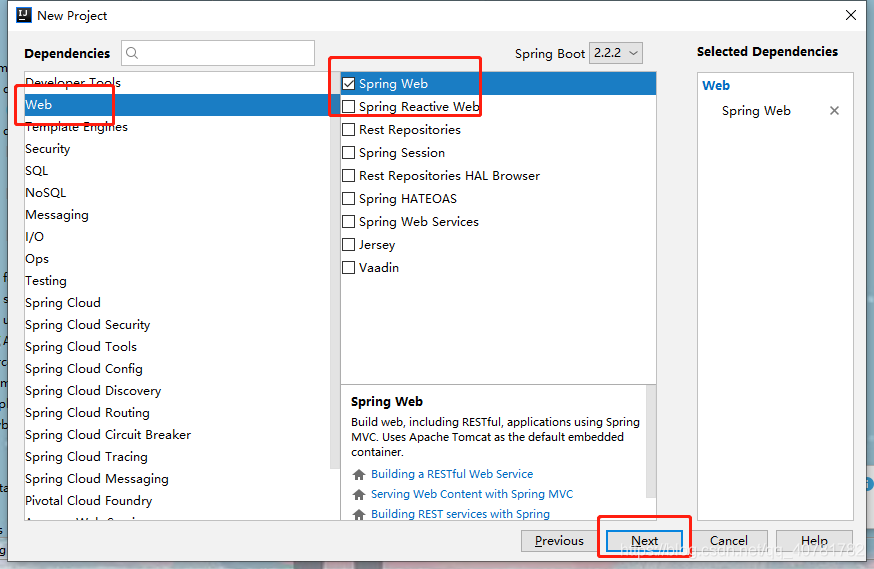
(3)选择web->spring web,点击next
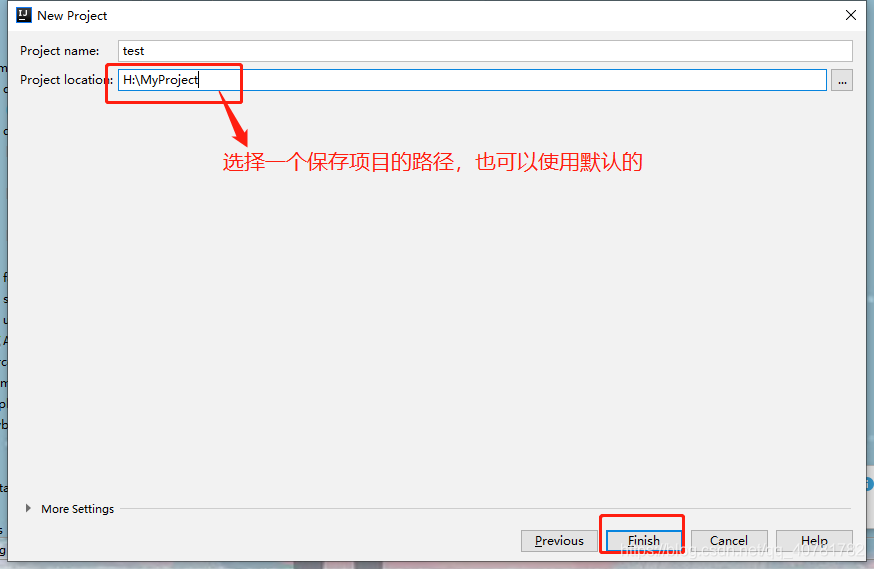
(4)选择保存项目的路径,也可使用默认的,然后点finish
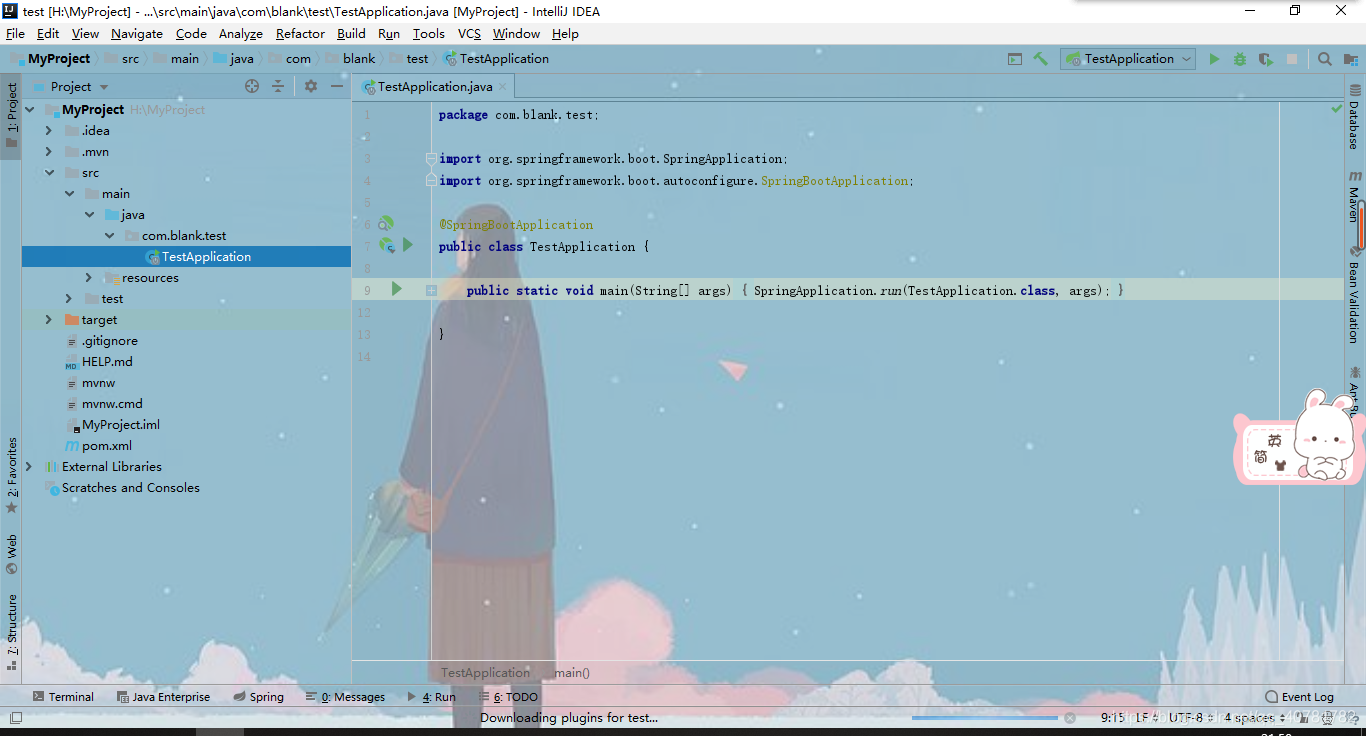
(5)到这里项目就搭建好了,如下图的样子:
二、启动测试
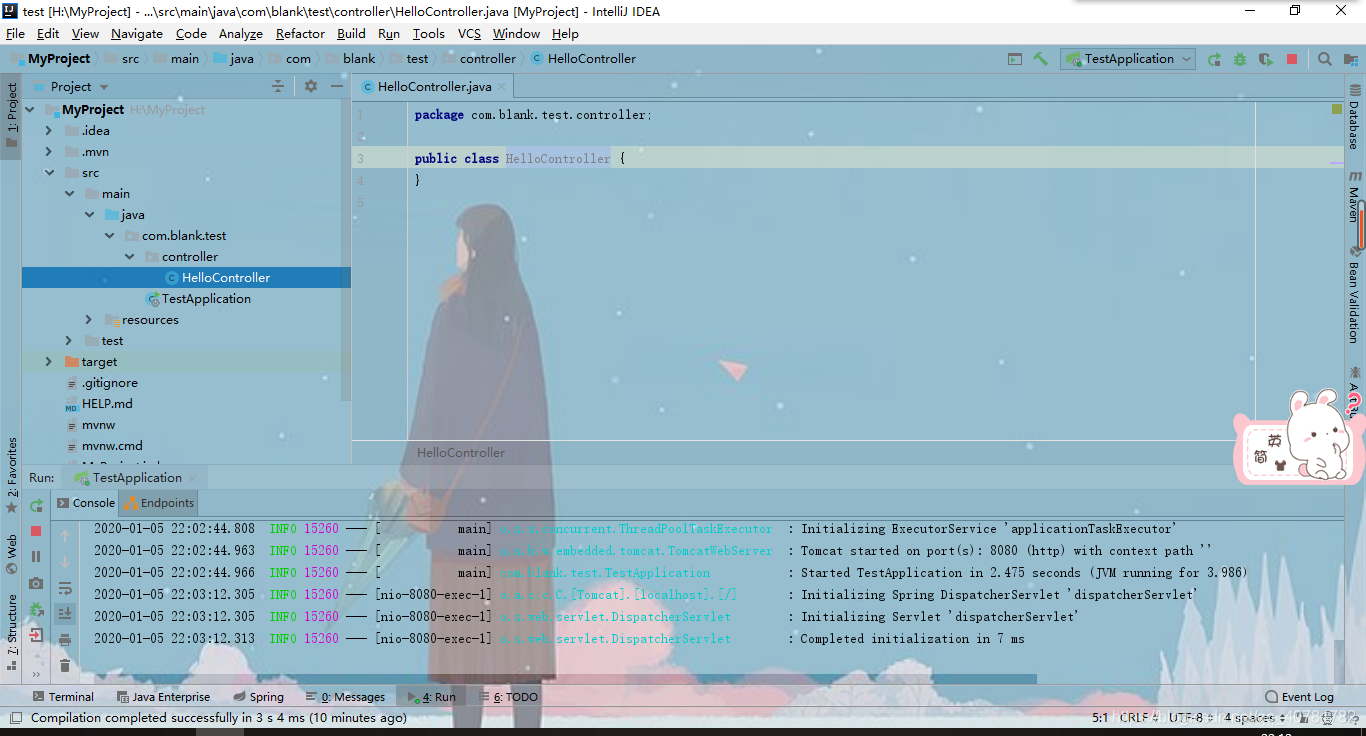
(1)在com.blank.test新建controller包,然后新建一个HelloController类
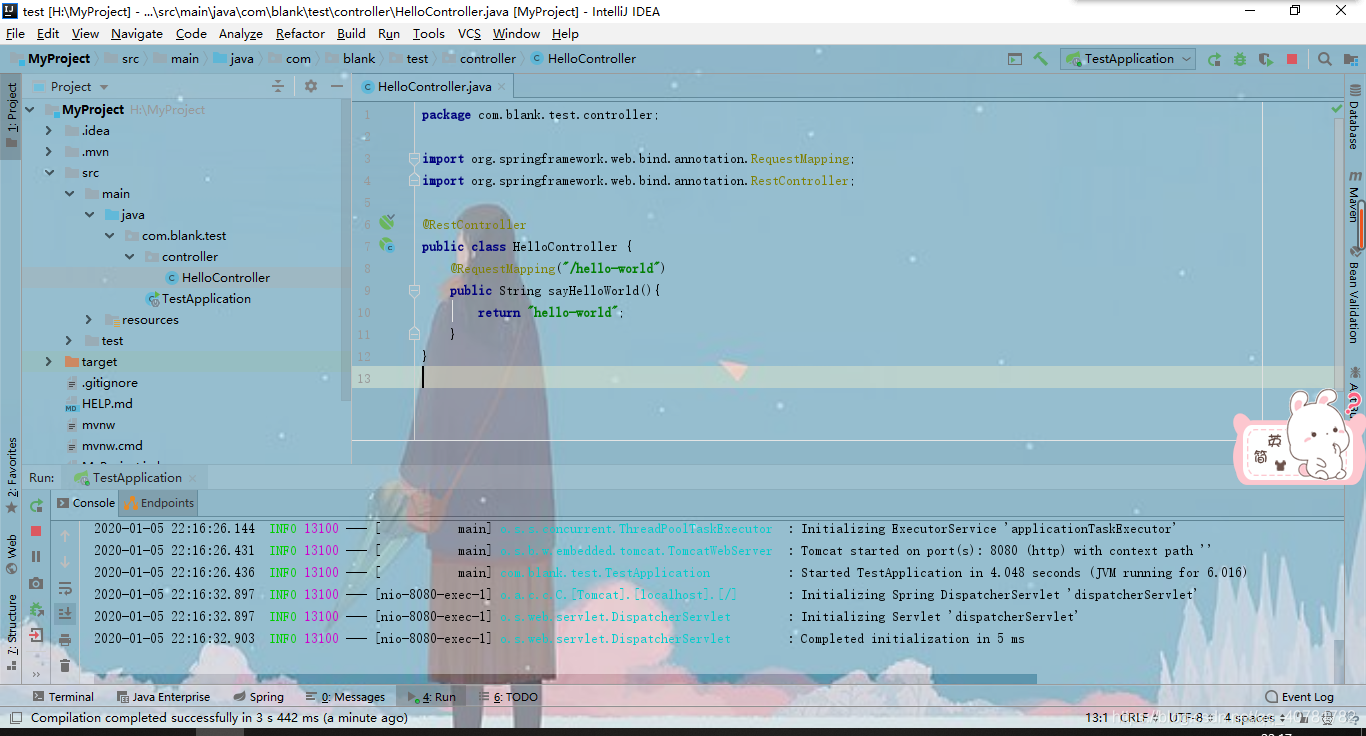
(2)编写代码启动项目
package com.blank.test.controller;

import org.springframework.web.bind.annotation.RequestMapping;
import org.springframework.web.bind.annotation.RestController;

@RestController
public class HelloController {
    @RequestMapping("/hello-world")
    public String sayHelloWorld(){
        return "hello-world";
    }
}
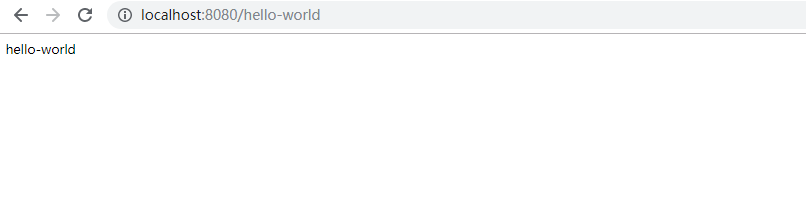
(3)默认端口是8080,可在application.properties配置文件中修改端口号。此处我使用的是默认端口,在网页中打开如下图:
到此一个项目就创建好了
版权声明:本文为qq_40781782原创文章,遵循CC 4.0 BY-SA版权协议,转载请附上原文出处链接和本声明。