//首先把页面初始化的已选中单选框添加一个自定义属性xxx
        $(":radio").each(function(){
            if($(this).prop("checked")){
                $(this).attr("checkdata","checkdata");
            }
        });
//$('#formTest').on('click','.layui-anim.layui-icon',function () {
//根据表单id formTest添加一个动态绑定的单击事件,如果不动态绑定,form.render("radio")页面重新渲
//染之后,绑定的事件会被删除,如果页面绑定的有其他交互事件请测试一遍,防止事件不起作用
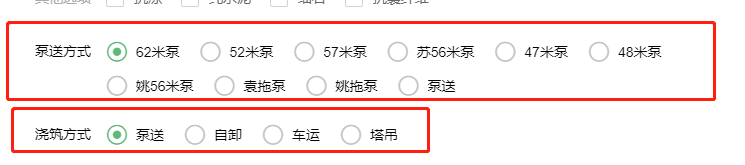
//下面的name=orderPlaystyle,name=orderPump是因为有两个单选框分组,如果有多个分组你也要复制成多个
$('#formTest').on('click','.layui-anim.layui-icon',function () {
var radioDOM=$(this).parent().parent().find("[title="+$(this).parent().find("div").text()+"]");
if($(radioDOM).attr("name")=="orderPlaystyle"){
if(typeof($(radioDOM).attr("checkdata"))=="undefined"){
$(":radio[name=orderPlaystyle]").removeAttr("checkdata");
$(radioDOM).attr("checkdata","checkdata");
}else{
$(":radio[name=orderPlaystyle]").removeAttr("checkdata");
$(radioDOM).prop("checked",false);
form.render("radio");
}
}else if($(radioDOM).attr("name")=="orderPump"){
if(typeof($(radioDOM).attr("checkdata"))=="undefined"){
$(":radio[name=orderPump]").removeAttr("checkdata");
$(radioDOM).attr("checkdata","checkdata");
}else{
$(":radio[name=orderPump]").removeAttr("checkdata");
$(radioDOM).prop("checked",false);
form.render("radio");
}
}
});
版权声明:本文为My_Pass_Word原创文章,遵循CC 4.0 BY-SA版权协议,转载请附上原文出处链接和本声明。